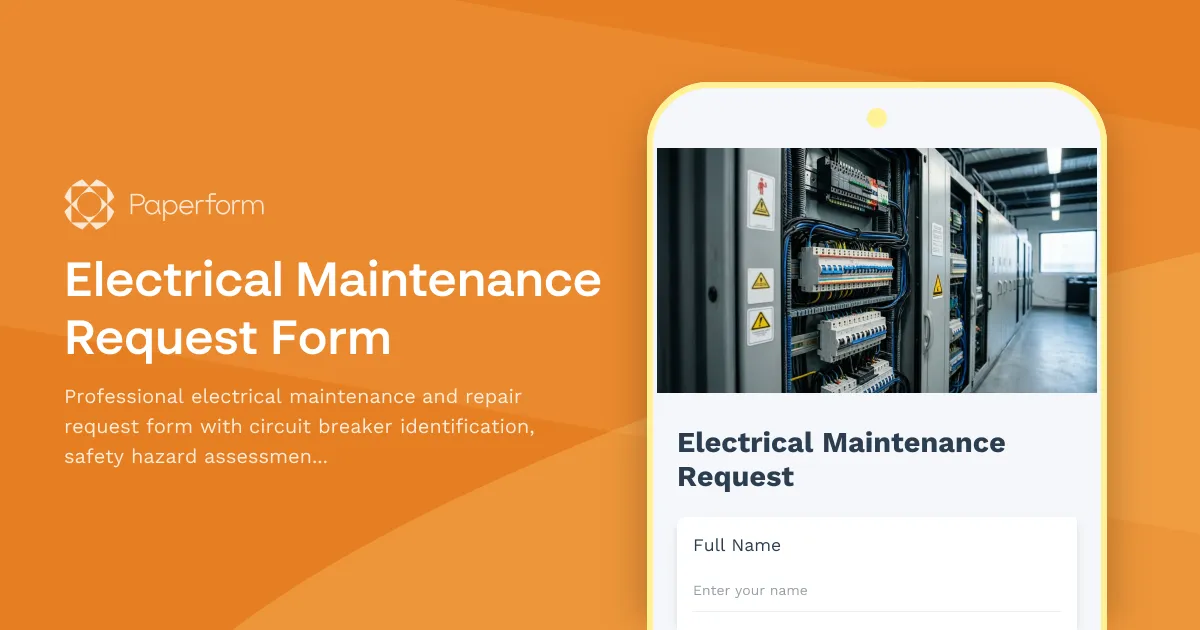
Streamline Electrical Maintenance with a Professional Request Form
Managing electrical maintenance requests doesn't have to mean chasing down incomplete work orders, missing safety details, or wondering which circuit breaker needs attention. Whether you're overseeing a commercial building, residential complex, manufacturing facility, or educational institution, having a structured electrical maintenance request form ensures every issue is documented properly, prioritized correctly, and assigned to qualified licensed electricians.
This Electrical Maintenance Request Form template is designed specifically for property managers, facilities coordinators, maintenance supervisors, and building operations teams who need to capture critical safety information, assess electrical hazards accurately, and maintain compliance with electrical codes—all while keeping repair workflows moving efficiently.
Why Electrical Maintenance Forms Matter
Electrical systems are the backbone of any facility, but they're also one of the most hazardous when something goes wrong. A missing breaker label, an overloaded circuit, or exposed wiring can quickly escalate from a minor inconvenience to a serious safety risk or code violation. That's why electrical maintenance requests need more detail than your typical repair ticket.
This form captures everything your electricians and safety officers need: specific location details, circuit breaker identification, the nature of the electrical issue, visible safety hazards, and whether the work involves code compliance or inspection follow-up. It also helps you prioritize requests based on urgency—distinguishing between emergency shutdowns, safety hazards, and routine preventive maintenance—so your team can respond appropriately.
Who This Form Is For
This template is ideal for:
- Property managers overseeing residential, commercial, or mixed-use buildings who need tenants and staff to submit detailed electrical repair requests
- Facilities managers in corporate offices, schools, hospitals, and government buildings tracking electrical maintenance across multiple floors or buildings
- Maintenance supervisors coordinating work orders for in-house or contracted licensed electricians
- Safety officers ensuring electrical hazards are flagged, documented, and resolved in line with OSHA and NEC standards
- Building operations teams managing preventive maintenance schedules, inspection follow-ups, and code compliance projects
Key Features of This Electrical Maintenance Form
Detailed Location and Circuit Information
The form collects precise location details—building, floor, room number—and asks requestors to identify the affected circuit breaker number or electrical panel. This helps electricians locate the issue quickly and ensures the right breaker is de-energized before work begins, improving both safety and efficiency.
Safety Hazard Priority Assessment
Not all electrical issues are created equal. The form includes a priority selector that distinguishes between emergency situations (sparks, smoke, exposed live wires), high-priority safety hazards (flickering lights, burning smells, tripped breakers), standard repairs (outlet replacements, switch issues), and routine preventive maintenance. This built-in triage helps your team allocate resources appropriately and respond to life-safety risks immediately.
Code Compliance and Inspection Tracking
If the request stems from a code violation, failed inspection, or compliance audit, the form captures that context so your electricians know the work must meet specific NEC or local code requirements. You can also flag whether a permit or re-inspection will be needed, keeping your compliance documentation organized.
Licensed Electrician Verification
The form includes a field to confirm that work will be performed by a licensed, qualified electrician—a critical requirement for insurance, liability, and code compliance. This helps prevent unqualified personnel from attempting electrical repairs and ensures all work is done safely and to standard.
Photo Upload and Visual Documentation
Requestors can upload photos of the electrical issue, damaged outlets, breaker panels, or visible hazards. This visual context helps electricians assess the situation before arriving on-site, bring the right tools, and validate the urgency of the request.
Flexible Workflow and On-Brand Design
Like all Paperform templates, this form is fully customizable. You can adjust fields to match your facility's naming conventions, add conditional logic to show additional questions based on priority level, embed the form on your intranet or maintenance portal, and apply your organization's branding for a professional, cohesive look.
How Paperform Powers Smarter Electrical Maintenance Workflows
Paperform is built for teams that need forms to do more than just collect information—they need forms that drive action. Here's how this template fits into a complete maintenance management workflow:
Instant Notifications and Assignment
Set up email or Slack notifications so that high-priority or emergency electrical requests immediately alert your maintenance supervisor or on-call electrician. You can route different priority levels to different inboxes or channels, ensuring urgent issues never sit in a queue.
Automated Workflows with Stepper
Connect this form to Stepper, Paperform's AI-native workflow automation platform, to turn each submission into a structured work order process. Automatically create tickets in your CMMS, assign tasks to licensed electricians, send follow-up reminders, update facility management systems, and close the loop with requestors once repairs are completed—no manual data entry required.
CRM and Database Sync
Push electrical maintenance requests directly into Airtable, Google Sheets, or your facility management software so you can track trends, monitor recurring issues (like frequently tripped breakers or aging panels), and plan preventive maintenance or capital improvements.
Compliance and Audit-Ready Records
Every submission is timestamped, stored securely, and includes all the documentation (photos, descriptions, code references) you'll need for safety audits, insurance claims, or compliance reviews. With SOC 2 Type II compliance and data residency controls, Paperform gives you the security and transparency facilities teams need.
Customizing This Template for Your Facility
While this template works out of the box, you can tailor it to match your operation:
- Add asset tags or equipment IDs if your facility uses a numbered asset management system
- Include tenant or department contact information for follow-up or access coordination
- Use conditional logic to show additional fields (like permit requirements) only when code compliance work is selected
- Embed your electrical panel directory or site map as a reference image to help requestors identify breaker numbers
- Add a cost estimate approval field for non-emergency requests that require budget sign-off
You can also integrate this form with Papersign (papersign.com) if you need contractors or tenants to sign off on completed work, safety acknowledgments, or permit documentation.
Real-World Use Cases
Commercial Office Building: Property management embeds the form on the tenant portal. When a tenant reports flickering lights, the form captures the suite number, breaker info, and photos. A high-priority ticket is auto-created in the CMMS, and the building's licensed electrician receives a text alert.
Manufacturing Facility: The safety officer uses the form to log electrical hazards identified during walkthroughs. Each submission triggers a Stepper workflow that assigns the issue to the electrical contractor, schedules a lockout/tagout procedure, and updates the safety log.
School District: Facilities coordinators deploy the form across multiple campuses. Teachers and custodians submit requests with room numbers and breaker locations. The district's maintenance dispatcher reviews submissions each morning and assigns work orders to regional electricians based on priority and proximity.
Multi-Family Residential: Tenants submit electrical repair requests through the resident app. The form automatically prioritizes emergency issues (no power, sparking outlets) and routes them to the on-call electrician, while routine requests (light fixture replacements) are batched for the next scheduled maintenance visit.
Built for the Teams That Keep the Lights On
Electrical maintenance isn't just about fixing things—it's about safety, compliance, and reliability. This form template helps facilities and property management teams capture the right details, prioritize the right risks, and keep electrical systems running safely and efficiently.
Paperform is trusted by over 500,000 teams worldwide, SOC 2 Type II and GDPR compliant, and designed to make everyday workflows—like electrical maintenance requests—faster, smarter, and easier to manage. Whether you're coordinating a single building or a portfolio of properties, Paperform scales with you, no coding required.
Ready to replace those messy email chains and paper work orders? Start with this template, customize it to fit your facility, and connect it to the tools and workflows your team already uses. It's time to bring order—and safety—to your electrical maintenance process.



More templates like this
Awning and Canopy Maintenance Request Form
A comprehensive maintenance request form for awning and canopy systems, including fabric condition assessments, motorization diagnostics, weather damage documentation, and permit tracking.
Emergency Action Plan Drill Documentation Form
Document emergency evacuation drills with evacuation times, headcount verification, emergency contact notifications, and areas for improvement to ensure workplace safety compliance.
Ground Fault Circuit Interrupter (GFCI) Monthly Testing Log
Comprehensive GFCI monthly testing and compliance log for recording trip times, amperage ratings, and weather protection verification to ensure electrical safety on construction sites and facilities.

Material Handling and Storage Area Inspection Form
A comprehensive inspection form for evaluating material handling and storage areas, including weight limits, stacking stability, and aisle clearance verification to ensure workplace safety compliance.
Commercial Lease Maintenance Responsibility Form
Clarify maintenance responsibilities between commercial tenants and landlords, allocate costs, and streamline approval workflows for repairs and upkeep.
Electrical Panel Inspection Checklist
A comprehensive electrical panel inspection checklist for commercial properties, covering circuit breaker testing, grounding verification, thermal imaging, and safety compliance documentation.
Monthly Safety Committee Meeting Minutes Form
Track monthly safety committee meetings with attendance, incident reviews, and action item assignments. Streamline safety compliance documentation for construction and trade businesses.

Pre-Shift Equipment Safety Inspection Form
A comprehensive daily equipment inspection checklist for heavy machinery operators to document safety checks, identify defects, and ensure compliance before each shift begins.
Preventive Maintenance Checklist Form
A comprehensive preventive maintenance form for tracking equipment inspections, compliance certifications, parts forecasting, and service contracts. Perfect for facilities managers, maintenance teams, and contractors.

Cold Weather Safety Inspection Form
Comprehensive cold weather safety inspection form for construction sites and outdoor workplaces. Document heated break areas, frostbite prevention measures, ice removal, and winter hazard compliance.

Concrete and Paving Repair Request Form
Professional concrete and paving repair request form with trip hazard assessment, ADA compliance verification, location mapping, and weather-dependent scheduling for facility managers and property teams.
Construction Site Lighting Adequacy Inspection Form
A professional inspection form for assessing construction site lighting levels, emergency systems, and placement compliance to ensure worker safety and regulatory standards.