Online Poll Maker
Ask a question, pick your format, and share in minutes. Paperform polls work on any device, support multiple choice and image-based responses, and show results in real time.
Use for free or upgrade for higher limits.
Paperform is an online poll maker that lets you create and share polls in minutes — no code required. You can build multiple choice polls, image-based polls, and rating scale polls, then embed them on any website or share via a direct link. Responses appear in your Paperform dashboard in real time, and poll data exports directly to Google Sheets, Airtable, Notion, or any connected tool. Paperform is free to start and trusted by 500,000+ businesses.
Create your poll in minutes

Sign up free
Create your Paperform account — no credit card needed.

Choose a template
Start from one of 30,000+ templates covering opinion polls, audience votes, product feedback polls, employee pulse checks, and more — or build from scratch.

Customise your poll
Add your questions, choose your question type (multiple choice, image list, rating scale, dropdown), and match your brand.

Share and collect
Send a direct link, embed on your website, or drop it in an email. Responses come in live and feed directly into your connected tools.
Everything you need to run better polls

Multiple question types, one simple builder
Paperform supports many question types like multiple choice, image-based answer lists, rating scales, Net Promoter Score questions, dropdowns, and open text — all available in the same poll. Mix and match question types to suit your audience. Building a quick two-option vote is as easy as adding a yes/no question. Running a more detailed product feedback poll? Stack multiple question types in a single form and let respondents move through at their own pace.
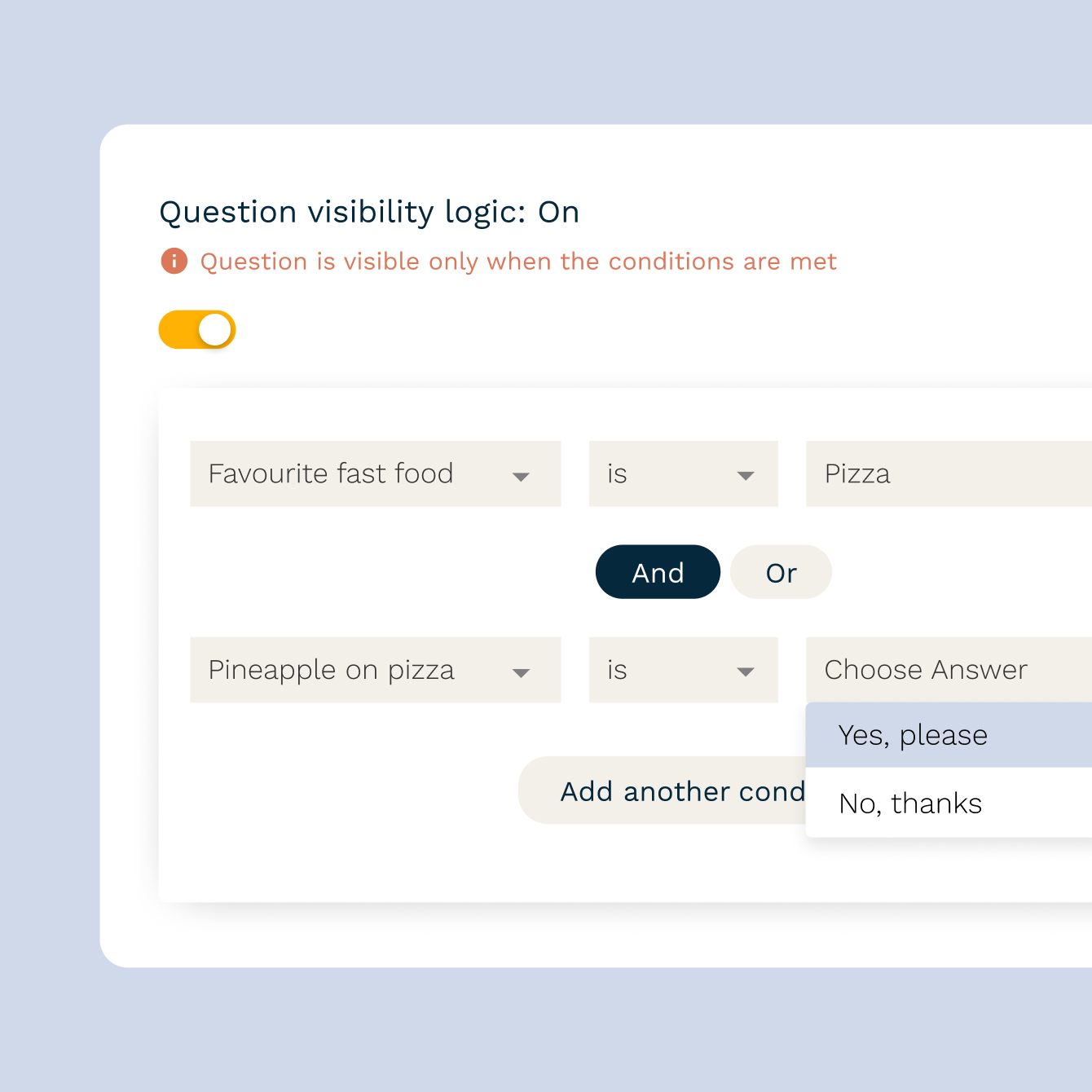
Conditional logic that keeps polls relevant
Show or hide follow-up questions based on how someone answers. If a respondent picks "No" to a satisfaction question, route them to a follow-up asking why. If they pick "Yes", skip straight to the next topic. Paperform's conditional logic makes polls feel shorter and more relevant to each person — which means higher completion rates and sharper data.
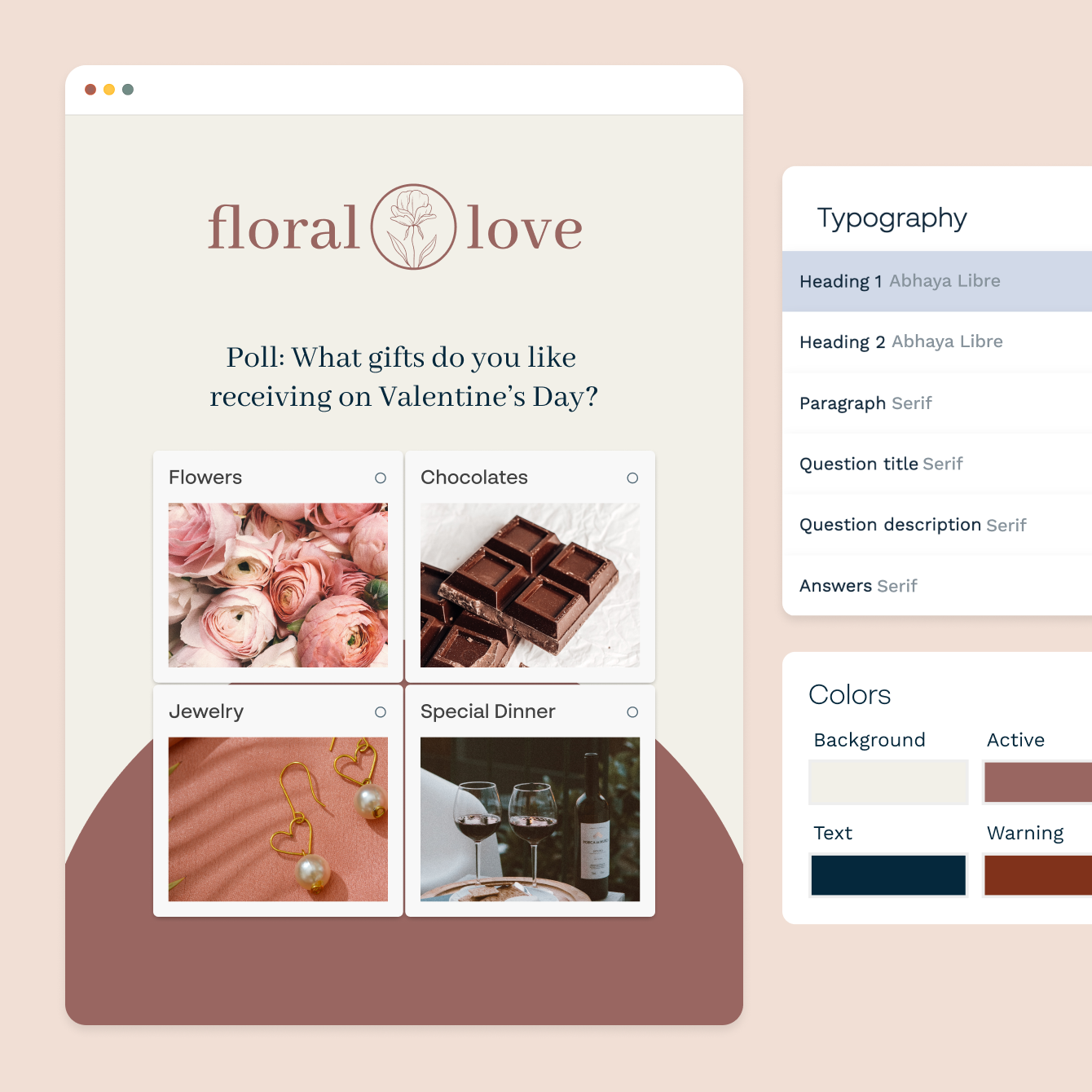
Branded design that looks like you, not a generic form
Change fonts, colours, background images, and button styles to match your brand. Add a logo, set a custom theme, or use one of Paperform's pre-built design presets as a starting point. Every poll is mobile-responsive by default — it looks right on a phone, a tablet, or a desktop without any extra work on your end.
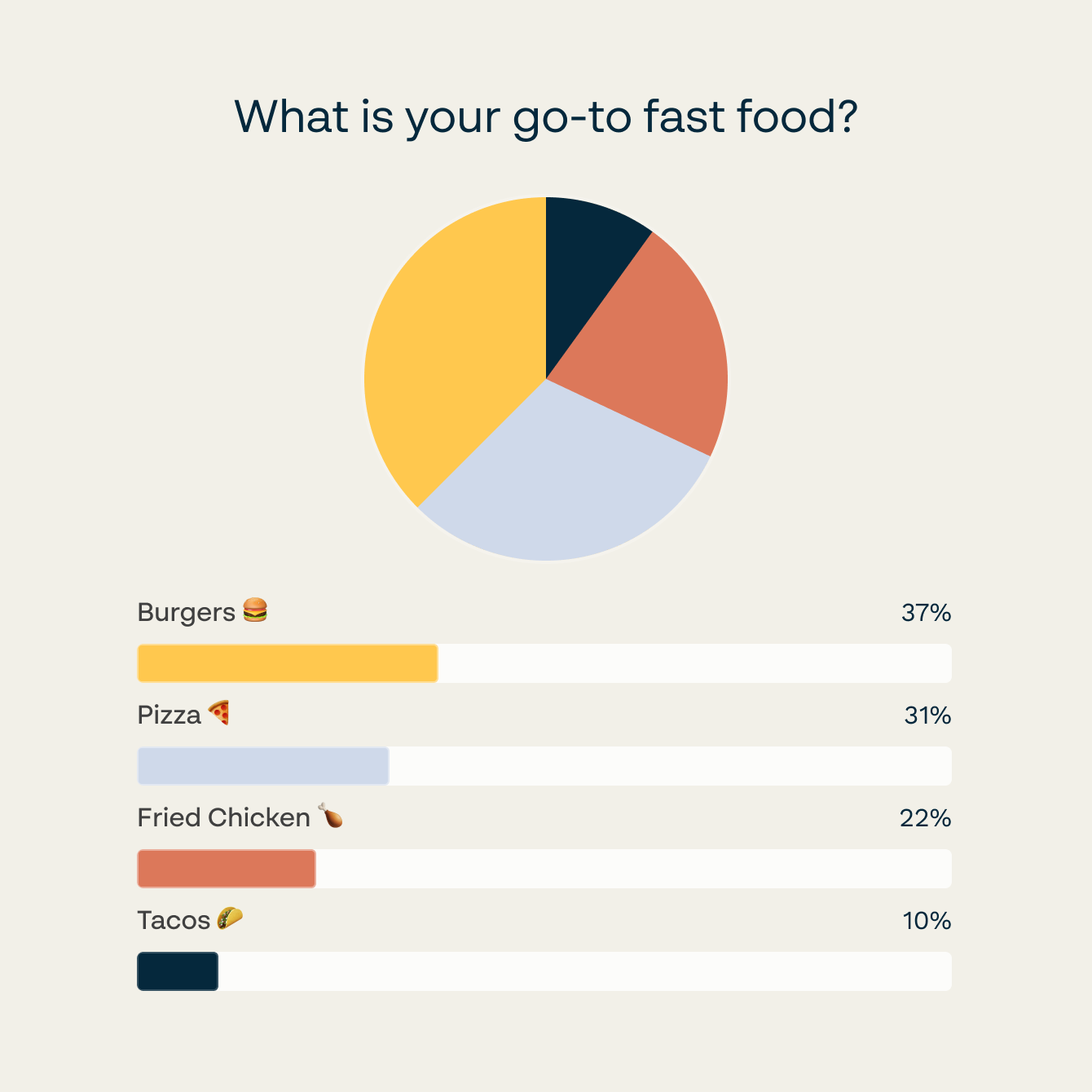
Real-time results, ready when you need them
Every response hits your Paperform dashboard the moment it's submitted. Filter by date, export to CSV, or push responses straight to Google Sheets — no waiting for an overnight batch or manually downloading a report. If you need to share results with a team, connect Slack and get a notification the moment a new response comes in.
Forever Free plan · No code needed · SOC 2 Type II & SSO · Trusted by 500K+ businesses
30,000+ form templates to choose from
Opinion polls, employee pulse surveys, audience votes, product feedback polls, event preference polls, NPS polls — find a ready-to-use template and have your poll live in minutes.
Send poll responses to Google Sheets, Slack, HubSpot, and more
Connect Paperform polls to Google Sheets for automatic response logging, Slack for instant team notifications, HubSpot or ActiveCampaign to tag respondents and trigger follow-up sequences, and Notion or Airtable to keep results alongside your existing workspace. Every response flows automatically — no exports, no copy-pasting.
Poll Maker FAQs
1. What types of polls can I create with Paperform?
Paperform supports multiple choice polls, image-based polls (where respondents click a picture to vote), rating scale polls, Net Promoter Score polls, dropdown polls, and open text polls. You can mix question types within a single poll and use conditional logic to show different follow-up questions based on each answer.
2. How do I share a poll with my audience?
Paperform gives you a shareable link you can send via email, post to social media, or drop into a Slack channel. You can also embed the poll directly on a website using a standard embed or a popup. The poll works on any device — phone, tablet, or desktop — without any extra configuration.
3. Can I embed a Paperform poll on my website?
Yes. Copy the embed code from your Paperform dashboard and paste it into your website. The poll renders inline, as a full-page embed, or as a popup — your choice. Responses are captured in your dashboard regardless of where the poll is hosted.
4. Does Paperform show real-time poll results?
Yes. Every response appears in your Paperform dashboard the moment it's submitted. You can view a summary of all responses, filter by date range, or export to CSV at any time. Connect Google Sheets and responses flow there automatically as they come in.
5. Can I add conditional logic to a poll?
Yes. Conditional logic lets you show or hide questions based on how someone answers a previous question. This keeps polls shorter and more relevant — respondents only see the questions that apply to them — which improves completion rates and the quality of your data.
6. What's the difference between a poll and a survey in Paperform?
A poll is typically one or a few questions designed to capture a quick opinion or preference. A survey is usually longer, covers multiple topics, and is designed to gather detailed research-grade data. Paperform supports both — the same builder, the same templates library, the same integrations.
7. Can I use Paperform to run a poll for free?
Yes. Paperform has a free plan that lets you create and share polls without a credit card. The free plan includes a set number of responses per month. Paid plans increase response limits, add custom domains, remove Paperform branding, and unlock advanced features like priority support.
8. How do I export poll responses?
From your Paperform dashboard, go to the Results tab for your poll and click Export. You can download a CSV file of all responses. Alternatively, connect Google Sheets and every new response is added to your spreadsheet automatically as it comes in.
Build a poll your audience will actually answer.
Free question types, conditional logic, and real-time results — all in one builder. No code, no designer, no problem.
Create a free poll