
Best Form Builders for Agencies in 2026
The best form builder for most agencies is Paperform, at $49/month billed annually, because unlimited submissions and unlimited seats mean a client's traffic spike never becomes your billing event. WordPress-only agencies should choose Gravity Forms instead: Elite covers unlimited client sites for $259/year.
Agencies buy form software differently from the businesses they serve. You are not choosing a tool for one team with one volume curve. You are choosing something that has to sit under a dozen client relationships at once, survive the campaign that works far better than anyone forecast, look like the client rather than like you, and be handed over without drama when the engagement ends. Most form builder pricing is designed for the first case and quietly hostile to the second.
We ranked eight tools on the five things that decide an agency's margin: what the vendor charges you more for as client work grows, how many people can touch a form, how client-branded the output can be, what happens at handover, and which compliance boxes the tool can tick when a client's legal team asks. Pricing was read live from each vendor's own pricing page on 22 September 2026.
One number is worth holding in your head while you read. Across these eight tools, the entry prices span $15/month to $99/month, but the spread in what an agency actually pays at twenty clients is far wider than that, because five of the eight bill submissions, seats or both. If you want the general ranking without the agency lens, see our best form builders guide, and there is a narrower list for marketing agencies specifically.
| Feature | Paperform | Gravity Forms | Jotform | WPForms | Fillout | Cognito Forms | Typeform | Formstack |
|---|---|---|---|---|---|---|---|---|
| Form Building | ||||||||
| Document-style editor | Yes | No | No | No | No | No | No | No |
| Field types | 26+ | No | 30+ (starter) | Yes basic | 50+ | 20+ | 20+ | 15 |
| File uploads | Yes | No | Yes starter | No | Yes | Yes | Yes basic | No |
| Guided mode (one question at a time) | Yes | Yes Elite | Yes starter | Yes pro | No | No | Yes | Yes forms |
| AI calculations assistant | Yes pro | No | No | Yes pro | No | No | No | No |
| Payments | ||||||||
| PayPal payments | Yes | Yes Pro | Yes starter | Yes pro | No | Yes team | No | Yes forms |
| Square payments | Yes | Yes Pro | Yes starter | Yes pro | No | Yes team | No | No |
| Braintree payments | Yes | No | Yes starter | No | No | No | No | No |
| Google Pay | Yes | Yes Pro | Yes starter | No | No | Yes | No | No |
| Product sales (eCommerce) | Yes pro | Yes Basic | Yes starter | No | Yes | Yes | No | No |
| Design & Customization | ||||||||
| Template gallery | 30,000+ | Yes Basic | 20,000+ (starter) | Yes pro | Yes | Yes | 1,500+ | Yes forms |
| Unsplash and Giphy integration | Yes | No | No | No | No | No | Yes | No |
| Image editor | Yes | No | No | No | No | No | No | No |
| Adobe Creative Cloud | Yes | No | No | No | No | No | No | No |
| Language translation | Yes | Yes Basic | Yes starter | Yes basic | No | Yes pro | Yes basic | No |
| Analytics | ||||||||
| AI report insights | Yes pro | No | No | Yes pro | No | No | Yes business | No |
| Paperform analytics | Yes pro | No | No | Yes pro | Yes business | No | No | Yes forms |
| Drop-off analysis | Yes pro | No | No | No | No | No | Yes business | No |
| Google Analytics & Facebook Pixel | Yes pro | Yes Elite | No | No | Yes | Yes pro | Yes basic | Yes forms |
| Custom analytics scripts | Yes pro | Yes Basic | No | No | Yes business | No | Yes basic | No |
| Collaboration | ||||||||
| Advanced permissions & admin | Yes enterprise | No | Yes enterprise | Yes elite | Yes team | Yes enterprise | Yes enterprise | Yes enterprise |
| Form sharing (templates) | Yes | Yes Basic | No | Yes basic | Yes | Yes | Yes | Yes forms |
| Spaces and tag management | Yes | No | No | No | Yes | No | No | Yes forms |
| Form sharing | No | No | Yes starter | No | No | No | No | No |
| Assign forms | No | No | Yes enterprise | No | No | No | No | No |
| Security | ||||||||
| SOC 2 Type II | Yes | No | Yes enterprise | No | Yes | No | Yes | No |
| Two-factor authentication | Yes | No | Yes starter | No | Yes | Yes | Yes | Yes forms |
| Enforce 2FA for all users | Yes business | No | No | No | Yes team | No | No | Yes enterprise |
| SSO (SAML) | Yes business | No | Yes enterprise | No | Yes enterprise | Yes enterprise | Yes enterprise | Yes enterprise |
| Local data residency | Yes enterprise | Yes Basic | No | Yes | Yes enterprise | No | No | No |
| Integrations & API | ||||||||
| Native integrations | 4,000+ | No | 150+ (starter) | No | 50+ | No | 120+ (basic) | No |
| Make (Integromat) | Yes | No | Yes starter | Yes pro | Yes | Yes | Yes basic | No |
| Standard API | Yes pro | Yes Basic | No | No | Yes | Yes | No | Yes forms |
| Business API | Yes business | No | No | No | No | No | No | Yes enterprise |
| oEmbed support | Yes | No | No | No | Yes | Yes | No | No |
 #1 Paperform — Best for Agencies With a Mixed Client Book

Paperform earns the top spot on this list for one structural reason: nothing an agency does to grow a client's results increases the agency's bill. Pro is $59/month, or $49/month billed annually, with unlimited submissions and unlimited seats under a fair use policy. A client campaign that pulls 40,000 responses costs what a client campaign that pulls 400 costs. Every strategist, designer and account manager who needs edit access gets it without a procurement conversation. Business at $149/month, or $124/month annually, adds 10 workspaces, SSO and the Business API, which is usually the tier where client separation starts to matter.
The second reason is scope. A form for a client is rarely just a form; it is an enquiry that becomes a proposal, a proposal that becomes a signed engagement, and a signature that has to trigger onboarding. Papersign generates and sends the contract from the submission data and files the signed copy against the original response. Stepper runs the approvals, the CRM writes and the Slack handoffs after it. Both are in the subscription, so the stack you deploy for a client is one vendor rather than three renewal dates you are personally responsible for reconciling.
For agency delivery specifically, three things matter more than they do elsewhere. The document-style editor produces forms that read as landing pages, which is what a brand-conscious client expects rather than a widget bolted into a page. The calculation engine is Excel-style and drives question and page visibility, conditional emails, integration payloads and success page content, so a quote calculator or a tiered pricing configurator is a build rather than a custom development project. And client work is separated inside one account rather than across many: Business gives you 10 workspaces, each with their own forms, branding and access, administered centrally, because managing Paperform across a client book is a different job from using it in one business.
Paperform has been shipping since 2016, is bootstrapped and profitable, and holds SOC 2 Type II, GDPR and CCPA compliance. That combination answers most agency procurement reviews without an escalation. It is also worth being direct about what it does not answer.
Three honest limitations. It is not HIPAA compliant and signs no BAAs, so a healthcare client with protected health information belongs on Cognito Forms or Jotform. At $49/month billed annually it has the higher paid floor of the hosted tools here; Fillout starts at $15. And custom domains are $20/month each on Pro, which is the line item agencies notice, because client-branded URLs across a book of clients add up quickly. Business is the route past that, with one custom domain included.
- Pricing: Pro $59/month, $49/month billed annually. Business $149/month, $124 annually. Enterprise on quote.
- Best for: Agencies serving clients across WordPress, Shopify, Squarespace and standalone landing pages who want one tool and one bill.
- Key limitation: No HIPAA, and $20/month per custom domain on Pro.
 #2 Gravity Forms — Best for WordPress Build Shops
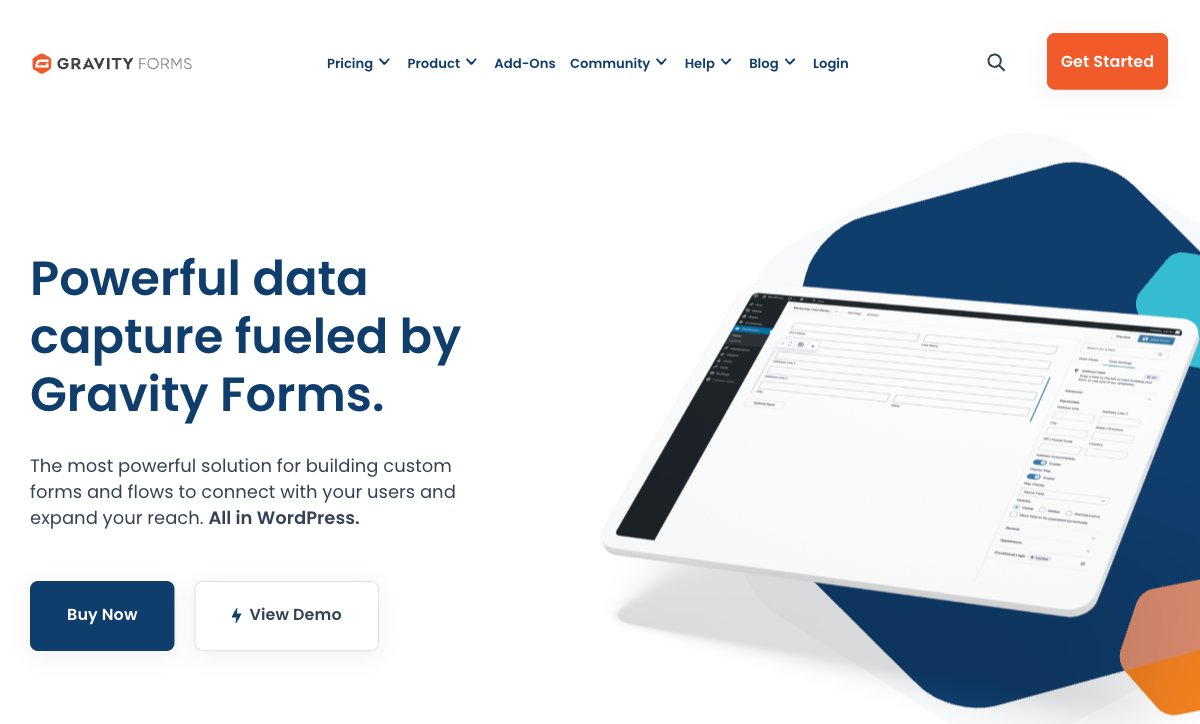
Gravity Forms Elite is $259/year for unlimited site licences, unlimited forms, unlimited submissions, unlimited users and every official add-on, and for an agency whose whole book is WordPress that is the best value on this page. We rank it above Paperform for that specific shop, and it is not a close call. Basic is $59/year for one site, Pro $159/year for three, and there is a $129/year nonprofit licence.
The handover story is the other reason it suits agencies. Submission data lives in the client's own WordPress database, the form inherits the client's theme, and there is no vendor branding to remove because there is none. When the engagement ends, nothing has to migrate. The plugin has been shipping since 2008, and IsItWP's 2026 review rates it 4.6/5 while noting a steeper learning curve than its competitors, which is the correct trade for a developer-led team.
What you take on is everything after the submission. Payments run through Stripe, PayPal and Square from the Pro licence, with Google Pay riding on Stripe, but calculations are merge-tag arithmetic with no Excel-style functions and no native conditional pricing; the popular Gravity Wiz add-ons exist because of that gap. There is no workspace or folder organisation, no SOC 2 attestation and no HIPAA compliance, since the compliance posture of the form is whatever the client's hosting stack happens to be. Around 50 official add-ons cover the common integrations, and anything else goes through Zapier. Each add-on is another thing to install, update and patch on every site you maintain.
- Pricing: No free plan. Basic $59/year (1 site), Pro $159/year (3 sites), Elite $259/year (unlimited sites), Nonprofit $129/year.
- Best for: WordPress development agencies maintaining many client sites on one flat licence.
- Key limitation: No SOC 2 or HIPAA, basic calculations, and you own the patching across every client site.
 #3 Jotform — Best for Regulated and Payment-Heavy Client Work
Jotform supports more than 40 payment processors, which is more than every other tool on this page combined, and it carries HIPAA with a BAA from Gold ($99/month billed annually) alongside PCI DSS Level 1, ISO 27001, FERPA and StateRAMP. For an agency whose clients include a clinic, a school district and an online store taking payments in three currencies, that compliance and payments breadth is hard to replicate elsewhere. It has been bootstrapped since 2006 and lists 150+ native integrations.
The problem for agencies is the shape of the pricing rather than the level of it. Starter through Gold are single-user plans, every one of them. There is no seat to give a second person, and multi-user access means an Enterprise quote with no published price. Submissions, forms, form views, storage and fields per form are each metered: Bronze at $34/month annual allows 1,000 submissions across 25 forms, Silver $39 allows 2,500 across 50, Gold $99 allows 10,000 across 100. Removing Jotform branding requires a paid tier and custom domains require Enterprise.
That combination works badly when a campaign performs. The month a client's lead form does three times its usual volume, the forms stop accepting responses until someone upgrades, and the upgrade is permanent while the traffic was not. Independent reviews are mixed for related reasons; Research.com's 2026 review credits the breadth while flagging the interface density that comes with twenty years of accumulated features.
- Pricing: Free Starter. Bronze $39/month, $34 annually. Silver $49/$39. Gold $129/$99. Enterprise on quote.
- Best for: Agencies with regulated clients or complex payment requirements, where one person owns the forms.
- Key limitation: Single-user on every self-serve tier, and five separate meters on growth.
 #4 WPForms — Best for WordPress Clients Who Edit Their Own Forms
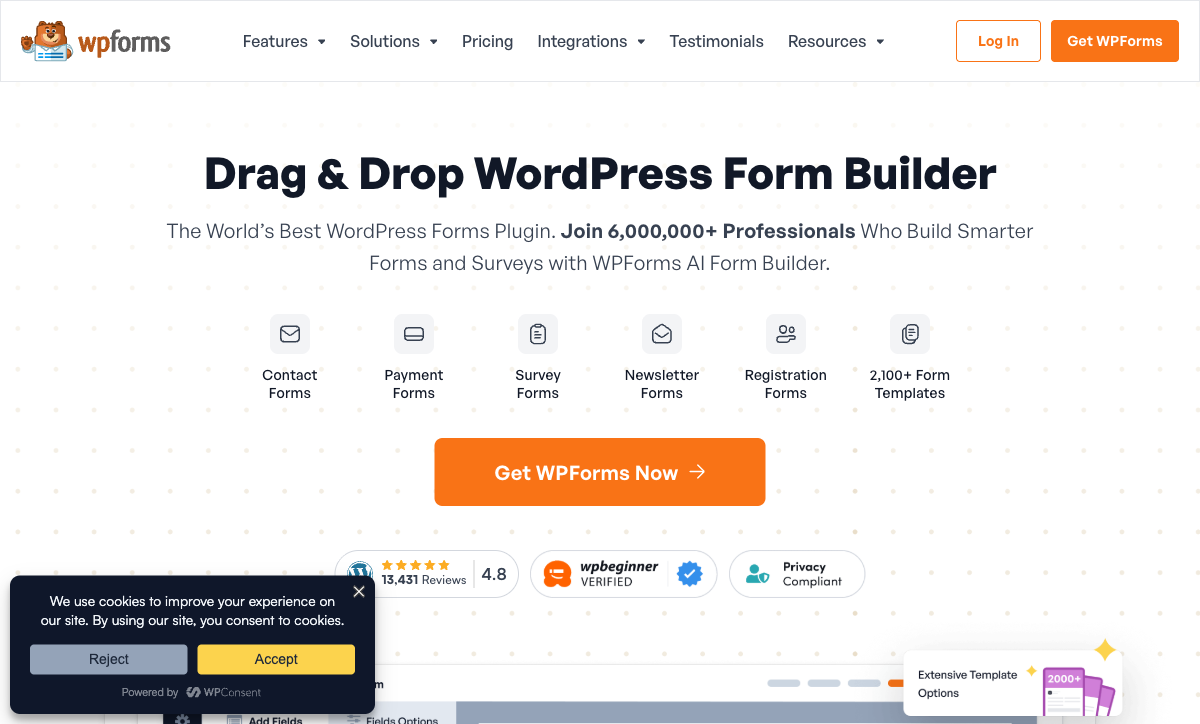
WPForms Elite is $599/year for unlimited site licences, with unlimited forms, submissions and users on every tier; Basic is $99/year for one site, Plus $199 for three and Pro $399 for five. It ranks just behind Gravity Forms because it costs more for the same unlimited-sites position, and ahead of the metered SaaS tools because an agency's client count never moves the price.
Its real advantage over Gravity Forms is who can use it. The drag-and-drop builder is gentle enough that a client marketing coordinator can change a field without filing a ticket, which for a retainer agency is the difference between a support burden and a self-serve client. Payments cover Stripe, PayPal, Square and Mercado Pago from Pro, with coupons, subscriptions and refunds handled in the WordPress admin.
The criticism worth weighing is cost escalation. FatLab Web Support's 2026 review is titled around exactly that, and Fluent Forms' independent roundup notes that conditional logic and payments both sit behind paid tiers while most integrations route through Zapier at an additional fee, so a $99 licence routinely becomes a $300-plus annual setup. WPForms is also not SOC 2 attested and not HIPAA compliant. Note as well that several of the glowing reviews you will find, including WPBeginner's, come from sites owned by WPForms' own parent company.
- Pricing: Free Lite. Basic $99/year (1 site), Plus $199 (3), Pro $399 (5), Elite $599 (unlimited).
- Best for: Retainer agencies whose WordPress clients want to make small form edits themselves.
- Key limitation: Feature gating pushes the real cost well above the entry licence, and no SOC 2 or HIPAA.
See Them in Action
Two independent walkthroughs covering the two shapes of agency stack on this page: the WordPress plugin licence and the hosted platform.
 #5 Fillout — Best for Small Agencies Watching Every Subscription
Fillout gives unlimited seats on every plan including Free, which is unusual at its price and directly useful to a small agency where five people all need access. Starter is $15/month billed annually, Pro $40 and Business $75, and the free tier carries 1,000 responses a month. Workspaces are available on every plan, so client separation costs nothing extra. At modest volumes it is simply the cheaper answer, and we would not argue otherwise.
The metering moved to responses instead of seats. Starter stops at 2,000 a month and Pro at 5,000, and the fix for outgrowing Pro is an 87% jump to Business or bulk submission packs at a price Fillout does not publish. Under the Zite rebrand, AI credits now draw from a shared pool and workflow runs are counted, with the serious quotas parked in a $250/month Team bundle, and lead-generation essentials sit in a separate $100/month Conversion Kit. For an agency that is three separate meters to forecast against client behaviour you do not control.
Payments are Stripe only, integrations number around 50, and it is SOC 2 Type II and GDPR compliant but not HIPAA. The company was founded in 2022 and now trades inside the Zite app platform, which is a short track record and a recent change of shape for something a client's lead flow depends on.
- Pricing: Free (1,000 responses/month). Starter $19/month, $15 annually. Pro $49/$40. Business $89/$75. Team bundle $300/$250.
- Best for: Small agencies with low per-client volume who need everyone on the team in the builder.
- Key limitation: Response caps below $75/month, Stripe-only payments, and a four-year-old vendor.
 #6 Cognito Forms — Best for Calculation-Heavy Client Builds
Cognito Forms runs one of the two genuinely serious calculation engines in this group, alongside Paperform, which makes it a strong pick for a client build that is really a pricing tool: repeating sections, lookups and nested formulas all hold up under load. HIPAA compliance arrives at Enterprise ($129/month billed annually), and it is SOC 2 and PCI compliant with ADA and Section 508 accessibility. Payments cover Stripe, Square, PayPal and its own Cognito Pay.
Agencies collide with the seat model fast. Pro is $19/month annual with 2,000 entries and two users, Team $39 with 10,000 entries and five users, and additional users are $5/month each. External collaborators are a different product again, sold as guest access packs from $25 to $250/month, with each additional 1,000 guests beyond 2,500 costing $100/month. Client stakeholders who need to see submissions are usually guests, so an agency ends up paying separately for the people it least controls. There is no workspace organisation, and design control is utilitarian rather than brand-led; reviewers consistently name styling as the reason teams leave. Our Cognito Forms alternatives guide covers where they tend to go.
- Pricing: Free Individual (100 entries/month). Pro $24/month, $19 annually. Team $49/$39. Enterprise $174/$129. Extra users $5/month each.
- Best for: Quote builders, application forms and anything where the maths is the deliverable.
- Key limitation: Entries, users, storage and guests all metered separately, with limited design control.
 #7 Typeform — Best for Short Campaign Forms on a Fixed Budget
Typeform caps both responses and seats on all five of its published plans, which is why an otherwise excellent product sits seventh on an agency list. Basic is $28/month billed annually for 100 responses and one user, Plus $56 for 1,000 and three, Business $91 for 10,000 and five, and Growth Flow at $266 raises neither of those numbers. Custom domains and white-labelling are Enterprise-only, so client-branded delivery starts with a sales call.
What it earns its place with is craft. The one-question-at-a-time experience still converts well on short campaign forms, the design quality is the benchmark other tools are measured against, and the compliance shelf is deep: HIPAA with a BAA, SOC 2, ISO 27001, 27017, 27018 and ISO/IEC 42001 for AI management, certified in June 2026. Native recurring payments shipped in August 2026, though payments remain Stripe only with no coupons, tax rules or product catalogue.
The agency arithmetic is the issue. A client running a competition through a Typeform on the Business plan hits 10,000 responses and stops collecting, and the only upgrade path is a conversation about Enterprise. For a fixed-scope campaign with a known ceiling, that risk is manageable. For always-on lead capture across a client book, it is not. Our Typeform alternatives page works through the options.
- Pricing: Free (10 responses/month). Basic $39/month, $28 annually. Plus $79/$56. Business $129/$91. Growth Flow $379/$266.
- Best for: Short, high-polish campaign forms where the response ceiling is known in advance.
- Key limitation: Responses and seats capped on every tier, and white-labelling is Enterprise-only.
 #8 Formstack — Best for Agencies Delivering Salesforce Projects
Formstack starts at $99/month, or $83/month billed annually, and that buys one builder user, 25 forms and 1,000 submissions per form. It is last on this list because the price of entry is the highest here and the metering is the most granular: per builder user, per form, per submission on that form, and per document delivered. Suite at $250/month annual adds document generation and eSignatures but caps deliveries at 250 a month.
There is a real agency use case underneath that. Formstack offers subaccounts for managing settings and users across multiple client accounts, it lists 300+ integrations, and its Salesforce-native form products do things a general-purpose builder cannot; for a consultancy implementing Salesforce, that is worth the price sheet. The compliance shelf is strong too, with SOC 2, PCI DSS, TX-RAMP Level 2 and a Section 508 / WCAG 2.2 VPAT, though HIPAA is a paid add-on at an unpublished price. Payments are Stripe and PayPal only, with no native subscriptions.
Ownership is worth noting. Formstack sits under private equity and its parent, Intellistack, has launched a separate CLM product line, which raises a reasonable question about where the roadmap attention now goes for an agency committing client work to the platform.
- Pricing: No free plan. Forms $99/month, $83 annually. Suite $299/$250. Salesforce and Enterprise on quote. HIPAA is a paid add-on.
- Best for: Salesforce implementation partners who need subaccounts and document generation.
- Key limitation: Four separate meters, one builder user at entry, and HIPAA costs extra.
The Five Dimensions That Decide It for an Agency
Pricing model
Five of these eight tools meter submissions, seats or both; three do not. Paperform is unlimited on submissions and seats on Pro and Business under fair use, and Gravity Forms and WPForms place no limit on either at any licence tier because the data sits in the client's own database. Jotform, Typeform, Fillout, Cognito Forms and Formstack all bill growth. The agency test is not the entry price. It is what the invoice reads when your best-performing client triples its volume in a month you did not forecast.
Integrations and API
Native integration counts across these eight range from around 50 to 4,000-plus. Paperform lists 4,000+, Formstack 300+, Jotform 150+ and Typeform 120+. Gravity Forms has 50+ official add-ons, Cognito Forms and Fillout around 50 each, and WPForms lists 10,000+ integrations with nearly all of them routed through Zapier. API access is available on every paid tool here, which matters for agencies building repeatable client onboarding: the second deployment of a pattern should be configuration rather than rebuilding.
Conditional logic and calculations
All eight branch on an answer; two run a real formula engine. Paperform's calculations are Excel-style and drive question and page visibility, conditional emails, what each integration receives and what the success page shows, and Cognito Forms has a comparably serious engine. Formstack, Fillout and WPForms (via its calculations add-on) handle pricing and scoring competently. Gravity Forms does merge-tag arithmetic and needs a third-party add-on for conditional pricing. Typeform gates calculations behind Plus at $56/month annual.
Payments
Jotform supports 40+ payment processors, Paperform five (Stripe, PayPal, Square, Braintree and Google Pay) with subscriptions, coupons, tax rules and inventory handled inside the form, WPForms four including Mercado Pago, Cognito Forms four including its own Cognito Pay, and Gravity Forms three natively with Google Pay riding on Stripe. Formstack is Stripe and PayPal with no native subscriptions. Typeform and Fillout are Stripe only. If a client sells anything, that list narrows the shortlist before any other criterion does.
Compliance
Four of these eight can be made HIPAA compliant: Jotform (from Gold), Cognito Forms (Enterprise), Formstack (paid add-on) and Typeform (Enterprise). Paperform, Gravity Forms, WPForms and Fillout cannot, and Paperform signs no BAAs today. All eight claim GDPR compliance. SOC 2 is held by Paperform, Jotform, Typeform, Formstack, Cognito Forms and Fillout, and is absent from Gravity Forms and WPForms, which is the single fastest way to lose an enterprise client's security review with a WordPress-based recommendation.

Full Pricing Comparison
Every published tier across the eight tools, including the WordPress licence models where the unit is a site rather than a seat.
Paperform
Gravity Forms
| Product | Plan | Monthly Price | Annual Price (per month) | Free Plan | Free Trial | Limits |
|---|---|---|---|---|---|---|
| Paperform | Free | Free | Free | Yes | 7 days | forms: Unlimited, submissions: 30/month, storage: Unlimited, users: Unlimited, file uploads: 100 MB |
| Paperform | Pro | $59/mo | $49/mo billed annually | forms: Unlimited, submissions: Unlimited, storage: Unlimited, users: Unlimited, file uploads: 10 GB | ||
| Paperform | Business | $149/mo | $124/mo billed annually | forms: Unlimited, submissions: Unlimited, storage: Unlimited, users: Unlimited, file uploads: 100 GB | ||
| Gravity Forms | Basic | Not listed | $59/mo billed annually | No | No | forms: Unlimited, submissions: Unlimited, storage: WordPress database (self-hosted), users: Unlimited (WordPress users) |
| Gravity Forms | Pro | Not listed | $159/mo billed annually | forms: Unlimited, submissions: Unlimited, storage: WordPress database (self-hosted), users: Unlimited (WordPress users) | ||
| Gravity Forms | Elite | Not listed | $259/mo billed annually | forms: Unlimited, submissions: Unlimited, storage: WordPress database (self-hosted), users: Unlimited (WordPress users) | ||
| Gravity Forms | Nonprofit | Not listed | $129/mo billed annually | forms: Unlimited, submissions: Unlimited, storage: WordPress database (self-hosted), users: Unlimited (WordPress users) | ||
| Jotform | Starter | Free | Free | Yes | No | forms: 5, submissions: 100/month, storage: 100 MB, users: 1 |
| Jotform | Bronze | $39/mo | $34/mo billed annually | forms: 25, submissions: 1,000/month, storage: 1 GB, users: 1 | ||
| Jotform | Silver | $49/mo | $39/mo billed annually | forms: 50, submissions: 2,500/month, storage: 10 GB, users: 1 | ||
| Jotform | Gold | $129/mo | $99/mo billed annually | forms: 100, submissions: 10,000/month, storage: 100 GB, users: 1 | ||
| WPForms | Lite (Free) | Free | Free | Yes | 14 days | forms: Unlimited, submissions: Unlimited, users: Unlimited |
| WPForms | Basic | Not listed | $8.25/mo billed annually | forms: Unlimited, submissions: Unlimited, users: Unlimited | ||
| WPForms | Plus | Not listed | $16.58/mo billed annually | forms: Unlimited, submissions: Unlimited, users: Unlimited | ||
| WPForms | Pro | Not listed | $33.25/mo billed annually | forms: Unlimited, submissions: Unlimited, users: Unlimited | ||
| WPForms | Elite | Not listed | $49.92/mo billed annually | forms: Unlimited, submissions: Unlimited, users: Unlimited | ||
| Fillout | Free | Free | Free | Yes | No | forms: Unlimited, submissions: 1,000/month, storage: N/A, users: Unlimited, file uploads: 20 MB per file |
| Fillout | Starter | $19/mo | $15/mo billed annually | forms: Unlimited, submissions: 2,000/month, storage: N/A, users: Unlimited, file uploads: 20 MB per file | ||
| Fillout | Pro | $49/mo | $40/mo billed annually | forms: Unlimited, submissions: 5,000/month, storage: N/A, users: Unlimited, file uploads: 20 MB per file | ||
| Fillout | Business | $89/mo | $75/mo billed annually | forms: Unlimited, submissions: Unlimited, storage: N/A, users: Unlimited, file uploads: 1 GB+ | ||
| Fillout | Team bundle | $300/mo | $250/mo billed annually | forms: Unlimited, submissions: Unlimited, storage: 1,000,000 records, users: Unlimited, file uploads: 1 GB+ | ||
| Cognito Forms | Individual (Free) | Free | Free | Yes | 14 days | forms: Unlimited, submissions: 100 entries/month, storage: 100 MB, users: 1 |
| Cognito Forms | Pro | $24/mo | $19/mo billed annually | forms: Unlimited, submissions: 2,000 entries/month, storage: 1 GB, users: 2 | ||
| Cognito Forms | Team | $49/mo | $39/mo billed annually | forms: Unlimited, submissions: 10,000 entries/month, storage: 10 GB, users: 5 | ||
| Cognito Forms | Enterprise | $174/mo | $129/mo billed annually | forms: Unlimited, submissions: Unlimited, storage: 100 GB, users: 20 | ||
| Typeform | Free | Free | Free | Yes | No | forms: 10, submissions: 10/month, users: 1 |
| Typeform | Basic | $39/mo | $28/mo billed annually | forms: Unlimited, submissions: 100/month, users: 1 | ||
| Typeform | Plus | $79/mo | $56/mo billed annually | forms: Unlimited, submissions: 1,000/month, users: 3 | ||
| Typeform | Business | $129/mo | $91/mo billed annually | forms: Unlimited, submissions: 10,000/month, users: 5 | ||
| Typeform | Growth Flow | $379/mo | $266/mo billed annually | forms: Unlimited, submissions: 10,000/month, users: 5 | ||
| Typeform | Talent | $169/mo | $119/mo billed annually | forms: Unlimited, users: HR teams | ||
| Formstack | Forms | $99/mo | $83/mo billed annually | No | 14 days | forms: 25, submissions: 1,000/form, storage: 2 GB, users: 1, file uploads: 2 GB |
| Formstack | Suite | $299/mo | $250/mo billed annually | forms: 100, submissions: 5,000/form, storage: 10 GB, users: 3, file uploads: 10 GB |
Full Feature Comparison
Every tracked capability across the eight tools, grouped by category.
| Feature | Paperform | Gravity Forms | Jotform | WPForms | Fillout | Cognito Forms | Typeform | Formstack |
|---|---|---|---|---|---|---|---|---|
| Form Building | ||||||||
| Document-style editor | Yes | No | No | No | No | No | No | No |
| AI form creation | Yes | Yes Basic | Yes starter | Yes basic | Yes | Yes | Yes | Yes forms |
| Field types | 26+ | No | 30+ (starter) | Yes basic | 50+ | 20+ | 20+ | 15 |
| File uploads | Yes | No | Yes starter | No | Yes | Yes | Yes basic | No |
| Multi-page forms | Yes | Yes Basic | Yes starter | Yes basic | Yes | Yes | Yes basic | Yes forms |
| Guided mode (one question at a time) | Yes | Yes Elite | Yes starter | Yes pro | No | No | Yes | Yes forms |
| Conditional logic | Yes | Yes Basic | Yes starter | Yes basic | Yes | Yes | Yes basic | Yes forms |
| Calculations field | Yes pro | Yes Basic | Yes starter | Yes pro | Yes | Yes | Yes plus | Yes forms |
| AI calculations assistant | Yes pro | No | No | Yes pro | No | No | No | No |
| Scoring | Yes pro | Yes Elite | Yes starter | Yes pro | Yes | Yes | Yes plus | No |
| Answer piping | Yes | Yes Basic | Yes starter | No | Yes | Yes | Yes basic | Yes forms |
| Pre-filling and hidden fields | Yes pro | Yes Basic | Yes starter | Yes basic | Yes | Yes | Yes basic | Yes forms |
| Save and resume | Yes | Yes Basic | Yes starter | Yes pro | Yes | Yes pro | No | Yes forms |
| Auto-close by number | Yes pro | No | Yes starter | Yes basic | Yes | Yes | Yes basic | No |
| Auto-close by date | Yes pro | No | Yes starter | Yes basic | Yes | Yes | Yes basic | No |
| Appointment/booking field | Yes | No | Yes starter | No | Yes starter | No | Yes basic | No |
| Signature field | Yes | Yes Elite | Yes starter | Yes pro | Yes starter | Yes team | Yes basic | Yes suite |
| Color picker field | Yes | No | No | No | No | No | No | No |
| API-powered dropdowns | Yes business | No | No | No | No | Yes | No | Yes forms |
| Google address search | Yes business | No | No | Yes pro | Yes conversion-kit | Yes | No | No |
| Drag-and-drop builder | No | Yes Basic | Yes starter | No | No | No | No | Yes forms |
| 30+ field types | No | Yes Basic | No | No | No | No | No | No |
| Form widgets | No | No | Yes starter | No | No | No | No | No |
| Template gallery | No | No | 20,000+ (starter) | No | No | No | No | No |
| AI Smart Edit | No | No | No | Yes | No | No | No | No |
| AI Choices | No | No | No | Yes | No | No | No | No |
| AI connector (MCP-style) | No | No | No | Yes basic | No | No | No | No |
| Ranking field | No | No | No | Yes pro | No | No | No | No |
| QR code generator | No | No | No | Yes | No | No | No | No |
| AI agent in the form editor (Form Agent) | No | No | No | No | Yes | No | No | No |
| Question display logic | No | No | No | No | No | No | Yes basic | No |
| AI follow-up questions | No | No | No | No | No | No | Yes business | No |
| AI extended thinking & memory | No | No | No | No | No | No | Yes growth | No |
| Typeform AI connectors | No | No | No | No | No | No | Yes growth | No |
| Workflow / automation builder | No | No | No | No | No | No | Yes growth | No |
| AI-moderated research (Research Flow) | No | No | No | No | No | No | Yes enterprise | No |
| Video questions | No | No | No | No | No | No | Yes basic | No |
| Payments | ||||||||
| Stripe payments | Yes | Yes Pro | Yes starter | Yes pro | Yes | Yes | Yes basic | Yes forms |
| PayPal payments | Yes | Yes Pro | Yes starter | Yes pro | No | Yes team | No | Yes forms |
| Square payments | Yes | Yes Pro | Yes starter | Yes pro | No | Yes team | No | No |
| Braintree payments | Yes | No | Yes starter | No | No | No | No | No |
| Google Pay | Yes | Yes Pro | Yes starter | No | No | Yes | No | No |
| Product sales (eCommerce) | Yes pro | Yes Basic | Yes starter | No | Yes | Yes | No | No |
| Subscriptions | Yes pro | Yes Pro | Yes starter | Yes pro | Yes | No | Yes basic | No |
| Coupons and discounts | Yes pro | Yes Elite | Yes starter | Yes pro | Yes | Yes | No | Yes forms |
| Custom pricing rules | Yes pro | No | Yes starter | Yes pro | Yes | Yes | No | Yes forms |
| Tax calculations | Yes | No | Yes starter | No | No | Yes | No | No |
| Quotes/invoices | Yes | No | No | No | No | Yes team | No | No |
| Refunds | Yes | Yes Pro | No | Yes pro | No | No | No | No |
| 3D Secure | Yes | Yes Pro | No | No | No | No | Yes basic | No |
| 40+ payment gateways | No | No | Yes starter | No | No | No | No | No |
| No transaction fees | No | No | Yes starter | No | No | No | No | No |
| Mercado Pago payments | No | No | No | Yes pro | No | No | No | No |
| Cognito Pay (native card processing) | No | No | No | No | No | Yes | No | No |
| Design & Customization | ||||||||
| Template gallery | 30,000+ | Yes Basic | 20,000+ (starter) | Yes pro | Yes | Yes | 1,500+ | Yes forms |
| Rich media (images, GIFs, videos) | Yes | Yes Basic | Yes starter | Yes basic | Yes | Yes | Yes | Yes forms |
| Unsplash and Giphy integration | Yes | No | No | No | No | No | Yes | No |
| Image editor | Yes | No | No | No | No | No | No | No |
| Adobe Creative Cloud | Yes | No | No | No | No | No | No | No |
| Language translation | Yes | Yes Basic | Yes starter | Yes basic | No | Yes pro | Yes basic | No |
| Advanced theming | Yes pro | Yes Basic | Yes starter | Yes basic | Yes starter | Yes pro | Yes plus | Yes forms |
| Custom form URL | Yes pro | No | No | Yes pro | Yes pro | No | Yes plus | Yes forms |
| Custom domains | Yes pro | No | Yes enterprise | Yes basic | Yes business | No | Yes enterprise | Yes forms |
| Custom HTML & CSS | Yes pro | Yes Basic | Yes starter | Yes basic | Yes pro | Yes pro | Yes business | Yes forms |
| Remove branding | Yes pro | Yes Basic | Yes bronze | Yes basic | Yes pro | Yes pro | Yes plus | Yes forms |
| Custom email domains | Yes business | Yes Elite | No | No | Yes pro | No | No | No |
| Form themes | No | No | Yes starter | No | No | No | No | No |
| Analytics | ||||||||
| Submission results and reports | Yes | Yes Basic | Yes starter | Yes basic | Yes | Yes | Yes | Yes forms |
| AI report insights | Yes pro | No | No | Yes pro | No | No | Yes business | No |
| Paperform analytics | Yes pro | No | No | Yes pro | Yes business | No | No | Yes forms |
| Drop-off analysis | Yes pro | No | No | No | No | No | Yes business | No |
| Google Analytics & Facebook Pixel | Yes pro | Yes Elite | No | No | Yes | Yes pro | Yes basic | Yes forms |
| Custom analytics scripts | Yes pro | Yes Basic | No | No | Yes business | No | Yes basic | No |
| Partial submissions | Yes pro | Yes Elite | No | Yes pro | Yes business | No | Yes plus | Yes forms |
| Form analytics | No | No | Yes starter | No | No | No | No | No |
| Google Analytics integration | No | No | Yes starter | No | No | No | No | No |
| Cross-form Insights dashboard | No | No | No | No | No | No | Yes business | No |
| Collaboration | ||||||||
| Multi-user accounts | Yes pro | Yes Basic | Yes bronze | Yes basic | Yes | Yes pro | Yes plus | Yes forms |
| User permissions and management | Yes pro | Yes Basic | Yes enterprise | Yes pro | Yes | Yes team | Yes plus | Yes forms |
| Advanced permissions & admin | Yes enterprise | No | Yes enterprise | Yes elite | Yes team | Yes enterprise | Yes enterprise | Yes enterprise |
| Form sharing (templates) | Yes | Yes Basic | No | Yes basic | Yes | Yes | Yes | Yes forms |
| Spaces and tag management | Yes | No | No | No | Yes | No | No | Yes forms |
| Form sharing | No | No | Yes starter | No | No | No | No | No |
| Assign forms | No | No | Yes enterprise | No | No | No | No | No |
| Workspace organization | No | No | No | No | No | No | Yes | No |
| Security | ||||||||
| SOC 2 Type II | Yes | No | Yes enterprise | No | Yes | No | Yes | No |
| GDPR compliant | Yes | Yes Basic | Yes starter | Yes basic | Yes | Yes | Yes | Yes forms |
| SSL encryption | Yes | Yes Basic | Yes starter | Yes basic | Yes | Yes | Yes | Yes forms |
| Two-factor authentication | Yes | No | Yes starter | No | Yes | Yes | Yes | Yes forms |
| Enforce 2FA for all users | Yes business | No | No | No | Yes team | No | No | Yes enterprise |
| SSO (SAML) | Yes business | No | Yes enterprise | No | Yes enterprise | Yes enterprise | Yes enterprise | Yes enterprise |
| reCAPTCHA | Yes | Yes Basic | Yes starter | Yes basic | Yes starter | Yes | Yes business | Yes forms |
| Local data residency | Yes enterprise | Yes Basic | No | Yes | Yes enterprise | No | No | No |
| Custom S3 storage (BYO) | Yes business | No | No | No | Yes | No | No | No |
| HIPAA compliant | No | No | Yes gold | No | No | No | Yes enterprise | No |
| 256-bit SSL | No | No | Yes starter | No | No | No | No | No |
| Data residency | No | No | Yes enterprise | No | No | No | No | No |
| Form encryption | No | No | Yes starter | No | No | No | No | No |
| PCI DSS | No | No | Yes starter | No | No | No | Yes | No |
| Custom S3 storage | No | No | No | No | No | No | No | No |
| HIPAA compliance / BAA | No | No | No | No | No | No | No | No |
| ISO 27001 | No | No | No | No | No | No | Yes | No |
| Audit logs | No | No | No | No | Yes enterprise | No | No | No |
| Integrations & API | ||||||||
| Native integrations | 4,000+ | No | 150+ (starter) | No | 50+ | No | 120+ (basic) | No |
| Zapier | Yes | Yes Pro | Yes starter | Yes pro | Yes | Yes | Yes basic | Yes forms |
| Make (Integromat) | Yes | No | Yes starter | Yes pro | Yes | Yes | Yes basic | No |
| Webhooks | Yes pro | Yes Elite | Yes starter | Yes elite | Yes | Yes | Yes basic | Yes forms |
| Standard API | Yes pro | Yes Basic | No | No | Yes | Yes | No | Yes forms |
| Business API | Yes business | No | No | No | No | No | No | Yes enterprise |
| WordPress plugin | Yes | Yes Basic | Yes starter | Yes | Yes | Yes | Yes | Yes forms |
| oEmbed support | Yes | No | No | No | Yes | Yes | No | No |
| 50+ official add-ons | No | Yes Basic | No | No | No | No | No | No |
| MCP server (AI assistant access) | No | Yes Basic | No | No | No | No | No | No |
| Stepper workflow automation | No | No | No | No | No | No | No | No |
| API | No | No | Yes starter | No | No | No | Yes basic | No |
| Smartsheet integration | No | No | Yes starter | No | No | No | No | No |
| Canvas LMS integration | No | No | Yes enterprise | No | No | No | No | No |
| Salesforce AppExchange | No | No | Yes starter | No | No | No | No | No |
| Embed options | No | No | Yes starter | No | No | No | Yes | No |
| Mobile apps | No | No | Yes starter | No | No | No | No | No |
| 2000+ integrations | No | No | No | Yes pro | No | No | No | No |
| MCP connector (AI app access) | No | No | No | No | No | Yes pro | No | No |
| Claude / MCP server | No | No | No | No | No | No | Yes basic | No |
| AI data enrichment | No | No | No | No | No | No | Yes growth | No |
| Automations integrations (Contacts & Automations) | No | No | No | No | No | No | Yes growth | No |
| 4000+ integrations | No | No | No | No | No | No | No | No |
Review Ratings Across Platforms
Aggregated ratings from G2, Capterra, GetApp, Trustpilot and TrustRadius, weighted by review count so small samples do not distort the picture.
How We Ranked These for Agency Work
The weighting below is deliberately different from our general ranking, because the buyer is different. An agency is buying capacity across client relationships, not capability for one team.
- Cost behaviour across a client book (35%): What the bill does when client count, submission volume and team size all rise at once. Unlimited submissions and unlimited seats scored highest. Per-submission, per-seat and per-guest meters scored lowest, because in agency work the variable is a client's behaviour rather than yours.
- Client-facing output (20%): Whether the form can carry the client's brand and domain, what that costs, and how much of the vendor remains visible. WordPress plugins score full marks here by default, since the form is part of the client's own site.
- Multi-client management (20%): Workspaces, subaccounts, folders, guest access and partner programmes. Tools that expect one organisation with one set of forms scored down.
- Handover and data ownership (15%): How cleanly forms and submission data move to the client at the end of an engagement, including export formats and API access.
- Compliance and vendor stability (10%): HIPAA, SOC 2, GDPR and accessibility attestations, plus company age, ownership and whether the product still receives visible development.
Each tool was assessed against four jobs an agency actually runs: a client lead capture form with tracking, a branded quote calculator, a gated content or registration flow with a payment step, and an onboarding form that has to produce a signed engagement and a CRM record. Pricing, compliance and feature data were re-verified against each vendor's live pages on 22 September 2026.
If your shortlist is down to two, our head-to-head breakdowns go further: Paperform vs Jotform covers the metered-versus-unmetered question directly, and Gravity Forms vs WPForms settles the WordPress licence choice. There are also focused guides for small businesses and WordPress.
Frequently Asked Questions
What does a form builder actually cost an agency running forms for 20 clients?
It depends entirely on whether the vendor meters volume, seats or sites. On Paperform Pro at $49/month billed annually, twenty clients cost $49/month, because submissions and seats are unlimited under fair use and there is no per-client charge; the exception is custom domains, which are $20/month each on Pro, so twenty client-branded domains would add $400/month. On Gravity Forms Elite at $259/year, twenty WordPress sites cost $259/year in total with every add-on included, which is the cheapest arithmetic on this page by a wide margin.
The metered tools are where the number runs away. Jotform Bronze is $34/month billed annually for 1,000 submissions across 25 forms and exactly one user, so twenty active clients will push you to Gold at $99/month or an Enterprise quote. Typeform Business is $91/month annual for 10,000 responses and five seats, and the $266/month Growth Flow tier raises neither number. Cognito Forms Pro is $19/month annual but stops at 2,000 entries and two users, with extra users at $5/month each.
Can I hand a form over to a client when the retainer ends?
Cleanly on the WordPress plugins, awkwardly on most SaaS tools. With Gravity Forms or WPForms, the forms and the entry data already sit in the client's own WordPress database; you transfer the licence or the client buys their own, and nothing moves. That is a genuine advantage of the plugin model and one reason build shops stay on it.
Hosted tools vary. Paperform supports CSV and PDF export plus a full API on Pro, and Business adds 10 workspaces so a client's forms can be separated before handover. Cognito Forms lets you transfer form ownership between organisations. Typeform and Jotform both support moving forms between accounts, though on Jotform the receiving account has to be on a tier that can hold the submission volume. Whatever you pick, agree in the statement of work who owns the account, because retrofitting that conversation after a relationship sours is unpleasant.
Do agencies need a separate account per client?
Only if the vendor's pricing forces it. Paperform handles this inside one account rather than forcing a subscription per client: Business ($124/month billed annually) includes 10 workspaces for separating client work inside one account.
Formstack offers subaccounts for managing settings and users across accounts, which is the closest equivalent in this group, though it sits on top of a $99/month entry price. Fillout gives workspaces on every plan including Free. Cognito Forms and Gravity Forms have no workspace or folder organisation at all, so client separation there means separate organisations or separate sites.
Which of these can put a client's own domain on a form, and what does it cost?
Custom domains are a paid extra almost everywhere, which catches agencies out at the third client. Paperform charges $20/month per custom domain on Pro. Typeform puts custom domains and white-labelling on its custom-priced Enterprise tier only. Jotform likewise reserves custom domain and branding for Enterprise. Fillout and Cognito Forms both remove vendor branding on paid tiers.
Gravity Forms and WPForms sidestep the problem completely: the form renders inside the client's own theme on the client's own domain, with no vendor branding to remove and nothing extra to buy. For agencies whose entire book is WordPress, that alone can decide it.
Which form builder should an agency use for a healthcare client?
Not Paperform. It is not HIPAA compliant and signs no Business Associate Agreements, so protected health information rules it out, and no amount of careful form design changes that. Use Cognito Forms, where HIPAA sits on the Enterprise tier at $129/month billed annually, or Jotform, where it starts at Gold ($99/month annual) and comes with PCI DSS Level 1 and ISO 27001 alongside it. Formstack sells HIPAA as a paid add-on on both Forms and Suite at a price it does not publish, and Typeform offers it on Enterprise.
Gravity Forms, WPForms and Fillout are not HIPAA compliant either. Our healthcare form builders guide goes through the BAA question properly. For everything else in a mixed client book, Paperform holds SOC 2 Type II, GDPR and CCPA, which clears most agency procurement reviews.
Is a WordPress plugin licence cheaper than a SaaS subscription across a whole client book?
On the licence line, yes, and it is not close. Gravity Forms Elite is $259/year for unlimited sites, unlimited forms, unlimited submissions and every add-on. WPForms Elite is $599/year for unlimited sites. Against $588/year for Paperform Pro covering one agency account, the plugin looks unbeatable.
The cost that does not appear on either price sheet is the work after the submission. A signature means a separate eSignature seat. An approval chain or a CRM sync means Zapier, Make or n8n. Hosting, updates and the security patching of every plugin on every client site are yours, and a vulnerable form plugin across forty sites is an agency-level incident rather than a client-level one. Paperform Pro includes eSignatures through Papersign and workflow automation through Stepper in the same subscription, hosted, with nothing to patch. Whether that swap is worth the difference depends on how much of your delivery is WordPress and how much is process work.
Which of these tools will not punish an agency for a client's good month?
Three. Paperform does not meter submissions or seats on Pro or Business under fair use. Gravity Forms and WPForms place no limit on submissions or users at any licence tier, since the data lives in the client's own database.
The other five all bill growth. Jotform caps submissions on every self-serve tier. Typeform caps responses and seats on all five published plans. Fillout caps responses at 2,000 on Starter and 5,000 on Pro, lifting the cap only at Business ($75/month annual). Cognito Forms meters entries, users, storage and guests separately. Formstack meters per builder user, per form, per submission on that form and per document delivered. For agency work, where volume is a client's decision rather than yours, that distinction is the whole game.
Sources & References
- Best Online Form Builder to Use in 2026 — Top 20 Tools — EmailToolTester, 2026
- The 13 Best Online Form Builder Apps — Zapier, 2026
- WPForms Review: Easy to Start, Expensive to Grow Into — FatLab Web Support, 2026
- Gravity Forms Review 2026: Is It Worth Your Money? — IsItWP, January 2026
- 9 Top WPForms Alternatives Compared (2026) — Fluent Forms, 2026
Updates
We re-audit the form builders we compare on a regular cadence and log every change here — a public record of what changed and when.
- Updated September 22, 2026 — Full rebuild against a live pricing re-audit of all eight tools. Ranking reweighted around cost behaviour across a client book, client-facing output and handover. Paperform's plan lineup updated: Pro is now $59/month ($49 annual) with unlimited submissions and seats, and the retired mid-tier removed. Fillout added to the ranking; Formstack integration count updated to 300+; Cognito Forms moved to the July 2026 pricing era.
Last updated September 22, 2026
Ready to try Paperform?
Create beautiful forms, payment pages, and workflows — no code required.