Build Online Calculators and Estimators
Turn any form into a calculator. Build price calculators, quote estimators, mortgage tools, ROI trackers, and more — no code, no developer, no spreadsheets.
Use for free or upgrade for higher limits.
Paperform is an online calculator builder that lets you create embeddable calculators and estimators without code. Use it to build price calculators, mortgage calculators, ROI tools, shipping cost estimators, quote forms, and more. Calculations update in real time as people fill out the form, using Excel-style formulas you write once. You can embed the calculator on any website, share it via a link, or trigger follow-up actions — like sending a quote PDF or syncing data to a CRM — when the form is submitted.
Create your calculator in minutes

Sign up free
Create your Paperform account — no credit card needed.

Start from a template
Choose from [30,000+ templates](https://paperform.co/templates/?category=calculators) — including mortgage calculators, ROI tools, cost estimators, and price calculators.

Set up your calculations
Write formulas using Excel-style syntax to combine, transform, and display results in real time as respondents fill in the form.

Embed or share
Drop the calculator on your website or share a link. Results update live — no page reload required.
Everything you need to build calculators that actually do something

Real-time calculations that update as people type
Paperform's Calculations engine runs in real time — totals, estimates, and scores update the instant someone changes an answer. Write formulas using familiar Excel-style syntax: add, subtract, multiply, divide, use percentages, conditionals, and custom functions. No programming required. Use a calculation result to show a price, trigger conditional logic, auto-fill a field, or display a personalised output. Every calculator you build lives inside a fully designed, embeddable form.
Price calculators and quote estimators
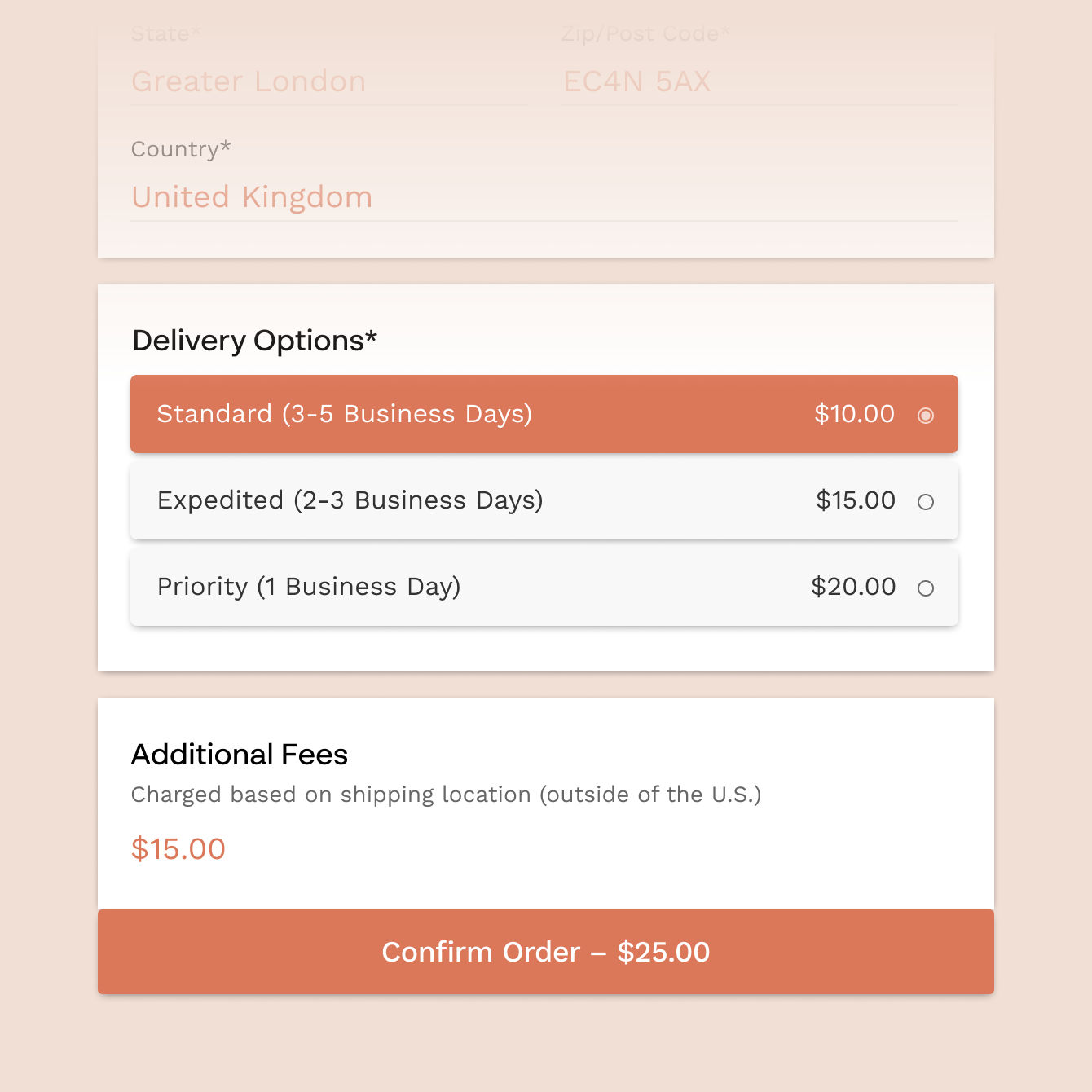
Build a custom pricing calculator that works out quotes based on what your customer selects — project scope, materials, duration, quantity, location. Apply tiered rates, conditional discounts, or minimum fees. The total updates live as they fill in the form. Pair it with a payment form to collect the deposit right there, or send an auto-generated quote PDF the moment they submit.

Mortgage, loan, and financial calculators
Create mortgage repayment calculators, loan comparison tools, savings projectors, or investment return estimators. Enter your formulas once — Paperform handles the maths. You can display intermediate results (monthly repayment, total interest, break-even point) as separate calculated fields, so respondents see every number that matters, not just the final output.

Scoring, grading, and assessment tools
Use Calculations to build scored quizzes, health assessments, compatibility tests, and skills evaluations. Assign point values to responses, apply weighted scoring, and display a personalised result or recommendation based on the total. Works for anything from marketing maturity assessments to employee onboarding surveys. See also: quiz maker and test maker.

Conditional logic that responds to results
Show or hide fields, sections, and messages based on a calculated result. If a quote comes in above a threshold, show an upsell. If a score is low, show a help resource. If a BMI is out of range, trigger a disclaimer. Calculations and conditional logic work together — so your calculator responds to what each person enters, not just what you pre-planned.
Forever Free plan · No code needed · SOC 2 Type II & SSO · Trusted by 500K+ businesses
30,000+ form templates to choose from
Mortgage calculators, ROI tools, calorie counters, cost estimators, shipping calculators, marketing budget planners — each template comes with formulas ready to go and is fully customisable.

Connect your calculator to the tools you use
When someone submits your calculator form, Paperform can send the results anywhere. Sync data to Google Sheets, trigger a Slack notification, create a HubSpot deal, send a quote PDF via email, or push a line item to QuickBooks. Connect directly or use Zapier to reach 2,000+ apps.
Calculator Form FAQs
1. Can I build a price calculator or quote estimator with Paperform?
Yes. Paperform's Calculations feature lets you build custom pricing calculators that compute quotes in real time based on user inputs — project scope, quantities, rates, locations, or any other variable. You can display a final price, show a breakdown, and optionally collect payment or send a quote PDF directly from the same form.
2. Do calculations update in real time as people fill out the form?
Yes. Calculated fields update instantly as respondents type or make selections — there's no need to submit the form to see a result. This works for totals, estimated costs, scores, repayments, or any other derived value.
3. What kind of formulas can I use in Paperform's calculator forms?
Paperform supports Excel-style formulas including addition, subtraction, multiplication, division, percentages, rounding, conditionals (IF/THEN logic), and custom functions. You can reference any field in the form as a variable and chain multiple calculations together.
4. Can I create a mortgage or loan repayment calculator?
Yes. You can build a mortgage calculator that takes loan amount, interest rate, and term as inputs and outputs monthly repayment and total cost. Intermediate calculation fields let you display multiple values — monthly payment, total repayment, total interest — as separate readable outputs.
5. Can I show different results based on what someone selects?
Yes. Combine Calculations with Paperform's conditional logic to show different messages, fields, or sections based on a calculated result. For example, show an upsell offer if a quote exceeds a certain amount, or display a tailored recommendation based on a scored response.
6. Can I embed a calculator on my website?
Yes. Paperform calculators can be embedded on any website as a standard inline embed, a full-page form, or a popup. The embed code is generated automatically — paste it into your site and it works. Calculations run client-side and update in real time regardless of where the form is hosted.
7. Can I send a quote or results summary after someone submits?
Yes. Use Paperform's custom PDF feature to generate a branded quote or results summary that includes the calculated outputs. It sends automatically on submission and can be emailed to the respondent, saved to Google Drive, or forwarded to your team via Slack or email.
8. Is there a free plan for building calculator forms?
Yes. Paperform's free forever plan lets you build calculator forms with no time limit. Upgrading unlocks higher submission limits, custom domains, advanced integrations, and more.
9. How does Paperform compare to dedicated calculator builders like Calconic or uCalc?
Paperform gives you a full form builder with a built-in calculation engine — so you can collect inputs, display results, accept payments, send automated follow-ups, and integrate with your CRM all from one tool. Dedicated calculator builders focus narrowly on embeddable widgets and usually lack form logic, payment collection, or workflow automation. If you need a calculator that does more than just show a number, Paperform is the better fit.
Build a calculator that works as hard as you do.
Set up your formulas once. Paperform handles the maths, the follow-up, and the integrations — so you don't have to.
Build your calculator free