Best Jotform Alternatives for 2026
The best Jotform alternative for most teams is Paperform, because one subscription at $49/month billed annually covers forms, Papersign eSignatures and Stepper workflow automation, replacing a form builder plus DocuSign plus Zapier. Jotform meters all three separately. If you need 40+ payment gateways or a HIPAA BAA, stay on Jotform.
Jotform earns its position. Founded in 2006, bootstrapped the whole way, 40+ million users, 20,000+ templates, native iOS and Android apps, a compliance sheet that runs to HIPAA, SOC 2, ISO 27001, PCI DSS Level 1, FERPA and StateRAMP, and more payment processors than anyone else sells. Every feature is available on the free Starter plan, which is a rarer commitment than it sounds. Nobody switches away from Jotform because it lacks capability.
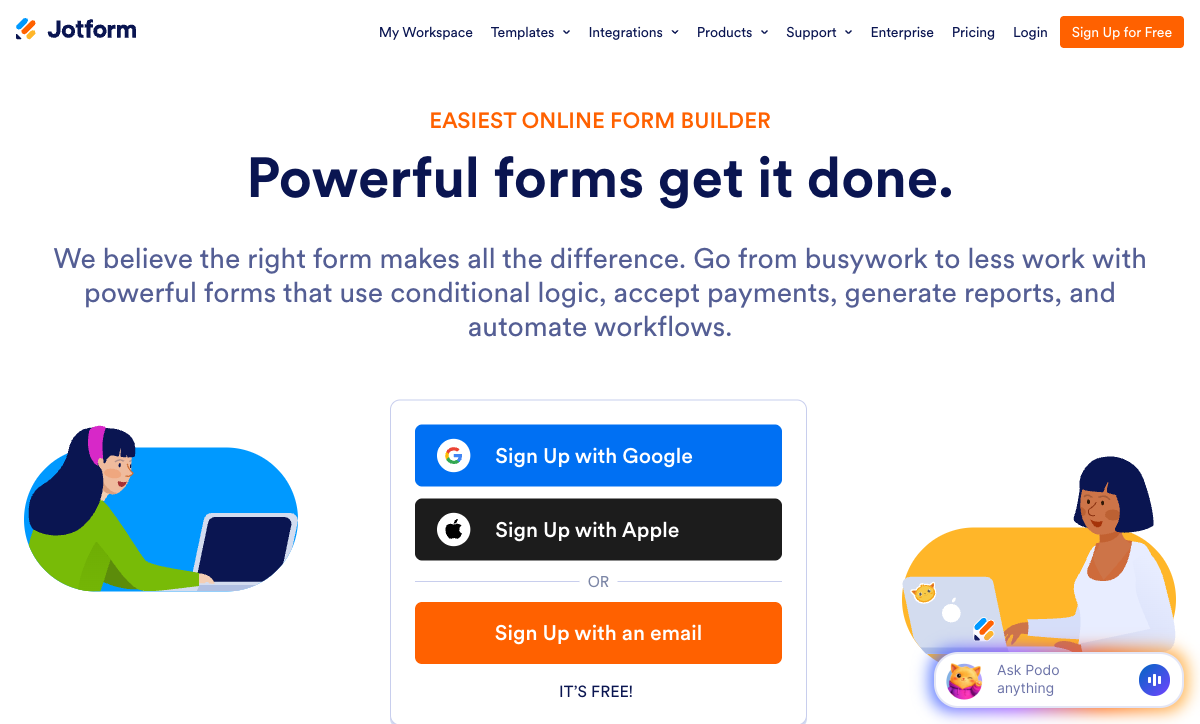
They switch because of how that capability is sold. Count the meters on a single Jotform invoice: submissions per month, forms, form views, submission storage, fields per form, payment submissions, signed documents, and users. Eight separate levers, and each one moves in the same direction as your business. Bronze at $34/month billed annually buys 1,000 submissions and 25 forms. Have a good month and the form closes. Hire someone and there is no seat to give them, because Starter through Gold are single-user and real multi-user access means an Enterprise quote. Gold is $99/month billed annually and still caps you at 100 forms and one owner.
The second reason is the shape of the stack underneath. Jotform Sign is metered separately from submissions, and Jotform Workflows hands the genuinely multi-step work to Zapier or Make connectors, so a team running contracts and approvals typically ends up holding a form vendor, a signature meter and an automation subscription together, paying each one to count something. Below we compare the strongest alternatives on the five dimensions that decide the purchase, and say plainly where Jotform still wins.
| Feature | Jotform | Paperform | Typeform | Google Forms | SurveyMonkey | Cognito Forms | Tally |
|---|---|---|---|---|---|---|---|
| Form Building | |||||||
| Document-style editor | No | Yes | No | No | No | No | Yes |
| Field types | 30+ (starter) | 26+ | 20+ | 11 | 15+ | 20+ | 20+ |
| Guided mode (one question at a time) | Yes starter | Yes | Yes | No | Yes | No | No |
| Calculations field | Yes starter | Yes pro | Yes plus | No | No | Yes | Yes |
| Answer piping | Yes starter | Yes | Yes basic | No | Yes Individual Advantage | Yes | Yes |
| Payments | |||||||
| Stripe payments | Yes starter | Yes | Yes basic | No | Yes Individual Advantage | Yes | Yes |
| PayPal payments | Yes starter | Yes | No | No | Yes Individual Advantage | Yes team | No |
| Square payments | Yes starter | Yes | No | No | No | Yes team | No |
| Braintree payments | Yes starter | Yes | No | No | No | No | No |
| Google Pay | Yes starter | Yes | No | No | No | Yes | No |
| Design & Customization | |||||||
| Template gallery | 20,000+ (starter) | 30,000+ | 1,500+ | 20+ | 400+ | Yes | Yes |
| Form themes | Yes starter | No | No | No | No | No | No |
| Language translation | Yes starter | Yes | Yes basic | No | Yes Individual Premier | Yes pro | Yes |
| Advanced theming | Yes starter | Yes pro | Yes plus | No | Yes Individual Advantage | Yes pro | Yes pro |
| Custom form URL | No | Yes pro | Yes plus | No | Yes Individual Advantage | No | Yes |
| Analytics | |||||||
| Form analytics | Yes starter | No | No | No | No | No | No |
| Google Analytics integration | Yes starter | No | No | No | No | No | No |
| Partial submissions | No | Yes pro | Yes plus | No | Yes Individual Advantage | No | Yes pro |
| AI report insights | No | Yes pro | Yes business | Yes Business Standard | Yes Individual Advantage | No | No |
| Paperform analytics | No | Yes pro | No | No | No | No | Yes pro |
| Collaboration | |||||||
| Advanced permissions & admin | Yes enterprise | Yes enterprise | Yes enterprise | Yes Business Starter | Yes enterprise | Yes enterprise | No |
| Form sharing | Yes starter | No | No | No | No | No | No |
| Assign forms | Yes enterprise | No | No | No | No | No | No |
| Form sharing (templates) | No | Yes | Yes | Yes | Yes Team Advantage | Yes | Yes |
| Spaces and tag management | No | Yes | No | No | No | No | Yes pro |
| Security | |||||||
| SOC 2 Type II | Yes enterprise | Yes | Yes | Yes | Yes | No | No |
| HIPAA compliant | Yes gold | No | Yes enterprise | No | No | No | No |
| 256-bit SSL | Yes starter | No | No | No | No | No | No |
| Two-factor authentication | Yes starter | Yes | Yes | Yes | Yes | Yes | No |
| SSO (SAML) | Yes enterprise | Yes business | Yes enterprise | Yes Business Plus | Yes enterprise | Yes enterprise | No |
| Integrations & API | |||||||
| Native integrations | 150+ (starter) | 4,000+ | 120+ (basic) | No | 200+ | No | 17+ |
| Webhooks | Yes starter | Yes pro | Yes basic | No | Yes Individual Advantage | Yes | Yes |
| API | Yes starter | No | Yes basic | No | No | No | No |
| WordPress plugin | Yes starter | Yes | Yes | No | No | Yes | Yes |
| Smartsheet integration | Yes starter | No | No | No | No | No | No |
The Five Dimensions That Decide It
Jotform wins two of these outright. It loses the other three on structure rather than on features.
Pricing
Jotform Bronze is $34/month billed annually for 1,000 submissions, 25 forms and 1 user; Silver is $39 for 2,500 submissions; Gold is $99 for 10,000 submissions and HIPAA. Unlimited anything means Enterprise and a custom quote. Cognito Forms Pro is $19/month annually with 2,000 entries and 2 users, Tally Pro is $24 with unlimited submissions and unlimited team members, Typeform Basic is $28 for 100 responses. Paperform Pro is $59/month, or $49 billed annually, with unlimited submissions and unlimited seats across all three products. Paperform has the higher entry price of that group and the only one that does not move when volume does.
Integrations & API
Jotform lists 150+ native integrations plus a REST API, webhooks and a Salesforce AppExchange listing, with Zapier and Make available as connectors. The native list is strong on the enterprise names: Salesforce, HubSpot, Mailchimp, ActiveCampaign, Google Workspace, Dropbox. Notion has no first-party connector and routes through Zapier. Paperform counts 4,000+ integrations across native connectors, Stepper, Zapier, Make, webhooks and REST. Typeform lists 120+, Tally 1,000+ counting connectors with 15 natives, and Google Forms roughly 20 inside Workspace. The count is not the interesting number here; where the automation runs and who meters it is.
Conditional logic
Jotform includes conditional logic and calculations on every plan including the free one, configured through a rules panel that reviewers consistently describe as crowded once a form gets complex. The capability is there. The problem is legibility: dozens of stacked rules that nobody can read six months later, which G2 and Capterra reviewers cite under both interface complexity and logic setup difficulty. Paperform expresses the same behaviour as Excel-style formulas, where one calculation can drive question and page visibility, which conditional email fires, what an integration receives and what the success page says. Cognito Forms has the deepest calculation engine for repeating sections and line-item order forms.
Payments
Jotform supports 40+ payment gateways natively with no Jotform transaction fee, the widest payment support of any form builder, but meters payment submissions at 10/month on Starter, 100 on Bronze, 250 on Silver and 1,000 on Gold. Breadth of processor is Jotform's win and nobody else here is close. Depth around the transaction is Paperform's: five gateways (Stripe, PayPal, Square, Braintree, Google Pay) sitting on a full eCommerce engine with products, inventory, subscriptions, coupon codes, custom pricing rules, regional tax and refunds, unmetered and with no transaction fee. Cognito Forms adds Cognito Pay with Apple Pay and Google Pay. Typeform, Tally and Google Forms are Stripe-only or have no payments at all.
Compliance (HIPAA / GDPR / SOC 2)
Jotform is HIPAA, GDPR, SOC 2, CCPA, ISO 27001 and PCI DSS Level 1 compliant, with FERPA, StateRAMP and HECVAT on top, though HIPAA and the BAA require Gold at $99/month billed annually or Enterprise. That is the most complete compliance sheet on this page. Cognito Forms, Typeform, Google Forms and SurveyMonkey are all HIPAA, GDPR and SOC 2 compliant as well, several of them at lower prices. Paperform is SOC 2 Type II, GDPR and CCPA compliant with SAML SSO and enforced 2FA, and is not HIPAA compliant and signs no BAAs. Tally holds GDPR and EU hosting and nothing else. If protected health information is in scope, Paperform and Tally are out.
 #1 Paperform — Best for Replacing Three Subscriptions With One

Compare the invoices rather than the sticker prices. A team running contracts and approvals out of Jotform is usually paying Jotform for the form, watching the signed-document meter alongside the submission meter, and paying Zapier or Make for the steps that come after, because Jotform Workflows hands the real multi-step work to a connector platform. Three vendors, three renewal dates, three things counting. Paperform sells one subscription that contains all three: Paperform for forms, Papersign for eSignatures, Stepper for AI-native workflow automation, included on every plan with nothing to add on and nothing to buy separately.
The numbers behind that. Pro at $49/month billed annually includes 25 signed documents a month, unlimited workflows with unlimited steps, and 20,000 automation credits. Business at $124/month billed annually raises those to 100 signed documents and 100,000 credits, and adds SSO, 10 workspaces and the Business API. Submissions and seats are unlimited on both within fair use, forms are not capped at any number, and support sits in the seat price rather than arriving as an enablement fee at signature. Where Jotform's price moves because the campaign worked or someone new joined, this one does not.
Payments are the second argument, and it runs against Jotform's strongest feature. Jotform wins on processor count and it is not close. Paperform's five gateways (Stripe, PayPal, Square, Braintree, Google Pay) come with a genuine eCommerce engine behind them: products with inventory, recurring subscriptions, coupon codes, custom pricing rules, tax by region and refund handling, with no Paperform transaction fee and no cap on how many payments you take. Jotform charges no transaction fee either, but counts payment submissions as a separate quota. If you need a regional gateway Jotform does not have a rival. If you need a paid order form whose total is calculated rather than typed, the depth matters more than the list.
- Strengths over Jotform: Papersign and Stepper in the same subscription instead of a signature meter plus a Zapier bill, unlimited submissions and unlimited seats within fair use, no cap on form count, full eCommerce with coupons, tax, subscriptions and refunds, Excel-style calculations that drive visibility, emails, integrations and success pages, document-style editor, partial submission tracking, priority support in the price, 10 workspaces on Business for client work
- Limitations against Jotform: $49/month billed annually against Bronze at $34, no HIPAA compliance and no BAAs, 5 payment gateways against 40+, no native mobile app or mobile editor, Stepper automation credits are metered, roughly 498 total reviews against Jotform's 8,500+
- Best for: Operators whose forms start a process that involves a signature, an approval and a system update
 #2 Cognito Forms — Best Cheap Route to HIPAA and Complex Pricing
If you are paying $99/month for Jotform Gold purely because HIPAA lives there, Cognito Forms is the obvious arithmetic. It is HIPAA compliant with a BAA, SOC 2 and GDPR, and Pro starts at $19/month billed annually with Team at $39. Its calculation engine is also deeper than Jotform's rules panel for the specific case of repeating sections and line-item order forms, where a quote has to sum an arbitrary number of rows and apply logic to each. Cognito Pay adds native card processing with Apple Pay and Google Pay, with PayPal and Square from Team.
You are trading one meter set for another, so read the small print. Cognito Forms bills on entries, users, storage and guest collaborators, each with its own overage: Pro stops at 2,000 entries and 2 users, extra people are $5 each per month, and external collaborators come in guest packs. The design is dated in a way Jotform's is not, there is no public REST API, and the product moves slowly. Our Cognito Forms alternatives page has the detail.
- Strengths over Jotform: HIPAA with a BAA from $19/month annually rather than $99, deeper calculations for repeating sections and line items, 2 users included on Pro rather than 1, lower price at every comparable tier
- Limitations: Metered four ways on entries, users, storage and guests, dated interface, no public REST API, far fewer payment processors than Jotform, slow release cadence
- Best for: Small healthcare and professional services teams whose forms are really priced quotes
 #3 Typeform — Best If Completion Rate Is the Whole Problem
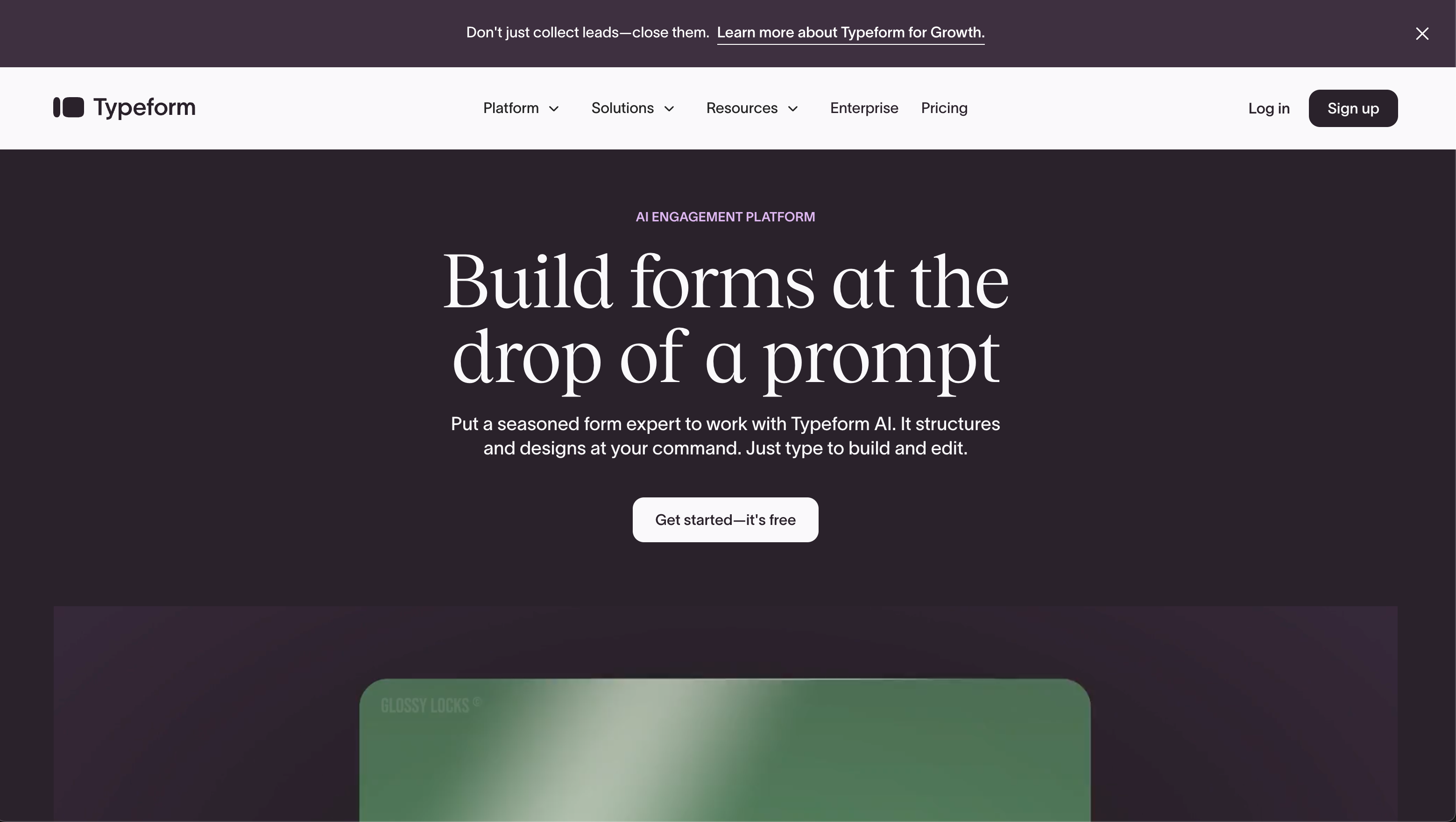
People leave Jotform for Typeform over presentation, not capability. A Jotform form looks like a form: a column of fields with a submit button, which is correct for a support request and wrong for a lead qualification flow you are paying to drive traffic to. Typeform's conversational format asks one question at a time and it remains the reference implementation. It is HIPAA compliant on Business, carries ISO 27001, 27017, 27018 and ISO/IEC 42001, and has the largest review base of any product here after Jotform itself.
The billing is worse than Jotform's, not better. Typeform caps responses and seats on every plan: 100 responses and 1 user on Basic at $28/month annually, 1,000 and 3 on Plus at $56, 10,000 and 5 on Business at $91. Growth Flow at $266/month annually raises neither number. Against Bronze at $34 for 1,000 submissions, Typeform Basic is a significant volume downgrade for similar money, payments are Stripe-only against Jotform's forty processors, and advanced logic sits behind Plus. See our Jotform vs Typeform breakdown for the full matchup.
- Strengths over Jotform: Conversational one-question format and the best default aesthetics in the category, ISO/IEC 42001 for AI management, stronger brand recognition with respondents, cleaner builder than Jotform's crowded panels
- Limitations: 100 responses on the $28 entry tier, seats capped on every plan, Stripe-only payments against 40+ processors, advanced logic gated to Plus, venture-funded at $193M through Series C
- Best for: Marketing teams with low response volumes where the completion rate is worth more than the quota
 #4 Tally — Best If the Meters Are Your Only Complaint
Tally removes the exact thing that sends people to this page. Submissions are not counted, forms are not counted, and team members are not counted, on the free plan or on Pro at $24/month billed annually, within a published fair use policy. The editor is a pleasure after Jotform's nested settings, conditional logic and a formula editor are included free, and Tally AI will build or repair a form from a sentence at no charge.
What disappears with the meters is the compliance sheet and most of what sits past the submit button. Tally is GDPR compliant and EU-hosted, with no SOC 2, no ISO 27001, no HIPAA, and no SSO or 2FA on any tier including the $74/month annual Business plan. Payments are Stripe and only Stripe against Jotform's forty. There is no approval workflow, no HIPAA route for a clinic, and no enterprise tier at all. For anyone who chose Jotform for its compliance breadth this is the wrong direction; for anyone who chose it in 2019 and has been fighting the quotas ever since, it is a clean swap. Our Tally alternatives page covers where it runs out.
- Strengths over Jotform: No submission, form, view, storage or seat meters on any plan, unlimited team members on paid tiers, cleaner and faster editor, free AI form builder, $24/month annually against Bronze's $34
- Limitations: No SOC 2, no ISO 27001, no HIPAA, no SSO or 2FA at any price, Stripe-only payments, no approval workflows, no enterprise tier, roughly ten staff behind the product
- Best for: Teams whose Jotform complaint is purely the quotas and who face no security questionnaire
 #5 SurveyMonkey — Best If You Were Really Doing Research All Along
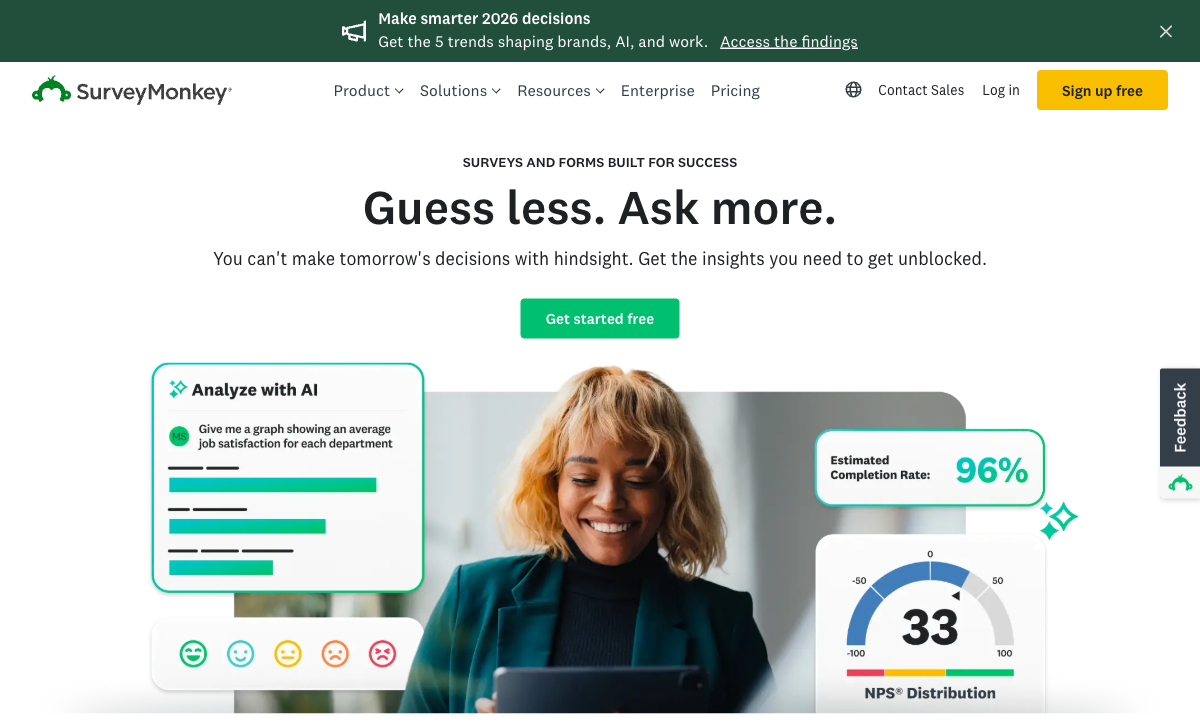
Some Jotform accounts are not really running forms. They are running NPS, CSAT, employee engagement and concept tests through a tool built for registrations, then exporting to a spreadsheet to do the analysis. SurveyMonkey is the specialist for that work: methodologically sound templates, cross-tabulation, sentiment analysis, industry benchmarks, an AI Analysis Suite you can query in plain English, and a 335M-person respondent panel if you need an audience rather than a list. It is HIPAA, GDPR, SOC 2, ISO 27001 and PCI DSS 4.0 compliant. Founded in 1999, it is the oldest product here.
It is also the most aggressively metered, which is a strange thing to move toward from Jotform. Responses carry annual caps with a charge for each one over, Team plans require a minimum of three paid users and Enterprise five, and since September 2026 every paid plan is an annual commitment rather than a monthly one. Ownership sits with Symphony Technology Group after the take-private, so the roadmap answers to a private equity thesis. As a form builder it is weaker than Jotform on payments, logic and design.
- Strengths over Jotform: Serious survey methodology and analysis, AI Analysis Suite with plain-English querying, benchmarks and cross-tabs, global respondent panel, FedRAMP in progress
- Limitations: Annual response caps with per-response overage, three-seat minimum on Team, annual commitment on every paid plan, private-equity owned, weaker than Jotform as a general form builder
- Best for: Research and people teams who need the analysis layer more than the form builder
 #6 Google Forms — Best If You Were Only Using 5 of Jotform's Features
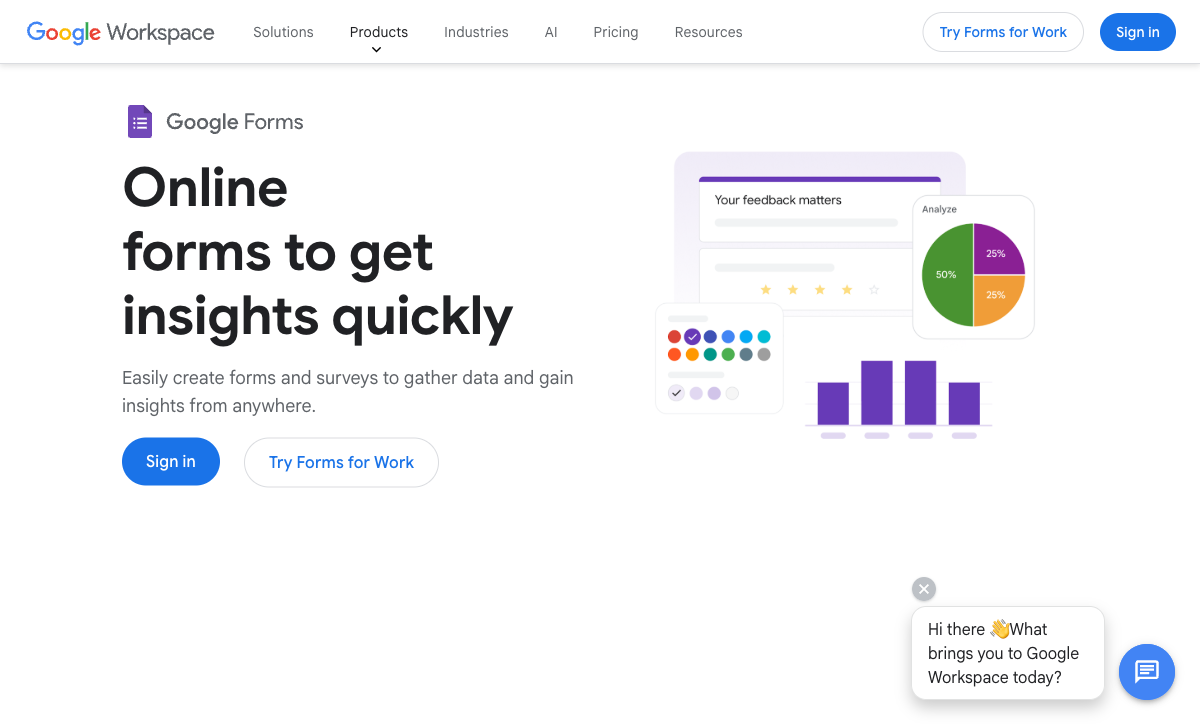
A large share of Jotform Bronze accounts are collecting internal requests and feeding a spreadsheet. If that describes yours, Google Forms does it for nothing, with unlimited responses, no form cap, HIPAA eligibility under a Workspace BAA, and SOC 2, ISO 27001 and FedRAMP inherited from Google Cloud. Workspace from $7 per user per month brings SSO and admin controls with it, and there is no procurement conversation to have because the organisation already bought it.
Everything Jotform is good at disappears. No payments of any kind against Jotform's forty processors, roughly 20 integrations confined to Google's own ecosystem, no calculations worth the name, no eSignatures, no approval workflows, no branding control and a respondent experience nobody mistakes for yours. Choose it as a deliberate downgrade, not as an upgrade path. Our Google Forms alternatives page covers the route back up.
- Strengths over Jotform: Free with unlimited responses and no form cap, HIPAA-eligible under a Workspace BAA without paying $99/month, SSO and admin controls through Workspace, no seat maths, zero learning curve
- Limitations: No payments at all, about 20 integrations, no real calculations, no eSignatures or approvals, no design control or custom domains, generic respondent experience
- Best for: Internal requests and quick surveys inside an organisation that already pays for Workspace
See Them in Action
Two independent videos worth watching before you commit: a full walkthrough of the platform we rank first, and a review of the alternative most often shortlisted alongside it.
Full Feature Comparison
Every feature across Jotform and its alternatives, grouped by category. The workflow, eSignature and seat rows are where the single-invoice argument is decided.
| Feature | Jotform | Paperform | Typeform | Google Forms | SurveyMonkey | Cognito Forms | Tally |
|---|---|---|---|---|---|---|---|
| Form Building | |||||||
| Document-style editor | No | Yes | No | No | No | No | Yes |
| AI form creation | Yes starter | Yes | Yes | Yes paid | Yes | Yes | Yes |
| Field types | 30+ (starter) | 26+ | 20+ | 11 | 15+ | 20+ | 20+ |
| Multi-page forms | Yes starter | Yes | Yes basic | Yes | Yes | Yes | Yes |
| Guided mode (one question at a time) | Yes starter | Yes | Yes | No | Yes | No | No |
| Conditional logic | Yes starter | Yes | Yes basic | Yes | Yes Individual Advantage | Yes | Yes |
| Calculations field | Yes starter | Yes pro | Yes plus | No | No | Yes | Yes |
| Scoring | Yes starter | Yes pro | Yes plus | Yes | Yes | Yes | Yes |
| Answer piping | Yes starter | Yes | Yes basic | No | Yes Individual Advantage | Yes | Yes |
| Pre-filling and hidden fields | Yes starter | Yes pro | Yes basic | Yes | Yes Individual Advantage | Yes | Yes |
| Save and resume | Yes starter | Yes | No | No | Yes Individual Advantage | Yes pro | No |
| Auto-close by number | Yes starter | Yes pro | Yes basic | Yes | Yes Individual Advantage | Yes | Yes |
| Auto-close by date | Yes starter | Yes pro | Yes basic | Yes | Yes Individual Advantage | Yes | Yes |
| Appointment/booking field | Yes starter | Yes | Yes basic | No | No | No | No |
| Signature field | Yes starter | Yes | Yes basic | No | No | Yes team | Yes |
| Color picker field | No | Yes | No | No | No | No | No |
| File uploads | Yes starter | Yes | Yes basic | Yes | Yes | Yes | Yes |
| Drag-and-drop builder | Yes starter | No | No | No | No | No | No |
| Form widgets | Yes starter | No | No | No | No | No | No |
| Template gallery | 20,000+ (starter) | No | No | No | No | No | No |
| AI calculations assistant | No | Yes pro | No | No | No | No | No |
| API-powered dropdowns | No | Yes business | No | No | No | Yes | No |
| Google address search | No | Yes business | No | No | No | Yes | No |
| Question display logic | No | No | Yes basic | No | No | No | No |
| AI follow-up questions | No | No | Yes business | No | No | No | No |
| AI extended thinking & memory | No | No | Yes growth | No | No | No | No |
| Typeform AI connectors | No | No | Yes growth | No | No | No | No |
| Workflow / automation builder | No | No | Yes growth | No | No | No | No |
| AI-moderated research (Research Flow) | No | No | Yes enterprise | No | No | No | No |
| Video questions | No | No | Yes basic | No | No | No | No |
| AI quiz generation | No | No | No | Yes paid | No | No | No |
| AI chat survey editing | No | No | No | No | Yes | No | No |
| Formula editor | No | No | No | No | No | No | Yes |
| Import from other form builders | No | No | No | No | No | No | Yes |
| PDF generation | No | No | No | No | No | No | Yes |
| Payments | |||||||
| Stripe payments | Yes starter | Yes | Yes basic | No | Yes Individual Advantage | Yes | Yes |
| PayPal payments | Yes starter | Yes | No | No | Yes Individual Advantage | Yes team | No |
| Square payments | Yes starter | Yes | No | No | No | Yes team | No |
| Braintree payments | Yes starter | Yes | No | No | No | No | No |
| Google Pay | Yes starter | Yes | No | No | No | Yes | No |
| 40+ payment gateways | Yes starter | No | No | No | No | No | No |
| Product sales (eCommerce) | Yes starter | Yes pro | No | No | No | Yes | Yes |
| Subscriptions | Yes starter | Yes pro | Yes basic | No | No | No | Yes |
| Coupons and discounts | Yes starter | Yes pro | No | No | No | Yes | No |
| Custom pricing rules | Yes starter | Yes pro | No | No | No | Yes | Yes |
| Tax calculations | Yes starter | Yes | No | No | No | Yes | No |
| No transaction fees | Yes starter | No | No | No | No | No | No |
| Quotes/invoices | No | Yes | No | No | No | Yes team | No |
| Refunds | No | Yes | No | No | No | No | No |
| 3D Secure | No | Yes | Yes basic | No | No | No | No |
| Cognito Pay (native card processing) | No | No | No | No | No | Yes | No |
| Design & Customization | |||||||
| Template gallery | 20,000+ (starter) | 30,000+ | 1,500+ | 20+ | 400+ | Yes | Yes |
| Rich media (images, GIFs, videos) | Yes starter | Yes | Yes | Yes | Yes | Yes | Yes |
| Form themes | Yes starter | No | No | No | No | No | No |
| Language translation | Yes starter | Yes | Yes basic | No | Yes Individual Premier | Yes pro | Yes |
| Advanced theming | Yes starter | Yes pro | Yes plus | No | Yes Individual Advantage | Yes pro | Yes pro |
| Custom form URL | No | Yes pro | Yes plus | No | Yes Individual Advantage | No | Yes |
| Custom domains | Yes enterprise | Yes pro | Yes enterprise | No | No | No | Yes pro |
| Custom HTML & CSS | Yes starter | Yes pro | Yes business | No | No | Yes pro | Yes pro |
| Remove branding | Yes bronze | Yes pro | Yes plus | No | Yes Individual Advantage | Yes pro | Yes pro |
| Custom email domains | No | Yes business | No | Yes Business Starter | No | No | Yes pro |
| Unsplash and Giphy integration | No | Yes | Yes | No | No | No | No |
| Image editor | No | Yes | No | No | No | No | No |
| Adobe Creative Cloud | No | Yes | No | No | No | No | No |
| Analytics | |||||||
| Submission results and reports | Yes starter | Yes | Yes | Yes | Yes | Yes | Yes |
| Form analytics | Yes starter | No | No | No | No | No | No |
| Google Analytics integration | Yes starter | No | No | No | No | No | No |
| Partial submissions | No | Yes pro | Yes plus | No | Yes Individual Advantage | No | Yes pro |
| AI report insights | No | Yes pro | Yes business | Yes Business Standard | Yes Individual Advantage | No | No |
| Paperform analytics | No | Yes pro | No | No | No | No | Yes pro |
| Drop-off analysis | No | Yes pro | Yes business | No | No | No | No |
| Google Analytics & Facebook Pixel | No | Yes pro | Yes basic | No | No | Yes pro | Yes pro |
| Custom analytics scripts | No | Yes pro | Yes basic | No | No | No | No |
| Cross-form Insights dashboard | No | No | Yes business | No | No | No | No |
| Benchmarks | No | No | No | No | No | No | No |
| Answer Insights | No | No | No | No | No | No | Yes |
| Collaboration | |||||||
| Multi-user accounts | Yes bronze | Yes pro | Yes plus | Yes | Yes Team Advantage | Yes pro | Yes pro |
| User permissions and management | Yes enterprise | Yes pro | Yes plus | Yes | Yes Team Advantage | Yes team | Yes pro |
| Advanced permissions & admin | Yes enterprise | Yes enterprise | Yes enterprise | Yes Business Starter | Yes enterprise | Yes enterprise | No |
| Form sharing | Yes starter | No | No | No | No | No | No |
| Assign forms | Yes enterprise | No | No | No | No | No | No |
| Form sharing (templates) | No | Yes | Yes | Yes | Yes Team Advantage | Yes | Yes |
| Spaces and tag management | No | Yes | No | No | No | No | Yes pro |
| Workspace organization | No | No | Yes | No | No | No | No |
| Review Sessions | No | No | No | No | Yes Team Advantage | No | No |
| Persistent Magic Link | No | No | No | No | Yes Team Advantage | No | No |
| Security | |||||||
| SOC 2 Type II | Yes enterprise | Yes | Yes | Yes | Yes | No | No |
| GDPR compliant | Yes starter | Yes | Yes | Yes | Yes | Yes | Yes |
| HIPAA compliant | Yes gold | No | Yes enterprise | No | No | No | No |
| SSL encryption | Yes starter | Yes | Yes | Yes | Yes | Yes | Yes |
| 256-bit SSL | Yes starter | No | No | No | No | No | No |
| Two-factor authentication | Yes starter | Yes | Yes | Yes | Yes | Yes | No |
| SSO (SAML) | Yes enterprise | Yes business | Yes enterprise | Yes Business Plus | Yes enterprise | Yes enterprise | No |
| reCAPTCHA | Yes starter | Yes | Yes business | No | Yes | Yes | Yes |
| Data residency | Yes enterprise | No | No | No | No | No | No |
| Form encryption | Yes starter | No | No | No | No | No | No |
| PCI DSS | Yes starter | No | Yes | No | No | No | No |
| Enforce 2FA for all users | No | Yes business | No | Yes Business Starter | Yes enterprise | No | No |
| Local data residency | No | Yes enterprise | No | Yes Business Plus | Yes enterprise | No | Yes |
| Custom S3 storage (BYO) | No | Yes business | No | No | No | No | No |
| ISO 27001 | No | No | Yes | No | No | No | No |
| Integrations & API | |||||||
| Native integrations | 150+ (starter) | 4,000+ | 120+ (basic) | No | 200+ | No | 17+ |
| Zapier | Yes starter | Yes | Yes basic | Yes | Yes | Yes | Yes |
| Make (Integromat) | Yes starter | Yes | Yes basic | Yes | Yes | Yes | Yes |
| Webhooks | Yes starter | Yes pro | Yes basic | No | Yes Individual Advantage | Yes | Yes |
| API | Yes starter | No | Yes basic | No | No | No | No |
| WordPress plugin | Yes starter | Yes | Yes | No | No | Yes | Yes |
| Smartsheet integration | Yes starter | No | No | No | No | No | No |
| Canvas LMS integration | Yes enterprise | No | No | No | No | No | No |
| Salesforce AppExchange | Yes starter | No | No | No | No | No | No |
| Embed options | Yes starter | No | Yes | No | No | No | No |
| Mobile apps | Yes starter | No | No | No | No | No | No |
| Standard API | No | Yes pro | No | Yes | Yes Individual Advantage | Yes | Yes |
| Business API | No | Yes business | No | No | Yes enterprise | No | No |
| oEmbed support | No | Yes | No | No | No | Yes | Yes |
| Claude / MCP server | No | No | Yes basic | No | No | No | No |
| AI data enrichment | No | No | Yes growth | No | No | No | No |
| Automations integrations (Contacts & Automations) | No | No | Yes growth | No | No | No | No |
| Claude (Anthropic) integration | No | No | No | No | Yes Individual Advantage | No | No |
| ChatGPT integration | No | No | No | No | Yes | No | No |
| Gemini integration | No | No | No | No | No | No | No |
| HRIS integrations (Workday, BambooHR) | No | No | No | No | Yes | No | No |
| MCP connector (AI app access) | No | No | No | No | No | Yes pro | No |
| AI assistant connectors (MCP / ChatGPT / Claude) | No | No | No | No | No | No | Yes |
| Integration failure alerts | No | No | No | No | No | No | Yes |
Pricing Comparison
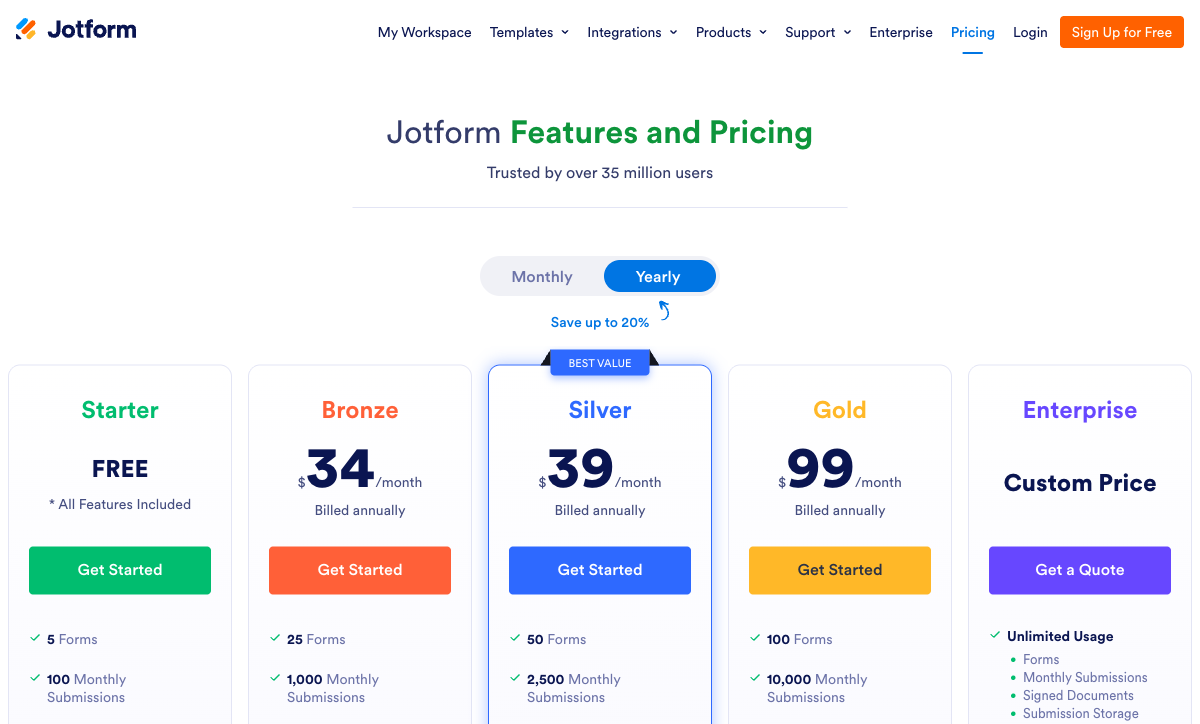
Jotform's headline prices are competitive and its quotas are the reason people leave. Read the limits column rather than the price column: submissions, forms, views, storage, payment submissions and signed documents all move independently on the same bill.
Paperform
Jotform
| Product | Plan | Monthly Price | Annual Price (per month) | Free Plan | Free Trial | Limits |
|---|---|---|---|---|---|---|
| Jotform | Starter | Free | Free | Yes | No | forms: 5, submissions: 100/month, storage: 100 MB, users: 1 |
| Jotform | Bronze | $39/mo | $34/mo billed annually | forms: 25, submissions: 1,000/month, storage: 1 GB, users: 1 | ||
| Jotform | Silver | $49/mo | $39/mo billed annually | forms: 50, submissions: 2,500/month, storage: 10 GB, users: 1 | ||
| Jotform | Gold | $129/mo | $99/mo billed annually | forms: 100, submissions: 10,000/month, storage: 100 GB, users: 1 | ||
| Paperform | Free | Free | Free | Yes | 7 days | forms: Unlimited, submissions: 30/month, storage: Unlimited, users: Unlimited, file uploads: 100 MB |
| Paperform | Pro | $59/mo | $49/mo billed annually | forms: Unlimited, submissions: Unlimited, storage: Unlimited, users: Unlimited, file uploads: 10 GB | ||
| Paperform | Business | $149/mo | $124/mo billed annually | forms: Unlimited, submissions: Unlimited, storage: Unlimited, users: Unlimited, file uploads: 100 GB | ||
| Typeform | Free | Free | Free | Yes | No | forms: 10, submissions: 10/month, users: 1 |
| Typeform | Basic | $39/mo | $28/mo billed annually | forms: Unlimited, submissions: 100/month, users: 1 | ||
| Typeform | Plus | $79/mo | $56/mo billed annually | forms: Unlimited, submissions: 1,000/month, users: 3 | ||
| Typeform | Business | $129/mo | $91/mo billed annually | forms: Unlimited, submissions: 10,000/month, users: 5 | ||
| Typeform | Growth Flow | $379/mo | $266/mo billed annually | forms: Unlimited, submissions: 10,000/month, users: 5 | ||
| Typeform | Talent | $169/mo | $119/mo billed annually | forms: Unlimited, users: HR teams | ||
| Google Forms | Free (Personal) | Free | Free | Yes | 14 days | forms: Unlimited, submissions: Unlimited, storage: 15 GB (shared across Google Drive), users: 1, file uploads: Included in 15 GB storage |
| Google Forms | Business Starter | $8.4/mo | $7/mo billed annually | forms: Unlimited, submissions: Unlimited, storage: 30 GB per user, users: Up to 300, file uploads: Included in storage | ||
| Google Forms | Business Standard | $16.8/mo | $14/mo billed annually | forms: Unlimited, submissions: Unlimited, storage: 2 TB per user, users: Up to 300, file uploads: Included in storage | ||
| Google Forms | Business Plus | $26.4/mo | $22/mo billed annually | forms: Unlimited, submissions: Unlimited, storage: 5 TB per user, users: Up to 300, file uploads: Included in storage | ||
| SurveyMonkey | Basic (Free) | Free | Free | Yes | No | forms: Unlimited, submissions: Limited per survey (exact number now only shown after sign-up/login), storage: N/A, users: 1 |
| SurveyMonkey | Individual Advantage | Free | $32/mo billed annually | forms: Unlimited, submissions: 15,000 per year, storage: N/A, users: 1 | ||
| SurveyMonkey | Individual Premier | Free | $99/mo billed annually | forms: Unlimited, submissions: 40,000 per year, storage: N/A, users: 1 | ||
| SurveyMonkey | Team Advantage | Free | $30/mo billed annually | forms: Unlimited, submissions: 50,000 per year (shared), storage: N/A, users: 3 minimum | ||
| SurveyMonkey | Team Premier | Free | $92/mo billed annually | forms: Unlimited, submissions: 100,000 per year (shared), storage: N/A, users: 3 minimum | ||
| Cognito Forms | Individual (Free) | Free | Free | Yes | 14 days | forms: Unlimited, submissions: 100 entries/month, storage: 100 MB, users: 1 |
| Cognito Forms | Pro | $24/mo | $19/mo billed annually | forms: Unlimited, submissions: 2,000 entries/month, storage: 1 GB, users: 2 | ||
| Cognito Forms | Team | $49/mo | $39/mo billed annually | forms: Unlimited, submissions: 10,000 entries/month, storage: 10 GB, users: 5 | ||
| Cognito Forms | Enterprise | $174/mo | $129/mo billed annually | forms: Unlimited, submissions: Unlimited, storage: 100 GB, users: 20 | ||
| Tally | Free | Free | Free | Yes | No | forms: Unlimited, submissions: Unlimited, storage: N/A, users: 1, file uploads: 10 MB per file |
| Tally | Pro | $29/mo | $24/mo billed annually | forms: Unlimited, submissions: Unlimited, storage: N/A, users: Unlimited, file uploads: Unlimited | ||
| Tally | Business | $89/mo | $74/mo billed annually | forms: Unlimited, submissions: Unlimited, storage: N/A, users: Unlimited |
Review Ratings Across Platforms
Jotform holds 4.7 on G2 across 5,595 reviews, 4.7 on Capterra across 2,926, and 4.3 on Trustpilot across 1,833, with customer support its weakest sub-score at 4.4 to 4.5. It is the most reviewed product on this page by a wide margin, and that volume is itself a reason to take both the praise and the complaints seriously.
Verdict: Which Jotform Alternative Should You Choose?
Start by working out which meter is actually hurting, because the answer changes completely depending on it.
If the problem is that your forms now start a process, Paperform is the recommendation. Contracts to sign, approvals to route, systems to update: Jotform charges for each of those separately, with a signed-document quota alongside the submission quota and a Zapier subscription doing the work underneath. Paperform puts forms, Papersign and Stepper on one subscription at $49/month billed annually, with unlimited submissions and unlimited seats within fair use and five payment gateways backed by real eCommerce, so the invoice stops responding to how well the business is doing. It costs more at the door than Bronze and it is replacing more than one product.
If the problem is narrower, take the tool that removes it. Cognito Forms if HIPAA at $99/month is the only reason you are on Gold. Typeform if the completion rate on a low-volume lead form matters more than the response cap. Tally if the quotas are the whole complaint and nobody will ever send you a security questionnaire. SurveyMonkey if what you have been building is research. Google Forms if you were using five features and paying for two hundred.
And if you need forty payment processors, a native mobile app for offline collection, or a HIPAA BAA on a product with twenty years behind it, stay on Jotform. It is bootstrapped, profitable, independent and very good at what it does. Come back when the form stops being the whole job, and start with Paperform's 7-day trial, which needs no card.
Frequently Asked Questions
Why does my Jotform stop accepting responses partway through the month?
Because submissions are a monthly quota rather than a soft limit, and running out closes the form. Bronze allows 1,000 submissions a month at $34 billed annually, Silver 2,500 at $39, Gold 10,000 at $99. There is no overage charge to absorb the spike; the form simply stops until the month resets or you upgrade, and the responses you lose in between are invisible because they never arrived. Form views, submission storage and fields per form are metered separately on top. Paperform Pro at $49/month billed annually does not meter submissions at all. Fair use is a conversation about plan fit rather than a shutdown mid-campaign.
Can I add a second person to my Jotform account without moving to Enterprise?
Not as a full user. Starter, Bronze, Silver and Gold are all single-user plans, including Gold at $99/month billed annually. Sub-users exist (3 on Bronze, 10 on Silver, 100 on Gold) but the plan owner is always one seat, and genuine multi-user access means an Enterprise quote you cannot see before you request it. Paperform has no per-seat pricing anywhere: seats are unlimited on every plan, and one seat covers forms, Papersign eSignatures and Stepper workflows together. Tally also includes unlimited team members on both paid tiers. Typeform and SurveyMonkey go the other way and charge per seat throughout.
Is Jotform Sign included in my plan, or is it a second bill?
It is included in the sense that it is on the same invoice, and metered in the sense that it has its own quota running out independently of your submissions: 10 signed documents a month on the free Starter plan, 100 on Bronze, 250 on Silver, 1,000 on Gold. Send more contracts than you collect forms and the signature meter is what forces the upgrade. Paperform includes Papersign at 25 signed documents a month on Pro and 100 on Business, alongside Stepper for the workflow that follows, on one subscription. The practical comparison is a form builder plus DocuSign plus Zapier against a single renewal date.
Does any alternative match Jotform's 40+ payment gateways?
No, and we will not pretend otherwise. More than forty processors on every Jotform plan including the free one, with no Jotform transaction fee, is the widest payment support in the category and the right answer if you need a regional gateway. What breadth does not give you is depth around the transaction. Paperform supports five gateways (Stripe, PayPal, Square, Braintree and Google Pay) and wraps a full eCommerce engine around them: products with inventory, subscriptions, coupon codes, custom pricing rules, regional tax and refunds, with no transaction fee of its own. Payment submissions are also metered in Jotform (100/month on Bronze, 250 on Silver, 1,000 on Gold), which is a third meter on the same bill. Cognito Forms is the other serious option here; Typeform, Tally and Google Forms are Stripe-only or worse.
Is there a HIPAA-compliant form builder cheaper than Jotform Gold?
Yes. Jotform gates HIPAA and the BAA behind Gold at $99/month billed annually, which is a steep entry for a small clinic. Cognito Forms is HIPAA compliant with a BAA from a much lower price point, with Pro at $19/month billed annually and Team at $39. Google Forms is HIPAA-eligible under a Workspace BAA from $7 per user per month if your organisation already has Workspace. Typeform and SurveyMonkey are also HIPAA compliant on their upper tiers. Paperform is not HIPAA compliant and signs no BAAs, so if protected health information is in scope, rule it out and choose from that list.
Why is my Jotform capped at 100 forms on the most expensive self-serve plan?
Form count is a billing lever in Jotform: 5 forms on Starter, 25 on Bronze, 50 on Silver, 100 on Gold, unlimited only on Enterprise. A form built once and left running costs nothing to host, so an agency standing up one intake form per client, or an operations team with a form per site, is paying for inventory rather than capability. Paperform caps forms on no plan, and Business adds 10 workspaces for running client accounts under one bill. Tally and Google Forms are also uncapped on form count, though neither offers the workflow layer.
Jotform has AI Agents. Do the alternatives have anything comparable?
Jotform's AI Agents are a real product and a genuine reason to stay if conversational intake is the goal. The distinction worth drawing is between AI that talks to the respondent and AI that does the work afterwards. Paperform generates full forms from a description, has an assistant that writes Excel-style calculation rules for you, and turns raw responses into readable reports with AI Insights, then hands the submission to Stepper for an AI-native multi-step workflow that routes approvals and updates systems. SurveyMonkey has the strongest analysis side with its AI Analysis Suite and plain-English querying. Tally builds and repairs forms with a free AI assistant but does nothing with the responses.
Are Jotform's widgets and advanced fields reliable enough for a production workflow?
This is the most common complaint in Jotform's own review corpus, and it is worth weighing honestly against the size of that corpus. Jotform holds 4.7 on G2 across 5,595 reviews and 4.7 on Capterra across 2,926, which is more public evidence than any competitor on this page can offer. Inside it, reviewers repeatedly cite broken widgets, features behaving differently than advertised, mobile app crashes, and support waits measured in days. Twenty years of accumulated breadth is hard to maintain evenly. Paperform keeps a narrower first-party surface and rates 4.7 to 4.9 on support, with priority support built into the Pro price rather than sold as an enablement package, though its total review count of roughly 498 is a fraction of Jotform's.
Is Jotform still independently owned, and how does that compare to the alternatives?
Yes. Jotform was founded in 2006 by Aytekin Tank, is headquartered in San Francisco, has taken no outside funding, and reported $144.9M in revenue for 2024 with 40+ million users. That independence and twenty-year track record is one of the strongest arguments for staying. Among the alternatives, Paperform has been bootstrapped and profitable since 2016, and Tally is bootstrapped from Ghent with a team of about ten. Typeform has raised $193M through Series C, and SurveyMonkey was taken private by Symphony Technology Group, which is the ownership structure most likely to change what you are buying.
What is the real cost of leaving Jotform, and can I take my data?
Data export is straightforward: CSV, PDF and XLSX exports plus a documented API mean the submissions come with you. The forms do not. Nothing reads a Jotform form definition directly, so the honest plan is to export responses, rebuild the forms you actually use, then run both in parallel for a billing cycle. Most teams discover they were maintaining far fewer live forms than their form quota implied. Paperform offers 30,000+ templates to rebuild from and a 7-day trial with no card required. For a broader view of the field before you commit, see our best form builders roundup or the Paperform vs Jotform head-to-head.
Sources & References
- Jotform Review 2026: Pricing, Features, Pros & Cons, Ratings & More — Research.com, 2026
- Jotform Pricing 2026: Costs, Features & Better Alternatives — Supatool, 2026
- Jotform Reviews and Ratings: Plans and Features 2026 — Signeasy, 2026
- Jotform reviews and ratings — G2, 2026
Last updated September 22, 2026
Ready to try Paperform?
Create beautiful forms, payment pages, and workflows — no code required.