Best Form Builders for WordPress in 2026
For most WordPress sites the best form builder is Gravity Forms, at $59/year with unlimited forms, entries and users stored in your own database. WPForms is easier for non-technical clients. Paperform is the better choice when the form starts a business process that has to run beyond WordPress.
WordPress changes the calculus of this decision more than any other platform. Everywhere else, a form builder is a hosted product you embed and pay for by usage. Here you have a genuine second option: a plugin that lives in wp-admin, writes to your database, and charges a flat annual licence with no submission meter attached to it. That option is cheap, it is mature, and for a large share of sites it is the right one.
It is not free of cost, though. The cost moves rather than disappearing. You become the host, the patcher, the spam filter and the person awake when a plugin update breaks a checkout form at the end of the quarter. Every ranking below is decided on that trade: how well the tool works inside WordPress, how cleanly it embeds, and what happens to the process after someone hits submit. Pricing, feature and compliance data was verified against each vendor's live pages on 22 September 2026.
If you are choosing between two of these specifically, our Gravity Forms vs WPForms and Paperform vs WPForms comparisons go deeper than a ranking can. For the wider field, see best form builders, and for other platforms our Shopify and Squarespace guides.
| Feature | Gravity Forms | WPForms | Paperform | Jotform | Typeform | Formstack |
|---|---|---|---|---|---|---|
| Form Building | ||||||
| Drag-and-drop builder | Yes Basic | No | No | Yes starter | No | Yes forms |
| 30+ field types | Yes Basic | No | No | No | No | No |
| AI calculations assistant | No | Yes pro | Yes pro | No | No | No |
| Scoring | Yes Elite | Yes pro | Yes pro | Yes starter | Yes plus | No |
| Answer piping | Yes Basic | No | Yes | Yes starter | Yes basic | Yes forms |
| Payments | ||||||
| PayPal payments | Yes Pro | Yes pro | Yes | Yes starter | No | Yes forms |
| Square payments | Yes Pro | Yes pro | Yes | Yes starter | No | No |
| Braintree payments | No | No | Yes | Yes starter | No | No |
| Google Pay | Yes Pro | No | Yes | Yes starter | No | No |
| Product sales (eCommerce) | Yes Basic | No | Yes pro | Yes starter | No | No |
| Design & Customization | ||||||
| Template gallery | Yes Basic | Yes pro | 30,000+ | 20,000+ (starter) | 1,500+ | Yes forms |
| Unsplash and Giphy integration | No | No | Yes | No | Yes | No |
| Image editor | No | No | Yes | No | No | No |
| Language translation | Yes Basic | Yes basic | Yes | Yes starter | Yes basic | No |
| Custom form URL | No | Yes pro | Yes pro | No | Yes plus | Yes forms |
| Analytics | ||||||
| AI report insights | No | Yes pro | Yes pro | No | Yes business | No |
| Paperform analytics | No | Yes pro | Yes pro | No | No | Yes forms |
| Google Analytics & Facebook Pixel | Yes Elite | No | Yes pro | No | Yes basic | Yes forms |
| Custom analytics scripts | Yes Basic | No | Yes pro | No | Yes basic | No |
| Partial submissions | Yes Elite | Yes pro | Yes pro | No | Yes plus | Yes forms |
| Collaboration | ||||||
| Advanced permissions & admin | No | Yes elite | Yes enterprise | Yes enterprise | Yes enterprise | Yes enterprise |
| Form sharing (templates) | Yes Basic | Yes basic | Yes | No | Yes | Yes forms |
| Spaces and tag management | No | No | Yes | No | No | Yes forms |
| Form sharing | No | No | No | Yes starter | No | No |
| Assign forms | No | No | No | Yes enterprise | No | No |
| Security | ||||||
| SOC 2 Type II | No | No | Yes | Yes enterprise | Yes | No |
| Two-factor authentication | No | No | Yes | Yes starter | Yes | Yes forms |
| Enforce 2FA for all users | No | No | Yes business | No | No | Yes enterprise |
| SSO (SAML) | No | No | Yes business | Yes enterprise | Yes enterprise | Yes enterprise |
| Local data residency | Yes Basic | Yes | Yes enterprise | No | No | No |
| Integrations & API | ||||||
| 50+ official add-ons | Yes Basic | No | No | No | No | No |
| Make (Integromat) | No | Yes pro | Yes | Yes starter | Yes basic | No |
| MCP server (AI assistant access) | Yes Basic | No | No | No | No | No |
| Standard API | Yes Basic | No | Yes pro | No | No | Yes forms |
| Business API | No | No | Yes business | No | No | Yes enterprise |
 #1 Gravity Forms — Best Native Plugin for WordPress Overall
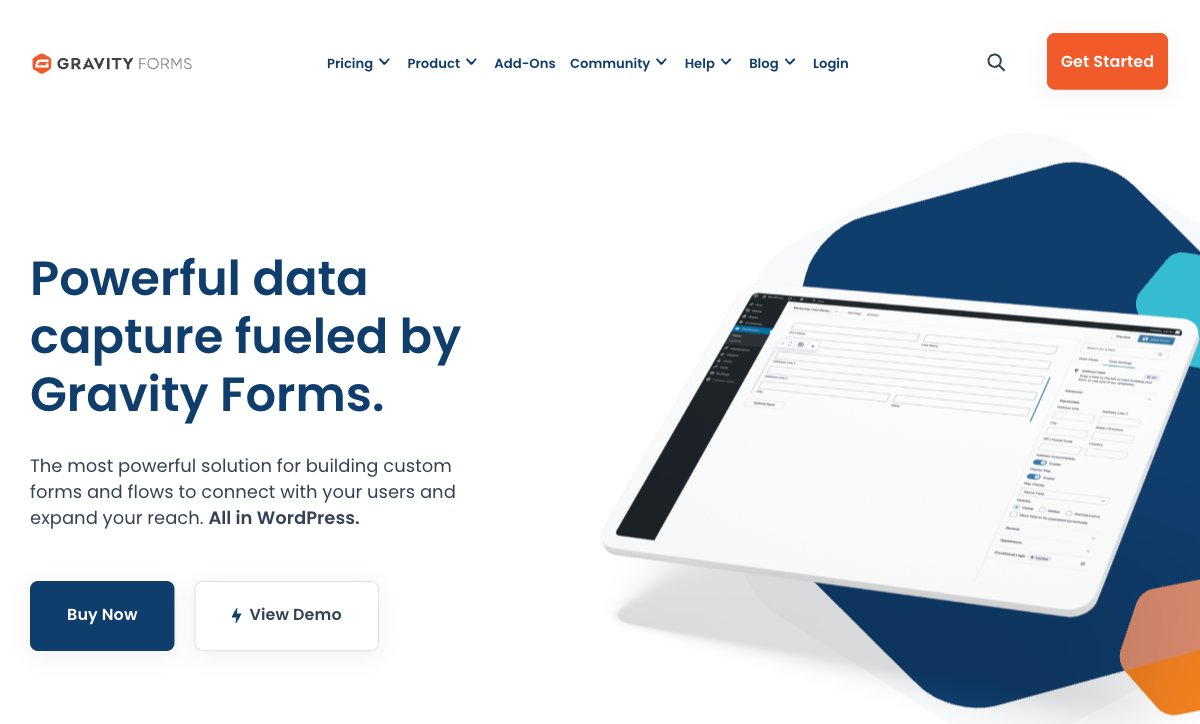
Gravity Forms costs $59/year for one site and gives you unlimited forms, unlimited entries and unlimited WordPress users at that price. It holds roughly 56% of the WordPress forms category by market share, runs on 5,000,000+ active sites, and has been shipped by the same bootstrapped company, Rocketgenius, since 2008.
Nothing about it fights WordPress, because it was never designed for anything else. Forms render inside your theme, entries land in your own database tables, and there is no vendor badge on the output at any licence tier because there is no vendor in the request path. It exposes more than 500 actions and filters plus a REST API, which is why the third-party ecosystem around it (Gravity Wiz, GravityKit, CosmicGiant) is larger than the official add-on catalogue of 50+. Version 3.1 added an MCP server in August 2026, so Claude or Cursor can build forms and manage entries through the Abilities API on WordPress 6.9+.
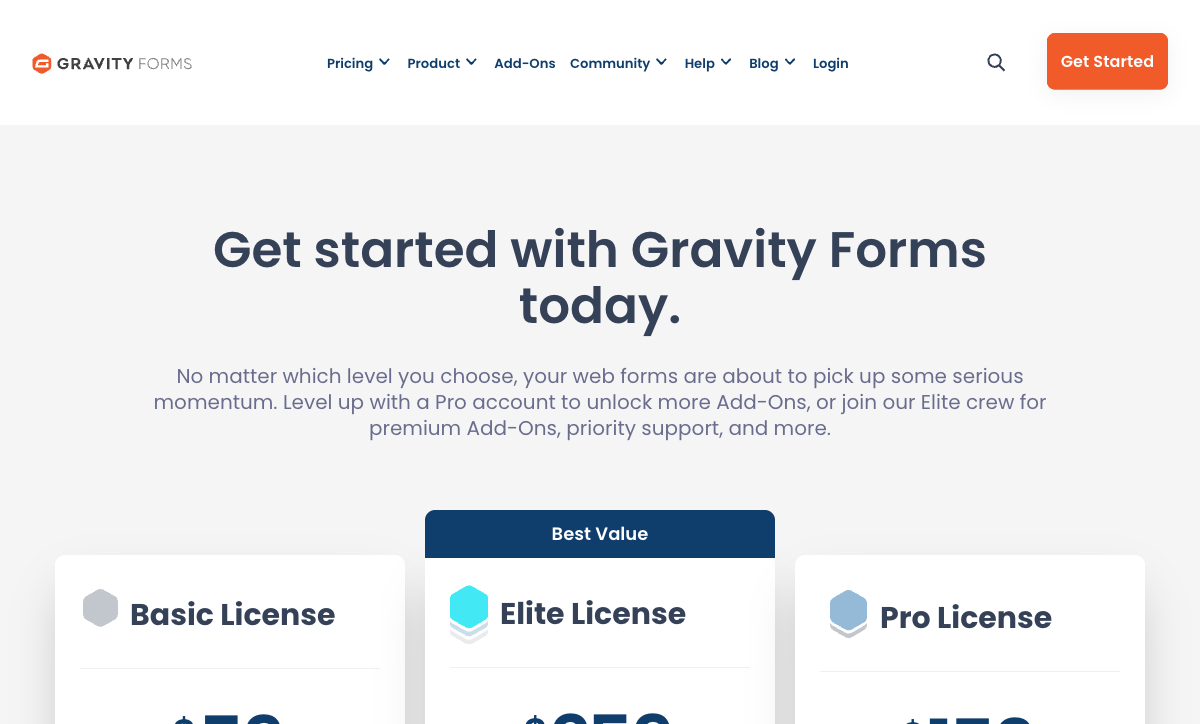
Read the tier table before you buy, because the feature ladder is steep. Basic at $59/year takes no payments at all. Pro at $159/year unlocks Stripe, PayPal, Square and Mollie across three sites. Signature capture, coupons, partial entries, webhooks, surveys and conversational forms all wait for Elite at $259/year. Native calculations are merge-tag arithmetic with no conditional functions, which is exactly the gap the Gravity Wiz Advanced Calculations perk was built to fill, on its own separate renewal. There is no SOC 2 attestation and no BAA, because your hosting stack is the compliance boundary.
- Best for WordPress: Sites where the forms belong to the site, data must stay in your own database, and a developer is available to extend them.
- Pricing: No free plan. Basic $59/year (1 site), Pro $159/year (3 sites), Elite $259/year (unlimited), Nonprofit $129/year.
- Key limitation: Merge-tag calculations only, payments gated to Pro, no SOC 2 or HIPAA, and the patching is yours.
 #2 WPForms — Best Plugin for Non-Technical WordPress Users
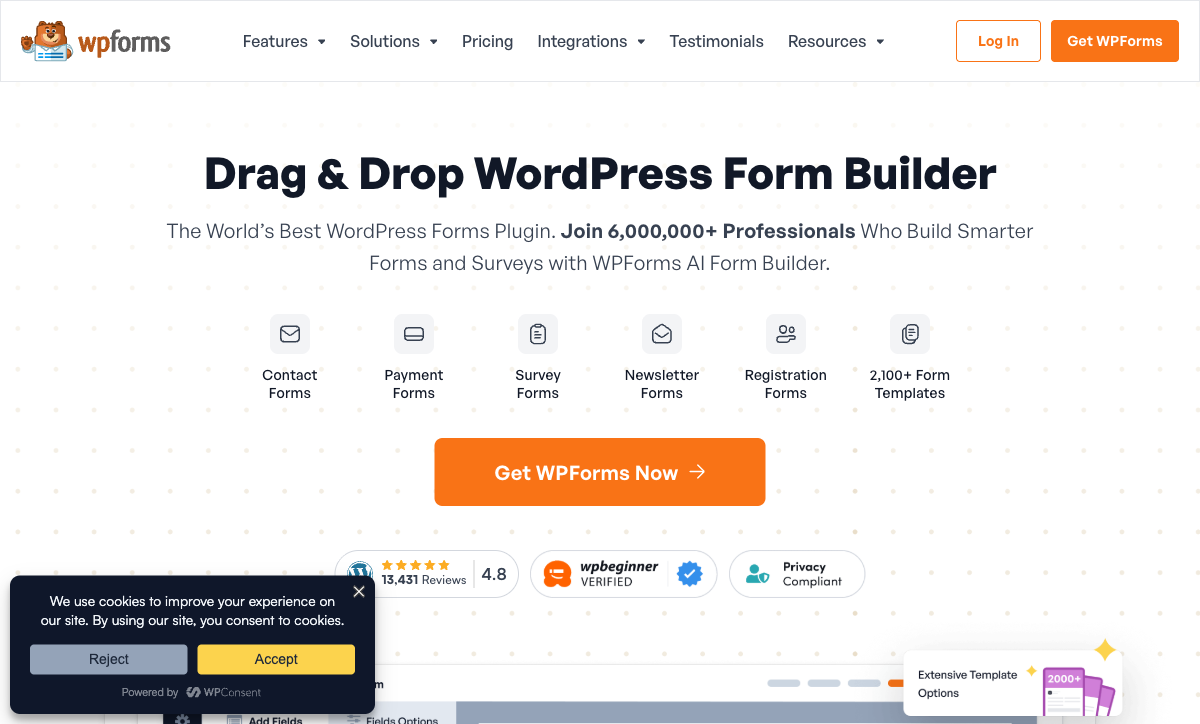
WPForms has 6,000,000+ active WordPress installs, more than any other form plugin, and a 4.8 average across 14,377 WordPress.org ratings. The free Lite version gives unlimited forms and submissions with four templates, and paid licences start at $99/year regular for Basic on one site.
Its advantage over Gravity Forms is the handover moment. Somebody who has never opened wp-admin can build a working form in WPForms without help, the template library runs to 2,100+ starting points, and it works cleanly with Elementor, Divi and Beaver Builder rather than expecting you to style it yourself. Independent testing by OOPSpam found it the fastest form builder with anti-spam enabled, which matters when the plugin is loading on every page of a theme. WPForms 2.0 in July 2026 added a proper analytics dashboard: views, interactions, conversion rate, abandonment, field-level breakdown and an AI chat that reads the numbers.
Price is where it slips behind. The advertised discount is a first-year promotion that renews at the regular rate, so the real cost of the payments tier is $399/year for Pro and $599/year for Elite, against $159 and $259 for the Gravity Forms equivalents. That analytics dashboard is Pro and Elite only; Basic and Plus customers see preview columns. Most integrations beyond email marketing route through Zapier, Make or n8n, which is another subscription, and the Fluent Forms roundup of WPForms alternatives makes the same point about a $99 plan turning into a $300+ annual setup. Calculations arrive at Pro and stay inside the form.
- Best for WordPress: Client sites and solo marketers who need a native plugin that a non-developer can own after launch.
- Pricing: Free Lite plugin. Basic $99/year, Plus $199/year, Pro $399/year, Elite $599/year (regular renewal rates).
- Key limitation: Steep licence ladder, analytics and payments gated to Pro, and Zapier in the middle of most integrations.
 #3 Paperform — Best for WordPress Forms That Become Business Processes

Paperform embeds into WordPress through its own plugin or a script tag, and one subscription covers forms, eSignatures and workflow automation rather than three. Pro is $59/month, or $49/month billed annually, with unlimited submissions and unlimited seats under a fair use policy. That is dramatically more than a plugin licence, and the honest way to read this ranking is that the two tools above are better buys for a form that is only ever a form.
What the higher number replaces is the assembly. A WordPress intake process that ends in a signed contract usually means the plugin, plus the host, plus DocuSign or PandaDoc, plus Zapier, plus whichever two add-ons hold the middle together, each on its own renewal and with you as the integration layer between them. Papersign turns a submission into a contract and files the signed copy against the original response. Stepper runs the approval chain, the CRM write and the handoff after it. Neither is an add-on and neither is billed separately.
The technical reason to choose it over a plugin is the calculation engine. Formulas are Excel-style, and the result does not just print at the bottom of the form: it decides which questions and pages appear, which conditional email fires, what is pushed to each integration and what the success page says. Gravity Forms needs a third-party perk for conditional maths, and WPForms keeps its calculated values inside the form. Payments run through Stripe, PayPal, Square, Braintree and Google Pay with subscriptions, coupons, tax rules and inventory built in, integrations number 4,000+, and the document-style editor produces pages that read like landing pages rather than widgets dropped into a theme.
Paperform was founded in 2016, is bootstrapped and profitable, and holds SOC 2 Type II along with GDPR and CCPA. It is not HIPAA compliant and signs no BAAs. Entries live in Paperform rather than your WordPress database, which some teams want and some do not, and Stepper automation is metered in credits (20,000/month on Pro, then $10 per additional 10,000).
- Best for WordPress: Marketing and ops teams whose WordPress form also has to run outside WordPress, in email, QR codes, client portals and after a replatform.
- Pricing: Pro $59/month, $49/month billed annually. Business $149/month, $124 annually. Enterprise on quote. 7-day trial, no card.
- Key limitation: The highest entry price here, no HIPAA or BAA, and submissions do not land in your own database.
 #4 Jotform — Best Embedded Option for Regulated WordPress Sites
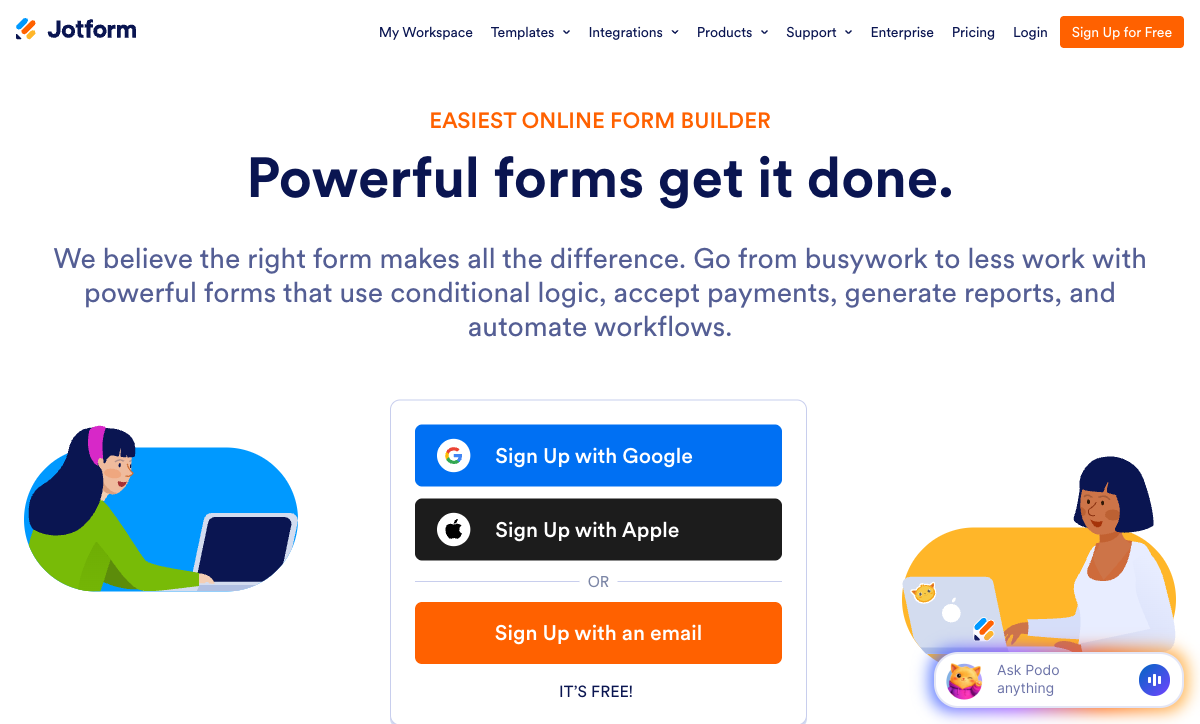
Jotform is the only tool in this ranking that combines a WordPress plugin with HIPAA compliance and a signed BAA, available from the Gold plan at $99/month billed annually. It also supports 40+ payment processors, more than the other five here put together, alongside 150+ native integrations, 20,000 templates and native iOS and Android apps.
On a WordPress site that collects protected health information, patient intake or anything else a plugin's compliance posture cannot cover, that combination is decisive. Neither Gravity Forms nor WPForms can be made HIPAA compliant, and Rocketgenius says so directly in its documentation. Jotform's plugin embeds the hosted form into a page or post, so the regulated data never reaches your server and never becomes your audit problem. Twenty bootstrapped years and $144.9M in 2024 revenue sit behind it.
The pricing model is the opposite of the plugin model you are comparing it against. Submissions, forms, form views, storage, fields per form, signed documents and payment submissions each carry a per-tier cap, and Bronze at $34/month annual stops accepting responses at 1,000 a month. Every self-serve tier is single-user, so a second WordPress editor who needs to touch a form means an Enterprise conversation rather than an invite. Coming from unlimited entries on a $59 plugin licence, that is a real adjustment. Our Paperform vs Jotform comparison works through where the crossover lands.
- Best for WordPress: Healthcare, clinical and legal sites that need HIPAA on a WordPress page without making their own host the compliance boundary.
- Pricing: Free Starter (100 submissions/month). Bronze $39/month, $34 annually. Silver $49/$39. Gold $129/$99. Enterprise on quote.
- Key limitation: Single-user on every self-serve plan and seven separate meters above that.
 #5 Typeform — Best for Conversational Embeds on Content Sites
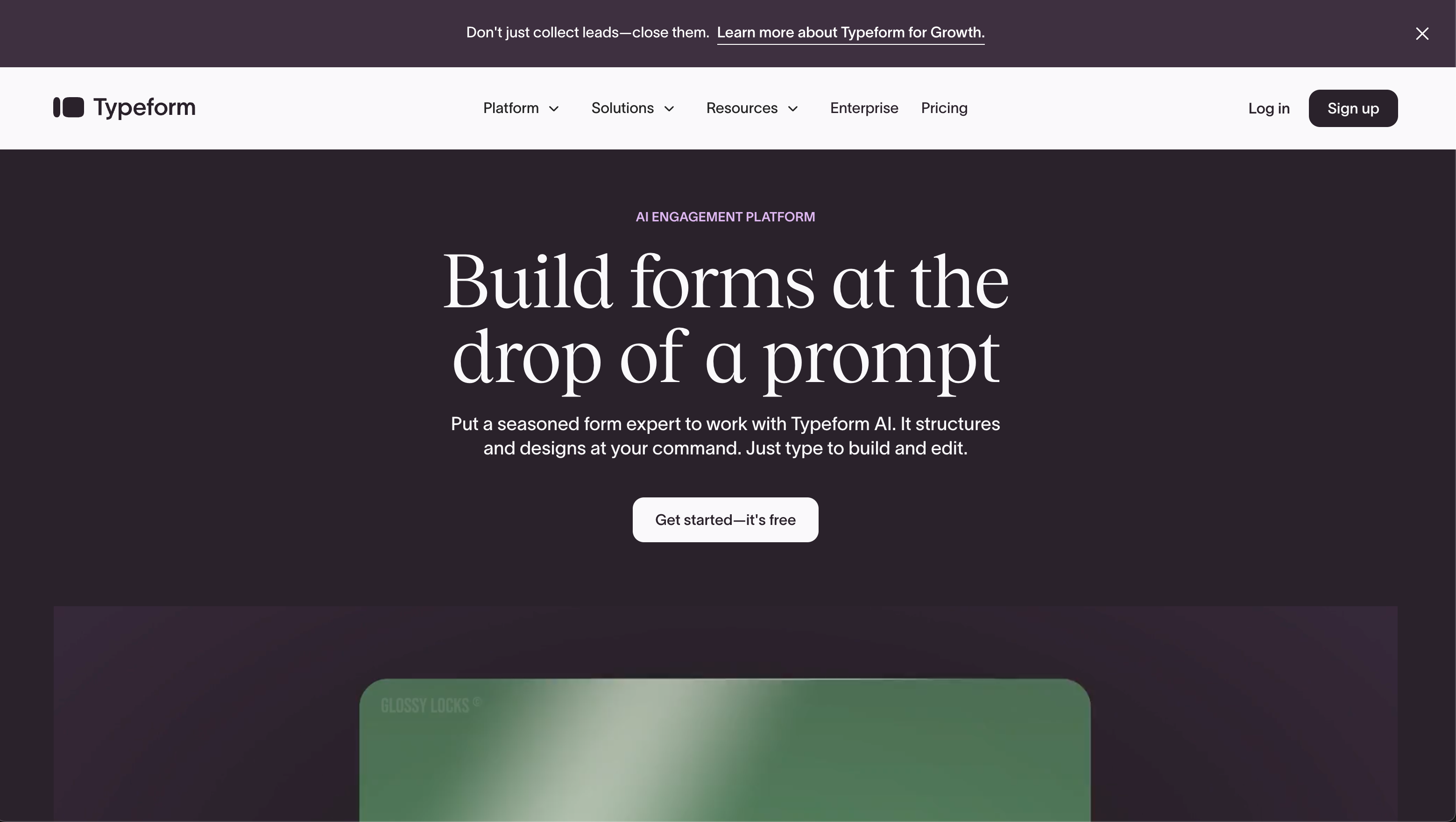
Typeform's WordPress plugin offers four embed modes (inline, popup, slider and full page) and the one-question-at-a-time format that made it famous. On a content-heavy WordPress blog running quizzes, lead magnets or a survey mid-article, no plugin here produces anything close to that completion experience.
It is also the most thoroughly certified tool in this ranking. Typeform holds SOC 2, ISO 27001, 27017, 27018 and ISO/IEC 42001 for responsible AI management, achieved in June 2026, with HIPAA available at Enterprise. It has roughly ten times Paperform's review volume, and 120+ native integrations. For a marketing site that measures itself on completion rate, the design is a genuine reason to embed rather than install.
The meters are where it collides with WordPress expectations. Every published plan caps responses and seats: 100 responses and 1 user on Basic at $28/month annual, 1,000 and 3 on Plus, 10,000 and 5 on Business at $91/month annual. Growth Flow at $266/month annual is nearly three times the price of Business and raises neither. Payments are Stripe only, calculations are gated behind Plus, and a blog post that goes unexpectedly well is a billing event rather than a good day. Against an unlimited $59/year plugin licence on the same site, that model takes some getting used to. See our Typeform alternatives guide for where teams go next.
- Best for WordPress: Blogs and campaign pages where an embedded quiz or survey has to feel like part of the story.
- Pricing: Free (10 responses/month). Basic $39/month, $28 annually. Plus $79/$56. Business $129/$91. Growth Flow $379/$266.
- Key limitation: Responses and seats capped on every tier, Stripe-only payments, calculations behind Plus.
 #6 Formstack — Best for Salesforce-Backed WordPress Sites
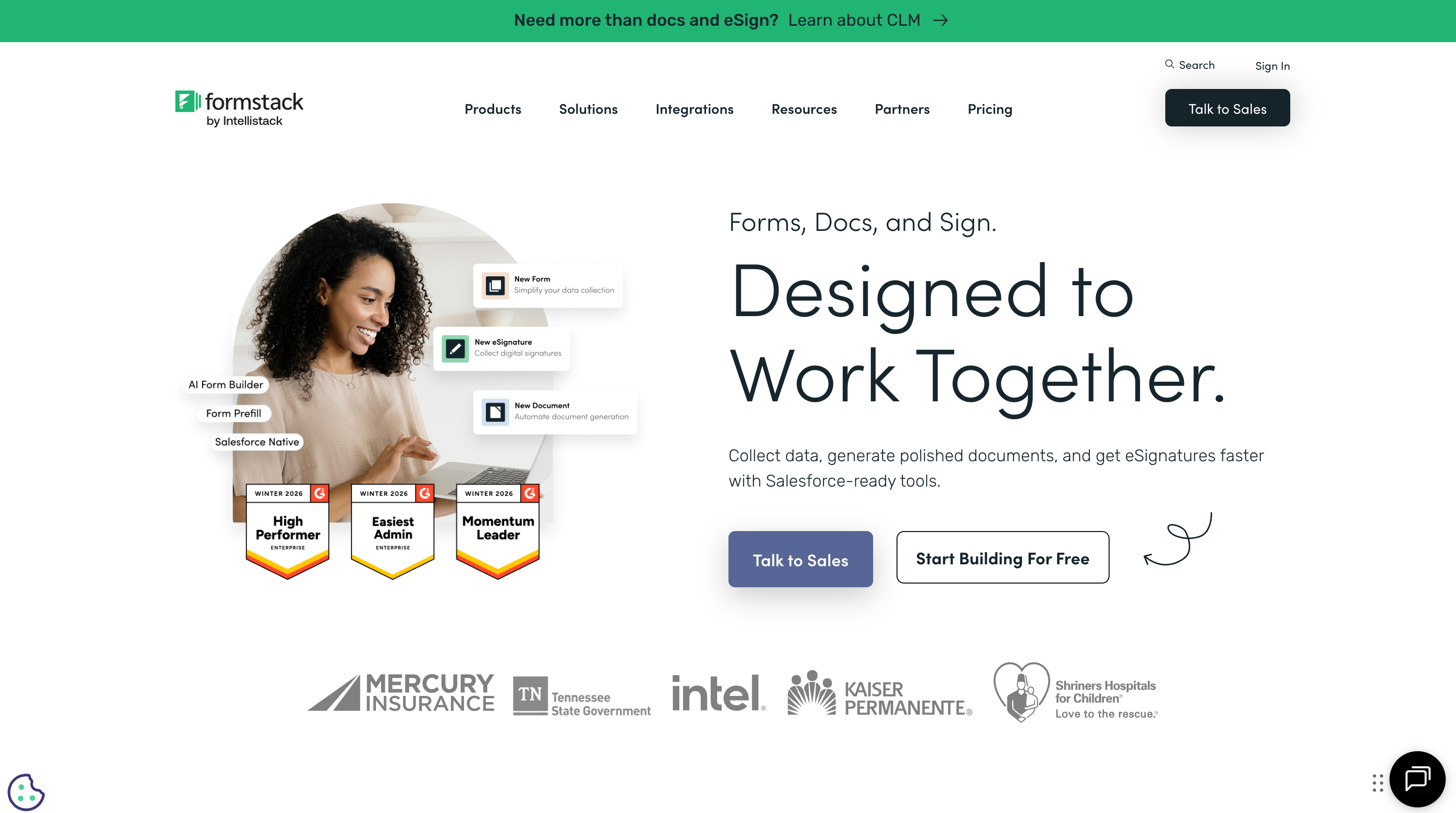
Formstack starts at $99/month, or $83/month billed annually, for a single-user Forms plan capped at 1,000 submissions per form. It publishes a WordPress plugin, supports 300+ integrations, five payment gateways, and sells HIPAA as a paid add-on on Forms and Suite, included on the Salesforce and Enterprise plans alongside SOC 2, GDPR, PCI DSS and TX-RAMP Level 2.
Its one clear WordPress use case is the org whose forms are really Salesforce records wearing a WordPress page. Formstack Forms for Salesforce is a mature native product, and if your marketing site is WordPress while your system of record is Salesforce, the plugin becomes a thin presentation layer over an integration that already works. Document generation and signing sit in the same Suite.
It ranks last for WordPress because of how it bills and how it got here. The meter runs at almost every joint: per builder user, per form, per submission on that form, and per document delivered. Suite is $250/month annual for three users. The document and signing products largely arrived through acquisition, so how tightly they join up varies, and the company now sits under Intellistack, which has launched a separate CLM product line aimed at larger accounts. For a WordPress site of ordinary size, $996 a year for one seat and a per-form submission cap is difficult to justify beside a $59 licence with no cap at all. Our Formstack alternatives page covers the usual destinations.
- Best for WordPress: Salesforce-first organisations whose WordPress site is the front door to a CRM process.
- Pricing: No free plan. Forms $99/month, $83 annually (1 user). Suite $299/month, $250 annually (3 users). Enterprise on quote. HIPAA is a paid add-on.
- Key limitation: Metered at every joint, the highest floor here, and acquired products of uneven integration.
See Them in Action
Two independent walkthroughs covering the plugin side of this decision, including the head-to-head most WordPress buyers end up making.
The Five Dimensions That Decide It on WordPress
Pricing model
The two native plugins charge a flat annual licence with no submission cap, and the four hosted tools all charge monthly with a cap on something. Gravity Forms runs $59 to $259 a year and WPForms $99 to $599 a year, both with unlimited forms, entries and WordPress users; the only meter is site licences. Among the hosted options, Paperform is the only one that does not meter submissions or seats on paid plans. Typeform caps both on all five tiers, Jotform caps submissions on every tier and allows one user, and Formstack meters users, forms, submissions per form and documents. Work out your cost at three times today's volume before comparing entry prices.
Integrations and API
Paperform lists 4,000+ integrations, Formstack 300+, Jotform 150+, Typeform 120+, and Gravity Forms around 50 official add-ons; WPForms claims 10,000+, though the great majority of that number arrives through Zapier rather than natively. All six expose an API. The WordPress-specific difference is direction of travel: plugin integrations run from your server outward, which means an outage on your host stops the sync, while hosted integrations keep firing regardless of what your WordPress install is doing.
Conditional logic and calculations
All six branch on an answer; only Paperform runs formulas that reach past the form. Its Excel-style calculations control question and page visibility, conditional emails, integration payloads and success pages. Gravity Forms does merge-tag arithmetic natively and needs the third-party Gravity Wiz perk for conditional maths. WPForms has a Calculator addon at Pro, with results confined to the form. Formstack handles pricing and scoring competently. Typeform gates calculations behind Plus at $56/month annual.
Payments
Jotform supports 40+ payment processors. Paperform and Formstack each support five, with Paperform adding subscriptions, coupons, tax rules and inventory inside the form itself. WPForms reaches five across Stripe Pro, Square Pro, PayPal, Mercado Pago and Authorize.Net, but Authorize.Net requires the $599/year Elite licence. Gravity Forms has four (Stripe, PayPal, Square, Mollie) from the $159/year Pro licence, and none at all on Basic. Typeform is Stripe only. If you want a WordPress store rather than a payment form, both plugins expect you to bolt on WooCommerce as a second stack with its own updates.
Compliance
Three of the six can be made HIPAA compliant, and all three are hosted: Jotform (Gold, $99/month annual), Formstack (paid add-on, included on Salesforce and Enterprise) and Typeform (Enterprise). Gravity Forms, WPForms and Paperform cannot. Paperform holds SOC 2 Type II, GDPR and CCPA but signs no BAAs. SOC 2 is held by Paperform, Jotform, Typeform and Formstack, and by neither WordPress plugin, because a plugin's security posture is inherited from the host you chose. All six claim GDPR compliance. If a security questionnaire is part of your procurement, that single fact removes both plugins from the shortlist before anyone compares a feature.
Full Pricing Comparison
Every published tier across the six tools. Plugin licences are annual; hosted plans show monthly and annual rates where the vendor publishes both.
Paperform
Gravity Forms
| Product | Plan | Monthly Price | Annual Price (per month) | Free Plan | Free Trial | Limits |
|---|---|---|---|---|---|---|
| Gravity Forms | Basic | Not listed | $59/mo billed annually | No | No | forms: Unlimited, submissions: Unlimited, storage: WordPress database (self-hosted), users: Unlimited (WordPress users) |
| Gravity Forms | Pro | Not listed | $159/mo billed annually | forms: Unlimited, submissions: Unlimited, storage: WordPress database (self-hosted), users: Unlimited (WordPress users) | ||
| Gravity Forms | Elite | Not listed | $259/mo billed annually | forms: Unlimited, submissions: Unlimited, storage: WordPress database (self-hosted), users: Unlimited (WordPress users) | ||
| Gravity Forms | Nonprofit | Not listed | $129/mo billed annually | forms: Unlimited, submissions: Unlimited, storage: WordPress database (self-hosted), users: Unlimited (WordPress users) | ||
| WPForms | Lite (Free) | Free | Free | Yes | 14 days | forms: Unlimited, submissions: Unlimited, users: Unlimited |
| WPForms | Basic | Not listed | $8.25/mo billed annually | forms: Unlimited, submissions: Unlimited, users: Unlimited | ||
| WPForms | Plus | Not listed | $16.58/mo billed annually | forms: Unlimited, submissions: Unlimited, users: Unlimited | ||
| WPForms | Pro | Not listed | $33.25/mo billed annually | forms: Unlimited, submissions: Unlimited, users: Unlimited | ||
| WPForms | Elite | Not listed | $49.92/mo billed annually | forms: Unlimited, submissions: Unlimited, users: Unlimited | ||
| Paperform | Free | Free | Free | Yes | 7 days | forms: Unlimited, submissions: 30/month, storage: Unlimited, users: Unlimited, file uploads: 100 MB |
| Paperform | Pro | $59/mo | $49/mo billed annually | forms: Unlimited, submissions: Unlimited, storage: Unlimited, users: Unlimited, file uploads: 10 GB | ||
| Paperform | Business | $149/mo | $124/mo billed annually | forms: Unlimited, submissions: Unlimited, storage: Unlimited, users: Unlimited, file uploads: 100 GB | ||
| Jotform | Starter | Free | Free | Yes | No | forms: 5, submissions: 100/month, storage: 100 MB, users: 1 |
| Jotform | Bronze | $39/mo | $34/mo billed annually | forms: 25, submissions: 1,000/month, storage: 1 GB, users: 1 | ||
| Jotform | Silver | $49/mo | $39/mo billed annually | forms: 50, submissions: 2,500/month, storage: 10 GB, users: 1 | ||
| Jotform | Gold | $129/mo | $99/mo billed annually | forms: 100, submissions: 10,000/month, storage: 100 GB, users: 1 | ||
| Typeform | Free | Free | Free | Yes | No | forms: 10, submissions: 10/month, users: 1 |
| Typeform | Basic | $39/mo | $28/mo billed annually | forms: Unlimited, submissions: 100/month, users: 1 | ||
| Typeform | Plus | $79/mo | $56/mo billed annually | forms: Unlimited, submissions: 1,000/month, users: 3 | ||
| Typeform | Business | $129/mo | $91/mo billed annually | forms: Unlimited, submissions: 10,000/month, users: 5 | ||
| Typeform | Growth Flow | $379/mo | $266/mo billed annually | forms: Unlimited, submissions: 10,000/month, users: 5 | ||
| Typeform | Talent | $169/mo | $119/mo billed annually | forms: Unlimited, users: HR teams | ||
| Formstack | Forms | $99/mo | $83/mo billed annually | No | 14 days | forms: 25, submissions: 1,000/form, storage: 2 GB, users: 1, file uploads: 2 GB |
| Formstack | Suite | $299/mo | $250/mo billed annually | forms: 100, submissions: 5,000/form, storage: 10 GB, users: 3, file uploads: 10 GB |
Full Feature Comparison
Every tracked capability across the six tools, grouped by category.
| Feature | Gravity Forms | WPForms | Paperform | Jotform | Typeform | Formstack |
|---|---|---|---|---|---|---|
| Form Building | ||||||
| Drag-and-drop builder | Yes Basic | No | No | Yes starter | No | Yes forms |
| AI form creation | Yes Basic | Yes basic | Yes | Yes starter | Yes | Yes forms |
| 30+ field types | Yes Basic | No | No | No | No | No |
| Multi-page forms | Yes Basic | Yes basic | Yes | Yes starter | Yes basic | Yes forms |
| Guided mode (one question at a time) | Yes Elite | Yes pro | Yes | Yes starter | Yes | Yes forms |
| Conditional logic | Yes Basic | Yes basic | Yes | Yes starter | Yes basic | Yes forms |
| Calculations field | Yes Basic | Yes pro | Yes pro | Yes starter | Yes plus | Yes forms |
| AI calculations assistant | No | Yes pro | Yes pro | No | No | No |
| Scoring | Yes Elite | Yes pro | Yes pro | Yes starter | Yes plus | No |
| Answer piping | Yes Basic | No | Yes | Yes starter | Yes basic | Yes forms |
| Pre-filling and hidden fields | Yes Basic | Yes basic | Yes pro | Yes starter | Yes basic | Yes forms |
| Save and resume | Yes Basic | Yes pro | Yes | Yes starter | No | Yes forms |
| Auto-close by number | No | Yes basic | Yes pro | Yes starter | Yes basic | No |
| Auto-close by date | No | Yes basic | Yes pro | Yes starter | Yes basic | No |
| Appointment/booking field | No | No | Yes | Yes starter | Yes basic | No |
| Signature field | Yes Elite | Yes pro | Yes | Yes starter | Yes basic | Yes suite |
| Color picker field | No | No | Yes | No | No | No |
| API-powered dropdowns | No | No | Yes business | No | No | Yes forms |
| Google address search | No | Yes pro | Yes business | No | No | No |
| Document-style editor | No | No | Yes | No | No | No |
| AI Smart Edit | No | Yes | No | No | No | No |
| AI Choices | No | Yes | No | No | No | No |
| AI connector (MCP-style) | No | Yes basic | No | No | No | No |
| Field types | No | Yes basic | 26+ | 30+ (starter) | 20+ | 15 |
| Ranking field | No | Yes pro | No | No | No | No |
| QR code generator | No | Yes | No | No | No | No |
| File uploads | No | No | Yes | Yes starter | Yes basic | No |
| Form widgets | No | No | No | Yes starter | No | No |
| Template gallery | No | No | No | 20,000+ (starter) | No | No |
| Question display logic | No | No | No | No | Yes basic | No |
| AI follow-up questions | No | No | No | No | Yes business | No |
| AI extended thinking & memory | No | No | No | No | Yes growth | No |
| Typeform AI connectors | No | No | No | No | Yes growth | No |
| Workflow / automation builder | No | No | No | No | Yes growth | No |
| AI-moderated research (Research Flow) | No | No | No | No | Yes enterprise | No |
| Video questions | No | No | No | No | Yes basic | No |
| Payments | ||||||
| Stripe payments | Yes Pro | Yes pro | Yes | Yes starter | Yes basic | Yes forms |
| PayPal payments | Yes Pro | Yes pro | Yes | Yes starter | No | Yes forms |
| Square payments | Yes Pro | Yes pro | Yes | Yes starter | No | No |
| Braintree payments | No | No | Yes | Yes starter | No | No |
| Google Pay | Yes Pro | No | Yes | Yes starter | No | No |
| Product sales (eCommerce) | Yes Basic | No | Yes pro | Yes starter | No | No |
| Subscriptions | Yes Pro | Yes pro | Yes pro | Yes starter | Yes basic | No |
| Coupons and discounts | Yes Elite | Yes pro | Yes pro | Yes starter | No | Yes forms |
| Custom pricing rules | No | Yes pro | Yes pro | Yes starter | No | Yes forms |
| Tax calculations | No | No | Yes | Yes starter | No | No |
| Quotes/invoices | No | No | Yes | No | No | No |
| Refunds | Yes Pro | Yes pro | Yes | No | No | No |
| 3D Secure | Yes Pro | No | Yes | No | Yes basic | No |
| Mercado Pago payments | No | Yes pro | No | No | No | No |
| 40+ payment gateways | No | No | No | Yes starter | No | No |
| No transaction fees | No | No | No | Yes starter | No | No |
| Design & Customization | ||||||
| Template gallery | Yes Basic | Yes pro | 30,000+ | 20,000+ (starter) | 1,500+ | Yes forms |
| Rich media (images, GIFs, videos) | Yes Basic | Yes basic | Yes | Yes starter | Yes | Yes forms |
| Unsplash and Giphy integration | No | No | Yes | No | Yes | No |
| Image editor | No | No | Yes | No | No | No |
| Language translation | Yes Basic | Yes basic | Yes | Yes starter | Yes basic | No |
| Advanced theming | Yes Basic | Yes basic | Yes pro | Yes starter | Yes plus | Yes forms |
| Custom form URL | No | Yes pro | Yes pro | No | Yes plus | Yes forms |
| Custom domains | No | Yes basic | Yes pro | Yes enterprise | Yes enterprise | Yes forms |
| Custom HTML & CSS | Yes Basic | Yes basic | Yes pro | Yes starter | Yes business | Yes forms |
| Remove branding | Yes Basic | Yes basic | Yes pro | Yes bronze | Yes plus | Yes forms |
| Custom email domains | Yes Elite | No | Yes business | No | No | No |
| Adobe Creative Cloud | No | No | Yes | No | No | No |
| Form themes | No | No | No | Yes starter | No | No |
| Analytics | ||||||
| Submission results and reports | Yes Basic | Yes basic | Yes | Yes starter | Yes | Yes forms |
| AI report insights | No | Yes pro | Yes pro | No | Yes business | No |
| Paperform analytics | No | Yes pro | Yes pro | No | No | Yes forms |
| Google Analytics & Facebook Pixel | Yes Elite | No | Yes pro | No | Yes basic | Yes forms |
| Custom analytics scripts | Yes Basic | No | Yes pro | No | Yes basic | No |
| Partial submissions | Yes Elite | Yes pro | Yes pro | No | Yes plus | Yes forms |
| Drop-off analysis | No | No | Yes pro | No | Yes business | No |
| Form analytics | No | No | No | Yes starter | No | No |
| Google Analytics integration | No | No | No | Yes starter | No | No |
| Cross-form Insights dashboard | No | No | No | No | Yes business | No |
| Collaboration | ||||||
| Multi-user accounts | Yes Basic | Yes basic | Yes pro | Yes bronze | Yes plus | Yes forms |
| User permissions and management | Yes Basic | Yes pro | Yes pro | Yes enterprise | Yes plus | Yes forms |
| Advanced permissions & admin | No | Yes elite | Yes enterprise | Yes enterprise | Yes enterprise | Yes enterprise |
| Form sharing (templates) | Yes Basic | Yes basic | Yes | No | Yes | Yes forms |
| Spaces and tag management | No | No | Yes | No | No | Yes forms |
| Form sharing | No | No | No | Yes starter | No | No |
| Assign forms | No | No | No | Yes enterprise | No | No |
| Workspace organization | No | No | No | No | Yes | No |
| Security | ||||||
| SOC 2 Type II | No | No | Yes | Yes enterprise | Yes | No |
| GDPR compliant | Yes Basic | Yes basic | Yes | Yes starter | Yes | Yes forms |
| SSL encryption | Yes Basic | Yes basic | Yes | Yes starter | Yes | Yes forms |
| Two-factor authentication | No | No | Yes | Yes starter | Yes | Yes forms |
| Enforce 2FA for all users | No | No | Yes business | No | No | Yes enterprise |
| SSO (SAML) | No | No | Yes business | Yes enterprise | Yes enterprise | Yes enterprise |
| reCAPTCHA | Yes Basic | Yes basic | Yes | Yes starter | Yes business | Yes forms |
| Local data residency | Yes Basic | Yes | Yes enterprise | No | No | No |
| Custom S3 storage (BYO) | No | No | Yes business | No | No | No |
| Custom S3 storage | No | No | No | No | No | No |
| HIPAA compliant | No | No | No | Yes gold | Yes enterprise | No |
| 256-bit SSL | No | No | No | Yes starter | No | No |
| Data residency | No | No | No | Yes enterprise | No | No |
| Form encryption | No | No | No | Yes starter | No | No |
| PCI DSS | No | No | No | Yes starter | Yes | No |
| ISO 27001 | No | No | No | No | Yes | No |
| Integrations & API | ||||||
| 50+ official add-ons | Yes Basic | No | No | No | No | No |
| Zapier | Yes Pro | Yes pro | Yes | Yes starter | Yes basic | Yes forms |
| Make (Integromat) | No | Yes pro | Yes | Yes starter | Yes basic | No |
| Webhooks | Yes Elite | Yes elite | Yes pro | Yes starter | Yes basic | Yes forms |
| MCP server (AI assistant access) | Yes Basic | No | No | No | No | No |
| Standard API | Yes Basic | No | Yes pro | No | No | Yes forms |
| Business API | No | No | Yes business | No | No | Yes enterprise |
| WordPress plugin | Yes Basic | Yes | Yes | Yes starter | Yes | Yes forms |
| oEmbed support | No | No | Yes | No | No | No |
| Stepper workflow automation | No | No | No | No | No | No |
| 2000+ integrations | No | Yes pro | No | No | No | No |
| Native integrations | No | No | 4,000+ | 150+ (starter) | 120+ (basic) | No |
| API | No | No | No | Yes starter | Yes basic | No |
| Smartsheet integration | No | No | No | Yes starter | No | No |
| Canvas LMS integration | No | No | No | Yes enterprise | No | No |
| Salesforce AppExchange | No | No | No | Yes starter | No | No |
| Embed options | No | No | No | Yes starter | Yes | No |
| Mobile apps | No | No | No | Yes starter | No | No |
| Claude / MCP server | No | No | No | No | Yes basic | No |
| AI data enrichment | No | No | No | No | Yes growth | No |
| Automations integrations (Contacts & Automations) | No | No | No | No | Yes growth | No |
| 4000+ integrations | No | No | No | No | No | No |
Review Ratings Across Platforms
Aggregated ratings from G2, Capterra, GetApp, Trustpilot and TrustRadius, weighted by review count so small samples do not distort the picture.
How We Ranked These for WordPress
Five weighted criteria were applied consistently, all of them scored for WordPress specifically rather than in general:
- WordPress fit (30%): Does it install as a native plugin, embed through a plugin, or need a hand-placed script tag? We scored up native rendering inside the theme, page builder compatibility with Elementor, Divi and Beaver Builder, and clean multiple embed modes. We scored down anything that requires theme file edits to look right.
- Cost at scale (25%): What the tool costs a WordPress site after traffic triples and two more people need edit access. Submission meters, seat meters and add-on renewals all counted against a tool; flat licences and unmetered plans counted for.
- Process depth (20%): How far past collection the product goes without a second vendor. Calculation engines that drive logic, eSignatures, approval routing and automation included in the price scored highest. Handing off to Zapier or DocuSign scored lower, because on WordPress those handoffs are also yours to maintain.
- Compliance and data control (15%): HIPAA, SOC 2, GDPR and PCI, plus where the submission actually lands. Storing entries in your own database is a genuine advantage for data residency and a genuine liability for attestation, and both were weighed.
- Vendor stability (10%): Company age, funding model, ownership changes and visible release momentum in 2026. Bootstrapped profitable vendors scored highest.
Each tool was assessed against four WordPress jobs: a themed contact form, a multi-page application with branching logic, a payment form with dynamic pricing on a live site, and a submission that has to produce a signed document and an approval. Pricing was read live from each vendor's pricing page on 22 September 2026, and for WPForms we quote the regular renewal rate rather than the standing first-year promotion.
The Verdict for WordPress Sites
Install Gravity Forms if the form belongs to the site. Unlimited entries on a $59 licence, data in your own database, and a decade and a half of stability make it the default for the majority of WordPress builds, and the plugin ecosystem around it will cover most of what the core product does not. Choose WPForms instead when someone non-technical has to own the forms after launch, and budget for the renewal rate rather than the promotional one.
Move to a hosted tool when the form stops being a page. If the submission has to trigger a contract, an approval and a CRM record, Paperform puts those in one subscription at $49/month billed annually with no submission or seat meter, and the same form keeps working through a redesign or a move off WordPress entirely. If the data is regulated, Jotform is the one with HIPAA and a BAA behind a WordPress plugin. If the goal is completion rate on a content page, embed Typeform and watch the response cap. If Salesforce is the real system of record, Formstack earns its price and not otherwise.
Frequently Asked Questions
Do I need a WordPress plugin, or will an embedded form builder work just as well?
It depends on where the data has to live. A plugin such as Gravity Forms or WPForms writes every entry into your own WordPress database, renders inside your theme, and keeps working with no external script on the page. If your requirement is data residency on your own server, or the form must render when a visitor blocks third-party scripts, a plugin is the correct answer and nothing hosted will match it.
An embedded builder such as Paperform, Jotform or Typeform serves the form from its own infrastructure and drops it into a page or post through a plugin, block or script tag. You trade server-side ownership for someone else handling uptime, scaling, spam and security patching. The practical tiebreaker is usually whether the same form also has to appear somewhere that is not WordPress: an email, a QR code, a client portal, a Notion page. Plugins cannot do that. Hosted forms have their own URL by default.
Which WordPress form plugin is cheapest once you need to take payments?
Gravity Forms Pro at $159/year, which is the first tier where Stripe, PayPal, Square and Mollie become available. WPForms puts Stripe Pro, Square Pro, PayPal, Mercado Pago, recurring subscriptions and coupons on its Pro licence at $399/year regular, with Authorize.Net held back for Elite at $599/year. Gravity Forms Basic at $59/year cannot take a payment at all.
Both are still cheaper as a licence than any hosted option, and we will not pretend otherwise. What neither number includes is the hosting, the PCI posture of your own server, the SSL renewal and the plugin updates that sit underneath. Paperform charges $49/month billed annually and covers all five gateways plus subscriptions, coupons, tax rules and inventory on every plan, hosted, with nothing to patch.
Can Paperform forms be embedded in WordPress without slowing the site down?
Yes. Paperform publishes a WordPress plugin, and the form can also go in as an inline embed, a popup, a slider or a full-page redirect through a script tag in any block or theme template. Because the form renders from Paperform's infrastructure rather than your PHP stack, nothing is added to your database, no cron jobs run against your host, and the entry volume has no effect on your server's response time.
The trade-off worth knowing about: submissions never touch your WordPress database, so entries live in Paperform rather than wp-admin. Teams that want everything in one back end will prefer a native plugin. Teams that want the marketing site and the business process kept apart usually see that separation as the point.
Is Gravity Forms or WPForms better for a WordPress agency managing client sites?
Gravity Forms Elite at $259/year for unlimited sites is the cheaper agency licence by a wide margin. WPForms tops out at Elite for $599/year regular for unlimited sites, so a five-client agency pays roughly $340 a year more for the equivalent coverage. Gravity Forms Elite also includes Multisite support, every add-on, and priority support at that price.
WPForms earns its premium on handover. Clients who have never seen wp-admin find its builder easier, and the 2,100-template library plus the form landing pages mean less bespoke work per site. If you build and leave, WPForms reduces support tickets. If you build and maintain, Gravity Forms with its 500+ hooks and REST API gives you more room. Our form builders for agencies guide covers the billing side of that choice.
What happens to my form data if I move off WordPress?
Entries stored by Gravity Forms and WPForms live in your WordPress database as plugin tables, and both export to CSV. The forms themselves export as JSON that only another install of the same plugin can read, so the form definitions do not travel and have to be rebuilt. Anything wired through add-ons, whether Gravity Wiz perks or WPForms addons, has to be rebuilt as well.
Hosted builders sidestep the question because the forms were never coupled to the CMS. A Paperform, Jotform or Typeform form keeps working through a replatform to Webflow, Shopify or a headless front end, because the only thing your site holds is an embed snippet. If a redesign or CMS migration is anywhere on your roadmap, that matters more than it sounds like it should.
Which of these can handle HIPAA-regulated data on a WordPress site?
Jotform, Typeform and Formstack, all three of them hosted and none of them a plugin. Jotform includes HIPAA compliance and a BAA from the Gold plan at $99/month billed annually. Formstack sells HIPAA as a paid add-on on Forms and Suite, included on its Salesforce and Enterprise plans. Typeform offers it at Enterprise on quote.
Neither Gravity Forms nor WPForms is HIPAA compliant, and Rocketgenius states plainly that it does not offer a BAA. That is structural rather than an oversight: when the data sits in your own database on your own host, the compliance posture is yours to build and attest to. Paperform is not HIPAA compliant and signs no BAAs either. It holds SOC 2 Type II, GDPR and CCPA. For protected health information on a WordPress site, Jotform is the one we would point you at.
Do WordPress form plugins cap submissions the way hosted tools do?
No, and it is the single strongest argument for staying native. Gravity Forms and WPForms both give unlimited forms, unlimited entries and unlimited WordPress users on every licence tier. The only metered dimension is how many sites the licence activates on: 1, 3 or unlimited for Gravity Forms, and 1, 3, 5 or unlimited for WPForms.
Hosted tools mostly meter the opposite way. Typeform caps responses and seats on all five published plans, including Growth Flow at $266/month annual, which raises neither above Business. Jotform caps submissions on every self-serve tier and gives you exactly one user. Formstack meters per form, per submission on that form, and per builder seat. Paperform is the exception among the hosted options here: submissions and seats are unlimited on Pro and Business under a fair use policy.
Who actually builds these, and which are safe long-term bets?
Gravity Forms has been shipped by Rocketgenius since 2008, bootstrapped, from Virginia Beach, and runs on more than five million active sites. WPForms launched in 2016 under Awesome Motive, the same group behind OptinMonster, MonsterInsights and WPBeginner, which is worth knowing when you read a WPBeginner review of WPForms. Both are stable, and both have shipped real work this year: Gravity Forms 3.1 added an MCP server in August 2026, and WPForms 2.0 added a full analytics dashboard in July.
On the hosted side, Jotform has been bootstrapped since 2006. Paperform is ten years old, bootstrapped and profitable. Formstack now sits under Intellistack, which has launched a separate CLM product line, and Typeform has raised substantial venture capital. If your intake process is going to outlive two or three site redesigns, the ownership structure behind the tool deserves a look before the feature list does.
Sources & References
- Gravity Forms Review 2026: Is It Worth Your Money? — IsItWP, January 2026
- Gravity Forms Review: Is It Still Worth the Price in 2026? — FatLab Web Support, February 2026
- WPForms Review: Easy to Start, Expensive to Grow Into — FatLab Web Support, 2026
- The 8 Best WordPress Form Plugins — Zapier, 2026
- 9 Top WPForms Alternatives Compared (2026) — Fluent Forms, 2026
Updates
We re-audit the form builders we compare on a regular cadence and log every change here — a public record of what changed and when.
- Updated September 22, 2026 — Full rebuild against a live pricing re-audit of all six tools. Ranking narrowed to the six that matter on WordPress and re-scored on platform fit rather than general capability. WPForms now quoted at regular renewal rates ($99/$199/$399/$599) with the July 2026 2.0 analytics release noted; Gravity Forms 3.1 MCP server added; Paperform's plan lineup updated to Pro $59/month ($49 annual) with unlimited submissions and seats.
Last updated September 22, 2026
Ready to try Paperform?
Create beautiful forms, payment pages, and workflows — no code required.