
Best Form Builders for Marketing Agencies in 2026
For marketing agencies, a form is a conversion instrument, not an administrative afterthought. Every lead capture form, quote calculator, and gated content download is a revenue event. The form builder you choose directly affects conversion rates, lead quality, and how fast leads reach your client's CRM. A poor form experience loses leads your campaigns worked hard to attract.
This comparison is specifically for marketing agencies: teams that build lead generation funnels, run paid campaigns, manage multiple client brands, and need to prove ROI. If you manage client websites and need white-labeling and multi-site licensing, see our general agency comparison instead. Marketing agencies have a different set of priorities: conversion optimisation, CRM integration, analytics depth, and the ability to create landing-page-quality experiences that capture and convert leads.
We evaluated form builders through the marketing agency lens: lead capture and conversion (completion rates, conditional logic, multi-step flows), CRM and marketing automation integration (HubSpot, Salesforce, ActiveCampaign, Mailchimp), analytics and reporting (drop-off tracking, partial submissions, attribution data for client reports), landing page capability (can the form serve as a standalone conversion page?), and pricing at agency scale (what does it actually cost when you are running forms for 10-20 clients?).
What Marketing Agencies Should Prioritise in a Form Builder
Before diving into individual tools, here are the five capabilities that separate a marketing-grade form builder from a basic data collection tool:
- Lead-to-CRM automation: Every form submission should flow into your client's CRM or email platform automatically. Manual CSV exports and re-uploads kill lead response time and introduce errors. Look for native integrations with HubSpot, Salesforce, ActiveCampaign, and Mailchimp, or reliable Zapier and webhook support for niche CRMs.
- Conditional logic and calculations: Marketing forms rarely collect flat data. Lead qualification forms need branching logic, quote generators need real-time calculations, and ROI calculators need formulas that reference multiple fields. The depth of a platform's logic engine determines what you can build without custom code.
- Design flexibility: Your client's form is a brand touchpoint. If the form looks generic, off-brand, or obviously like a third-party widget, it undermines the campaign creative that surrounds it. Look for custom fonts, colours, layouts, background images, and the ability to embed rich content alongside form fields.
- Payment collection: The shortest path from lead to revenue is a form that captures intent and collects payment in one step. Agencies that can offer lead-to-payment funnels deliver measurable ROI that justifies higher retainers.
- Analytics and partial submissions: You need to know how many people started a form, where they dropped off, and what they entered before abandoning. This data drives optimisation and gives you concrete numbers for client reports.
| Feature | Paperform | Typeform | HubSpot Forms | Jotform | involve.me | Google Forms | Gravity Forms |
|---|---|---|---|---|---|---|---|
| Design & Customization | |||||||
| Template gallery | 30,000+ | 1,500+ | Yes | 20,000+ (starter) | Yes | 20+ | Yes Basic |
| Rich media (images, GIFs, videos) | Yes | Yes | No | Yes starter | Yes | Yes | Yes Basic |
| Unsplash and Giphy integration | Yes | Yes | No | No | No | No | No |
| Image editor | Yes | No | No | No | No | No | No |
| Adobe Creative Cloud | Yes | No | No | No | No | No | No |
| Analytics | |||||||
| AI report insights | Yes pro | Yes business | No | No | Yes starter | Yes Business Standard | No |
| Paperform analytics | Yes pro | No | No | No | Yes pro | No | No |
| Drop-off analysis | Yes pro | Yes business | No | No | No | No | No |
| Google Analytics & Facebook Pixel | Yes essentials | Yes basic | Yes | No | Yes | No | Yes Elite |
| Custom analytics scripts | Yes pro | Yes basic | No | No | Yes pro | No | Yes Basic |
| Integrations & API | |||||||
| Native integrations | 2,000+ | 120+ (basic) | Yes | 150+ (starter) | No | No | No |
| Make (Integromat) | Yes | Yes basic | Yes starter | Yes starter | No | Yes | No |
| Webhooks | Yes pro | Yes basic | Yes starter | Yes starter | Yes business | No | Yes Elite |
| Standard API | Yes pro | No | No | No | Yes business | Yes | Yes Basic |
| Business API | Yes business | No | No | No | No | No | No |
 #1 Paperform — Landing Pages, Lead Capture, and Payments in One Tool

Paperform solves a problem most marketing agencies know too well: maintaining separate tools for landing pages, forms, and payment collection. The document-style editor lets you build rich, branded pages with hero images, video embeds, and formatted copy alongside form fields. The result looks like a designed landing page rather than a form widget, and it converts like one too. For marketing agencies, this means one tool replaces what typically takes three: a landing page builder, a form tool, and a payment processor.
Paperform has been operating since 2016, bootstrapped and profitable, so the platform is not dependent on venture capital cycles or acquisition risk. For agencies building client infrastructure on top of a form platform, that stability matters: you do not want to migrate 50 client forms because a VC-backed tool pivots or gets acquired.
The Excel-style calculation engine is where Paperform creates real competitive distance for marketing agencies. These go well past "add two fields" calculations; the engine supports nested formulas, conditional logic, and cross-field references that power sophisticated lead generation tools. You can build ROI calculators that generate leads while demonstrating value, dynamic quote generators that qualify prospects and collect payment in the same flow, and pricing configurators that adapt in real time based on user selections. These are the high-converting lead magnets that clients ask for and that typically require custom development, and Paperform handles them with no code.
Five payment gateways (Stripe, PayPal, Square, Braintree, Stripe BECS) are included on every paid plan, not gated behind expensive tiers. For marketing agencies that build lead-to-payment funnels, where a prospect fills in a request, sees a calculated price, and pays immediately, this shortens the path from lead to revenue to a single form submission.
For agencies managing multiple client campaigns, the Agency plan ($49/month) includes unlimited forms and submissions with no per-client pricing. Connect each form to the client's CRM via native integrations (HubSpot, Salesforce, ActiveCampaign, Mailchimp) or 3,000+ Zapier connections. Built-in analytics track views, submissions, completion rates, and partial submissions, which is enough for campaign performance reporting without bolting on a separate analytics layer. Each form can have its own branding, custom domain, and unique success page, so client campaigns stay visually separated.
- Best for: Marketing agencies that need lead capture forms, landing pages, and payment flows without juggling multiple tools
- Agency advantage: Forms ARE landing pages; calculation engine powers ROI calculators and quote generators; $49/month flat covers all clients
- Watch out for: No native A/B testing (use external tools); analytics cover form performance but not full-funnel attribution
 #2 Typeform — Conversion-Optimised Lead Capture

Typeform's one-question-at-a-time format was built for conversion. For short lead capture flows (name, email, one qualifying question) it consistently delivers high completion rates because each question feels low-effort on its own. The experience feels more like a conversation than a form, which reduces friction for top-of-funnel lead magnets where you need to capture contact details from cold traffic. Clients in design-forward industries (tech, hospitality, D2C brands) respond well to the visual polish, and the format photographs beautifully in case studies and pitch decks.
Typeform's logic jumps allow basic lead qualification, routing respondents to different endings based on their answers or showing different follow-up questions depending on their segment. For marketing agencies running lead gen campaigns where the goal is capturing an email address and one qualifying data point, Typeform is hard to beat on sheer form completion rate.
The limitation for marketing agencies is scale and cost. Per-workspace pricing means each client's forms either share your account (creating a messy, hard-to-manage environment) or require separate Typeform subscriptions (expensive). Payment collection requires the $39/month Basic plan per workspace. The conversational format also constrains form design: it works brilliantly for simple lead capture but becomes awkward for longer forms with multiple sections, conditional calculations, or complex logic branches. Multi-step quote calculators, order forms, and detailed intake forms are better served by a more flexible editor. For agencies running 10+ client campaigns simultaneously, the cost adds up faster than flat-rate alternatives. See Typeform alternatives.
- Best for: Short, high-converting lead capture forms for brand-conscious clients
- Agency advantage: Highest perceived quality for simple lead forms; strong brand experience that clients love
- Watch out for: Per-workspace pricing scales poorly for agencies; $39/month per workspace for payments; limited calculation and logic depth
 #3 HubSpot Forms — Free Forms Feeding Marketing Automation
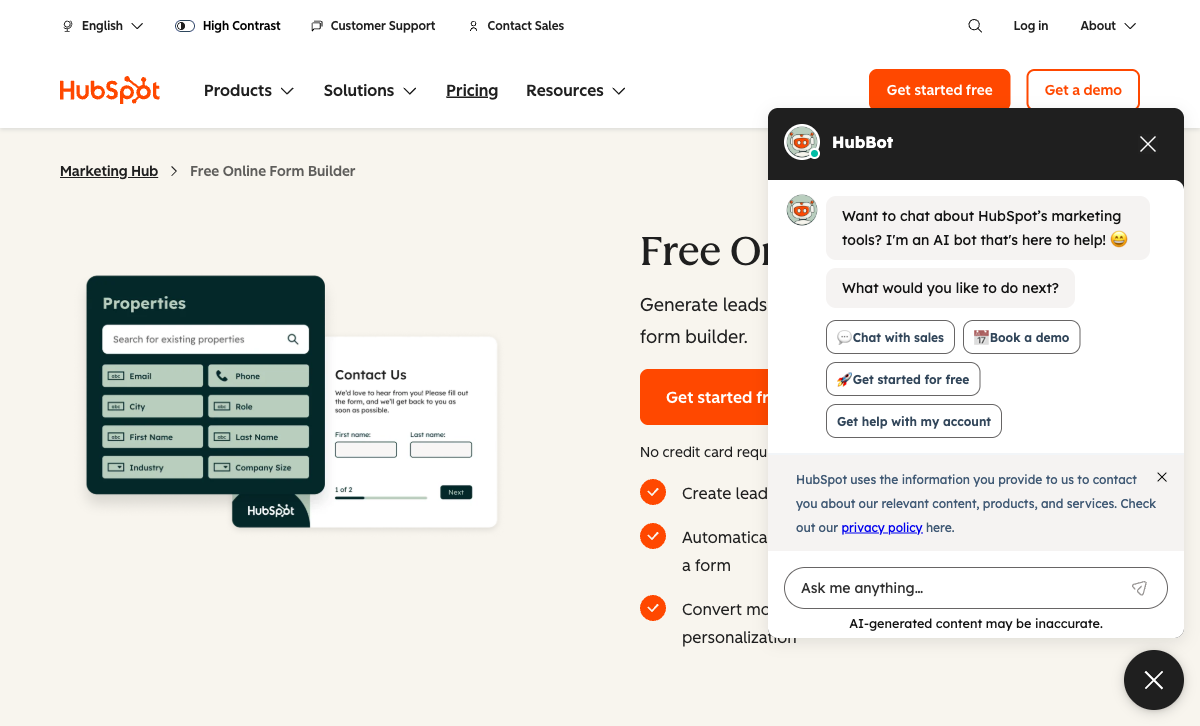
If your agency already runs client marketing through HubSpot, the form builder is a natural extension: submissions automatically create or update CRM contacts, trigger email sequences, assign lead scores, and notify sales reps without any integration setup. The form-to-revenue attribution is the strongest in this comparison. You can trace a form submission through to a closed-won deal in HubSpot's reporting, then show clients exactly which forms generated which revenue. For marketing agencies that need to prove campaign ROI, that attribution chain is powerful.
Progressive profiling is HubSpot Forms' standout feature for lead nurturing. Returning visitors see different form fields than first-time visitors, so you gradually build a richer contact profile without asking for the same information twice. This is particularly effective for content marketing funnels where the same prospect downloads multiple gated assets over time, with each form interaction adding new qualifying data to their CRM record.
The form builder itself, however, is basic compared to dedicated form tools. Design customisation is limited, and forms look like HubSpot forms rather than branded landing pages. There is no payment collection, no calculation engine, and no document-style editing. The free CRM tier includes basic forms, but progressive profiling, smart content, and A/B testing on landing pages require Marketing Hub Professional ($800+/month). For agencies not already committed to HubSpot's ecosystem, the form builder alone does not justify the platform cost, and locking clients into HubSpot for form hosting creates dependency that some clients resist. See HubSpot Forms alternatives.
- Best for: Agencies already running client marketing in HubSpot's ecosystem
- Agency advantage: Zero-configuration CRM integration; form-to-revenue attribution; progressive profiling for lead nurturing
- Watch out for: Basic form design; no payments; advanced features require Marketing Hub Professional ($800+/month); vendor lock-in risk
 #4 Jotform — Template Volume for Fast Client Campaigns

Jotform's library of 20,000+ templates is genuinely useful for marketing agencies running high-volume campaigns across multiple clients. Need a webinar registration form, a lead magnet download gate, a contest entry page, a product feedback survey, or an event RSVP? There is almost certainly a template that gets you 80% of the way there in under five minutes. For agencies billing hourly, that speed translates directly into margin. For agencies on retainer, it means you can deliver more forms within the same time budget.
Jotform also supports payment collection across plans with multiple gateway options (Stripe, PayPal, Square) and connects to major CRMs and marketing tools through native integrations and Zapier. The conditional logic handles basic lead qualification flows, and the widget ecosystem adds functionality like e-signatures, file uploads, and scheduling. Jotform Apps lets you turn form data into simple standalone apps, useful for client-facing dashboards or internal tracking tools.
The trade-off is design depth: Jotform forms have a recognisable aesthetic that is difficult to fully customise away from, which matters for brand-conscious marketing clients who expect forms to match their visual identity precisely. Per-user pricing on team and enterprise plans also makes it less cost-efficient than flat-rate alternatives when your agency team grows beyond two or three people. The free tier (5 forms, 100 submissions/month) is useful for testing but too limited for any real agency work.
- Best for: Agencies that launch many campaign forms quickly and value template variety over design precision
- Agency advantage: 20,000+ templates accelerate campaign launches; payment collection on all plans; widget ecosystem extends functionality
- Watch out for: Per-user pricing on team plans; forms have a recognisable Jotform look; branding on lower tiers
 #5 involve.me — Interactive Lead Funnels and Calculators

involve.me occupies a specific niche that overlaps heavily with marketing agency needs: interactive lead generation content. That covers quizzes that segment leads ("Which plan is right for you?"), ROI calculators that demonstrate value while capturing contact details, multi-step funnels that qualify prospects before routing them to sales, and personalised recommendation engines. These interactive formats consistently outperform static forms for top-of-funnel lead generation because they provide immediate value to the respondent: they get a result, not just a "thank you for submitting" message.
The platform is purpose-built for these use cases, with outcome mapping, scoring logic, personalised result pages, and built-in analytics on funnel performance. The drag-and-drop editor makes it accessible for non-technical agency team members, and templates cover common marketing use cases. It integrates with major CRMs and email platforms (HubSpot, Mailchimp, ActiveCampaign) so leads flow into existing client workflows.
The limitation is scope: involve.me is not a general-purpose form builder. Standard contact forms, order forms, payment collection pages, and traditional surveys are better handled by a tool like Paperform or Jotform. For marketing agencies that specialise in conversion optimisation and lead funnel design, involve.me is a valuable specialist tool to deploy alongside a general-purpose form builder for specific high-impact campaigns.
- Best for: Agencies specialising in interactive lead magnets, quizzes, and conversion funnels
- Agency advantage: Purpose-built for interactive lead gen content that outperforms static forms; personalised result pages increase perceived value
- Watch out for: Narrow scope, not suitable as your only form builder; learning curve for outcome mapping logic; limited traditional form capabilities
Other Options Worth Considering
Google Forms is free, fast, and good enough for internal agency processes (team surveys, project intake, client feedback polls). It is not suitable for client-facing lead capture: the design is too generic, there are no payment options, no conditional calculations, and the Google branding undermines client confidence. The data flows neatly into Google Sheets, which makes it useful for internal workflows, but it should never be the form a prospect sees at the end of a paid campaign. Use it internally, not for campaigns. See Google Forms alternatives.
Gravity Forms is the right choice if your marketing agency primarily builds client campaigns on WordPress. Forms inherit the client's theme styling, making them visually invisible as a third-party tool, and the add-on ecosystem covers CRM integrations (HubSpot, Salesforce, Mailchimp), payment gateways (Stripe, PayPal), and advanced conditional logic. The $259/year Elite license covers unlimited WordPress sites, making it cost-effective for WordPress-focused agencies. The limitation is platform lock-in: Gravity Forms only works within WordPress. Agencies that also work with Shopify, Webflow, Squarespace, or standalone landing pages need a second tool. See Gravity Forms alternatives.
How Marketing Agencies Differ from General Agencies
General agencies (web development, design, consulting) care most about white-labeling, multi-client management, and platform versatility. Marketing agencies share those needs but add a layer that changes the evaluation: forms are conversion instruments, not just data collection tools. A web development agency needs a form that works; a marketing agency needs a form that converts.
This shifts the priority stack. CRM integration moves from "nice to have" to essential, because every lead needs to reach the client's pipeline automatically. Analytics depth matters because you need to report on campaign performance and optimise form conversion rates over time. Design flexibility matters because the form is often the first branded touchpoint a prospect encounters. Payment collection matters because shortening the path from lead to revenue is a measurable outcome marketing agencies are hired to deliver.
In practice, marketing agencies are better served by a tool that combines lead capture, landing page design, CRM integration, and payments (like Paperform) than by a tool optimised purely for multi-client form management. If your agency does both marketing and web development, consider Paperform as the marketing-facing tool and Gravity Forms as the WordPress development tool; the combination covers nearly every scenario.
Full Feature Comparison
| Feature | Paperform | Typeform | HubSpot Forms | Jotform | involve.me | Google Forms | Gravity Forms |
|---|---|---|---|---|---|---|---|
| Form Building | |||||||
| Document-style editor | Yes | No | No | No | No | No | No |
| AI form creation | Yes | Yes | No | Yes starter | Yes starter | Yes | No |
| Field types | 26+ | 20+ | No | 30+ (starter) | Yes | 11 | No |
| File uploads | Yes | Yes basic | Yes | Yes starter | No | Yes | No |
| Multi-page forms | Yes | Yes basic | Yes starter | Yes starter | Yes | Yes | Yes Basic |
| Guided mode (one question at a time) | Yes | Yes | No | Yes starter | Yes | No | Yes Elite |
| Conditional logic | Yes | Yes basic | Yes professional | Yes starter | Yes starter | Yes | Yes Basic |
| Calculations field | Yes essentials | Yes plus | No | Yes starter | Yes starter | No | Yes Basic |
| AI calculations assistant | Yes essentials | No | No | No | No | No | No |
| Scoring | Yes essentials | Yes plus | No | Yes starter | Yes starter | Yes | Yes Elite |
| Answer piping | Yes | Yes basic | No | Yes starter | Yes starter | No | Yes Basic |
| Pre-filling and hidden fields | Yes essentials | Yes basic | Yes | Yes starter | Yes pro | Yes | Yes Basic |
| Save and resume | Yes | No | No | Yes starter | No | No | Yes Basic |
| Auto-close by number | Yes essentials | Yes basic | No | Yes starter | No | Yes | No |
| Auto-close by date | Yes pro | Yes basic | No | Yes starter | No | Yes | No |
| Appointment/booking field | Yes | Yes basic | No | Yes starter | Yes starter | No | No |
| Signature field | Yes | Yes basic | No | Yes starter | Yes business | No | Yes Elite |
| Color picker field | Yes | No | No | No | No | No | No |
| API-powered dropdowns | Yes business | No | No | No | No | No | No |
| Google address search | Yes business | No | No | No | No | No | No |
| AI follow-up questions | No | Yes business | No | No | No | No | No |
| AI extended thinking & memory | No | Yes growth | No | No | No | No | No |
| Workflow / automation builder | No | Yes growth | No | No | No | No | No |
| AI-moderated research (Research Flow) | No | Yes enterprise | No | No | No | No | No |
| Video questions | No | Yes basic | No | No | No | No | No |
| Question types | No | No | Yes | No | No | No | No |
| Form unpublishing | No | No | Yes | No | No | No | No |
| Automatic lead enrichment | No | No | Yes professional | No | No | No | No |
| Automatic deal creation from forms | No | No | Yes professional | No | No | No | No |
| Drag-and-drop builder | No | No | No | Yes starter | No | No | Yes Basic |
| Form widgets | No | No | No | Yes starter | No | No | No |
| Template gallery | No | No | No | 20,000+ (starter) | No | No | No |
| 30+ field types | No | No | No | No | No | No | Yes Basic |
| Payments | |||||||
| Stripe payments | Yes | Yes basic | Yes starter | Yes starter | Yes starter | No | Yes Pro |
| PayPal payments | Yes | No | No | Yes starter | No | No | Yes Pro |
| Square payments | Yes | No | No | Yes starter | No | No | Yes Pro |
| Braintree payments | Yes | No | No | Yes starter | No | No | No |
| Google Pay | Yes | No | No | Yes starter | No | No | Yes Pro |
| Product sales (eCommerce) | Yes essentials | No | No | Yes starter | No | No | Yes Basic |
| Subscriptions | Yes essentials | Yes basic | No | Yes starter | Yes starter | No | Yes Pro |
| Coupons and discounts | Yes essentials | No | No | Yes starter | Yes | No | Yes Elite |
| Custom pricing rules | Yes essentials | No | No | Yes starter | Yes starter | No | No |
| Tax calculations | Yes | No | No | Yes starter | No | No | No |
| Quotes/invoices | Yes | No | No | No | No | No | No |
| Refunds | Yes | No | No | No | No | No | Yes Pro |
| 3D Secure | Yes | Yes basic | No | No | No | No | Yes Pro |
| 40+ payment gateways | No | No | No | Yes starter | No | No | No |
| No transaction fees | No | No | No | Yes starter | No | No | No |
| Design & Customization | |||||||
| Template gallery | 30,000+ | 1,500+ | Yes | 20,000+ (starter) | Yes | 20+ | Yes Basic |
| Rich media (images, GIFs, videos) | Yes | Yes | No | Yes starter | Yes | Yes | Yes Basic |
| Unsplash and Giphy integration | Yes | Yes | No | No | No | No | No |
| Image editor | Yes | No | No | No | No | No | No |
| Adobe Creative Cloud | Yes | No | No | No | No | No | No |
| Language translation | Yes | Yes basic | No | Yes starter | Yes | No | Yes Basic |
| Advanced theming | Yes pro | Yes plus | Yes starter | Yes starter | Yes | No | Yes Basic |
| Custom form URL | Yes pro | Yes plus | No | No | Yes starter | No | No |
| Custom domains | Yes pro | No | No | Yes enterprise | Yes starter | No | No |
| Custom HTML & CSS | Yes pro | Yes business | Yes starter | Yes starter | Yes business | No | Yes Basic |
| Remove branding | Yes pro | Yes plus | Yes starter | Yes bronze | Yes pro | No | Yes Basic |
| Custom email domains | Yes business | No | No | No | Yes pro | Yes Business Starter | Yes Elite |
| Form themes | No | No | No | Yes starter | No | No | No |
| Analytics | |||||||
| Submission results and reports | Yes | Yes | Yes | Yes starter | Yes | Yes | Yes Basic |
| AI report insights | Yes pro | Yes business | No | No | Yes starter | Yes Business Standard | No |
| Paperform analytics | Yes pro | No | No | No | Yes pro | No | No |
| Drop-off analysis | Yes pro | Yes business | No | No | No | No | No |
| Google Analytics & Facebook Pixel | Yes essentials | Yes basic | Yes | No | Yes | No | Yes Elite |
| Custom analytics scripts | Yes pro | Yes basic | No | No | Yes pro | No | Yes Basic |
| Partial submissions | Yes pro | Yes plus | No | No | Yes pro | No | Yes Elite |
| Conversion analytics | No | No | Yes professional | No | No | No | No |
| Form analytics | No | No | No | Yes starter | No | No | No |
| Google Analytics integration | No | No | No | Yes starter | No | No | No |
| Automation workflows | No | No | No | No | Yes starter | No | No |
| Collaboration | |||||||
| Multi-user accounts | Yes pro | Yes plus | Yes | Yes bronze | Yes pro | Yes | Yes Basic |
| User permissions and management | Yes pro | Yes plus | Yes starter | Yes enterprise | Yes pro | Yes | Yes Basic |
| Advanced permissions & admin | Yes enterprise | Yes enterprise | Yes enterprise | Yes enterprise | Yes enterprise | Yes Business Starter | No |
| Form sharing (templates) | Yes | Yes | Yes | No | Yes | Yes | Yes Basic |
| Spaces and tag management | Yes | No | No | No | No | No | No |
| Workspace organization | No | Yes | No | No | No | No | No |
| Form sharing | No | No | No | Yes starter | No | No | No |
| Assign forms | No | No | No | Yes enterprise | No | No | No |
| Security | |||||||
| SOC 2 Type II | Yes | Yes | Yes | Yes enterprise | Yes | Yes | No |
| GDPR compliant | Yes | Yes | Yes | Yes starter | Yes | Yes | Yes Basic |
| SSL encryption | Yes | Yes | Yes | Yes starter | Yes | Yes | Yes Basic |
| Two-factor authentication | Yes | Yes | Yes | Yes starter | Yes | Yes | No |
| Enforce 2FA for all users | Yes business | No | No | No | No | Yes Business Starter | No |
| SSO (SAML) | Yes business | Yes enterprise | Yes enterprise | Yes enterprise | Yes enterprise | Yes Business Plus | No |
| reCAPTCHA | Yes | Yes business | No | Yes starter | No | No | Yes Basic |
| Local data residency | Yes enterprise | No | No | No | No | Yes Business Plus | Yes Basic |
| Custom S3 storage (BYO) | Yes business | No | No | No | No | No | No |
| HIPAA compliant | No | Yes enterprise | No | Yes gold | No | No | No |
| ISO 27001 | No | Yes | No | No | No | No | No |
| PCI DSS | No | Yes | No | Yes starter | No | No | No |
| Data residency | No | No | Yes enterprise | Yes enterprise | No | No | No |
| Custom S3 storage | No | No | No | No | No | No | No |
| 256-bit SSL | No | No | No | Yes starter | No | No | No |
| Form encryption | No | No | No | Yes starter | No | No | No |
| Integrations & API | |||||||
| Native integrations | 2,000+ | 120+ (basic) | Yes | 150+ (starter) | No | No | No |
| Zapier | Yes | Yes basic | Yes starter | Yes starter | Yes starter | Yes | Yes Pro |
| Make (Integromat) | Yes | Yes basic | Yes starter | Yes starter | No | Yes | No |
| Webhooks | Yes pro | Yes basic | Yes starter | Yes starter | Yes business | No | Yes Elite |
| Standard API | Yes pro | No | No | No | Yes business | Yes | Yes Basic |
| Business API | Yes business | No | No | No | No | No | No |
| WordPress plugin | Yes | Yes | Yes | Yes starter | Yes | No | Yes Basic |
| oEmbed support | Yes | No | No | No | No | No | No |
| API | No | Yes basic | Yes | Yes starter | No | No | No |
| Embed options | No | Yes | Yes | Yes starter | No | No | No |
| Claude / MCP server | No | Yes basic | No | No | No | No | No |
| AI data enrichment | No | Yes growth | No | No | No | No | No |
| Salesforce AppExchange | No | No | No | Yes starter | No | No | No |
| Mobile apps | No | No | No | Yes starter | No | No | No |
| 2000+ integrations | No | No | No | No | No | No | No |
| 50+ official add-ons | No | No | No | No | No | No | Yes Basic |
| Stepper workflow automation | No | No | No | No | No | No | No |
Pricing Comparison
Marketing agency budgets vary widely. Some tools charge per form, some per workspace, some per user, and some offer flat rates. This comparison helps you calculate the real cost across your full client portfolio, not just the sticker price for a single account.
Paperform
Typeform
| Product | Plan | Monthly Price | Annual Price (per month) | Free Plan | Free Trial | Limits |
|---|---|---|---|---|---|---|
| Paperform | Free | Free | Free | Yes | 14 days | forms: Unlimited, submissions: 30/month, storage: 100 submissions, users: 1, file uploads: 100 MB |
| Paperform | Essentials | $29/mo | $24/mo billed annually | forms: Unlimited, submissions: 100/month, storage: 1,000 submissions, users: 1, file uploads: 1 GB | ||
| Paperform | Pro | $59/mo | $49/mo billed annually | forms: Unlimited, submissions: 1,000/month, storage: 10,000 submissions, users: 3, file uploads: 10 GB | ||
| Paperform | Business | $129/mo | $99/mo billed annually | forms: Unlimited, submissions: 10,000/month, storage: 100,000 submissions, users: 5, file uploads: 100 GB | ||
| Typeform | Free | Free | Free | Yes | No | forms: 10, submissions: 10/month, users: 1 |
| Typeform | Basic | $39/mo | $28/mo billed annually | forms: Unlimited, submissions: 100/month, users: 1 | ||
| Typeform | Plus | $79/mo | $56/mo billed annually | forms: Unlimited, submissions: 1,000/month, users: 3 | ||
| Typeform | Business | $129/mo | $91/mo billed annually | forms: Unlimited, submissions: 10,000/month, users: 5 | ||
| Typeform | Growth Flow | $379/mo | $266/mo billed annually | forms: Unlimited, submissions: Expanded, users: Expanded | ||
| Typeform | Talent | $169/mo | $119/mo billed annually | forms: Unlimited, users: HR teams | ||
| HubSpot Forms | Free | Free | Free | Yes | 14 days | forms: Unlimited, submissions: Unlimited, users: 2 |
| HubSpot Forms | Marketing Hub Starter | $20/mo | $20/mo billed annually | forms: Unlimited, submissions: Unlimited, users: Per seat | ||
| HubSpot Forms | Marketing Hub Professional | $890/mo | $890/mo billed annually | forms: Unlimited, submissions: Unlimited, users: 3 included (additional seats extra) | ||
| HubSpot Forms | Marketing Hub Enterprise | $3600/mo | $3600/mo billed annually | forms: Unlimited, submissions: Unlimited, users: 5 included (additional seats extra) | ||
| Jotform | Starter | Free | Free | Yes | No | forms: 5, submissions: 100/month, storage: 100 MB, users: 1 |
| Jotform | Bronze | $39/mo | $34/mo billed annually | forms: 25, submissions: 1,000/month, storage: 1 GB, users: 1 | ||
| Jotform | Silver | $49/mo | $39/mo billed annually | forms: 50, submissions: 2,500/month, storage: 10 GB, users: 1 | ||
| Jotform | Gold | $129/mo | $99/mo billed annually | forms: 100, submissions: 10,000/month, storage: 100 GB, users: 1 | ||
| involve.me | Free | Free | Free | Yes | 14 days | forms: Limited live funnels, submissions: 50/month or 500 visits/month, users: 1 |
| involve.me | Start | $29/mo | $19/mo billed annually | forms: 3 live funnels, submissions: 1,000/month, users: 1 | ||
| involve.me | Grow | $69/mo | $49/mo billed annually | forms: 5 live funnels, submissions: 5,000/month, users: 2 | ||
| involve.me | Scale | $139/mo | $119/mo billed annually | forms: 25 live funnels, submissions: 15,000/month, users: 5 | ||
| Google Forms | Free (Personal) | Free | Free | Yes | 14 days | forms: Unlimited, submissions: Unlimited, storage: 15 GB (shared across Google Drive), users: 1, file uploads: Included in 15 GB storage |
| Google Forms | Business Starter | $8.4/mo | $7/mo billed annually | forms: Unlimited, submissions: Unlimited, storage: 30 GB per user, users: Up to 300, file uploads: Included in storage | ||
| Google Forms | Business Standard | $16.8/mo | $14/mo billed annually | forms: Unlimited, submissions: Unlimited, storage: 2 TB per user, users: Up to 300, file uploads: Included in storage | ||
| Google Forms | Business Plus | $26.4/mo | $22/mo billed annually | forms: Unlimited, submissions: Unlimited, storage: 5 TB per user, users: Up to 300, file uploads: Included in storage | ||
| Gravity Forms | Basic | Not listed | $59/mo billed annually | No | No | forms: Unlimited, submissions: Unlimited, storage: WordPress database (self-hosted), users: Unlimited (WordPress users) |
| Gravity Forms | Pro | Not listed | $159/mo billed annually | forms: Unlimited, submissions: Unlimited, storage: WordPress database (self-hosted), users: Unlimited (WordPress users) | ||
| Gravity Forms | Elite | Not listed | $259/mo billed annually | forms: Unlimited, submissions: Unlimited, storage: WordPress database (self-hosted), users: Unlimited (WordPress users) | ||
| Gravity Forms | Nonprofit | Not listed | $129/mo billed annually | forms: Unlimited, submissions: Unlimited, storage: WordPress database (self-hosted), users: Unlimited (WordPress users) |
User Ratings
Frequently Asked Questions
Which form builder has the highest lead capture conversion rates?
Typeform consistently reports the highest completion rates for short-form lead capture (name, email, one qualifying question) thanks to its one-question-at-a-time format that reduces perceived effort. However, for multi-step lead funnels that include pricing calculators or qualification logic, Paperform outperforms because its conditional logic and calculation engine keep respondents engaged through longer flows without feeling like a traditional form. involve.me also performs well for interactive lead magnets like quizzes and ROI calculators, where the gamified experience drives completion.
In practice, conversion depends more on form design and copy than on the platform, though platforms that allow richer, more interactive experiences tend to convert better for complex offers. Short lead capture (under 5 fields) works well on any platform. For longer qualification flows, the form builder's logic and design flexibility become the differentiator.
Can I A/B test forms to optimise lead generation?
No major form builder includes native A/B testing within the form editor itself. The standard agency approach is to use your existing A/B testing tool (VWO, Optimizely, or even simple URL splitting) to test different form variants. Paperform makes this straightforward: duplicate a form, modify the variant, and split traffic between the two URLs or embeds. You can test different field orders, copy, layouts, and even pricing structures.
HubSpot Forms benefits from HubSpot's built-in A/B testing on landing pages, so you can test the surrounding page content alongside the form, which is the closest thing to integrated form A/B testing in this comparison. For agencies running paid campaigns, simply creating two form URLs and splitting ad traffic between them is often the fastest path to statistically significant results without needing additional tooling.
How do marketing agencies connect forms to their CRM and marketing automation?
HubSpot Forms wins if you are already in the HubSpot ecosystem: submissions flow directly into contacts, trigger workflows, and update lead scores with zero configuration. It is the tightest form-to-CRM integration available because the form builder and CRM are the same product.
Paperform offers native integrations with HubSpot, Salesforce, ActiveCampaign, Mailchimp, and 3,000+ apps via Zapier, plus direct webhooks for custom CRM connections. Jotform also connects to most major CRMs through native integrations and Zapier. For agencies managing multiple clients on different CRMs, Paperform's integration breadth and webhook support provide the most flexibility: you can route one client's leads to HubSpot and another's to Salesforce from the same account without switching tools.
What is the best form builder for client reporting and analytics?
Paperform includes built-in analytics (views, submissions, completion rates, drop-off points) and partial submission tracking, giving agencies enough data for basic client reports without additional tools. Export submission data to CSV or connect to Google Sheets for custom reporting dashboards.
HubSpot Forms provides the deepest analytics when paired with HubSpot CRM: you can trace a form submission through to closed revenue, which is invaluable for marketing agency reporting and proving ROI to clients. For agencies that need custom dashboards, the best approach is piping form submission data into Google Sheets or a BI tool via Zapier or webhooks. Typeform offers response insights and drop-off analysis, but lacks the end-to-end attribution that HubSpot provides.
Can I collect payments through lead generation forms?
Paperform stands out here with five payment gateways (Stripe, PayPal, Square, Braintree, and Stripe BECS) built into every paid plan, with no add-ons or upgrades required. This makes it well suited to marketing agencies that build lead-to-payment funnels: a prospect fills in a quote request, the calculation engine generates a price, and the client pays immediately. The whole journey from lead capture to revenue happens in a single form.
Typeform supports Stripe payments but only from the Basic plan ($39/month per workspace). Jotform supports payments across plans with multiple gateway options. HubSpot Forms and Google Forms have no native payment collection, so you need to route respondents to a separate checkout page, which adds friction and drops conversion rates.
Which form builder works best for creating landing pages with embedded forms?
Paperform is unique because its document-style editor means the form is the landing page. You can add hero images, rich text blocks, videos, and branded sections alongside form fields, with no separate landing page builder needed. This saves marketing agencies from maintaining both a page builder and a form tool, and removes the friction of embedding one tool inside another.
HubSpot offers landing pages as part of its Marketing Hub, but the form builder itself is basic and the landing page editor is separate from the form editor. Typeform produces beautiful standalone form pages but lacks the content flexibility of a true landing page, since you cannot add rich content sections between question groups. involve.me also creates multi-step landing page experiences, though with a narrower design toolkit. For agencies that need forms embedded into existing client pages (WordPress, Webflow, Shopify), all major builders offer embed codes, but only Paperform delivers a landing-page-quality standalone experience without a separate tool.
Sources & References
- Best Online Form Builder to Use in 2026 — Top 20 Tools — EmailToolTester, 2026
- The Best Landing Page Builders for Lead Generation — Zapier, 2025
- HubSpot vs Alternatives: Marketing Automation Comparison — G2, 2026
Updates
We re-audit the form builders we compare on a regular cadence and log every change here — a public record of what changed and when.
- Updated June 4, 2026 — Corrected Typeform's payment collection requirement: payments are available from the 'Basic' plan ($39/month per workspace), not the 'Business' plan ($83/month) as previously stated.
Last updated June 26, 2026
Ready to try Paperform?
Create beautiful forms, payment pages, and workflows — no code required.