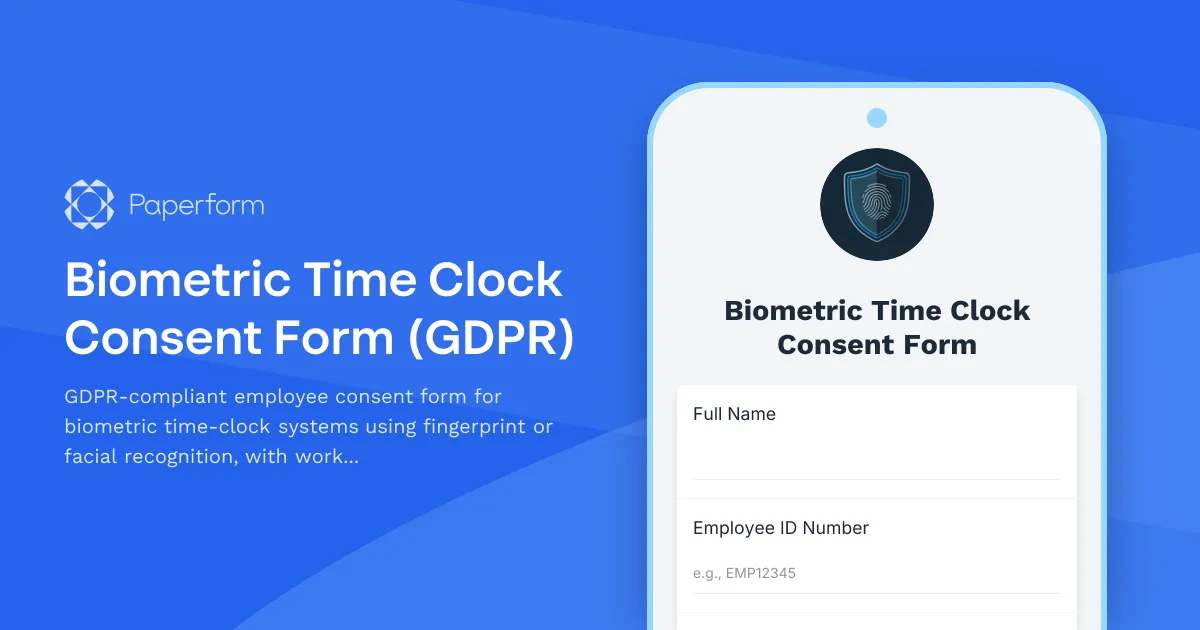
Biometric Time Clock Consent Form: GDPR-Compliant Employee Authorization
Managing biometric time-clock systems in the EU requires careful attention to GDPR Article 9 special category data rules. This template helps HR teams, operations managers and compliance officers obtain explicit, informed consent from employees before processing fingerprint, facial recognition or other biometric data for attendance tracking and workforce analytics.
Why biometric consent matters under GDPR
Biometric data used to uniquely identify a person is classified as special category data under GDPR Article 9, requiring explicit consent and heightened protections. Unlike standard personal data, you cannot rely on "legitimate interests" alone—employees must freely give informed, specific consent that can be withdrawn at any time.
This template is designed for organizations using biometric time-clocks to:
- Obtain explicit consent for fingerprint scanning, facial recognition or other biometric identifiers
- Explain processing purposes including attendance tracking, payroll accuracy and workforce analytics
- Document lawful basis under GDPR Article 9(2)(a) (explicit consent) and Article 6(1)(a)
- Inform employees of their right to withdraw consent, access data and lodge complaints
- Demonstrate compliance during audits and data protection authority reviews
What this template includes
The form walks employees through a clear, layered consent process:
- Introduction and data controller details – Who is collecting the data and why
- Biometric data types – Specific identifiers being processed (fingerprint template, facial geometry, etc.)
- Processing purposes – Time and attendance, payroll calculation, security, workforce planning
- Legal basis and special category justification – Explicit consent under Article 9
- Data retention and storage – How long biometric templates are kept and where
- Third-party processors and transfers – Any vendors or service providers with access
- Employee rights – Access, rectification, erasure, restriction, portability, objection and complaint
- Withdrawal of consent – Clear process for opting out with alternative attendance methods
- Consent declaration – Signature and date confirming informed, freely given consent
The form uses plain language to ensure employees genuinely understand what they're agreeing to, meeting GDPR's "freely given, specific, informed and unambiguous" consent standard.
Perfect for HR, operations and compliance teams
This template is ideal for:
- HR managers rolling out biometric time-clocks across office, warehouse or retail locations
- Operations teams implementing facial recognition or fingerprint scanners for shift workers
- Compliance officers ensuring GDPR Article 9 compliance and audit readiness
- Payroll administrators linking biometric attendance to payroll systems
- Facilities managers deploying access control and time-tracking in one system
It's particularly valuable in industries with high-volume shift work—manufacturing, logistics, healthcare, retail and hospitality—where accurate time-tracking is critical and manual sign-in methods are prone to "buddy punching" or errors.
Automate consent workflows with Stepper
Once an employee submits their consent form, you can use Stepper, Paperform's AI-native workflow builder, to automate the next steps:
- Route signed consent to HR document folders in Google Drive, SharePoint or your HRIS
- Update employee records in BambooHR, Personio, Workday or your HR system to flag biometric consent status
- Provision biometric access by sending employee details to your time-clock vendor's API for enrollment
- Log consent events in a compliance tracker or Airtable base for audit trails
- Send confirmation emails with a copy of the consent form and information on withdrawal rights
- Trigger reminder workflows for annual consent renewal or re-confirmation after policy updates
Stepper lets you connect Paperform to your HR tech stack without writing code, turning each consent submission into a fully automated onboarding or compliance workflow.
Secure eSignatures with Papersign
Need a legally binding signature on the consent form? Papersign turns each Paperform submission into a formal eSignature request, sent to the employee's email with a secure signing link. Once signed, the completed consent document is stored alongside the original form submission, creating a tamper-proof audit trail for GDPR compliance reviews.
This is especially useful for remote or hybrid teams, where employees can review and sign biometric consent forms digitally rather than printing, signing and scanning paper copies.
Built for GDPR, designed for real workplaces
This template balances legal compliance with practical usability. It's written in accessible language (not legalese), so employees can make informed decisions without needing a law degree. The form is fully customizable—add your organization's branding, adjust retention periods, include additional processing purposes or translate into any EU language.
Because Paperform is SOC 2 Type II and GDPR compliant, with data residency controls and role-based permissions, you can trust that the consent data itself is handled securely from submission to storage.
Who should use this template
This form is best suited to:
- European employers subject to GDPR using or planning biometric time-clocks
- HR and operations teams in manufacturing, logistics, retail, hospitality and healthcare
- Compliance and legal teams ensuring Article 9 special category data compliance
- Payroll and workforce planning managers integrating biometric attendance with analytics
- Facility and security managers deploying access control with biometric authentication
If you operate in the EU, employ EU residents or process biometric data of EU citizens, explicit consent is non-negotiable. This template gives you a turnkey solution to document that consent clearly and compliantly.
Beyond consent: building a GDPR-ready HR stack
Biometric consent is just one piece of your GDPR compliance puzzle. Paperform makes it easy to create a full suite of compliant HR and data protection forms:
- Data subject access requests (DSARs) for employees requesting copies of their personal data
- Right to erasure requests for withdrawing consent and deleting biometric templates
- Data breach notification forms for internal reporting
- Employee privacy notices explaining all HR data processing activities
- Third-party data processing agreements with time-clock vendors
With Paperform, Stepper and Papersign, you can build an end-to-end, GDPR-compliant HR workflow without juggling multiple platforms or waiting on developers.
Get started in minutes. Customize this template with your organization's details, embed it in your employee portal or intranet, or send it as part of new hire onboarding. Every submission is stored securely, timestamped and ready for audit—so you can focus on running your business, not worrying about compliance.



More templates like this
NSW WorkCover Workers Compensation Claim Form
Complete NSW WorkCover workers compensation claim form to report workplace injuries and access medical treatment. Submit injury details, employer information, and medical provider details online.
IMSS Employer Workplace Modification Notification Form
Official notification form for Mexican employers to report workplace modifications, facility changes, capacity adjustments, and worker safety impact assessments to IMSS (Instituto Mexicano del Seguro Social).
Argentina Employer Apprenticeship Program AFIP Registration with Vocational Training Subsidy Application
Complete AFIP registration form for Argentine employers enrolling apprentices in vocational training programs with government subsidy applications.
Argentina Workplace Injury Report Form
Comprehensive workplace injury report form for Argentine employers to document incidents and coordinate with AFIP and ART insurance providers in compliance with labor regulations.
Czech Workplace Vaccination Consent Form
Professional vaccination consent and health data form for Czech employers to document employee vaccination status, occupational health requirements, and ensure GDPR-compliant data handling.
French Workplace Health and Safety Document (DUERP) Update Form
Complete your annual DUERP (Document Unique d'Évaluation des Risques Professionnels) update with comprehensive risk assessment, prevention measures, and regulatory compliance for French workplaces.
Irish Employee Grievance Form
A comprehensive employee grievance form compliant with Irish employment law and Workplace Relations Commission (WRC) guidelines. Helps employers properly document and address workplace complaints in line with the Industrial Relations Act 1990.
Union Collective Bargaining Agreement Database Access Request
Request access to union contract database including wage scales, benefit provisions, and grievance procedures. Streamline data requests for labor relations, HR, and union representatives.
Vendor & Contractor Misconduct Report Form
Report misconduct, code of conduct violations, or contract compliance issues involving external vendors and contractors who interact with your organization.
WorkCover NT Injury Management Program Form
A comprehensive injury management program form for Northern Territory employers to document workplace modifications, graduated return to work plans, and medical reviews in compliance with NT WorkCover requirements.
Workplace Violence Incident Report
Professional incident report form for documenting workplace violence, threats, and aggressive behavior with threat assessment and safety protocols.
Anonymous Disability Services Discrimination Complaint Form
A confidential form for reporting disability discrimination and requesting ADA compliance review with accommodation assessment in educational institutions, workplaces, and public services.