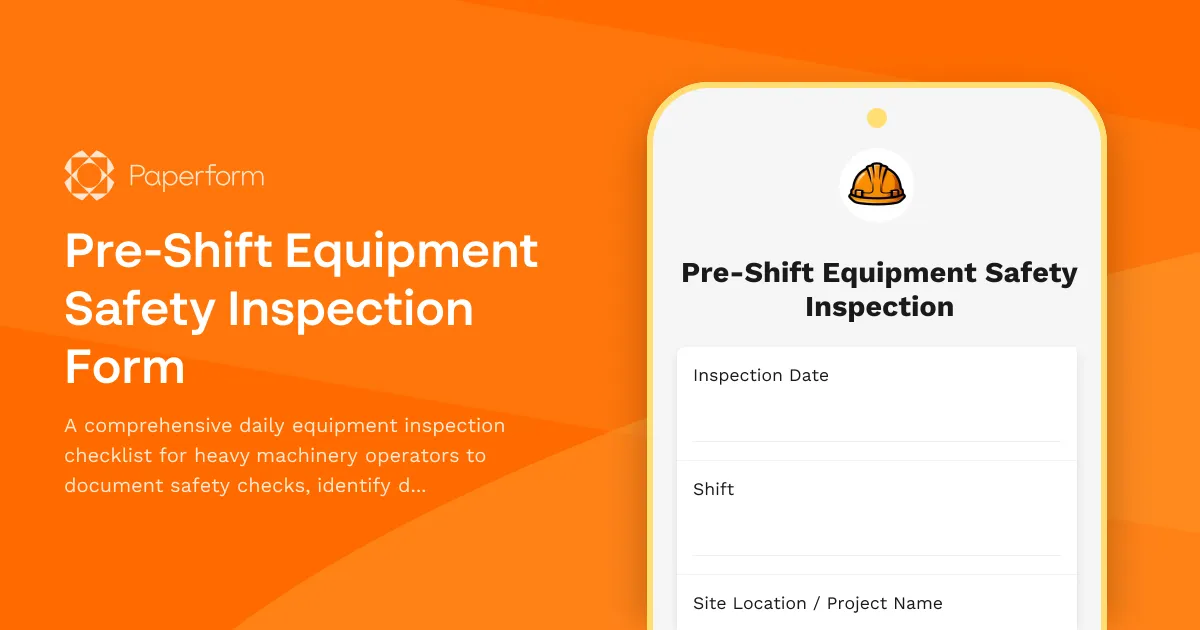
Streamline Your Heavy Equipment Safety Inspections with Paperform
When it comes to construction sites and heavy machinery operations, pre-shift equipment inspections aren't just good practice—they're critical for worker safety, regulatory compliance, and avoiding costly downtime. This Pre-Shift Equipment Safety Inspection Form template is designed specifically for construction companies, contractors, equipment operators, and safety managers who need a reliable, digital solution for daily equipment checks.
Why Daily Equipment Inspections Matter
Heavy machinery represents one of the highest-risk areas on any construction site. Excavators, bulldozers, cranes, loaders, and other equipment operate under demanding conditions, and mechanical failures can lead to serious injuries, project delays, and regulatory violations. OSHA and other safety authorities require operators to conduct thorough pre-shift inspections to identify potential hazards before they become incidents.
Traditional paper-based inspection forms create problems: they're easily lost, hard to search, difficult to track over time, and create administrative headaches when you need to demonstrate compliance during audits. This Paperform template solves those challenges by digitizing the entire inspection workflow.
Built for Construction Workflows
This template captures everything required for a comprehensive equipment safety check:
- Equipment identification: Track machine type, ID number, hour meter readings, and operator details
- Visual inspection checklist: Covering fluid levels, tire condition, lights, gauges, controls, and structural integrity
- Operational testing: Document tests of brakes, steering, hydraulics, backup alarms, and emergency systems
- Defect reporting: Conditional fields that appear when issues are identified, capturing severity, photos, and detailed descriptions
- Digital signatures: Operators sign off on inspections using built-in signature capture
- Maintenance alerts: Automatically flag equipment that requires attention before it can be operated
The form uses conditional logic to streamline the inspection process—operators only see defect detail fields when they mark something as needing attention, keeping the form quick for routine all-clear inspections while capturing comprehensive information when problems arise.
Automate Your Safety Compliance Workflow
Once an inspection is submitted, Paperform doesn't just store the data—it can trigger your entire safety response workflow. Using Stepper (stepper.io), Paperform's AI-native workflow builder, you can:
- Route critical defects immediately: Send urgent safety issues directly to maintenance supervisors via email or Slack
- Create maintenance tickets: Automatically log defects in your CMMS or project management system
- Tag equipment out of service: Update equipment status in your inventory management tools when major issues are found
- Generate compliance reports: Compile inspection records for OSHA, insurance audits, or client safety reviews
- Track trends over time: Identify equipment that's requiring frequent repairs or showing patterns of wear
- Schedule follow-up inspections: Trigger reminders for re-inspection after repairs are completed
This level of automation means your safety managers can focus on fixing problems rather than chasing paperwork, while operators spend less time on administrative tasks and more time on productive work.
Perfect for Construction Companies and Contractors
Whether you're running a large construction firm with multiple sites, an independent contractor with a small equipment fleet, or a heavy equipment rental company, this template adapts to your needs. The form works perfectly on mobile devices, so operators can complete inspections right from the cab using a smartphone or tablet—even in tough job site conditions.
For safety officers and compliance managers, the template provides peace of mind. Every inspection is timestamped, tied to a specific operator, and stored securely with full audit trails. You can pull inspection history for any piece of equipment instantly, demonstrate due diligence during safety reviews, and identify maintenance patterns that help prevent breakdowns.
Equipment rental companies can use this template to ensure customers are conducting proper daily checks, while fleet managers can monitor the condition of assets across multiple job sites from a central dashboard.
Beyond Data Collection: A Complete Safety Platform
Paperform's calculation and conditional logic capabilities mean you can build sophisticated workflows directly into your forms. Set up scoring systems that automatically determine whether equipment passes inspection based on weighted criteria. Create dynamic routing that sends different notifications depending on the type and severity of defects found.
The built-in Papersign (papersign.com) integration means you can turn inspection records into formal maintenance work orders or equipment out-of-service notices that require additional signatures from maintenance personnel or site supervisors—keeping your entire safety documentation chain in one connected system.
Security and Compliance You Can Trust
Construction companies work with sensitive project data, and safety records are legal documents. Paperform is SOC 2 Type II certified and GDPR compliant, providing enterprise-grade security with data encryption, role-based access controls, and secure data storage. You can restrict who can create, view, or edit inspection forms, and maintain complete records of who accessed what information and when.
For companies managing multiple job sites or client projects, Agency+ features let you create separate inspection forms for different sites while managing everything from a single account, perfect for general contractors overseeing subcontractor equipment or managing equipment pools across geographic regions.
Get Started in Minutes
This template is ready to use right away, but it's also fully customizable. Add your company logo, adjust the inspection checklist items to match your specific equipment types, modify the defect severity scale, or add fields for site-specific requirements. The doc-style editor makes customization intuitive—no coding or complex form builders required.
Connect your inspection form to Google Sheets or Airtable for real-time dashboards, sync to your CRM to track equipment maintenance costs by project, or integrate with tools like Slack, Microsoft Teams, or your existing CMMS using Paperform's extensive integration library.
Stop chasing paper inspection forms and start building a safer, more efficient operation. This Pre-Shift Equipment Safety Inspection template gives construction professionals, heavy equipment operators, and safety managers the tools they need to maintain compliance, prevent accidents, and keep projects running smoothly—all with the flexibility and power of Paperform's no-code platform.



More templates like this

Material Handling and Storage Area Inspection Form
A comprehensive inspection form for evaluating material handling and storage areas, including weight limits, stacking stability, and aisle clearance verification to ensure workplace safety compliance.
Emergency Action Plan Drill Documentation Form
Document emergency evacuation drills with evacuation times, headcount verification, emergency contact notifications, and areas for improvement to ensure workplace safety compliance.
Ground Fault Circuit Interrupter (GFCI) Monthly Testing Log
Comprehensive GFCI monthly testing and compliance log for recording trip times, amperage ratings, and weather protection verification to ensure electrical safety on construction sites and facilities.
Hand and Power Tool Inspection Form
Comprehensive tool safety inspection form for evaluating hand and power tools, including guard functionality, cord integrity, grounding verification, and storage compliance.
Hot Work Permit Form
A comprehensive hot work permit form for contractors and safety officers to authorize and document welding, cutting, grinding, and other fire-producing operations with proper safety protocols.

Dust Suppression System Inspection Form
A comprehensive safety inspection form for evaluating dust suppression systems, water spray functionality, coverage adequacy, and runoff collection compliance on construction sites.
Material Handling Equipment Installation Form
A comprehensive installation form for material handling equipment that covers floor load verification, anchor placement, electrical requirements, safety features, and operator training documentation.
Monthly Safety Committee Meeting Minutes Form
Track monthly safety committee meetings with attendance, incident reviews, and action item assignments. Streamline safety compliance documentation for construction and trade businesses.

Blasting and Explosives Safety Inspection Form
Comprehensive safety inspection form for blasting operations, explosives storage, and blast site compliance. Covers magazine security, lightning protection, blast area clearance, and regulatory compliance requirements.

Cold Weather Safety Inspection Form
Comprehensive cold weather safety inspection form for construction sites and outdoor workplaces. Document heated break areas, frostbite prevention measures, ice removal, and winter hazard compliance.
Construction Site Lighting Adequacy Inspection Form
A professional inspection form for assessing construction site lighting levels, emergency systems, and placement compliance to ensure worker safety and regulatory standards.
Crane Lift Plan and Safety Inspection Form
A comprehensive crane lift plan and safety inspection form for construction sites. Includes load calculations, rigging inspection checklists, exclusion zone documentation, and safety compliance verification for crane operations.