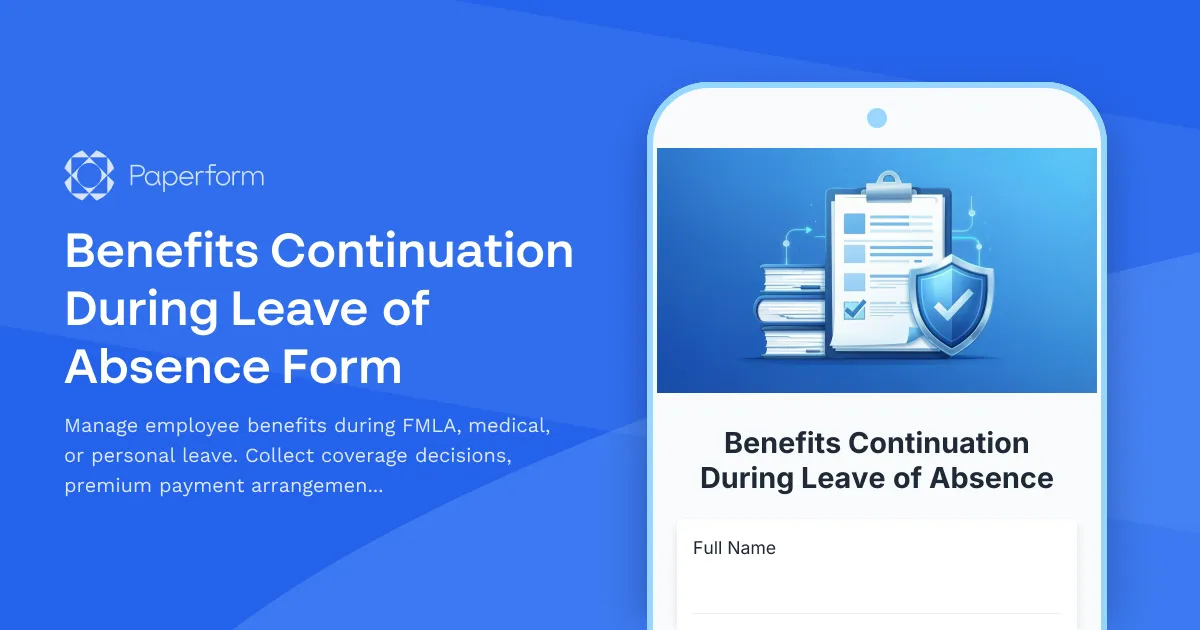
Simplify Benefits Administration During Employee Leave with Paperform
Managing employee benefits during a leave of absence is one of the most complex HR tasks you'll face. Between FMLA regulations, disability coverage, premium payments, COBRA eligibility, and reinstatement logistics, there's a lot to track—and missing even one detail can lead to coverage gaps, compliance issues, or frustrated employees.
This Benefits Continuation During Leave of Absence Form template is built to help HR teams, benefits administrators, and people operations professionals handle leave-related benefits administration with clarity and confidence. Whether you're managing medical leave, parental leave, military leave, or personal leave of absence, this template ensures nothing falls through the cracks.
What makes this template essential for HR teams?
Capture every detail in one place
Instead of juggling emails, phone calls, and paper forms, this template collects all the information you need upfront: employee details, leave type and duration, current benefits enrollment, continuation preferences, and payment arrangements. Conditional logic reveals only the relevant questions based on leave type and coverage decisions, creating a personalized experience that's easy for employees to complete.
Support FMLA, disability, and COBRA compliance
The form guides employees through their benefits options based on leave type—whether they're eligible for FMLA job-protected leave, enrolled in short-term or long-term disability, or need information about COBRA continuation. You can include acknowledgment sections for important legal notices, premium payment responsibilities, and reinstatement timelines, helping your organization stay compliant with federal and state regulations.
Flexible premium payment options
Employees can select how they'd like to handle their benefits premiums during leave: payroll deduction (if applicable), direct billing, pre-payment, or temporary suspension of voluntary benefits. The form captures billing addresses, payment methods, and authorization signatures, reducing back-and-forth and ensuring payments are set up correctly from day one.
Plan for benefits reinstatement
The template includes a section for benefits reinstatement, so employees understand what happens when they return to work. You can collect anticipated return dates, confirm whether they want benefits automatically reinstated, and outline any required actions or deadlines. This proactive approach reduces confusion and makes the return-to-work transition smoother for everyone.
Who is this template for?
This form is ideal for:
- HR managers and generalists coordinating leave and benefits for employees on FMLA, medical, or parental leave
- Benefits administrators managing premium billing, COBRA notifications, and coverage continuation
- People operations teams in growing companies who need a standardized, compliant process for all types of leave
- Payroll specialists working with HR to ensure premium deductions and billing are accurate during leave periods
- Small business owners who handle HR internally and need a clear, professional way to manage leave benefits
Why Paperform is perfect for HR benefits administration
Paperform makes it easy to create forms that feel professional, look on-brand, and work seamlessly with your existing HR systems. With the doc-style editor, you can add explanatory text, FAQs, and legal notices inline with form fields, so employees understand their options without needing to reference separate documents.
Automate your HR workflows with Stepper
Once an employee submits their benefits continuation form, you can use Stepper to automate what happens next. Trigger notifications to your benefits provider, create tasks in your HRIS or project management tool, update payroll systems with new deduction instructions, generate COBRA notices, and send confirmation emails to the employee—all without manual data entry. Stepper keeps your entire benefits administration process connected and efficient.
Collect eSignatures with Papersign
For benefits continuation agreements, COBRA election forms, or acknowledgment of premium payment responsibilities, you can use Papersign to turn form submissions into legally binding documents. Employees receive a clean, professional document to review and sign electronically, and you maintain a complete audit trail linked to the original form submission.
Integrations that fit your stack
Paperform connects with the tools HR teams rely on every day. Send submissions to your HRIS (like BambooHR, Workday, or Rippling), log data in Google Sheets or Airtable for tracking, notify your team in Slack, or trigger actions in payroll and benefits platforms via Stepper, Zapier, or webhooks. Everything stays in sync, so you spend less time on admin and more time supporting your people.
Built for compliance, designed for ease
This template is structured to support compliance with FMLA, COBRA, and other leave-related regulations, but it's written in plain language that employees can actually understand. You can customize legal disclosures, add your organization's leave policies, and tailor the form to match your benefits plans and payment processes.
Paperform is SOC 2 Type II certified and GDPR compliant, so sensitive employee information is protected with enterprise-grade security. You can control access with roles and permissions, store data securely, and generate reports to track leave benefits administration across your organization.
Make benefits continuation simple and stress-free
Leave of absence is already a challenging time for employees. This template ensures they have clear information about their benefits options, understand their responsibilities, and can make informed decisions without confusion. For HR teams, it creates a consistent, compliant process that saves time, reduces errors, and provides a paper trail for every leave case.
Whether you're a benefits administrator managing dozens of leave cases each year or a small HR team handling your first FMLA leave, this Paperform template gives you a professional, efficient solution that works from day one.
Get started with this template today and bring clarity to your leave benefits administration.



More templates like this
German Employee Wellness Program Enrollment Form (Gesundheitsprogramm Anmeldung)
A comprehensive wellness program enrollment form for German employees, featuring activity selection, privacy consent, and incentive tracking in compliance with German data protection regulations.
Canadian Employment Insurance Special Benefits Application
Apply for EI special benefits including sickness, maternity, and parental leave. Securely submit your application for Employment Insurance benefits in Canada.
Czech Workplace Vaccination Consent Form
Professional vaccination consent and health data form for Czech employers to document employee vaccination status, occupational health requirements, and ensure GDPR-compliant data handling.
Czech Workplace Wellness Program Enrollment Form
A comprehensive enrollment form for Czech workplace wellness programs with health insurance company coordination, IČO/DIČ verification, and regulatory compliance built in.
Employee Benefits Annual Notice Package Acknowledgment Form
A comprehensive form for employees to acknowledge receipt and review of annual benefits notices, summary plan descriptions, HIPAA privacy practices, and other legally required disclosures.
FMLA Leave Request Form
A comprehensive form for employees to request Family and Medical Leave Act (FMLA) leave, including medical certification requirements and tracking for intermittent or reduced schedule leave.
French Workplace Psychological Risk Assessment Form
A comprehensive psychological risk assessment form for French workplaces to evaluate stress factors, prevent harassment, and support employee mental health in compliance with French labor regulations.
Military Leave Benefits Continuation Form
A comprehensive form for employees requesting military leave, ensuring benefits continuation and re-employment rights under USERRA guidelines.
PERKESO Disability Benefit Claim Form
Submit a PERKESO (SOCSO) disability benefit claim with medical board assessment details and rehabilitation support requests for work-related injuries or occupational diseases in Malaysia.
Accessibility Software & Hardware Request Form
Request assistive technology, accessibility software, and adaptive hardware to support workplace accommodations and ensure ADA compliance.
AI Monitoring & Bias Complaint Form
A comprehensive form for employees to report concerns about AI-powered monitoring systems, including facial recognition errors, algorithmic bias, and discriminatory surveillance practices.
Anonymous Retaliation Complaint Form
Securely report workplace retaliation for protected activities. Confidential form for documenting retaliatory actions with reference to previous reports or complaints.