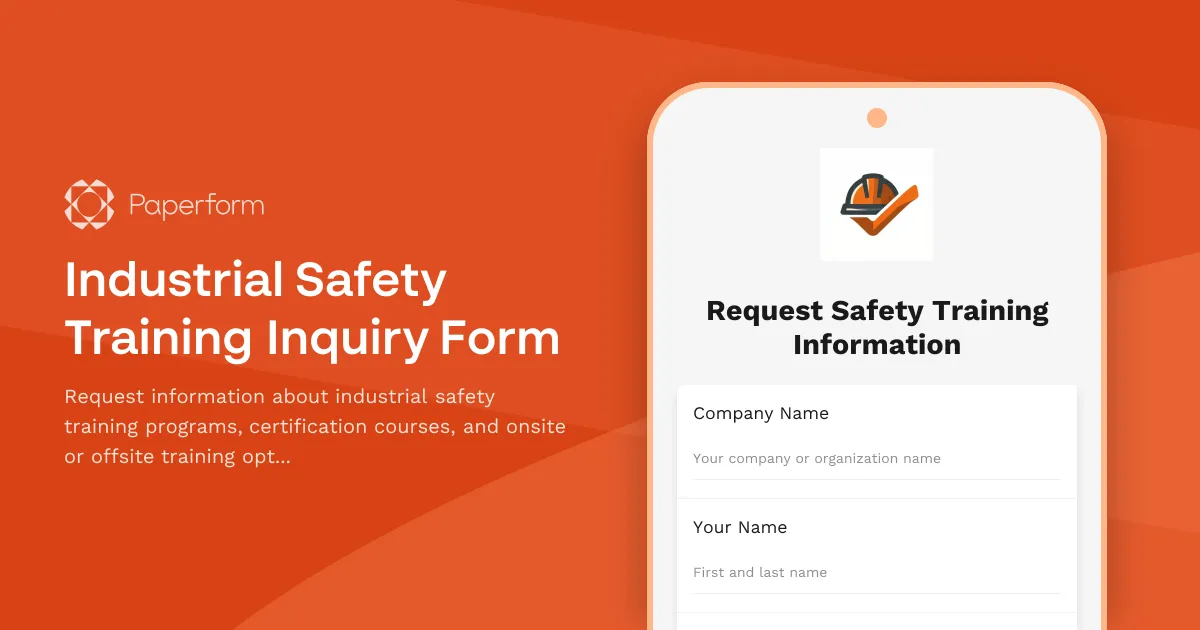
Professional Industrial Safety Training Made Simple
Keeping your workforce safe and compliant doesn't have to mean drowning in paperwork or juggling endless email threads. Whether you're managing a manufacturing facility, construction site, warehouse operation, or industrial plant, finding the right safety training partner should be straightforward—and that starts with a clear, professional inquiry process.
This Industrial Safety Training Inquiry Form template is designed specifically for safety training providers, occupational health consultants, and workplace safety companies who need to gather essential information from prospective clients quickly and accurately. Instead of back-and-forth emails trying to understand training needs, certification requirements, and scheduling preferences, you can capture everything in one organized submission.
Why This Template Works for Safety Training Providers
Safety training inquiries come with unique requirements. You need to know industry specifics (because OSHA requirements for construction differ vastly from manufacturing), understand certification needs, gauge team size for pricing and logistics, and determine whether onsite or offsite training makes more sense. This template captures all those critical details upfront, so your first conversation with a prospect is productive rather than exploratory.
The form uses conditional logic to tailor questions based on responses—if someone selects onsite training, they'll see questions about facility requirements; if they need specific certifications, you can gather those details without cluttering the form for everyone else. This creates a smoother experience for prospects while giving you the structured data you need to prepare accurate quotes and training proposals.
Perfect for Multiple Safety Training Industries
This inquiry form template works beautifully across the safety training sector:
- Industrial safety training companies offering OSHA 10, OSHA 30, confined space entry, lockout/tagout, and hazard communication courses
- Construction safety consultants providing fall protection, scaffolding safety, and heavy equipment operator training
- Occupational health providers delivering first aid, CPR, bloodborne pathogens, and emergency response training
- Environmental safety specialists teaching hazmat handling, spill response, and chemical safety protocols
- Corporate safety managers fielding internal training requests from multiple departments or facilities
Whether you're a one-person safety consulting practice or a training organization serving hundreds of industrial clients, this template scales to your needs.
Streamline Your Inquiry-to-Proposal Workflow
One of the biggest time-drains for training providers is gathering information scattered across emails, phone calls, and follow-up messages. This form centralizes everything in one place, so you can move faster from inquiry to proposal.
When a prospect submits this form, you'll have their industry, specific training topics of interest, number of employees to be trained, certification requirements, location preferences, and scheduling constraints—everything you need to provide an accurate quote or training plan. No more playing phone tag to ask "How many people need training?" or "Do you need this to be OSHA certified?"
Take it further with automation: Connect this form to your CRM using Stepper (stepper.io) to automatically create new opportunities, assign them to the right training consultant based on industry or location, and trigger personalized follow-up email sequences. You can even set up Slack notifications when high-value inquiries (like requests for training 50+ employees) come through, ensuring your sales team responds immediately.
Customize for Your Training Programs
While this template covers the most common industrial safety training scenarios, you can easily adapt it to your specific offerings:
- Add or remove training topics to match your course catalog
- Include pricing tiers or package options for different certification levels
- Embed video introductions of your lead trainers or facility tours
- Add file upload fields for prospects to share existing safety documentation or incident reports
- Create separate success pages for different industries with tailored next steps
The beauty of Paperform's document-style editor is that you can make these changes quickly—no technical skills required. Add a paragraph explaining your training approach, drop in testimonials from past clients, or include safety statistics that reinforce the importance of proper training.
Brand Your Form and Build Trust
Safety is serious business, and your inquiry form should reflect that professionalism. With Paperform's theming options, you can match your brand colors, use your company fonts, and even add your logo or certifications (OSHA Authorized Trainer logos, safety association memberships, etc.) to build credibility from the first touchpoint.
The form can live on your website as an embedded element that feels native to your site, or function as a standalone landing page for paid advertising campaigns targeting safety managers and facility supervisors. Either way, prospects get a polished experience that positions you as a credible, organized training provider—before they even speak to you.
Designed for Safety Managers and Decision-Makers
From the prospect's perspective, this form is refreshingly clear and quick to complete. Safety managers juggling compliance deadlines and facility supervisors coordinating training schedules appreciate forms that don't waste their time. The questions are direct, the flow is logical, and they can submit their inquiry in just a few minutes—then get back to managing their operation.
Turn Inquiries Into Enrolled Training Sessions
This inquiry form is your first step in a longer client journey, and Paperform supports you beyond just data collection. Once you receive an inquiry:
- Follow up with a proposal: Use form data to quickly generate a customized training proposal with the exact courses, schedules, and pricing they need
- Send a contract for signature: Use Papersign (papersign.com) to turn your training agreement into a legally binding eSignature document that prospects can sign electronically
- Collect deposits or full payment: Add payment fields to a follow-up booking form, connecting Stripe or PayPal to accept deposits when clients confirm their training dates
- Coordinate logistics: Send a pre-training questionnaire to gather final details about facility access, equipment needs, and attendee rosters
By connecting these steps through Paperform, Stepper, and Papersign, you create a smooth client experience from initial inquiry through completed training—no manual data entry, no dropped balls, and no frustrated safety managers wondering when they'll hear back.
Trusted by Safety Training Professionals
Training providers using Paperform benefit from SOC 2 Type II compliance and GDPR-ready features, which matter when you're handling client information and compliance documentation. You can set up role-based permissions so different team members see only the inquiries relevant to their region or specialty, and Agency+ features let multi-location training companies manage separate brands or regional offices under one account.
Whether you're booking five training sessions a month or fifty, this Industrial Safety Training Inquiry Form template gives you the organized, professional intake process you need to scale your training business without scaling your administrative headaches. Start capturing better leads, responding faster, and converting more inquiries into enrolled training programs—all from one well-designed form.



More templates like this
Corporate Relocation Services Inquiry Form
Streamline corporate relocation inquiries with this comprehensive form for businesses seeking employee relocation services, including details on employee count, locations, timelines, and budget requirements.

Commercial Solar Installation Inquiry Form
Collect essential information from businesses interested in commercial solar panel installation, including property details, energy costs, and financing preferences.

Import/Export Compliance Inquiry Form
A comprehensive inquiry form for import/export compliance services, capturing product details, countries involved, HS codes, volume, restricted party screening needs, and documentation requirements.
Legal Consultation Request Form
Secure intake form for potential clients seeking legal consultation. Includes case type selection, urgency assessment, conflict check information, and confidential document upload.
Managed IT Services Inquiry Form
A professional inquiry form for IT service providers to qualify leads and gather essential information about potential clients' infrastructure, pain points, and service requirements.
Managed IT Services Inquiry Form
Get a customized IT support quote by sharing your company size, infrastructure, security concerns, and support needs with our managed services team.
Powder Coating Service Application Form
Professional application form for powder coating service providers to showcase their capabilities, color options, substrate materials, and turnaround times.
Supply Chain Consulting Inquiry Form
A comprehensive inquiry form for businesses seeking supply chain consulting services, capturing industry details, operational challenges, current systems, and improvement objectives.
Business Process Mapping Service Request
Request professional process mapping services to document, analyze, and optimize your business workflows with custom flowcharts and diagrams.
Change Management Consultation Request Form
Request a free consultation with a change management expert to discuss organizational transformation, stakeholder engagement, resistance mitigation, and timeline planning for your business change initiative.

Cloud Migration Consultation Callback Request
Request a callback from cloud migration experts to discuss your infrastructure, budget, timeline, and compliance needs for a smooth transition to the cloud.
Commercial Pest Control Inquiry Form
Professional inquiry form for commercial pest control services. Collect facility details, pest information, infestation severity, treatment preferences, and service requirements to provide accurate quotes.