Streamline Your Hybrid Work AR/VR Equipment Requests with Paperform
As organizations embrace the future of hybrid work, augmented reality (AR), virtual reality (VR), and spatial computing technologies are transforming how distributed teams collaborate. Whether your team needs Meta Quest headsets for immersive meetings, Microsoft HoloLens for spatial computing, or other next-generation collaboration tools, managing equipment requests efficiently is essential.
This Hybrid Work AR/VR Equipment Request Form template helps IT departments, operations teams, and HR managers streamline the process of evaluating, approving, and fulfilling requests for cutting-edge immersive technology. Built with Paperform's flexible form builder, this template makes it easy to collect detailed specifications, justify business needs, and route requests through the proper approval channels.
Why This Template Works for Modern Hybrid Teams
Traditional equipment request forms weren't designed for the complexity of AR/VR technology. Between hardware specifications, software compatibility requirements, use case justifications, and budget considerations, there's a lot to capture. This template handles it all in a clean, professional format that works equally well for employees, managers, and IT administrators.
Key features include:
- Detailed equipment selection with options for VR headsets (Meta Quest, HTC Vive, PlayStation VR), AR glasses (Microsoft HoloLens, Magic Leap), spatial computing devices, and immersive collaboration tools
- Technical specification capture including processing power requirements, tracking capabilities, field of view preferences, and compatibility needs
- Use case justification fields that help employees articulate how the technology will improve productivity, collaboration, or business outcomes
- Budget and approval workflows with conditional logic to route high-value requests appropriately
- Accessibility considerations to ensure technology meets individual user needs
- Timeline tracking for expected delivery and setup requirements
The form's conditional logic adapts based on the equipment type selected, showing relevant technical questions only when needed. This creates a streamlined experience that doesn't overwhelm users with unnecessary fields while still capturing all the critical details for IT and procurement teams.
Perfect for These Industries and Roles
This AR/VR equipment request template is particularly valuable for:
Industries:
- Software & SaaS companies building immersive products or experiences
- Consulting firms offering virtual collaboration to clients
- Marketing & advertising agencies creating VR/AR campaigns
- Architecture and engineering firms using spatial computing for design reviews
- Healthcare organizations implementing VR training or telemedicine
- Education institutions supporting virtual classrooms and labs
- Manufacturing companies using AR for remote equipment maintenance
Roles:
- IT managers and technology coordinators processing equipment requests
- HR professionals supporting remote work infrastructure
- Operations managers overseeing hybrid workplace budgets
- Innovation directors piloting next-generation collaboration tools
- Facilities managers coordinating physical and virtual workspace needs
- Project managers requiring specialized collaboration technology for distributed teams
Automate Your Equipment Request Workflow with Stepper
Once you've collected an AR/VR equipment request through Paperform, the real magic happens with workflow automation. By connecting this form to Stepper (stepper.io), you can transform each submission into a multi-step approval and fulfillment process that keeps everyone in sync.
Here's how Stepper can extend this template:
- Intelligent routing: Automatically send requests above a certain budget threshold to senior leadership, while processing standard requests through IT directly
- Approval chains: Create sequential approval steps where managers approve the business case, IT validates technical feasibility, and procurement handles vendor selection
- CRM and project tool updates: Log each request in your project management system (Asana, Monday.com, ClickUp) or update employee records in your HRIS
- Vendor coordination: Trigger purchase orders, send specifications to approved vendors, and track delivery timelines automatically
- Onboarding workflows: Once equipment arrives, automatically schedule setup appointments, send training resources, and create support tickets for configuration
- Budget tracking: Update budget spreadsheets or financial systems with each approved request for real-time spending visibility
With Stepper's AI-native workflow builder, you can design these automation flows in plain language without any coding, ensuring your equipment request process scales smoothly as your hybrid work program grows.
Designed for Compliance and Security
For organizations handling sensitive employee data and budget information, security matters. Paperform is SOC 2 Type II certified and GDPR compliant, ensuring your equipment request data is protected with enterprise-grade security. With features like SSO, role-based permissions, and data residency controls, you can confidently deploy this form across your organization.
Get Started in Minutes
Unlike rigid enterprise request systems that take weeks to configure, this Paperform template can be customized and deployed in minutes. Use the doc-style editor to adjust questions, add your company branding, modify approval workflows with conditional logic, and embed the form directly into your intranet or employee portal.
Whether you're piloting AR/VR technology with a small team or rolling out immersive collaboration tools across a global workforce, this template gives you a professional, conversion-optimized starting point that makes requesting next-generation equipment as seamless as the technology itself.
Start collecting organized, actionable AR/VR equipment requests today and give your hybrid workforce the tools they need to collaborate effectively, no matter where they're working from.



More templates like this

Hybrid Work Equipment Insurance & Damage Assistance Form
Submit claims for accidental damage, theft, or loss of home office equipment with deductible assistance, repair cost sharing, and replacement support for hybrid workers.

Remote Work Monitor & Display Upgrade Request
Request approval for new monitors and display equipment for your home office setup. Submit screen specifications, multiple monitor needs, and mounting requirements for budget approval.

Work From Home Technology Upgrade Program Application
Apply for technology upgrades and equipment refreshes for your home office setup. Request emerging tech, scalability improvements, and innovation budget for long-term remote work success.
Home Office Whiteboard & Brainstorming Equipment Request
Request whiteboards, collaboration tools, and creative workspace equipment for your remote office setup with streamlined approval and reimbursement tracking.
Remote Work Focus & Concentration Equipment Request
Request specialized equipment to enhance focus and minimize distractions in your home office environment.

Corporate VPN Access Request Form
Streamline remote access requests with this corporate VPN access form. Collect employee details, device information, security clearance levels, and route for manager approval—all in one secure workflow.

Emergency Communication Device Allowance Request
Request reimbursement or allowance for emergency communication equipment including satellite phones, emergency radios, and backup devices for remote work locations.

Home Office Battery Backup & UPS Request Form
Request battery backup and UPS equipment for your home office to ensure business continuity during power outages. Assess your power needs, prioritize critical devices, and plan for uninterrupted remote work.

Home Office Electrical Capacity & Equipment Reimbursement Form
Assess your home office electrical needs, calculate circuit load requirements, and request reimbursement for power strips, outlets, and electrician consultations to ensure safe and compliant remote work setups.
Home Office Productivity Tools Reimbursement Request
Request reimbursement for home office productivity equipment including physical planning systems, timer devices, focus tools, and time management resources to enhance remote work efficiency.

Hybrid Work Equipment Check-Out Form
A comprehensive form for hybrid and remote employees to request, check out, and track company equipment including laptops, monitors, peripherals, and accessories with return scheduling and liability acknowledgment.
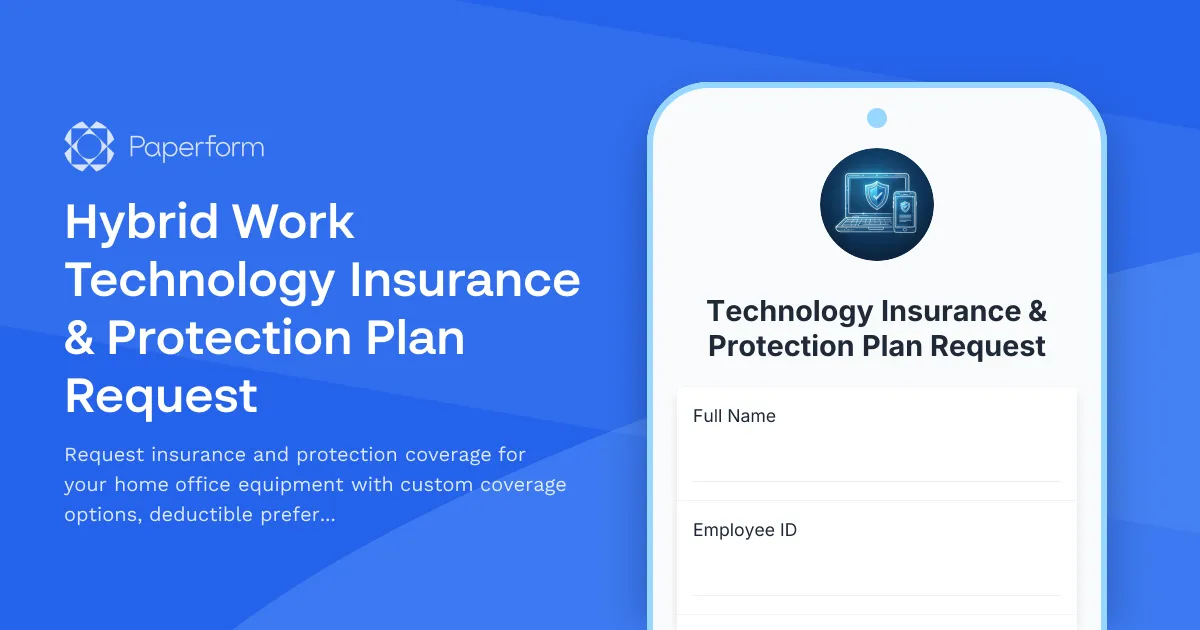
Hybrid Work Technology Insurance & Protection Plan Request
Request insurance and protection coverage for your home office equipment with custom coverage options, deductible preferences, and comprehensive loss and damage protection policies.