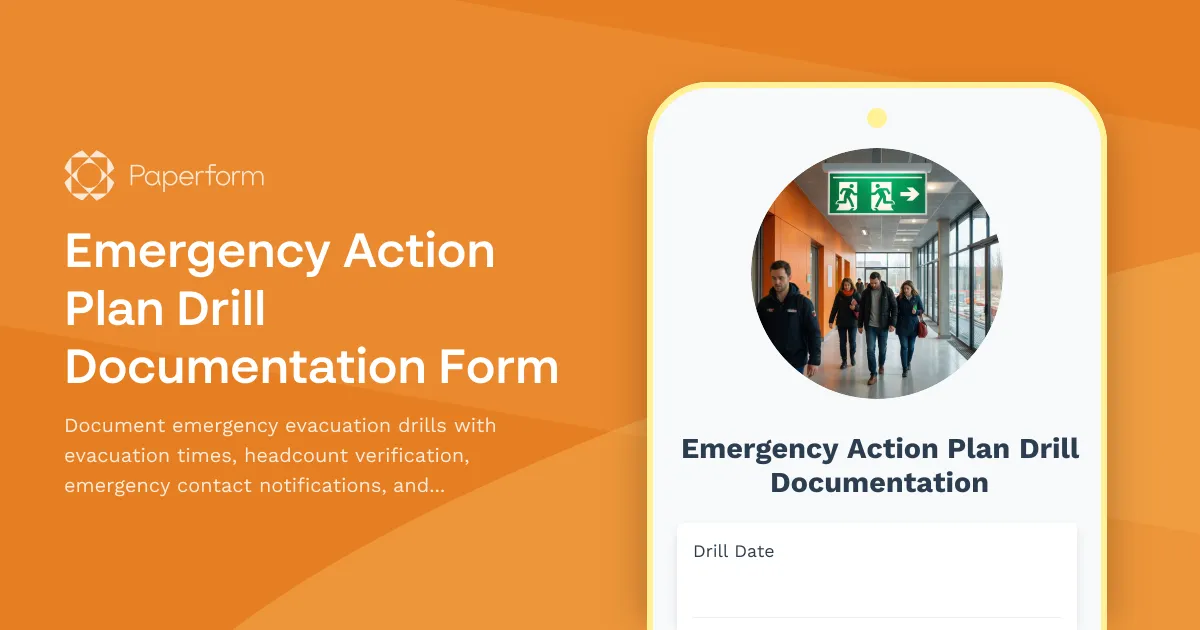
Emergency Action Plan Drill Documentation: Keep Your Workplace Safe and Compliant
Emergency preparedness isn't just about having a plan on paper—it's about testing that plan regularly and documenting every drill to ensure your team is ready when it matters most. This Emergency Action Plan Drill Documentation Form helps construction sites, trades businesses, and facilities managers record critical details from every evacuation drill, from evacuation times to headcount accuracy.
Whether you're managing a construction site, warehouse, manufacturing facility, or office building, this template gives you a structured way to track drill performance, identify bottlenecks, and maintain OSHA compliance records. Instead of scrambling with paper checklists or piecing together notes after each drill, you can capture everything in real time and automatically store it for safety audits.
Why Emergency Drill Documentation Matters
Regular emergency drills are required by OSHA and most local fire codes, but the real value goes beyond compliance. Documenting each drill helps you:
- Identify evacuation bottlenecks before a real emergency happens
- Verify everyone made it to the assembly point and track response times
- Test your emergency contact notification system to ensure families and authorities can be reached quickly
- Build a record of continuous improvement that demonstrates your commitment to worker safety
- Prepare for safety audits with organized, timestamped documentation
For construction managers, safety officers, and facilities teams, having a digital record means you can spot patterns over time—like certain crews consistently taking longer to evacuate, or specific exits causing congestion—and take corrective action before anyone gets hurt.
What's Included in This Template
This emergency drill documentation form captures all the essential details your safety team needs:
- Drill details: Date, time, type of emergency simulated, weather conditions, and drill coordinator information
- Evacuation performance: Total evacuation time, assembly point headcount, and accuracy verification
- Emergency notifications: Documentation of who was contacted (emergency services, management, families) and response times
- Observations and issues: Problems encountered during the drill, from blocked exits to communication failures
- Employee participation: Headcount tracking and notes on any individuals who were absent or required assistance
- Improvement areas: Specific, actionable recommendations for the next drill or plan updates
- Sign-offs: Space for safety officer and supervisor approval
The form uses conditional logic to adapt based on drill type—fire evacuations will prompt different questions than shelter-in-place scenarios or active threat drills—ensuring you capture the right information every time.
Built for Construction Sites and High-Risk Workplaces
Construction sites and trades businesses face unique challenges when it comes to emergency preparedness. Job sites change constantly, crews rotate, and hazards evolve week by week. This template is designed with those realities in mind:
- Mobile-friendly design means safety officers can fill out the form on a tablet or phone right from the assembly point
- Photo uploads let you document blocked exits, damaged equipment, or evacuation route issues on the spot
- Multiple assembly point tracking for large sites with different evacuation zones
- Contractor and subcontractor fields to track participation across all crews on site
You can embed this form on your internal safety portal, share it via QR code posted at assembly points, or email it to crew leads after each drill. Once submitted, all documentation is stored securely and can be exported for compliance reporting or safety committee meetings.
Streamline Your Safety Workflows with Stepper
After the drill is documented, what happens next? With Stepper, Paperform's AI-native workflow builder, you can automate your entire post-drill process:
- Route the form to the right safety manager based on site location or drill score
- Automatically create tasks in your project management system for any issues flagged during the drill
- Send summary emails to site supervisors and safety committees with key metrics and improvement areas
- Update your safety dashboard or compliance tracking spreadsheet with the latest drill data
- Schedule follow-up training for crews that struggled with evacuation procedures
Stepper ensures nothing falls through the cracks between documenting the drill and taking action on what you learned—no more manual follow-up or forgotten recommendations.
Why Construction and Safety Teams Choose Paperform
Paperform is trusted by thousands of construction companies, contractors, and safety professionals because it's powerful enough for complex workflows, but simple enough for field teams to use on the go. You don't need to be a tech expert to create professional, branded forms that work on any device.
For emergency drill documentation specifically, Paperform gives you:
- Offline capability so you can start filling out the form even when site Wi-Fi is spotty (responses sync when you're back online)
- Conditional logic that shows or hides questions based on drill type, issues encountered, or headcount discrepancies
- Calculation fields that automatically compute evacuation time from start and end timestamps
- Role-based access so only safety officers and supervisors can view sensitive drill results
- Integration with tools like Google Drive, Slack, and Airtable to keep your safety team connected
Plus, Paperform is SOC 2 Type II compliant, which means your drill records and employee data are stored with enterprise-grade security—important for sensitive safety documentation.
Perfect for Multiple Industries and Use Cases
While this template is ideal for construction sites, it's equally valuable for:
- Manufacturing facilities running monthly evacuation drills
- Warehouses and distribution centers testing fire and weather emergency protocols
- Commercial property managers documenting tenant evacuation drills
- Healthcare facilities (non-HIPAA scenarios) running disaster preparedness exercises
- Schools and universities tracking campus emergency response
- Event venues and entertainment facilities testing crowd evacuation procedures
No matter your industry, if you're responsible for workplace safety and emergency preparedness, this template helps you stay organized, compliant, and ready.
Get Started in Minutes
You can use this template as-is or customize it to match your specific safety protocols, company branding, or regulatory requirements. Add your logo, adjust the questions, and set up automations—all without writing a single line of code.
Ready to streamline your emergency drill documentation? Start with this template and build a safer, more prepared workplace today.



More templates like this

Material Handling and Storage Area Inspection Form
A comprehensive inspection form for evaluating material handling and storage areas, including weight limits, stacking stability, and aisle clearance verification to ensure workplace safety compliance.
Monthly Safety Committee Meeting Minutes Form
Track monthly safety committee meetings with attendance, incident reviews, and action item assignments. Streamline safety compliance documentation for construction and trade businesses.

Cold Weather Safety Inspection Form
Comprehensive cold weather safety inspection form for construction sites and outdoor workplaces. Document heated break areas, frostbite prevention measures, ice removal, and winter hazard compliance.

Construction Site Lighting Adequacy Inspection Form
A professional inspection form for assessing construction site lighting levels, emergency systems, and placement compliance to ensure worker safety and regulatory standards.

Electrical Maintenance Request Form
Professional electrical maintenance and repair request form with circuit breaker identification, safety hazard assessment, code compliance tracking, and licensed electrician verification for facilities and property management.
Ground Fault Circuit Interrupter (GFCI) Monthly Testing Log
Comprehensive GFCI monthly testing and compliance log for recording trip times, amperage ratings, and weather protection verification to ensure electrical safety on construction sites and facilities.
Hot Work Permit Form
A comprehensive hot work permit form for contractors and safety officers to authorize and document welding, cutting, grinding, and other fire-producing operations with proper safety protocols.

Dust Suppression System Inspection Form
A comprehensive safety inspection form for evaluating dust suppression systems, water spray functionality, coverage adequacy, and runoff collection compliance on construction sites.

Hand and Power Tool Inspection Form
Comprehensive tool safety inspection form for evaluating hand and power tools, including guard functionality, cord integrity, grounding verification, and storage compliance.
Housekeeping and Waste Management Inspection Form
A comprehensive construction site housekeeping and waste management inspection form with debris removal tracking, material segregation verification, and dumpster placement safety checks.

Material Handling Equipment Installation Form
A comprehensive installation form for material handling equipment that covers floor load verification, anchor placement, electrical requirements, safety features, and operator training documentation.
Pre-Shift Equipment Safety Inspection Form
A comprehensive daily equipment inspection checklist for heavy machinery operators to document safety checks, identify defects, and ensure compliance before each shift begins.