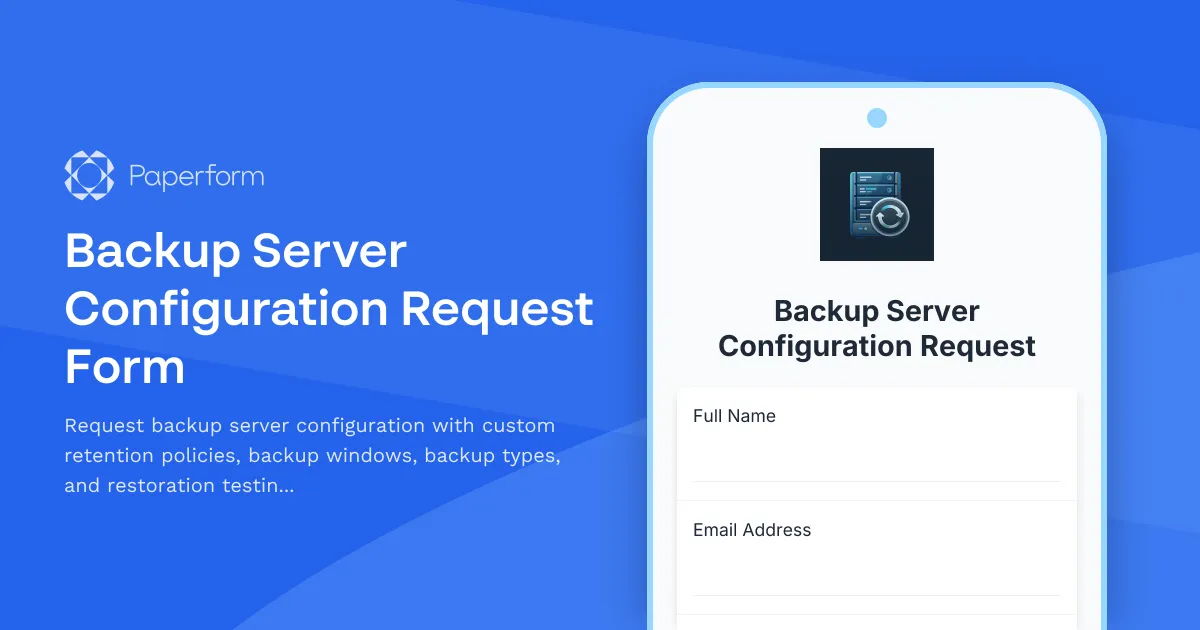
Streamline Your Backup Server Configuration Requests with Paperform
Managing backup infrastructure is critical for business continuity, but coordinating backup server configurations shouldn't require endless email chains and manual spreadsheets. This Backup Server Configuration Request Form template gives IT teams, infrastructure managers, and system administrators a professional, streamlined way to collect, review, and action backup configuration requests.
Why Your IT Team Needs a Digital Backup Configuration Form
Whether you're managing on-premises infrastructure, hybrid cloud environments, or multi-tenant systems, backup configuration requests need structure. Without a standardised intake process, your team faces:
- Inconsistent backup policies that leave critical data unprotected
- Miscommunication between requesters and infrastructure teams about backup windows and retention requirements
- Manual coordination of backup schedules that conflict with production workloads
- No audit trail when restoration testing doesn't happen or policies aren't documented
This Paperform template solves those problems by creating a single, repeatable workflow for backup server configuration requests that guides requesters through retention policies, backup windows, full/incremental settings, and restoration testing plans.
What Makes This Backup Configuration Form Different
Built specifically for IT infrastructure teams, this template covers the full scope of backup planning:
Server and workload identification: Capture server names, IP addresses, operating systems, and criticality levels so your infrastructure team knows exactly what they're protecting.
Retention policy configuration: Define daily, weekly, monthly, and yearly retention periods with clear guidance, ensuring compliance requirements and storage capacity are balanced.
Backup window scheduling: Let requesters specify preferred backup windows, maintenance windows, and any scheduling constraints to avoid production impacts.
Backup type selection: Choose between full, incremental, differential, or mixed backup strategies based on recovery time objectives (RTO) and recovery point objectives (RPO).
Storage and destination settings: Specify backup destinations, compression preferences, encryption requirements, and bandwidth limitations.
Restoration testing plans: Build in accountability with restoration testing frequency, test scenarios, and success criteria—because untested backups aren't backups.
The form uses conditional logic to show relevant fields based on backup type, criticality level, and compliance requirements, keeping the experience focused and the data clean.
How IT Teams Use This Template
Infrastructure managers use this form as the intake point for all backup configuration changes, replacing ad-hoc Slack messages and email requests with a documented, trackable process.
System administrators submit requests for new servers, updated retention policies, or backup window changes, providing all the context infrastructure teams need to configure backup jobs correctly the first time.
Compliance officers reference completed forms as documentation that backup policies meet regulatory requirements for data retention and restoration testing.
IT directors review submission data to understand backup coverage, identify gaps, and forecast storage capacity needs across the infrastructure.
Automate Your Backup Configuration Workflow with Stepper
Once a backup configuration request is submitted, your work is just beginning. With Stepper, Paperform's AI-native workflow builder, you can turn each submission into a complete, hands-free process:
- Route requests to the right infrastructure team based on server criticality, environment (production vs. non-production), or backup software platform
- Create tickets automatically in ServiceNow, Jira Service Management, or your ITSM tool with all the configuration details pre-filled
- Update CMDBs with backup policy details, retention settings, and next restoration test dates
- Schedule follow-ups for restoration testing, policy reviews, and compliance audits
- Notify stakeholders when backup jobs are configured, tested successfully, or encounter issues
Stepper connects Paperform to your infrastructure monitoring tools, ticketing systems, and documentation platforms, so every backup request moves from intake to completion without manual handoffs.
Built for IT Infrastructure and Operations Teams
This template is designed for:
IT service desks and infrastructure teams managing backup infrastructure across on-premises data centers, cloud environments, or hybrid deployments, who need a standardised intake process for configuration requests.
Managed service providers (MSPs) supporting multiple clients with different backup requirements, retention policies, and SLAs, who need clean documentation and approval workflows.
DevOps and platform engineering teams managing Kubernetes, containerised workloads, or cloud-native infrastructure where backup configuration is part of the provisioning process.
Compliance-focused organisations in finance, healthcare, government, or other regulated industries where backup policies, retention periods, and restoration testing must be documented and auditable.
Customise, Brand, and Integrate
Paperform's doc-style editor makes it easy to adapt this template to your infrastructure environment. Add your organisation's logo, adjust retention period options to match your storage capacity, include links to your backup policy documentation, or add approval steps for high-criticality servers.
Integrate with your existing IT stack: push submissions to ServiceNow, Jira, PagerDuty, Slack, Microsoft Teams, Google Sheets, Airtable, or thousands of other tools via Stepper, Zapier, Make, or webhooks. For teams managing sensitive infrastructure, Paperform is SOC 2 Type II compliant, supports SSO, and offers data residency controls.
Professional Backup Management, No Code Required
With Paperform, infrastructure teams get the autonomy to build and maintain their own backup configuration intake process without waiting on developers or dealing with rigid IT service management forms.
Whether you're onboarding a new application, migrating workloads to the cloud, or implementing a new retention policy across your estate, this Backup Server Configuration Request Form gives you the structure, clarity, and automation you need to protect your infrastructure reliably.
Get started in minutes—customise this template, share it with your team, and start building better backup workflows today.



More templates like this
IT System Decommissioning Change Request
Submit and track IT system decommissioning requests with data retention, asset disposal, and access revocation management for secure infrastructure changes.
Network DDoS Mitigation Request Form
Submit a request to activate DDoS protection services, configure traffic scrubbing parameters, set detection thresholds, and whitelist legitimate traffic sources for your network infrastructure.
IT Helpdesk Ticket Submission Form
Submit IT support requests with issue details, urgency level, and screenshots. Track your tickets and get faster resolutions with our streamlined helpdesk form.
Remote Desktop Service Configuration Change Request Form
A professional IT change request form for managing remote desktop service configurations, including access policies, performance settings, and security controls with approval workflow.

Storage Area Network (SAN) Expansion Request Form
Request additional storage capacity for your SAN infrastructure with detailed IOPS requirements, disk type selection, RAID configuration, and capacity planning specifications.
Application Version Upgrade Change Request Form
A comprehensive IT change management form for requesting application version upgrades with dependency analysis, rollback planning, and user communication strategy.
Data Center Server Room Access Request Form
Request secure access to data center server rooms with two-factor authentication setup, equipment authorization, and compliance acknowledgment for IT professionals and technicians.
Database Optimization Service Request
Request professional database optimization services to improve performance, resolve bottlenecks, and enhance query efficiency for your database systems.
Disaster Recovery Site Setup Request Form
Request form for disaster recovery infrastructure setup with RTO/RPO requirements, replication methods, failover testing schedules, and runbook documentation for business continuity planning.
DNS Record Modification Request
Submit DNS record change requests for A, CNAME, MX, and other record types with subdomain creation and TTL configuration for network infrastructure management.
File Server Migration Request Form
Request file server migrations with detailed share permissions mapping, data volume estimation, sync methods, and comprehensive user communication planning.
Infrastructure Security Incident Response Form
Report and respond to infrastructure security incidents with threat classification, containment protocols, forensic preservation, and stakeholder communication tracking.