Streamline Your Warehouse to Office Relocation with Smart Inventory Tracking
Moving inventory from a warehouse to an office location is a complex logistical challenge that requires meticulous planning and real-time tracking. Whether you're relocating entire operations, setting up a new satellite office, or consolidating storage facilities, maintaining accurate inventory records during the transition is critical to business continuity.
This Warehouse to Office Relocation Inventory Tracking Form is designed specifically for operations managers, facilities coordinators, warehouse supervisors, and logistics teams who need to ensure nothing gets lost, damaged, or misplaced during the move. Built on Paperform's flexible platform, this template transforms a traditionally paper-heavy, error-prone process into a streamlined digital workflow that keeps everyone aligned.
Why Digital Inventory Tracking Matters During Relocations
Traditional clipboard-and-spreadsheet approaches to relocation inventory management create bottlenecks, increase errors, and make it nearly impossible to get real-time visibility into what's been moved, what's in transit, and what still needs to be relocated. Manual counting and recording across multiple teams leads to discrepancies, lost items, and confusion about storage locations in the new space.
With this digital form template, your team can capture SKU-level product counts, map items to their new storage locations, flag temperature-sensitive or security-critical inventory, and establish restock priorities—all from any mobile device or computer. No more hunting for paper forms or trying to decipher handwritten notes when you need to locate a critical item.
Who Benefits from This Template?
This form is invaluable for:
- Operations and facilities managers coordinating complex office relocations
- Warehouse supervisors tracking outbound inventory during moves
- Logistics coordinators managing multi-phase relocation projects
- Inventory control specialists ensuring accurate counts during transitions
- Office managers receiving and organizing inventory at new locations
- Supply chain teams maintaining business continuity during facility changes
Industries that regularly manage warehouse-to-office inventory moves—including manufacturing, distribution, retail operations, healthcare facilities, technology companies, and professional services firms—will find this template immediately useful.
Key Features of This Relocation Inventory Form
SKU-Level Tracking: Capture detailed product information including SKU codes, descriptions, and precise quantities being moved. This granular tracking prevents mix-ups and ensures accurate inventory reconciliation.
Location Mapping: Document both the origin warehouse location and the destination office storage area for each item or batch. This two-way mapping makes it easy to verify items have arrived at their intended locations and helps teams quickly locate inventory in the new space.
Handling Requirements: Identify items that require special handling, including temperature-sensitive products that need climate-controlled storage, fragile items requiring extra care, and security-sensitive inventory that needs restricted access or monitoring.
Priority Classification: Assign restock priorities to ensure critical inventory is moved and made accessible first, minimizing operational disruption. Teams can immediately identify which items need to be unpacked and shelved before others.
Condition Tracking: Record the condition of items before and during the move to identify any damage that occurs during relocation and establish accountability.
Automate Your Relocation Workflow with Stepper
Once you've captured inventory data through this form, you can supercharge your relocation management by connecting it to Stepper, Paperform's AI-native workflow automation platform.
With Stepper, you can automatically:
- Route inventory alerts to different team members based on handling requirements or priority levels
- Update your inventory management system in real-time as items are logged and relocated
- Generate packing lists and location manifests for movers and receiving teams
- Send notifications when temperature-sensitive or high-priority items are in transit
- Create follow-up tasks for unpacking, shelving, and inventory verification at the new location
- Compile relocation reports showing what's been moved, what's pending, and any discrepancies
This automation eliminates manual data entry, reduces coordination overhead, and ensures nothing falls through the cracks during your relocation project.
Designed for Teams That Need Reliable Tracking
This template embraces Paperform's doc-style editing approach, making it easy to customize field labels, add conditional logic for different inventory types, or include your company branding. The clean, professional layout works equally well on warehouse tablets and office computers, ensuring consistent data capture regardless of who's logging inventory or where they're working from.
For facilities teams managing multiple simultaneous moves or large-scale relocations, Paperform's collaboration features let you share the form across teams while maintaining centralized visibility into all submissions. Export data to spreadsheets for analysis, integrate with project management tools to track relocation milestones, or use Paperform's built-in reporting to monitor relocation progress in real-time.
Security and Compliance You Can Trust
When relocating inventory that may include sensitive equipment, proprietary materials, or regulated products, security matters. Paperform is SOC 2 Type II compliant and offers robust data protection, ensuring your inventory records are secure throughout the relocation process. For organizations with strict compliance requirements, Paperform's enterprise features include SSO, roles and permissions, and audit trails.
Get Started in Minutes
This template is ready to use immediately—just customize the SKU categories, storage locations, and handling requirements to match your specific inventory and facilities. Add your logo, adjust the priority levels, or include photos and videos showing proper packing procedures. Within minutes, you'll have a professional inventory tracking system that brings clarity and control to your warehouse-to-office relocation.
Whether you're moving a small office stockroom or relocating an entire distribution center's worth of inventory, this Warehouse to Office Relocation Inventory Tracking Form gives logistics and facilities teams the visibility, accuracy, and automation they need to complete relocations on time, on budget, and without losing track of critical assets.
Start tracking your relocation inventory with confidence today.



More templates like this
Office Move Network Infrastructure Planning Form
Plan your office relocation's network infrastructure with detailed specifications for bandwidth, WiFi coverage, VoIP systems, printer placement, and redundancy requirements.

Office Relocation IT Asset Tagging & Tracking Form
Track IT equipment during office moves with asset tagging, serial numbers, condition assessment, backup verification, and deployment planning to ensure a smooth relocation.

Smart Building Technology Integration Request Form
Streamline your smart office setup with this IoT sensor deployment, occupancy tracking, energy management, and automation preferences form. Perfect for facilities managers implementing modern workplace technology.
Collaborative Workspace & Huddle Room Equipment Relocation Form
A comprehensive form for managing the relocation of collaborative workspaces and huddle rooms, including AV systems, video conferencing equipment, whiteboards, displays, and post-move technology testing.
Conference Room Technology Setup Request Form
Request and configure video conferencing equipment, presentation systems, and audio-visual technology for your new office's conference rooms and meeting spaces.
Cubicle and Workstation Configuration Form
Streamline office setup with a professional workstation configuration form. Collect employee preferences for cubicle partitions, storage units, monitor arms, cable management, and workspace personalization for your new office space.
Department Office Move Coordination Form
Streamline your office relocation with this comprehensive department move coordination form. Capture team size, equipment needs, critical timelines, and communication preferences to ensure a smooth transition.
International Relocation Support Request Form
Comprehensive international relocation support form for employees moving abroad, covering visa assistance, housing, family services, cultural orientation, and language training coordination.
IT Equipment Request Form
Request IT equipment, hardware, and technical accessories with manager approval and asset tracking for efficient procurement management.
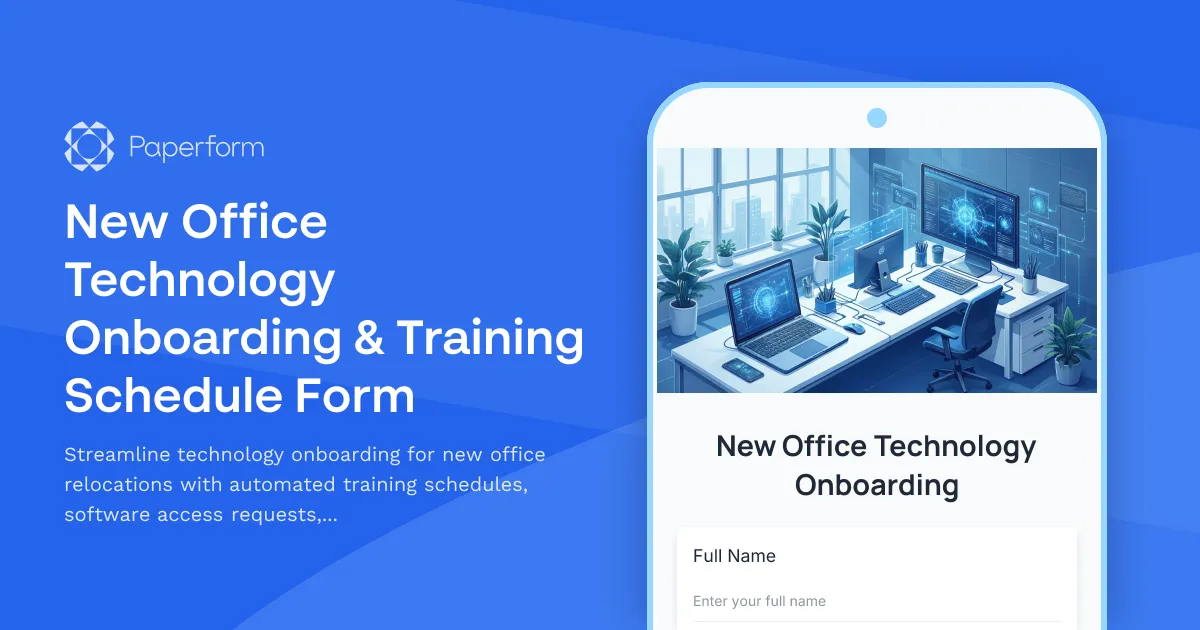
New Office Technology Onboarding & Training Schedule Form
Streamline technology onboarding for new office relocations with automated training schedules, software access requests, equipment familiarization, and certification tracking for seamless transitions.

Office Café & Food Service Setup Form
A comprehensive form for planning and launching a new office café or food service program, including vendor selection, equipment requirements, and dietary accommodations.

Office Guest WiFi & Visitor Access Request Form
Request secure WiFi access and building entry for clients visiting your office. Ideal for hybrid teams hosting external visitors with time-limited network access and security clearance tracking.