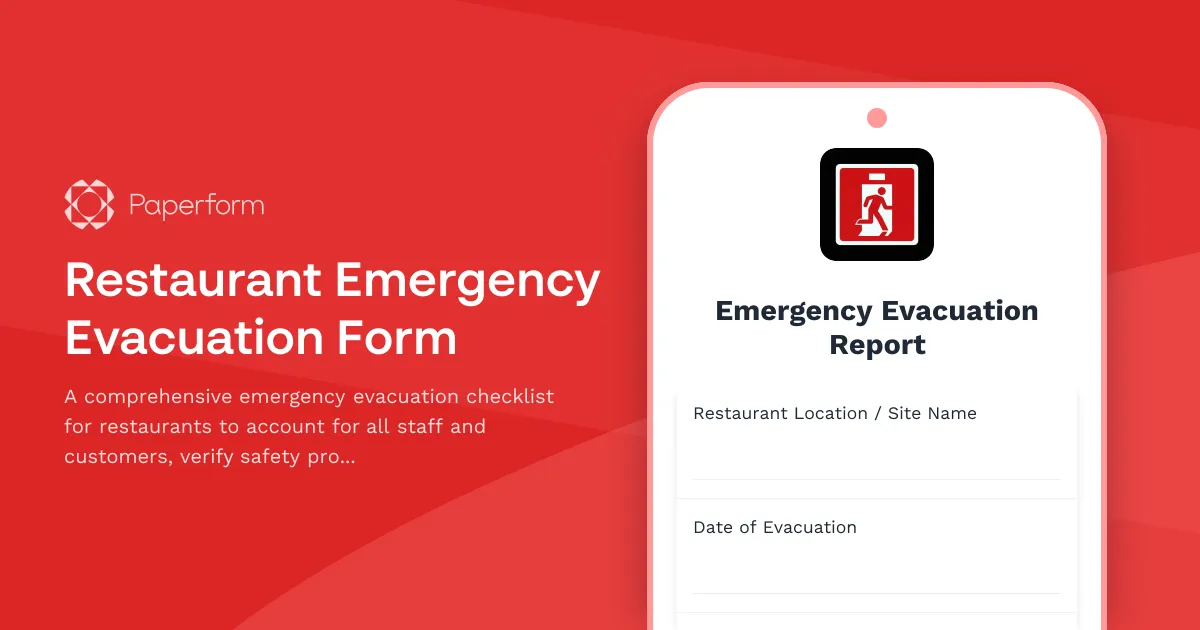
Restaurant Emergency Evacuation Form: Fast, Clear Accountability When Seconds Matter
When an emergency strikes—fire, gas leak, severe weather or another crisis—restaurant teams need to move quickly, but they also need to account for every person and follow critical safety protocols. This Restaurant Emergency Evacuation Form gives managers and shift leaders a fast, mobile-friendly checklist to confirm that kitchen staff, front-of-house team and customers are safely evacuated, that gas lines and equipment are shut down correctly, and that food safety protocols are in place for reopening.
Built with Paperform, this template turns a chaotic moment into a clear process: open the form on any device, check off each step as you evacuate, and submit a timestamped record that logs exactly what happened, who was present, and what actions were taken. Whether you're a quick-service café, fine-dining restaurant, hotel kitchen or catering operation, this form helps you meet duty-of-care obligations, satisfy safety audits, and—most importantly—keep your people safe.
Why restaurants need a digital evacuation form
Paper evacuation logs get lost, damaged or left behind in the rush. A digital-first evacuation form lives on every manager's phone, syncs instantly to your safety records, and creates a clear audit trail for insurance, workers' compensation and regulatory compliance. Paperform's mobile-optimised design means you can complete the form standing in the car park, parking lot or assembly point—no clipboard or pen required.
This template is purpose-built for the hospitality and food service industry, covering the unique risks and responsibilities of restaurant operations: accounting for customers and staff across multiple zones (kitchen, bar, dining room, patio), confirming that gas lines and fryers are shut down, and flagging food safety concerns so you know whether perishables are still safe to serve once power or refrigeration is restored.
What's included in the template
The form walks your team through a structured evacuation checklist:
- Incident details: Log the date, time, location, type of emergency (fire, gas leak, weather, medical, security threat) and who is completing the form.
- Staff headcount: Separate roll calls for kitchen staff and front-of-house team, with fields to list names of anyone confirmed safe and anyone unaccounted for.
- Customer count estimate: Record the approximate number of customers on-site at the time of evacuation and confirm whether all customers are believed to have exited safely.
- Gas line and equipment shutdown: Checklist to confirm that gas lines, fryers, grills, ovens and other high-risk equipment have been shut down correctly.
- Food safety protocols: Note whether refrigeration was lost, how long power was out, and flag any perishable items that may need to be discarded before reopening.
- Emergency services contact: Record whether emergency services (fire, police, ambulance) were called, and log any incident numbers or instructions given by first responders.
- Notes and follow-up actions: Free-text space for additional details, injuries, property damage or next steps.
Each submission is timestamped automatically, creating a permanent record of your evacuation response that can be reviewed by safety officers, shared with insurers, or stored in your compliance archive.
How hospitality teams use this form
- Restaurant managers and shift leaders keep a shortcut to the form on their phones, ready to open the moment an evacuation is triggered.
- Multi-site operators use Paperform's submission dashboard to monitor evacuations across all locations in real time, and roll up incident data for safety training and risk assessments.
- Catering and event teams adapt the template for off-site venues, adding fields for venue contact details and client notification.
- Food safety and compliance officers review submitted forms to identify gaps in shutdown procedures, update training protocols, and prepare incident reports for health and safety audits.
After submission, Paperform can send a confirmation email to the manager, notify your safety team via Slack or email, and push the record into Google Sheets, Airtable or your safety management system so nothing falls through the cracks.
Automate post-evacuation workflows with Stepper
Once the immediate danger has passed, there's still work to do: notify head office, schedule equipment inspections, coordinate with insurance, brief the team and decide when it's safe to reopen. Use Stepper, Paperform's AI-native workflow builder, to automate the next steps.
For example, when an evacuation form is submitted:
- Stepper can send an urgent notification to your operations director and safety officer, flagging high-risk incidents (gas leaks, injuries, unaccounted persons) for immediate follow-up.
- Create a task in Asana, Monday or your project tool to schedule a post-incident debrief, equipment safety check and staff welfare check-in.
- Log the incident in your HRIS or safety management platform, linking the form submission to employee records for workers' comp or incident investigation.
- Generate a summary email to your insurance broker or risk manager with key details, so claims or reporting can start immediately.
- If customers were affected, trigger a customer communication workflow to send apologies, refunds or follow-up offers through your CRM or email tool.
This means your evacuation form doesn't just capture data—it kicks off the entire recovery and compliance process automatically, so managers can focus on their people, not on chasing emails and spreadsheets.
Compliance, security and audit readiness
Restaurant and hospitality businesses are subject to workplace health and safety regulations, fire safety codes, and duty-of-care obligations to both employees and customers. Having a clear, timestamped record of every evacuation—including who was present, what actions were taken, and how quickly you responded—is critical for regulatory compliance and liability protection.
Paperform is SOC 2 Type II certified and offers data residency controls, role-based permissions and encrypted submissions, so your evacuation records are stored securely and meet the standards expected by insurers, auditors and regulators. You can export submissions for safety audits, archive them in your compliance library, or integrate them into your broader health and safety management system via API or workflow tools.
Built for the pressure of real emergencies
The best evacuation plan is one that actually gets used. This template is designed to be fast to complete, easy to read under pressure, and accessible from any device. Questions are written in plain language, checklists use simple yes/no or checkbox formats, and conditional logic hides irrelevant sections so you're never scrolling past questions that don't apply to the situation at hand.
You can customise the form to match your restaurant's layout (add specific zones like "rooftop bar" or "prep kitchen"), your equipment list (include specific fryer or oven models), or your chain's escalation procedures (add fields for regional manager contact or corporate incident number). And because it's built in Paperform's doc-style editor, making those changes takes minutes, not a developer ticket.
Trusted by hospitality teams who take safety seriously
Whether you run a neighbourhood bistro, a high-volume quick-service chain, a hotel restaurant, or a corporate catering kitchen, this Restaurant Emergency Evacuation Form helps you stay calm, stay compliant, and—most importantly—keep everyone safe.
Get started in minutes: Open the template, adjust the checklist to match your site and safety protocols, share the link with your management team, and you're ready. When the alarm sounds, you'll have a clear plan and a permanent record of how your team responded.
Paperform is trusted by over 500,000 teams worldwide, SOC 2 Type II and GDPR compliant, and designed for businesses that need professional forms and automations without coding. Start building smarter, safer evacuation workflows today.



More templates like this
Brewery Emergency Evacuation & Headcount Form
A comprehensive emergency evacuation form designed for brewery production facilities to account for all personnel, monitor equipment shutdown procedures, and track hazardous area clearances during emergency situations.
Restaurant Crisis Management Planning Form
A comprehensive crisis preparedness form for restaurants to document emergency scenarios, communication protocols, staff training plans, insurance coverage, and emergency contacts to ensure business continuity during unexpected events.
Cheese Aging Cave Evacuation Form
Emergency evacuation and headcount form for cheese aging facilities to track personnel, inventory, environmental systems, and critical equipment during cave evacuation procedures.
Hotel Guest Evacuation Accountability Form
A critical emergency form for hotels to quickly account for all guests during evacuations, capturing room numbers, occupancy details, mobility needs, and communication preferences to ensure everyone's safety.
Amusement Park Ride Evacuation Form
A comprehensive emergency evacuation form for amusement park rides to ensure guest safety, track headcount, coordinate with first aid stations, and document mechanical shutdown procedures during emergency situations.
Axe Throwing Venue Emergency Evacuation Form
An emergency evacuation and headcount form for axe throwing venues to account for participants, staff, and secure equipment during crisis situations.
Chocolate Manufacturing Facility Emergency Evacuation & Headcount Form
Emergency evacuation checklist and headcount form for chocolate manufacturing facilities to track personnel safety, equipment shutdown status, and facility clearance during emergency evacuations.
Community Swimming Pool Evacuation Form
A comprehensive emergency evacuation checklist for community swimming pools to verify all swimmers, staff, and areas are accounted for and secured during an emergency evacuation.
Convention Center Event Evacuation Form
Track evacuation status, headcount, and safety information for convention center events with exhibitor booths, attendee estimates, and emergency exit usage.
Indoor Skydiving Facility Evacuation Form
Emergency evacuation and headcount form for indoor skydiving facilities to account for flyers, instructors, staff, and track wind tunnel shutdown procedures and equipment status.
Movie Theater Evacuation Check-In Form
A comprehensive evacuation check-in form for movie theaters to track staff, screening room status, and audience headcount during emergency situations.
Zipline Course Evacuation & Safety Check Form
Track participant locations, guide stations, harness checks, and platform clearance during zipline course evacuations with real-time weather monitoring and safety protocols.