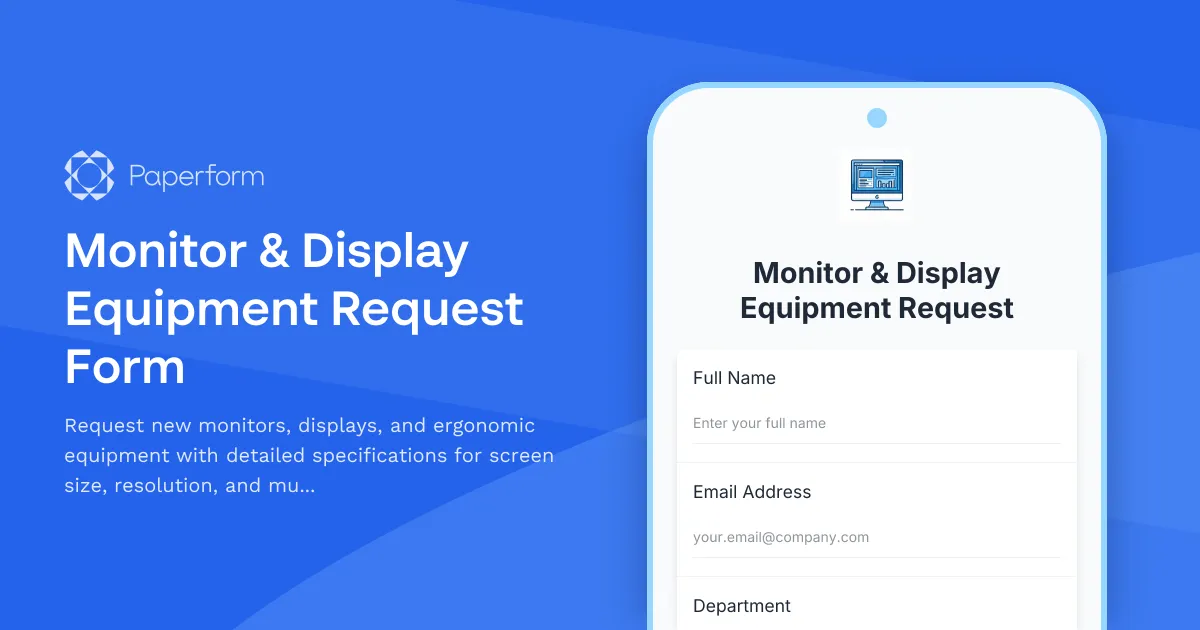
Streamline Your Monitor & Display Equipment Requests with Paperform
Managing IT equipment requests can be a time-consuming process, especially when it comes to monitors and display setups that require detailed specifications and justifications. This Monitor & Display Equipment Request Form template is designed to help IT teams, operations managers, and facilities coordinators efficiently process hardware requests while capturing all the essential information needed for procurement and approval workflows.
Why Use This Monitor Equipment Request Template?
Whether you're managing a growing tech startup, supporting a hybrid workforce, or overseeing IT operations for a mid-sized business, this form template helps you:
- Capture detailed specifications including screen size preferences, resolution requirements, and refresh rates
- Document ergonomic needs such as adjustable stands, VESA mount compatibility, and height adjustment requirements
- Justify multi-monitor setups with clear business cases and productivity explanations
- Streamline approval workflows by collecting manager information and cost center details upfront
- Track equipment requests systematically across departments and teams
Perfect for IT Professionals and Modern Workplaces
This template is ideal for IT managers, system administrators, operations coordinators, and facilities teams working in technology companies, software development firms, design agencies, financial services, consulting firms, and any organization that values employee productivity and ergonomic workspace setups.
The form is particularly valuable for organizations supporting:
- Remote and hybrid workers needing home office equipment
- Developers, designers, and data analysts requiring multi-monitor configurations
- Teams upgrading from outdated displays to modern high-resolution screens
- Employees with ergonomic accommodations and accessibility needs
How Paperform Makes Equipment Requests Effortless
Unlike rigid form builders or clunky PDF request forms, Paperform gives you a document-style editor that makes it easy to customize this template to match your organization's specific requirements, branding, and approval processes. You can add your company logo, adjust question wording, include budget guidelines, or add conditional fields that appear only when relevant.
The form includes smart conditional logic to show different questions based on request type—for example, multi-monitor justification fields only appear when someone requests more than one display. This keeps the form clean and focused while still capturing comprehensive information when needed.
Automate Your Equipment Request Workflow with Stepper
Once you've captured a monitor request, the real work begins: routing approvals, checking inventory, creating purchase orders, and tracking fulfillment. This is where Stepper becomes invaluable.
With Stepper's AI-native workflow automation, you can:
- Automatically route requests to the appropriate manager or IT lead based on department or cost threshold
- Trigger approval workflows that notify budget owners and track their responses
- Create tickets in your asset management system or ServiceNow instance
- Update inventory spreadsheets in Google Sheets or Airtable when equipment is allocated
- Send status notifications to requesters at each stage—received, approved, ordered, delivered
- Sync with procurement tools like your ERP or purchasing platform to generate POs automatically
This level of automation means your IT team spends less time on manual handoffs and email chains, and more time on strategic work that drives the business forward.
Integrate with Your Existing IT Stack
Paperform connects seamlessly with the tools IT teams already rely on. Send monitor requests directly to:
- Slack for instant team notifications when high-priority requests come in
- Google Sheets or Airtable to maintain a centralized equipment request log
- Jira or Monday.com to create tracking tickets for procurement and setup
- HubSpot or Salesforce if you're tracking employee experience metrics
- Your CRM or HRIS to associate equipment with employee records
With webhooks and API access, you can push data anywhere you need it, ensuring this form becomes a seamless part of your existing IT operations rather than another disconnected tool.
Built for Security and Compliance
For IT teams handling internal requests that may include employee information and budget data, security matters. Paperform is SOC 2 Type II compliant and offers SSO, role-based permissions, and data residency controls so you can confidently deploy this form across your organization. Set up different access levels for requesters, approvers, and IT administrators, and ensure sensitive information stays protected.
Customizable for Your Organization's Needs
Every organization has unique equipment policies, budget approval thresholds, and preferred vendors. This template is fully customizable:
- Add fields for specific monitor brands or models your organization supports
- Include budget ranges or cost approval fields
- Customize urgency options to match your SLA timeframes
- Add compliance questions for accessibility accommodations
- Include fields for equipment returns when someone is upgrading
The document-style editor makes these changes intuitive—no developer required.
Start Processing Monitor Requests More Efficiently
This Monitor & Display Equipment Request Form template helps IT teams bring structure to hardware requests, reduce back-and-forth emails, and ensure the right people get the right equipment to do their best work. Combined with Paperform's automation capabilities and Stepper workflows, you'll transform equipment requests from an administrative burden into a smooth, efficient process that supports your team's productivity.
Get started with this template today and experience how Paperform makes IT operations simpler, faster, and more professional.



More templates like this

Home Office Battery Backup & UPS Request Form
Request battery backup and UPS equipment for your home office to ensure business continuity during power outages. Assess your power needs, prioritize critical devices, and plan for uninterrupted remote work.

Remote Work Monitor & Display Upgrade Request
Request approval for new monitors and display equipment for your home office setup. Submit screen specifications, multiple monitor needs, and mounting requirements for budget approval.

Hybrid Work Equipment Check-Out Form
A comprehensive form for hybrid and remote employees to request, check out, and track company equipment including laptops, monitors, peripherals, and accessories with return scheduling and liability acknowledgment.
IT Hardware and Software Request Form
Request IT hardware, software, and equipment with technical specifications, compatibility requirements, security clearance, and asset tracking.

Work From Home Technology Upgrade Program Application
Apply for technology upgrades and equipment refreshes for your home office setup. Request emerging tech, scalability improvements, and innovation budget for long-term remote work success.
Workstation Imaging Request Form
Request a new workstation image with standard builds, custom software, data migration, and flexible scheduling. Streamline IT provisioning for your team.

Collaboration Workspace Admin Access Request
Request administrative access to collaboration workspaces including member management, content moderation, and archive permissions for project teams.
Communication and Collaboration Platform Request Form
Request a new communication and collaboration platform for your team or organization with detailed requirements for users, channels, storage, and migration planning.

Corporate VPN Access Request Form
Streamline remote access requests with this corporate VPN access form. Collect employee details, device information, security clearance levels, and route for manager approval—all in one secure workflow.

Employee Offboarding IT Access Revocation Checklist
Comprehensive IT offboarding checklist to systematically revoke employee system access, track equipment returns, and ensure secure account closure across all platforms.
Enterprise File Sync & Share Solution Request Form
Request enterprise file sync and share solutions with detailed requirements for user counts, storage quotas, external sharing controls, and mobile app features.
Hardware Upgrade Request Form
Request hardware upgrades for aging workstations with performance issue tracking and automated budget impact calculations.