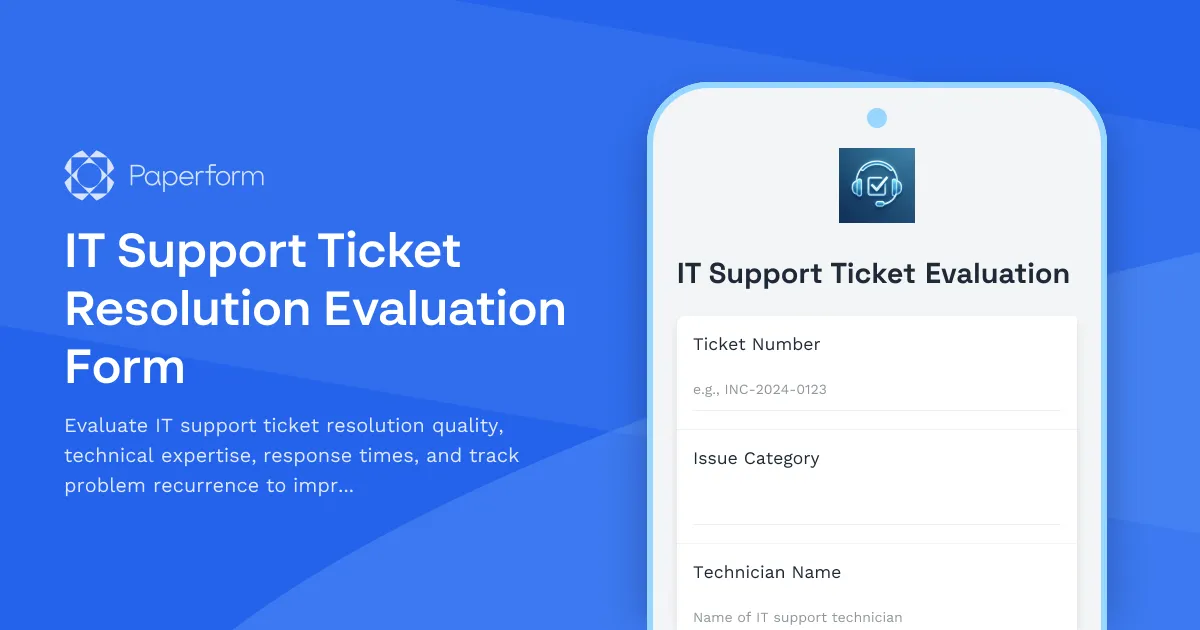
IT Support Ticket Resolution Evaluation Form Template
When your business relies on technology to operate smoothly, the quality of your IT support can make or break productivity. Whether you're managing an internal IT team or working with external service providers, understanding how well support tickets are being resolved is essential for continuous improvement.
This IT Support Ticket Resolution Evaluation Form gives you a structured way to collect feedback on every aspect of your IT support experience—from initial response times and technical expertise to communication quality and whether the problem actually stays fixed.
Why evaluate IT support ticket resolution?
IT support evaluations serve multiple purposes for businesses of all sizes. They help you:
- Identify training opportunities for your IT team based on recurring technical gaps
- Measure service level agreement (SLA) compliance with concrete data from end users
- Spot systemic issues that require infrastructure or process improvements rather than quick fixes
- Recognize top performers on your IT team who consistently deliver excellent service
- Make informed decisions about IT vendors, contractors, or managed service providers
- Reduce ticket recurrence by understanding root causes and preventive measures
For IT managers, operations teams, and service desk leaders, this feedback becomes invaluable for resource allocation, vendor negotiations, and strategic planning.
What makes this template effective?
This form template is designed specifically for the realities of IT support evaluation. It captures:
Ticket identification and context — Reference numbers, issue categories, and technician assignments create an audit trail that connects feedback to specific incidents.
Response time assessment — Users rate how quickly their issue was acknowledged and ultimately resolved, giving you data on whether your response targets are meeting real-world expectations.
Technical expertise evaluation — Beyond just "did it work," this form asks whether the technician demonstrated knowledge, explained solutions clearly, and provided preventive guidance.
Problem resolution quality — Multiple questions assess whether the issue was actually fixed, not just closed, and whether users understand how to prevent similar issues.
Recurrence tracking — Critically important questions identify whether this is a repeat problem, helping you spot underlying infrastructure issues or gaps in permanent solutions.
Communication and professionalism — IT support isn't just about technical skills—how technicians communicate, set expectations, and follow up matters enormously for user satisfaction and trust.
Who benefits from this template?
IT managers and service desk leaders use this form to monitor team performance, identify coaching opportunities, and demonstrate the value of IT investments to leadership.
Operations managers in SMBs rely on these evaluations to ensure technology issues aren't creating productivity bottlenecks across the organization.
HR and administrative teams use feedback data to address employee concerns about IT support quality and ensure technology infrastructure supports business operations.
External IT consultants and MSPs (managed service providers) can share this form with clients to gather structured feedback, demonstrate service quality, and show commitment to continuous improvement.
Software companies and SaaS providers with customer-facing support teams can adapt this template to evaluate technical support delivery and customer satisfaction.
Seamless integration with your IT service management tools
Paperform makes it easy to connect this evaluation form to your existing IT ecosystem. Send completed evaluations directly into your ticketing system (like Jira Service Management, Zendesk, or Freshdesk) using native integrations or webhooks. Push ratings and comments into Google Sheets or Airtable for analysis and reporting, or connect to Slack to alert your IT team when low scores come through.
For deeper automation, use Stepper (stepper.io) to build workflows that route different scores to different actions—positive evaluations could trigger recognition emails to technicians, while critical feedback could create follow-up tasks for IT managers or escalate recurring issues to infrastructure teams.
Build on this template with conditional logic and automation
Paperform's conditional logic means you can tailor the evaluation experience based on responses. If someone indicates the problem wasn't fully resolved, show additional fields asking about outstanding issues. If they report this is a recurring problem, automatically reveal questions about previous ticket numbers and frequency.
You can also use calculations to create composite scores across multiple dimensions (technical expertise, communication, resolution quality) and route those scores to dashboards or performance tracking systems. Success pages can adapt based on satisfaction level—thanking users for positive feedback while assuring them that critical issues will be escalated immediately.
Professional, on-brand evaluation forms
Unlike generic survey tools that scream "another feedback form," Paperform lets you create IT support evaluations that match your company's visual identity. Customize fonts, colors, backgrounds, and button styles to create forms that feel like a natural extension of your internal communications or client portal.
Whether you embed this form in your IT service portal, send it via automated email after ticket closure, or share it through Slack when issues are resolved, it'll look professional and trustworthy—increasing response rates and the quality of feedback you receive.
Start improving your IT support quality today
This IT Support Ticket Resolution Evaluation Form template gives you everything you need to start measuring, improving, and demonstrating the value of your IT support function. With Paperform's no-code editor, you can customize questions, add your company logo, adjust rating scales, and start collecting actionable feedback in minutes.
For IT service desks, operations teams, and businesses that depend on responsive, effective technical support, this template turns subjective experiences into quantifiable insights that drive real improvement.
Trusted by over 500,000 teams worldwide, SOC2 Type II & GDPR compliant, Paperform gives you enterprise-grade security with SMB-friendly simplicity—so you can focus on fixing technology issues, not wrestling with form builders.



More templates like this
Network Installation Service Evaluation Form
Evaluate network installation quality, speed optimization, security setup, and documentation. Gather detailed feedback on technical service delivery and customer experience.

Hybrid Work Trial Period Evaluation Form
Evaluate your hybrid work trial experience with productivity assessments, communication ratings, and schedule recommendations to help determine your optimal permanent work arrangement.

Knowledge Sharing & Documentation Survey
Evaluate your organization's knowledge management systems, documentation quality, and information sharing culture to identify opportunities for improvement and boost team productivity.
Printer Repair Service Feedback Form
Collect detailed feedback on printer repair services, including problem resolution quality, print quality improvements, and technician performance to continuously improve service delivery.
Translation Services Provider Assessment
Evaluate translation service providers on accuracy, cultural adaptation, turnaround time, and subject matter expertise to ensure quality for your global business needs.
Website Maintenance Service Quality Evaluation Form
A comprehensive evaluation form for assessing website maintenance service providers on uptime reliability, update speed, security patch management, and overall service quality.

Audio-Visual Equipment Vendor Performance Evaluation Form
Evaluate your AV equipment vendor's performance across technology reliability, setup support, troubleshooting response times, and equipment condition to ensure quality service delivery.
Event Planning Service Evaluation Form
Comprehensive evaluation form for assessing event planning services, including vendor coordination, timeline management, budget adherence, and overall service quality.
Event Production Vendor Evaluation Form
Evaluate event production vendors on setup efficiency, equipment quality, staff professionalism, and breakdown timeliness. Streamline supplier performance reviews and improve future event partnerships.
IT Certification Boot Camp Instructor Evaluation Form
Comprehensive evaluation form for IT certification boot camp instructors, measuring teaching effectiveness, technical expertise, lab quality, and exam preparation support.
IT Support Technician Performance Review
Evaluate IT support technician performance with metrics for ticket resolution, user satisfaction, technical knowledge, and system uptime contribution.
IT Support Ticket Resolution Satisfaction Survey
Measure customer satisfaction with IT support ticket resolution, including response time, technician expertise, problem resolution quality, and follow-up service.