
Streamline Your Hybrid Workspace Equipment Management with Paperform
Managing equipment loans for a distributed workforce doesn't have to mean endless spreadsheets, lost emails, or mysterious missing monitors. Whether you're supporting hoteling employees, remote team members, or hybrid workers who need to kit out their home offices, this Hybrid Work Equipment Check-Out Form gives you a professional, trackable system that works as hard as your team does.
Why Equipment Management Matters for Hybrid Teams
As hybrid work becomes the norm rather than the exception, IT departments, office managers, and operations teams are juggling an increasingly complex inventory of laptops, monitors, keyboards, webcams, and accessories moving between offices and home workspaces. Without a clear check-out process, equipment can go missing, damage accountability becomes murky, and budgeting for replacements turns into guesswork.
This template solves those headaches by creating a single source of truth for every piece of equipment that leaves your office. Employees request what they need, acknowledge their responsibility for care and return, and schedule their return date—all in one clean, mobile-friendly form that takes minutes to complete.
Built for IT Managers, Office Coordinators, and HR Teams
This form template is designed specifically for:
- IT departments managing laptop loan programs, monitor rentals, and peripheral inventory across hybrid teams
- Office managers and workplace coordinators supporting hot-desking and flexible workspace arrangements
- Operations teams handling equipment allocation for remote and distributed employees
- HR and people operations onboarding new hires who need home office equipment
- Facilities managers tracking assets across multiple office locations and home setups
Whether you're in technology, consulting, marketing agencies, professional services, financial services, or any knowledge-work industry embracing flexible work, this template adapts to your equipment inventory and workplace policies.
What Makes This Template Work
Clear equipment categories: From laptops and monitors to keyboards, mice, webcams, docking stations, and cables—employees can select exactly what they need from your available inventory, with conditional logic showing relevant options based on their selections.
Liability and care acknowledgment: Built-in policy acceptance ensures every employee understands their responsibility for equipment care, security protocols, and timely returns before they walk out with your assets.
Return scheduling: Integrated date fields let you track expected return dates, manage equipment availability, and send automated reminders when returns are due—reducing the "I forgot I had that" equipment black hole.
Damage reporting: Transparent damage liability acknowledgment protects both parties, clarifying when employees are responsible for repairs or replacement versus normal wear and tear.
Asset tracking: Collect serial numbers, condition notes at checkout, and unique identifiers that make reconciling your inventory at quarter-end or year-end dramatically easier.
How Paperform Elevates Your Equipment Management
Using Paperform for equipment checkout gives you advantages that simple spreadsheets or email requests can't match:
Conditional logic shows employees only the relevant questions based on their equipment selections—no more "N/A" filling in a one-size-fits-all form.
Professional, branded experience means your form can match your company look and feel, whether embedded in your intranet or sent as a standalone link. First impressions matter, even for internal processes.
Automatic notifications let you ping the right team members when new requests come in, or remind employees a week before their equipment is due back.
Integration with your existing tools means submissions can flow directly into your inventory management system, IT ticketing platform, Google Sheets asset tracker, Airtable base, or Slack channel—no manual data entry required.
Extend Your Workflow with Stepper
Once an employee submits their equipment request, the real work begins: approvals, inventory checks, scheduling pickup or shipping, updating asset registers, and tracking returns. That's where Stepper transforms your simple form into a complete equipment lifecycle workflow.
With Stepper, you can automatically:
- Route high-value equipment requests (like laptops) to IT managers for approval before fulfillment
- Check inventory availability in your asset management system and update stock levels
- Create pickup appointment slots or generate shipping labels based on the employee's location
- Send calendar reminders to employees as their return date approaches
- Update your CMDB or IT asset register when equipment is checked out and returned
- Trigger return reminders via email or Slack two weeks, one week, and one day before the due date
- Flag overdue equipment and escalate to managers automatically
All of this happens behind the scenes while you focus on strategic workplace initiatives instead of chasing down missing keyboards.
Keep Equipment Secure with Papersign
For higher-value equipment or compliance-heavy industries, you might need employees to formally sign equipment loan agreements, acceptable use policies, or liability waivers. Papersign lets you turn each equipment checkout into a legally binding, electronically signed agreement that's automatically attached to the original submission.
After an employee completes the form, Papersign generates a custom agreement with their name, the equipment list, return date, and liability terms pre-filled, sends it for eSignature, and stores the signed document with a complete audit trail. This is particularly valuable for contractors, temporary workers, or international team members where equipment accountability needs extra documentation.
Designed for Real-World Hybrid Scenarios
This template handles the complexity of modern hybrid work arrangements:
- Hoteling and hot-desking: Employees who split time between home and office can check out equipment for multi-week periods and return it when their in-office stint ends
- Project-based equipment needs: Designers, video editors, or data analysts can request specialized gear for specific projects with defined return dates
- New hire onboarding: Seamlessly issue starter kits of equipment to remote employees on day one, with clear expectations about care and eventual return if they leave
- Short-term loans: Employees whose personal equipment fails can quickly request loaner gear while repairs are underway
- Office location transfers: Team members moving between offices or from office to remote can document their equipment transitions
Built for Flexibility and Control
Every organization has different equipment inventory, policies, and approval workflows. This template is intentionally flexible—you can easily customize equipment options, add your own policy language, include specific serial number or asset tag fields, build in conditional approval routing, or integrate with your preferred tools.
Because it's built on Paperform, non-technical team members in IT, operations, or HR can own and update the form themselves without waiting on developers or external vendors. Need to add a new peripheral category? Done in minutes. Want to update your liability policy? Edit the text and republish. This is the kind of operational autonomy that makes hybrid work management sustainable at scale.
Trusted, Secure, and Compliant
When you're tracking valuable company assets moving through employee homes, security and compliance aren't optional. Paperform is SOC 2 Type II certified and offers data residency controls, SSO, role-based permissions, and encrypted data transmission, giving you confidence that your equipment records and employee information are protected.
For enterprises managing equipment across multiple departments or geographic regions, Paperform's Agency+ and Enterprise plans offer centralized billing, advanced user management, and dedicated support to ensure your equipment tracking scales as your hybrid workforce grows.
Start Managing Equipment Like a Pro
Stop losing track of laptops, chasing down unreturned monitors, or wondering who has what equipment where. This Hybrid Work Equipment Check-Out Form gives you a professional, automated system that respects your employees' time while protecting your company's assets—the kind of win-win that makes hybrid work actually work.
Whether you're a 20-person startup kitting out your first remote hires or a 500-person scale-up managing equipment across three continents, Paperform gives you the flexibility, automation, and integrations to build an equipment management process that grows with you.



More templates like this

Remote Work Monitor & Display Upgrade Request
Request approval for new monitors and display equipment for your home office setup. Submit screen specifications, multiple monitor needs, and mounting requirements for budget approval.

Home Office Battery Backup & UPS Request Form
Request battery backup and UPS equipment for your home office to ensure business continuity during power outages. Assess your power needs, prioritize critical devices, and plan for uninterrupted remote work.

Work From Home Technology Upgrade Program Application
Apply for technology upgrades and equipment refreshes for your home office setup. Request emerging tech, scalability improvements, and innovation budget for long-term remote work success.

Home Office Electrical Capacity & Equipment Reimbursement Form
Assess your home office electrical needs, calculate circuit load requirements, and request reimbursement for power strips, outlets, and electrician consultations to ensure safe and compliant remote work setups.

Hybrid Work Equipment Insurance & Damage Assistance Form
Submit claims for accidental damage, theft, or loss of home office equipment with deductible assistance, repair cost sharing, and replacement support for hybrid workers.
IT Equipment & Home Office Setup Request Form
A comprehensive request form for hybrid workers to specify their IT equipment needs, home office setup requirements, monitor preferences, keyboard specifications, and VPN access.

Corporate VPN Access Request Form
Streamline remote access requests with this corporate VPN access form. Collect employee details, device information, security clearance levels, and route for manager approval—all in one secure workflow.

Emergency Communication Device Allowance Request
Request reimbursement or allowance for emergency communication equipment including satellite phones, emergency radios, and backup devices for remote work locations.
Home Office Emergency Kit & Supplies Request Form
Request essential emergency supplies and safety equipment for your home office, including first aid kits, backup power solutions, emergency contact devices, and disaster preparedness items to ensure business continuity during unforeseen events.
Home Office Soundproofing & Acoustic Treatment Request
Request acoustic improvements and soundproofing solutions for your home office to enhance audio quality and reduce noise distractions during remote work.
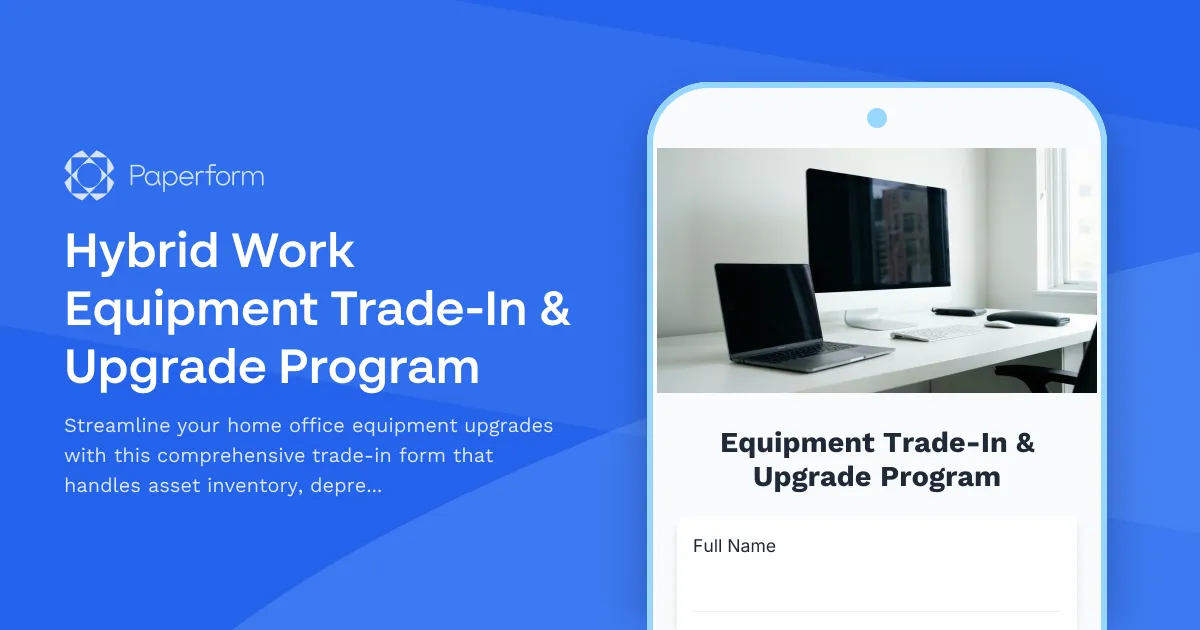
Hybrid Work Equipment Trade-In & Upgrade Program
Streamline your home office equipment upgrades with this comprehensive trade-in form that handles asset inventory, depreciation calculations, refurbishment options, and eco-friendly disposal compliance.
Hybrid Work Ergonomic Assessment Form
A comprehensive ergonomic assessment form for hybrid and remote workers to evaluate home office setup, request equipment, and ensure a safe, comfortable workspace that meets workplace health standards.