
Power Your Home Office Safely: Electrical Capacity Assessment & Reimbursement
As remote and hybrid work becomes the norm, ensuring your home office has the electrical infrastructure to support modern equipment is critical—not just for productivity, but for safety. Overloaded circuits, inadequate outlets, and improperly rated power strips can create fire hazards and equipment damage that put both employees and employers at risk.
This Home Office Electrical Capacity & Equipment Reimbursement Form helps organizations proactively assess employee workspace electrical needs, calculate circuit load requirements, identify safety gaps, and streamline reimbursement for essential upgrades like dedicated outlets, commercial-grade power strips, surge protectors, and professional electrician consultations.
Why electrical assessments matter for remote workers
Remote employees often set up workspaces in spare bedrooms, basements, or converted dining rooms—spaces that weren't designed to handle the simultaneous load of laptops, monitors, docking stations, printers, desk lamps, phone chargers, and other office equipment. When circuit capacity is exceeded or outlets are daisy-chained with low-quality power strips, the risks multiply:
- Fire hazards from overloaded circuits and faulty wiring
- Equipment damage from power surges or brownouts
- Productivity loss from tripped breakers and downtime
- Liability concerns for employers providing equipment without ensuring safe power delivery
By formalizing the electrical assessment process, HR, IT, and facilities teams can ensure employees have the infrastructure to work safely and efficiently—and that any necessary upgrades are reimbursed quickly and fairly.
What this template helps you collect
This form walks employees through a detailed electrical assessment of their home office, gathering the information needed to calculate circuit load, identify safety risks, and determine reimbursement eligibility:
- Current electrical setup: Number and location of outlets, existing power strips, circuit breaker specifications, and outlet types (grounded vs. ungrounded)
- Equipment inventory: Complete list of office devices with wattage, usage patterns, and simultaneous operation requirements
- Load calculations: Automated calculations to determine total wattage, circuit capacity utilization, and whether dedicated circuits are needed
- Safety compliance: Fire safety checklist covering smoke detectors, proper ventilation, cord management, and clearance around equipment
- Reimbursement requests: Line items for power strips, surge protectors, outlet installation, electrician consultations, and other approved electrical upgrades
- Electrician consultation details: Quotes, scope of work, safety certifications, and photos or documentation from licensed professionals
The form uses conditional logic to show relevant fields based on setup complexity—employees with simple needs see a streamlined experience, while those requiring dedicated circuits or major upgrades are guided through detailed assessment questions.
How Paperform powers safe, compliant remote work infrastructure
Paperform is built for the operational workflows that keep remote teams running smoothly. This template goes beyond basic data capture:
- Calculation fields automatically tally equipment wattage, compare against circuit capacity (typically 1,440W for a 15A circuit or 1,920W for 20A), and flag when loads exceed safe thresholds
- Conditional logic shows circuit upgrade questions only when load calculations indicate capacity issues, keeping the form focused and relevant
- File upload fields allow employees to attach photos of their current setup, electrician quotes, circuit breaker panel labels, and receipts for reimbursement
- Approval workflows via Stepper can route high-cost reimbursement requests (e.g., dedicated circuit installation) through facilities managers or finance for sign-off, while auto-approving standard power strip requests under a set dollar threshold
- Integrations with tools like Google Sheets, Airtable, Slack, and your HRIS ensure requests are logged, tracked, and processed without manual data entry
For teams managing reimbursements across dozens or hundreds of remote employees, this level of automation saves significant admin time while maintaining visibility and compliance.
Who benefits from this template
This form is designed for:
- HR and people operations teams managing home office stipends, reimbursements, and remote work policies
- IT and facilities managers responsible for ensuring safe and adequate infrastructure for company-provided equipment
- Finance teams tracking and approving electrical upgrade expenses as part of remote work budgets
- Health and safety officers ensuring fire safety compliance and reducing liability in distributed work environments
- Employees who need guidance on assessing their home office electrical capacity and requesting support for safe upgrades
Industries with significant remote or hybrid workforces—including technology, consulting, finance, marketing agencies, customer service, healthcare administration, and education—will find this template especially valuable.
Use Stepper to automate approvals and reimbursements
Once a request is submitted, Stepper (stepper.io)—Paperform's AI-native workflow builder—can take over the heavy lifting:
- Auto-categorize requests by type (standard power strip, dedicated circuit, electrician consult) and route them to the right approver
- Flag high-risk submissions where calculated load exceeds safe thresholds and trigger a safety review before approval
- Send approval notifications to managers or finance with all relevant details, photos, and calculations in one place
- Update expense tracking tools like QuickBooks, Xero, or your internal reimbursement system once approved
- Schedule follow-ups to ensure electrical work is completed and documentation is submitted for final reimbursement
This workflow automation ensures nothing falls through the cracks and employees get timely responses on critical safety and infrastructure needs.
Customizing the template for your organization
Every organization has different remote work policies, reimbursement caps, and safety standards. Paperform's doc-style editor makes it easy to customize:
- Adjust reimbursement categories and spending limits to match your policy
- Add or remove equipment types from the inventory checklist
- Customize circuit load thresholds based on regional electrical standards (e.g., 230V systems outside North America)
- Include company-specific safety requirements, approved vendor lists, or documentation standards
- Brand the form with your logo, colors, and fonts to keep the experience consistent with other internal tools
You can also embed the form on your company intranet, share it via direct link, or include it in onboarding packets for new remote hires.
Keeping remote workspaces safe and productive
As hybrid work evolves, proactive infrastructure support—especially around electrical safety—is a competitive advantage. Employees who know their employer cares about their safety and productivity are more engaged, less stressed, and better equipped to do their best work.
This template helps you move from reactive troubleshooting ("my breaker keeps tripping") to proactive planning, giving employees the tools and budget to set up home offices that are safe, compliant, and built to last.
Start streamlining your home office electrical assessments and reimbursements with Paperform today.



More templates like this

Hybrid Work Equipment Check-Out Form
A comprehensive form for hybrid and remote employees to request, check out, and track company equipment including laptops, monitors, peripherals, and accessories with return scheduling and liability acknowledgment.

Hybrid Work Equipment Insurance & Damage Assistance Form
Submit claims for accidental damage, theft, or loss of home office equipment with deductible assistance, repair cost sharing, and replacement support for hybrid workers.

Remote Work Monitor & Display Upgrade Request
Request approval for new monitors and display equipment for your home office setup. Submit screen specifications, multiple monitor needs, and mounting requirements for budget approval.

Emergency Communication Device Allowance Request
Request reimbursement or allowance for emergency communication equipment including satellite phones, emergency radios, and backup devices for remote work locations.

Home Office Battery Backup & UPS Request Form
Request battery backup and UPS equipment for your home office to ensure business continuity during power outages. Assess your power needs, prioritize critical devices, and plan for uninterrupted remote work.
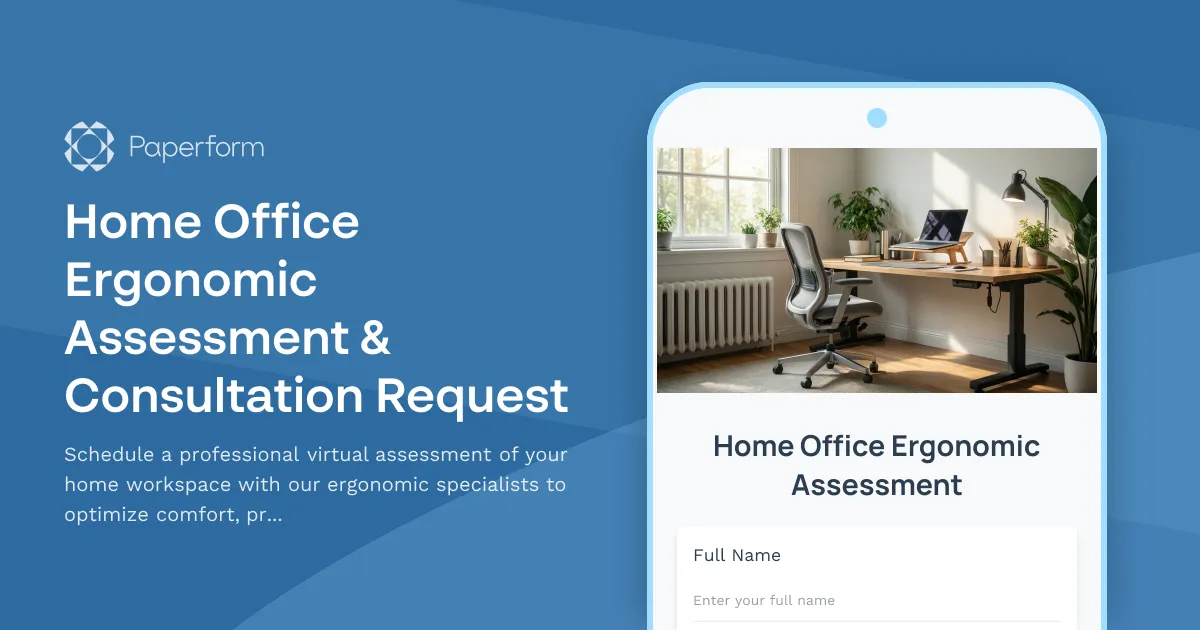
Home Office Ergonomic Assessment & Consultation Request
Schedule a professional virtual assessment of your home workspace with our ergonomic specialists to optimize comfort, productivity, and receive personalized equipment recommendations.
Hybrid Work Ergonomic Assessment Form
A comprehensive ergonomic assessment form for hybrid and remote workers to evaluate home office setup, request equipment, and ensure a safe, comfortable workspace that meets workplace health standards.
Remote Work Backup Power Supply Request Form
Request backup power equipment for your remote workspace. Submit UPS specifications, runtime requirements, and equipment protection needs for home office power continuity.
Smart Home Office Equipment Request Form
Request and set up smart home office equipment including voice assistants, automated lighting, climate control, and IoT devices with built-in security compliance for remote work productivity.

Work From Home Technology Upgrade Program Application
Apply for technology upgrades and equipment refreshes for your home office setup. Request emerging tech, scalability improvements, and innovation budget for long-term remote work success.
Home Office Emergency Kit & Supplies Request Form
Request essential emergency supplies and safety equipment for your home office, including first aid kits, backup power solutions, emergency contact devices, and disaster preparedness items to ensure business continuity during unforeseen events.
Home Office Privacy & Security Equipment Request Form
Request locks, soundproofing, and privacy equipment for your home office. Ensure confidential work requirements are met with proper security hardware and visual privacy solutions.