
Protect Your Remote Work Setup with Reliable Battery Backup
Power outages shouldn't bring your productivity to a halt. If you're working remotely and rely on critical equipment—whether you're on client calls, managing servers, or handling time-sensitive projects—a home office battery backup system is essential for business continuity.
This Home Office Battery Backup & UPS Request Form helps remote employees assess their power protection needs, calculate appropriate UPS (Uninterruptible Power Supply) sizing, prioritize equipment, and request reimbursement or company-provided battery backup solutions.
Why Battery Backup Matters for Remote Workers
Remote positions often involve mission-critical work that can't afford interruption. A sudden power failure can result in:
- Lost work and corrupted files
- Dropped client calls and damaged professional relationships
- Missed deadlines and SLA breaches
- Hardware damage from sudden power loss
- Lost revenue during outages
A properly sized UPS system provides seamless power during outages, giving you time to save work, gracefully shut down equipment, or continue working through brief interruptions.
Who Should Use This Form
This template is perfect for:
- Remote employees who need reliable power for critical business operations
- IT professionals working from home who manage servers or development environments
- Customer service teams handling live support calls
- Financial professionals processing transactions or managing sensitive data
- Healthcare workers conducting telehealth appointments
- Anyone whose role requires uninterrupted connectivity and uptime
What This Form Captures
Our comprehensive battery backup request form collects all the information needed to specify, approve, and deploy the right power protection solution:
Employee & Role Information
- Department and position details
- Work-from-home arrangement type (full-time remote, hybrid, etc.)
- Manager approval requirements
Power Requirements Assessment
- Complete inventory of equipment requiring backup power
- Wattage calculations for each device
- Total power load assessment
- Runtime requirements (how long you need backup power)
Equipment Prioritization
- Critical devices that must stay powered (computer, router, monitors)
- Secondary equipment that can be shut down
- Nice-to-have devices
Power Failure Planning
- Frequency and duration of power outages in your area
- Current power protection measures
- Business impact of power loss
- Backup internet options (cellular, mobile hotspot)
UPS Specifications & Budget
- Recommended UPS capacity based on your needs
- Preferred UPS features (automatic voltage regulation, LCD display, surge protection)
- Budget allocation and reimbursement details
Use Paperform to Streamline Equipment Requests
With Paperform, you can create a smooth, professional experience for home office equipment requests:
- Conditional logic shows UPS recommendations based on total wattage calculations
- Built-in calculations automatically compute required UPS capacity from device wattages
- File upload fields for photos of your current setup or utility bills showing outage frequency
- Approval workflows route requests to managers and IT for review
- Payment integration if employees are purchasing equipment for reimbursement
Automate Your Equipment Approval Process with Stepper
Once a battery backup request is submitted, Stepper can automate your entire approval and fulfillment workflow:
- Route requests to the appropriate manager based on department or equipment cost
- Send approval notifications via Slack or email with one-click approve/deny
- Create purchase orders in your procurement system once approved
- Update inventory tracking in Airtable or Google Sheets
- Trigger reimbursement workflows through your expense management platform
- Send setup instructions and equipment tracking information to employees
- Schedule follow-up to ensure equipment is installed and working properly
This automation eliminates manual handoffs and ensures remote employees get the power protection they need quickly.
Best Practices for Battery Backup Programs
For Employees:
- Be honest about your equipment needs and power requirements
- Measure actual wattage when possible using a power meter
- Consider future equipment additions when sizing your UPS
- Document outage frequency and impact on your work
- Test your UPS system regularly once installed
For IT & Facilities Teams:
- Establish clear eligibility criteria (job roles, business criticality)
- Set budget ranges and approval thresholds
- Provide guidance on appropriate UPS sizing
- Create a vendor list or recommended models
- Track equipment deployment and warranty information
- Include battery replacement in your IT maintenance schedule
For Finance & HR:
- Define reimbursement policies and limits
- Clarify ownership of equipment (company vs. employee)
- Address tax implications if applicable
- Include UPS requirements in remote work agreements
- Consider bulk purchasing for cost savings
Why This Matters for Business Continuity
Remote work has transformed from a perk to a core business strategy. Organizations that invest in proper home office infrastructure—including power protection—see:
- Higher uptime and service availability
- Better employee satisfaction and reduced stress
- Reduced risk of data loss and equipment damage
- Professional reputation maintained during client interactions
- Compliance with business continuity requirements
Customize This Template for Your Organization
Every organization has different power protection needs. Use Paperform's flexible editor to:
- Add company-specific equipment models or vendors
- Include your reimbursement policy language
- Adjust approval workflows to match your org structure
- Add fields for cybersecurity requirements (some UPS systems have network management)
- Include sustainability considerations (battery recycling, energy efficiency)
- Integrate with your existing ITSM or help desk system
Get Started Today
Whether you're an HR manager looking to standardize home office equipment requests, an IT professional ensuring business continuity, or a remote employee seeking proper power protection, this template provides a professional, comprehensive starting point.
With Paperform's intuitive form builder and Stepper's powerful workflow automation, you can deploy a complete battery backup request and approval system in minutes—no coding required.
Trusted by over 500,000 teams worldwide, Paperform is SOC 2 Type II certified and GDPR compliant, making it the secure choice for managing employee equipment requests and sensitive business information.
Start protecting your remote workforce's productivity today with a properly sized battery backup program.



More templates like this

Remote Work Monitor & Display Upgrade Request
Request approval for new monitors and display equipment for your home office setup. Submit screen specifications, multiple monitor needs, and mounting requirements for budget approval.

Work From Home Technology Upgrade Program Application
Apply for technology upgrades and equipment refreshes for your home office setup. Request emerging tech, scalability improvements, and innovation budget for long-term remote work success.

Hybrid Work Equipment Check-Out Form
A comprehensive form for hybrid and remote employees to request, check out, and track company equipment including laptops, monitors, peripherals, and accessories with return scheduling and liability acknowledgment.
Work From Home Webcam & Video Equipment Upgrade Request Form
Request and justify webcam and video equipment upgrades for professional remote work, with technical specifications, budget assessment, and home office needs evaluation.

Hybrid Work Equipment Insurance & Damage Assistance Form
Submit claims for accidental damage, theft, or loss of home office equipment with deductible assistance, repair cost sharing, and replacement support for hybrid workers.
Remote Work Backup Power Supply Request Form
Request backup power equipment for your remote workspace. Submit UPS specifications, runtime requirements, and equipment protection needs for home office power continuity.
Hybrid Work Equipment Sanitization & Cleaning Supplies Request
Request reimbursement for home office sanitization equipment, cleaning supplies, air purifiers, and UV sanitizers to maintain health and safety standards in hybrid work environments.
Hybrid Work Technology Insurance & Protection Plan Request
Request insurance and protection coverage for your home office equipment with custom coverage options, deductible preferences, and comprehensive loss and damage protection policies.

Remote Work Desk Accessories & Organizers Allowance Form
Submit requests for remote work desk accessories, organizers, and workspace optimization items with budget tracking and approval workflow.
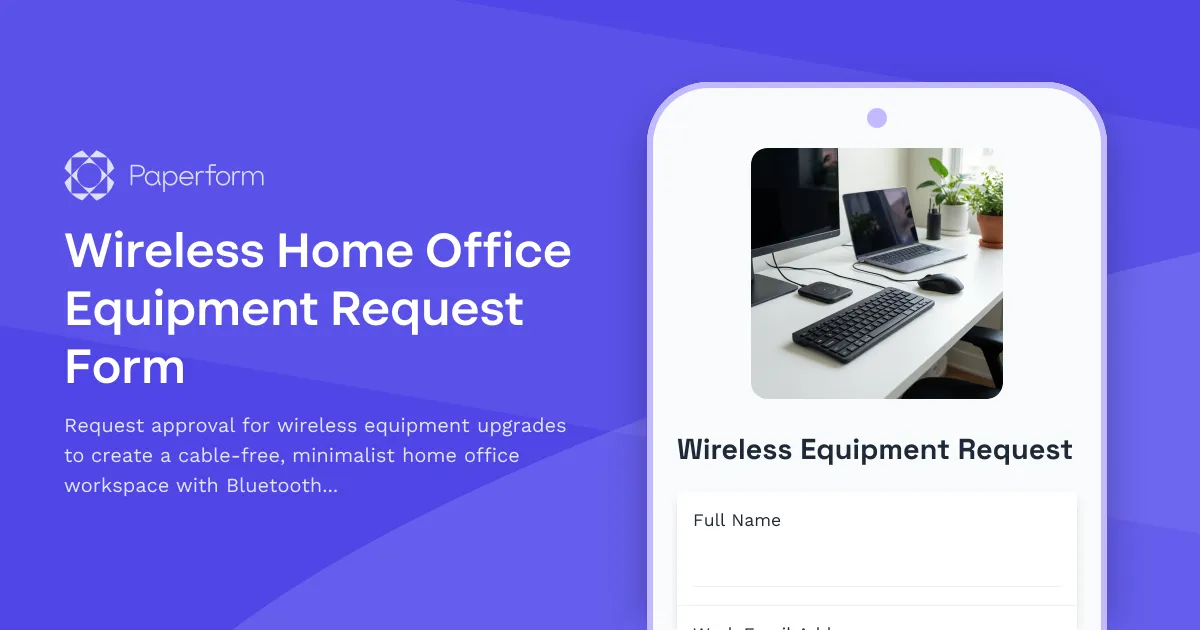
Wireless Home Office Equipment Request Form
Request approval for wireless equipment upgrades to create a cable-free, minimalist home office workspace with Bluetooth peripherals and wireless charging solutions.

Emergency Communication Device Allowance Request
Request reimbursement or allowance for emergency communication equipment including satellite phones, emergency radios, and backup devices for remote work locations.

Home Office Accessibility & Specialized Seating Request Form
Request specialized ergonomic seating, mobility equipment, and accessibility accommodations for your home office workspace with ADA compliance documentation and approval workflow.