Federal Taxpayers' Ombudsman Complaint Form
If you've experienced problems with the Canada Revenue Agency (CRA)—whether it's unreasonable delays, inadequate service, unclear communication, or concerns about how your case has been handled—the Office of the Taxpayers' Ombudsman is an independent resource designed to help. This Federal Taxpayers' Ombudsman Complaint Form provides a clear, structured way to document your concerns and request a review of CRA service, conduct, or administrative matters.
Who This Form Is For
This complaint form is designed for Canadian taxpayers, tax professionals, accountants, bookkeepers, and business owners who need to formally raise issues with CRA service delivery. Common users include:
- Individual taxpayers experiencing delays in benefit payments, refunds, or account adjustments
- Small business owners facing unclear or inconsistent guidance from CRA agents
- Tax preparers and accountants advocating on behalf of clients affected by CRA administrative issues
- Self-employed professionals dealing with reassessments, audit delays, or unresolved disputes
- Benefit recipients whose CERB, CCB, GST/HST credits, or disability benefits have been delayed or denied without clear explanation
If you've already attempted to resolve your issue through CRA's formal complaint process and haven't received a satisfactory outcome—or if the matter involves systemic service problems—the Taxpayers' Ombudsman can conduct an independent review.
What You Can Complain About
The Office of the Taxpayers' Ombudsman reviews complaints related to:
- Service issues: Unreasonable delays in processing returns, refunds, or benefit payments; failure to respond to inquiries; lost documents or correspondence
- Conduct concerns: Discourteous, unprofessional, or inconsistent treatment by CRA staff; contradictory advice from different agents
- Administrative fairness: Unclear communication, lack of transparency, or failure to follow CRA's own policies and service standards
- Access and accommodation: Difficulty reaching CRA phone lines, inadequate support for taxpayers with disabilities, language barriers, or lack of accessible formats
The Ombudsman cannot change CRA decisions on your tax assessment, overturn audit results, or provide tax advice. If you're disputing the amount of tax owed or the outcome of a reassessment, you'll need to file a formal objection or appeal through CRA's objection and appeals process or the Tax Court of Canada.
Why Use Paperform for Your Ombudsman Complaint
Paperform makes it easy to organize and submit a clear, complete complaint that meets the Ombudsman's requirements:
- Guided structure: Walk through each section—personal details, CRA interactions, complaint description, resolution attempts, and desired outcomes—so nothing gets missed
- Document uploads: Attach supporting evidence like CRA correspondence, notices of assessment, call reference numbers, or timelines directly to your submission
- Conditional logic: Show relevant follow-up questions based on your complaint type, ensuring you provide all the context needed for a thorough review
- Secure submissions: SOC 2 Type II compliance and encryption keep your sensitive tax and personal information protected
- Instant confirmation: Receive an automatic email with a copy of your complaint for your records, plus next steps and expected timelines
For accountants, bookkeepers, and tax professionals managing multiple client issues, Paperform's clean interface and integration options make it easy to prepare and track complaints on behalf of clients.
How the Ombudsman Process Works
Once you submit your complaint through this form, the Office of the Taxpayers' Ombudsman will:
- Review eligibility: Confirm that your issue falls within the Ombudsman's mandate and that you've attempted to resolve it through CRA's complaint process first
- Conduct an independent review: Investigate the service, conduct, or administrative matter you've raised, which may include contacting CRA for additional information
- Provide findings and recommendations: Issue a report outlining their findings and, where appropriate, recommend corrective actions or systemic improvements to CRA
The Ombudsman's office aims to acknowledge complaints within 5 business days and complete most reviews within 90 days, though complex or systemic issues may take longer.
Automating Follow-Up and Case Management
If you're a tax professional or business owner handling multiple CRA complaints, Paperform integrates seamlessly with tools like Stepper, Google Sheets, Airtable, and Slack to help you stay organized:
- Automatically log each complaint submission with case details, dates, and supporting documents
- Set reminders to follow up with the Ombudsman's office or update clients on progress
- Route urgent or high-priority complaints to senior team members for immediate attention
- Track outcomes and timelines across all cases in one centralized dashboard
This automation means you can focus on advocating for your clients rather than chasing paperwork.
Who Benefits Most from This Template
This form is especially valuable for:
- Tax professionals and accountants who represent clients in CRA disputes and need a reliable way to escalate unresolved service issues
- Small business owners managing payroll remittances, GST/HST filings, or corporate tax matters who've hit roadblocks with CRA support
- Self-employed individuals dealing with complicated reassessments, benefit clawbacks, or audit delays
- Taxpayers facing financial hardship due to delayed refunds or benefit payments that CRA has been slow to resolve
- Advocacy organizations supporting vulnerable populations—such as seniors, newcomers, or people with disabilities—in navigating CRA systems
Built for Canadian Taxpayers by Paperform
Paperform is trusted by over 500,000 teams worldwide, including accounting firms, bookkeepers, and professional services providers across Canada. With SOC 2 Type II compliance, GDPR readiness, and robust security controls, Paperform ensures your clients' sensitive information stays protected throughout the complaint process.
Whether you're submitting a single complaint or managing a portfolio of client cases, this Federal Taxpayers' Ombudsman Complaint Form template gives you a professional, efficient starting point that reflects the seriousness and detail required for a thorough Ombudsman review.
Start advocating for better CRA service and administrative fairness—submit your complaint with confidence using Paperform.



More templates like this
AFIP Electronic Invoice Authorization Request
Request authorization from AFIP to issue electronic invoices in Argentina. Streamline your B2B billing system integration and compliance with Argentine tax regulations.
Argentine Professional Services Registration Form
A comprehensive registration form for consulting professionals and service providers registering with AFIP, including CUIT verification, service category selection, and revenue projections for Argentine tax compliance.
Business Financial Difficulty Declaration (Procédure de Conciliation)
A comprehensive French legal form for businesses facing financial difficulties to initiate conciliation proceedings, analyze cash flow, and request court-appointed mediation with creditors.
Business Transfer Approval Application Form
Complete business transfer application for Kenyan businesses, collecting outgoing and incoming owner details, KRA tax clearance verification, and full inventory valuation for regulatory approval.
Chilean Cross-Border Services VAT Declaration Form
Complete cross-border services VAT declaration form for Chilean businesses handling international transactions with reverse charge mechanism and country of consumption compliance for SII reporting.
Colombian Simplified Tax Regime (Régimen Simple) Enrollment Form
Streamlined enrollment form for Colombia's Régimen Simple de Tributación with income verification, activity classification, and automatic payment schedule generation.
CRA T2125 Statement of Business Activities
Professional T2125 form for Canadian self-employed individuals and freelancers to report business income and expenses to the Canada Revenue Agency.
CVR-Linked Beneficial Ownership Reporting Form
A comprehensive beneficial ownership reporting form for Danish companies to comply with anti-money laundering regulations, linked to CVR registry data.
Egypt Tax Dispute Resolution Form
Submit tax dispute appeals to the Egyptian Tax Authority with detailed assessment information, supporting evidence, and documentation for committee review.
GST Cancellation Application Form
Apply for GST registration cancellation for closed businesses. Complete final return filing and obtain tax clearance certificate with this streamlined application form.
GST Registration Application Form
A comprehensive GST registration form for new businesses in India to apply for GSTIN allocation with business details and principal place of business documentation.
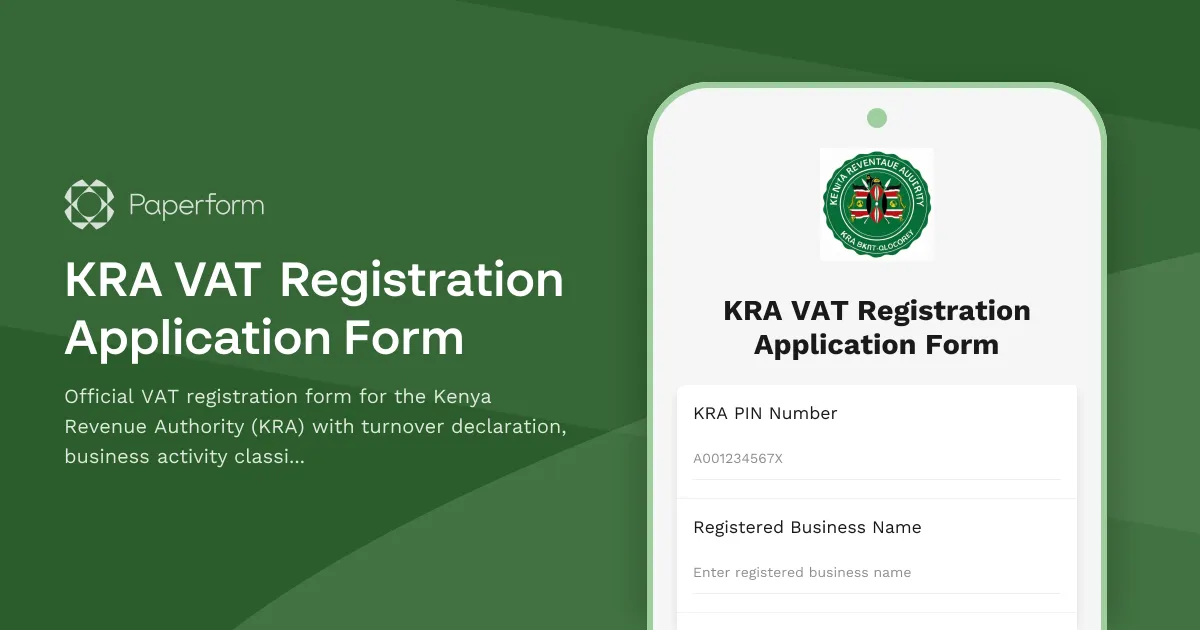
KRA VAT Registration Application Form
Official VAT registration form for the Kenya Revenue Authority (KRA) with turnover declaration, business activity classification, and document upload functionality for Kenyan businesses.