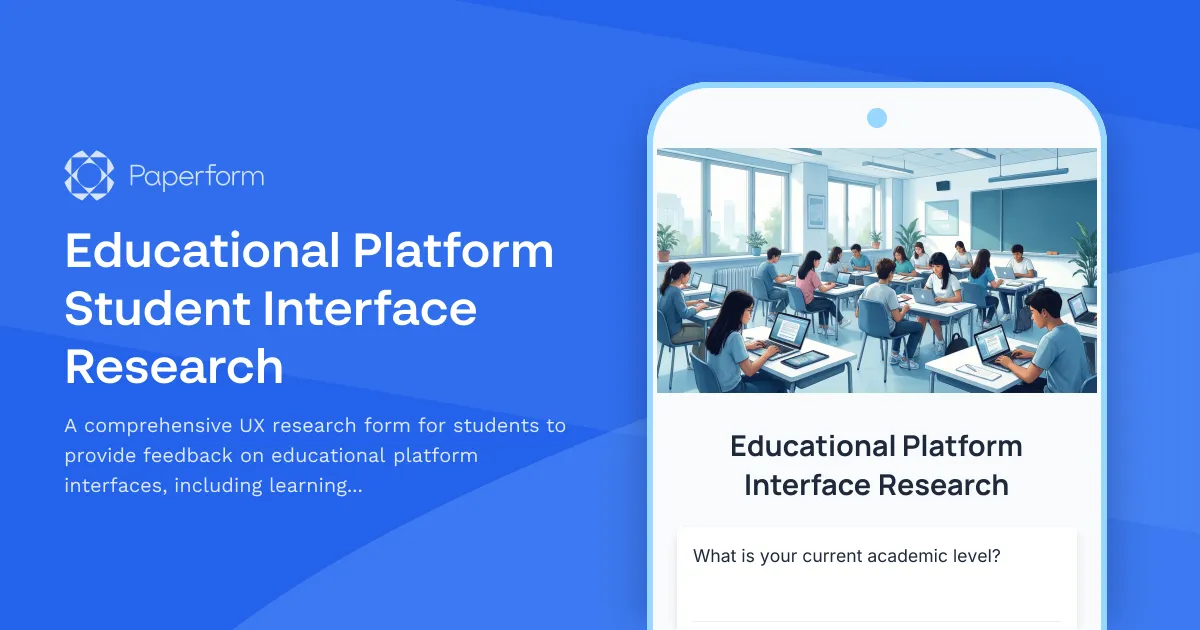
Improve Your Educational Platform with Student-Centered UX Research
Understanding how students interact with your educational platform is critical to creating an effective learning environment. This Educational Platform Student Interface Research template helps education professionals, UX researchers, and ed-tech teams gather comprehensive feedback about interface usability, navigation challenges, and accessibility barriers directly from the people who matter most—your students.
Why Student Interface Research Matters for Educational Platforms
Students spend hours each day navigating learning management systems, course platforms, and educational apps. When interfaces are confusing, inaccessible, or don't accommodate different learning styles, engagement drops and learning outcomes suffer. This template goes beyond basic satisfaction surveys to uncover specific pain points, navigation blockers, and accessibility issues that impact the student experience.
Whether you're developing a new LMS, redesigning an existing course platform, or launching an educational app, this research template provides the structured feedback you need to make data-driven design decisions.
What This Template Includes
This form template combines multiple research methodologies into one streamlined experience:
- Learning Style Assessment: Understand how different students prefer to learn—visual, auditory, reading/writing, or kinesthetic—and identify whether your platform serves all learning preferences effectively
- Navigation & Usability Tracking: Capture specific moments of confusion, friction points, and tasks that students struggle to complete
- Accessibility Feedback: Gather insights on screen reader compatibility, color contrast, font sizing, keyboard navigation, and other critical accessibility features
- Content Discovery: Learn how easily students can find courses, resources, assignments, and support materials
- Device & Context Usage: Understand where and how students access your platform—desktop, mobile, tablet—and any platform-specific challenges
- Feature Prioritization: Let students tell you which improvements matter most to their learning experience
Perfect for Ed-Tech Teams, UX Researchers & Educators
This template is designed for:
- Educational institutions conducting UX research on learning management systems (Canvas, Blackboard, Moodle, etc.)
- Ed-tech startups and SaaS companies developing student-facing platforms and need real user feedback
- UX researchers and designers specializing in educational technology
- Instructional designers evaluating course platform effectiveness
- Product managers at educational technology companies prioritizing feature development
- Accessibility coordinators ensuring platforms meet WCAG standards and serve students with disabilities
How Paperform Enhances Your Educational UX Research
Paperform makes it easy to collect rich, actionable UX research data without coding or complex tools:
Conditional Logic for Targeted Questions: The form uses intelligent branching to ask follow-up questions based on student responses. If someone reports navigation confusion, they'll see specific questions about where and when confusion occurred. If they mention accessibility challenges, detailed accessibility questions appear automatically.
Multi-Device Friendly: Since you're researching how students use educational platforms across devices, your research form should work flawlessly on all of them too. Paperform forms are fully responsive and provide an excellent experience on desktop, tablet, and mobile.
Rich Data Collection: Use matrix questions for rating multiple interface elements, ranking questions for feature prioritization, and open-ended fields for detailed qualitative feedback. The variety of question types helps you gather both quantitative metrics and rich qualitative insights.
Anonymous Response Option: Students may be more honest about usability issues if responses are anonymous. Paperform lets you collect feedback without requiring personal information, encouraging candid responses.
Professional, On-Brand Design: Create a research experience that matches your institution or company's branding. Paperform's flexible design options mean your form can look as polished as the platform you're researching.
Automate Your Research Workflow with Stepper
Once you've collected student feedback, what happens next? Instead of manually sorting through responses and creating action items, connect your Paperform to Stepper (stepper.io) to automate your research workflow:
- Automatically categorize feedback by severity (critical usability issues vs. nice-to-have improvements)
- Create Jira tickets or Linear issues for each reported navigation problem
- Send accessibility concerns directly to your development team in Slack
- Update your research repository in Notion or Airtable with new findings
- Trigger email notifications to stakeholders when critical issues are reported
- Generate weekly summary reports of top usability themes
Stepper's AI-native automation lets you focus on analysis and design improvements rather than data wrangling.
Best Practices for Educational Platform Research
To get the most valuable insights from your student interface research:
Recruit Diverse Participants: Ensure your research includes students with varying technical skills, different devices, students with disabilities, international students, and those with different learning preferences.
Test with Real Tasks: Consider pairing this form with task-based usability testing where students complete specific activities on your platform, then immediately fill out this feedback form while the experience is fresh.
Follow Up on Critical Issues: Use conditional logic to collect contact information from students who report serious accessibility or navigation issues, so you can conduct follow-up interviews.
Run Research Continuously: Don't treat interface research as a one-time project. Keep the form available and regularly recruit students to participate as you iterate on your platform.
Close the Feedback Loop: Share what you learn and what you're changing with your student community. This builds trust and encourages future participation in research.
Start Gathering Actionable Student Feedback Today
The best educational platforms are designed with—and for—students. This research template gives you a structured, professional way to understand student needs, identify usability barriers, and prioritize the improvements that will have the biggest impact on learning outcomes.
With Paperform's intuitive form builder, you can customize this template in minutes, launch your research immediately, and start collecting insights that drive better design decisions. The combination of flexible question types, conditional logic, and seamless integrations makes Paperform the ideal platform for educational UX research at any scale.
Ready to build a more student-centered educational platform? Start with this template and let your students guide your design decisions.



More templates like this
Continuing Education Credit Tracking Research Form
A professional UX research form designed to gather insights on continuing education credit tracking platforms, including course search functionality, completion verification processes, and certificate accessibility features.
Childcare Center Parent Communication App Research
Gather valuable parent feedback on daily reports, photo sharing, and billing features for your childcare center's communication app. Understand what matters most to families.
Campus Housing Research & Roommate Matching Survey
Gather student feedback on housing applications, roommate matching preferences, accommodation workflows, and lease documentation to improve the campus housing experience.
E-Learning Course Development Focus Group Application
Recruit subject matter experts with teaching experience for focus groups on e-learning course development, instructional design support, and digital content creation needs.
Online Learning Platform Redesign Stakeholder Interview
Gather comprehensive feedback from instructors, students, IT staff, and instructional designers on learning platform redesign priorities including course delivery, assessment tools, collaboration features, accessibility compliance, and mobile experience.
Quality Childcare Accreditation Stakeholder Interview
A comprehensive stakeholder interview form designed to gather insights from center directors, teachers, parents, and accreditation bodies about quality childcare accreditation standards, assessment processes, and benefits.

Video Conferencing Platform Host Experience Research
Gather actionable insights from meeting hosts about their experience with video conferencing platforms, including participant management, screen sharing reliability, and recording workflows.
Virtual Reality Educational Experience Feedback Form
Comprehensive feedback form for evaluating VR educational experiences, measuring immersion quality, learning engagement, technical performance, content accuracy, and knowledge retention effectiveness.
Agriculture Farm Management Software - Grower Research
A comprehensive user research form for understanding how growers use farm management software, focusing on crop planning workflows, weather integration needs, and yield tracking accuracy.
Career Fair Student Feedback Form
A comprehensive feedback form for students to evaluate their career fair experience, including employer variety, booth organization, resume services, and job matching opportunities.
College Academic Probation Support Program Feedback Survey
A comprehensive feedback survey designed to evaluate academic probation support programs, including advisor effectiveness, study skills resources, mental health support, and student success outcomes.
College Accelerated Degree Program Student Survey
Gather comprehensive feedback from students enrolled in accelerated degree programs about course intensity, support services, time management, academic quality, and overall satisfaction with their experience.