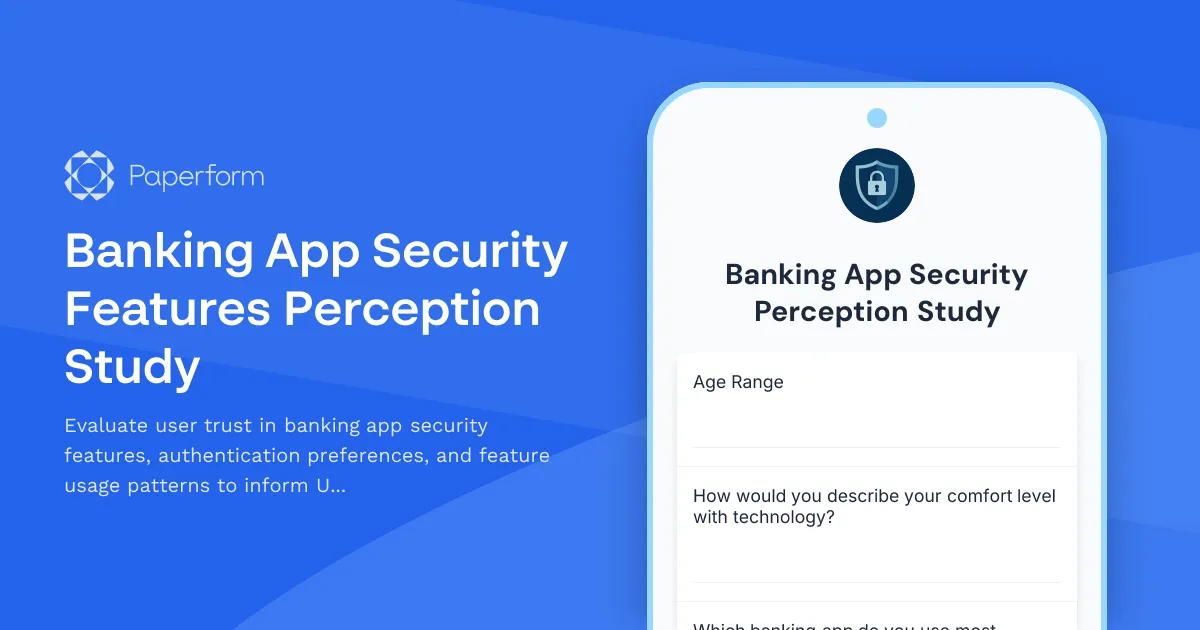
Banking App Security Features Perception Study Template
Understanding how users perceive security features in banking applications is critical to building trust, reducing friction, and designing authentication experiences that users actually want to use. This Banking App Security Features Perception Study template helps UX researchers, product teams, and financial institutions gather insights on trust indicators, authentication preferences, and real-world feature usage patterns.
Why this research matters for banking apps
Security is the foundation of trust in digital banking—but security features can also introduce friction that frustrates users or drives them away. The challenge for banking apps is finding the right balance: robust protection that feels invisible when it works, and reassuring when users need confirmation they're safe.
This template is designed to help you understand:
- Which security features users trust most—and which make them feel anxious or confused
- Authentication preferences across biometrics, PINs, passwords, and multi-factor methods
- How users actually interact with security features in their day-to-day banking
- Pain points and drop-off moments in security flows
- Opportunities to improve perceived safety without adding friction
Whether you're designing a new banking app, refining an existing one, or evaluating competitor approaches, this research template gives you a structured way to capture user sentiment and behaviour around security.
Who this template is for
This form is ideal for:
- UX researchers and product designers working on fintech, banking, or payment apps
- Product managers responsible for authentication, onboarding, and account security
- Security and compliance teams looking to balance user experience with regulatory requirements
- Marketing and growth teams who need to understand trust barriers in app adoption
- Financial institutions and fintech startups conducting user testing or market research
What's inside the template
This perception study covers:
- Current banking app usage and context—to segment users and understand their digital banking habits
- Security feature awareness and trust—rating different security features and identifying which ones feel most reassuring
- Authentication preferences—exploring biometrics, PINs, passwords, face ID, and multi-factor authentication
- Feature usage patterns—understanding which security features users actually use and why
- Trust indicators and visual cues—identifying what makes users feel safe in a banking app
- Pain points and concerns—capturing frustrations, confusion, and anxieties around security
- Scenario-based preferences—testing reactions to different authentication flows and security prompts
The form uses a mix of rating scales, multiple choice, open-ended feedback, and matrix questions to capture both quantitative and qualitative insights.
How Paperform makes UX research easier
Paperform is built for researchers who want professional-looking studies without wrestling with clunky survey tools. With the doc-style editor, you can mix headings, explanatory text, images, and questions in a natural flow that feels more like a conversation than an interrogation.
Conditional logic lets you tailor the experience based on responses—for example, only asking about biometric authentication if someone says they use it, or diving deeper into pain points if a user reports frustration. This keeps the form relevant and reduces drop-off.
Once responses come in, use AI Insights to quickly summarise open-ended feedback, identify common themes, and generate charts that help you spot patterns across hundreds of responses. You can also connect Paperform to tools like Airtable, Notion, Google Sheets, or your research repository using native integrations or Stepper workflows, so findings are instantly accessible to your team.
Tips for running effective security perception studies
- Recruit a diverse participant pool that includes tech-savvy users, older adults, accessibility users, and people with varying levels of banking app experience
- Use clear, jargon-free language—avoid technical terms like "2FA" or "biometric hashing" unless you're testing comprehension
- Include visual prompts if you're testing specific UI patterns or security indicators
- Combine this form with moderated interviews or usability testing to get deeper context on why users feel the way they do
- Test across devices—security perceptions can differ between mobile and desktop experiences
Why banking apps need ongoing security research
User expectations around security evolve quickly. What felt cutting-edge two years ago—like SMS-based two-factor authentication—now feels outdated or even insecure to informed users. At the same time, new threats, regulatory changes, and authentication technologies (like passkeys) are constantly reshaping the landscape.
Running regular perception studies helps you stay ahead of these shifts, so your app doesn't just meet compliance standards—it earns user trust and confidence.
This template gives you a ready-to-use foundation for that research. Customise the questions, add your brand, and start gathering insights that lead to better, safer, more user-friendly banking experiences.
Ready to automate your research workflow? Use Stepper to route responses into your research tools, notify your team when high-priority feedback comes in, or trigger follow-up interviews based on specific answers. If you need to gather consent or share findings with stakeholders as a signed report, Papersign keeps everything secure and audit-ready.
Paperform is trusted by over 500,000 teams worldwide and is SOC 2 Type II & GDPR compliant—so your research data is protected with enterprise-grade security.



More templates like this

Gaming Platform New Player Onboarding Research
Collect user feedback on new player experiences, tutorial effectiveness, first-hour retention factors, and community integration to optimize your gaming platform's onboarding journey.
Genealogy Research Platform User Experience Study
Gather user feedback on family tree building workflows, source citation methods, relative connection features, and privacy controls in genealogy research platforms.

Real Estate Platform Buyer Journey Research
Understand how homebuyers search for properties, their viewing preferences, and preferred communication channels to optimize your real estate platform's user experience.

Video Conferencing Platform Host Experience Research
Gather actionable insights from meeting hosts about their experience with video conferencing platforms, including participant management, screen sharing reliability, and recording workflows.
Aircraft Maintenance Software User Research Form
A comprehensive user research form designed to gather insights from aircraft maintenance technicians about their current workflows, pain points, and feature requirements for maintenance tracking software.
Beta Program Accessibility Testing Recruitment Form
Recruit beta testers with disabilities to evaluate product accessibility, WCAG compliance, and inclusive design. Gather insights on assistive technology compatibility and user experience barriers.

Cryptocurrency Exchange User Experience Study
A comprehensive user research survey designed to understand trader needs, priorities, and preferences for cryptocurrency exchange platforms, covering trading features, security measures, educational resources, and fee structures.
Event Registration Platform Organizer Experience Study
Comprehensive UX research form to understand event organizers' experiences with registration platforms, attendee management workflows, check-in processes, and reporting features.
Fitness App Workout Tracking Research Form
A comprehensive UX research form to understand how users track workouts, their exercise logging habits, what motivates them, and how they prefer to visualize their fitness progress.

Food Delivery App Feature Survey
Gather consumer insights on food delivery app features, restaurant discovery preferences, ordering flow usability, loyalty programs, and delivery expectations to guide product development.

Home Services Marketplace User Research Form
A comprehensive UX research form designed to understand homeowner behavior when booking home services, including provider selection confidence, pricing clarity, and service description effectiveness.

Legal Case Management Software Attorney Workflow Research
A comprehensive UX research form designed to understand attorney workflows, time tracking practices, document organization systems, and client communication patterns for legal case management software optimization.