How do credits work?
Credits are like tokens you can spend in Stepper on features that have extra costs — such as AI steps, sending emails or SMS, and using premium APIs.
When building a workflow, you can use AI features (for example, asking AI to explain or build a workflow) for free within a daily free credit allowance. Once you exceed your free quota, these actions will begin consuming paid credits. A message at the bottom of the chat window will indicate when you have used up your daily quota.
If you run out of credits, any workflows that depend on them will automatically pause until you purchase more. Credits don’t expire or reset monthly, and they’re non-refundable.
Where can I see my credit balance and buy more?
On the Pro plan, you can buy additional credits directly from your Stepper Dashboard. When you purchase credits, your card on file will be charged immediately. Credits are non-refundable.
Free plans come with a fixed 5,000 credits on top of the daily free quota. You cannot purchase more credits on the Free plan.
You can view your remaining credits on the Stepper Dashboard.
If you’re on the Free plan, you’ll also see:
- How many monthly steps you have left.
- A countdown timer showing when your steps reset.
How do steps work?
A step is a single action in a workflow.
For example:
- Updating a CRM
- Sending an email
- Posting a slack message
The Pro plan comes with unlimited steps within our fair use policy.
The Free plan comes with a limited number of steps that reset monthly in line with your subscription period.
How do I manage my Stepper subscription?
Stepper Pro subscriptions are billed monthly, and are separate from one-time credit purchases.
To manage your subscription:
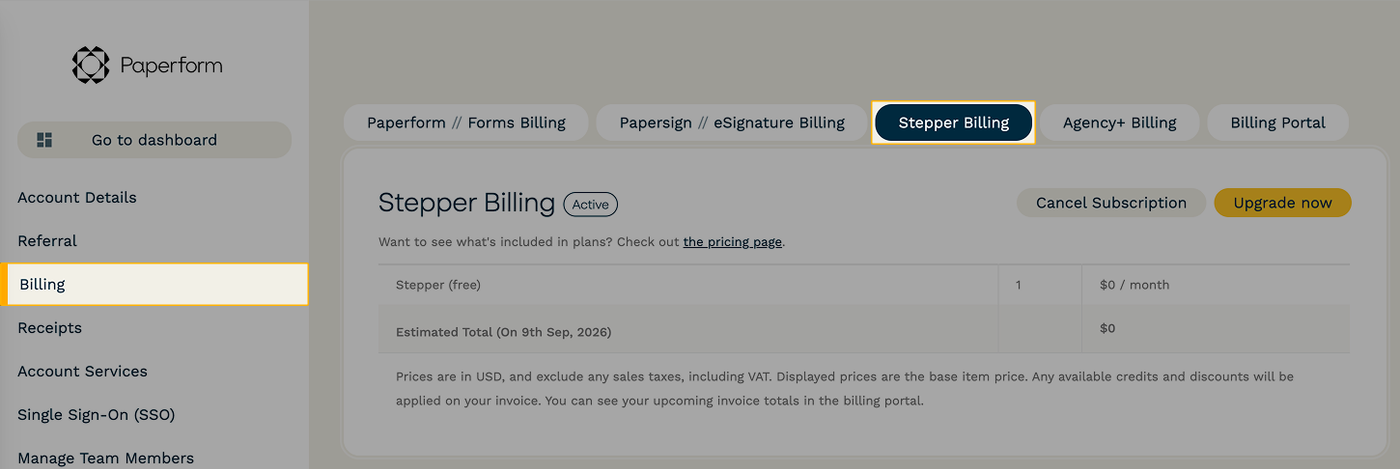
- Navigate to your “Account Settings”.
- Select “Billing” and go to the “Stepper Billing” tab.
From here, you can change your plan, or cancel your subscription.
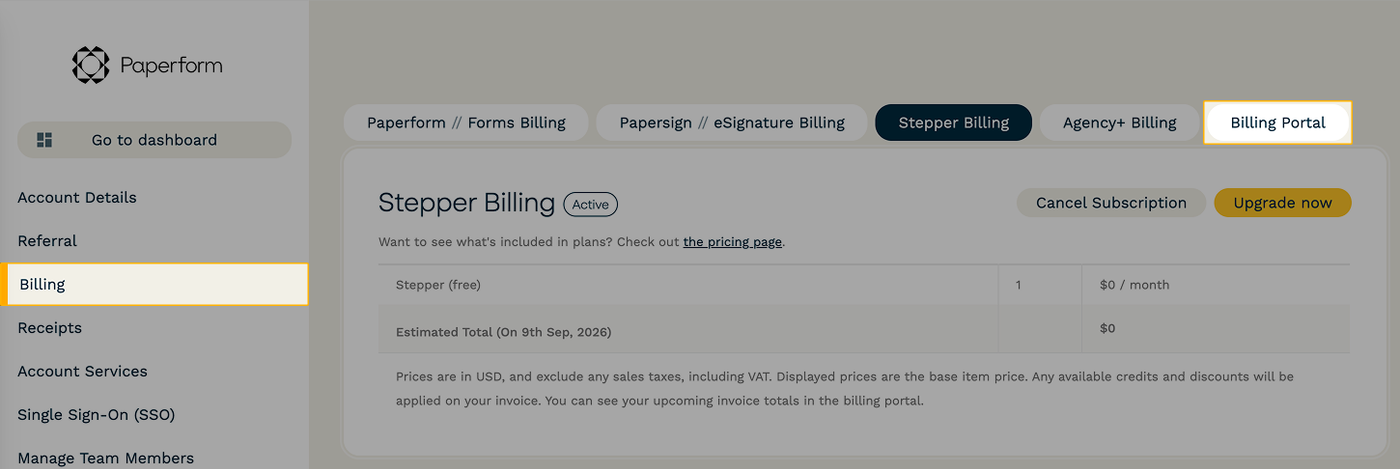
To manage your payment information, click into the “Billing Portal” tab.