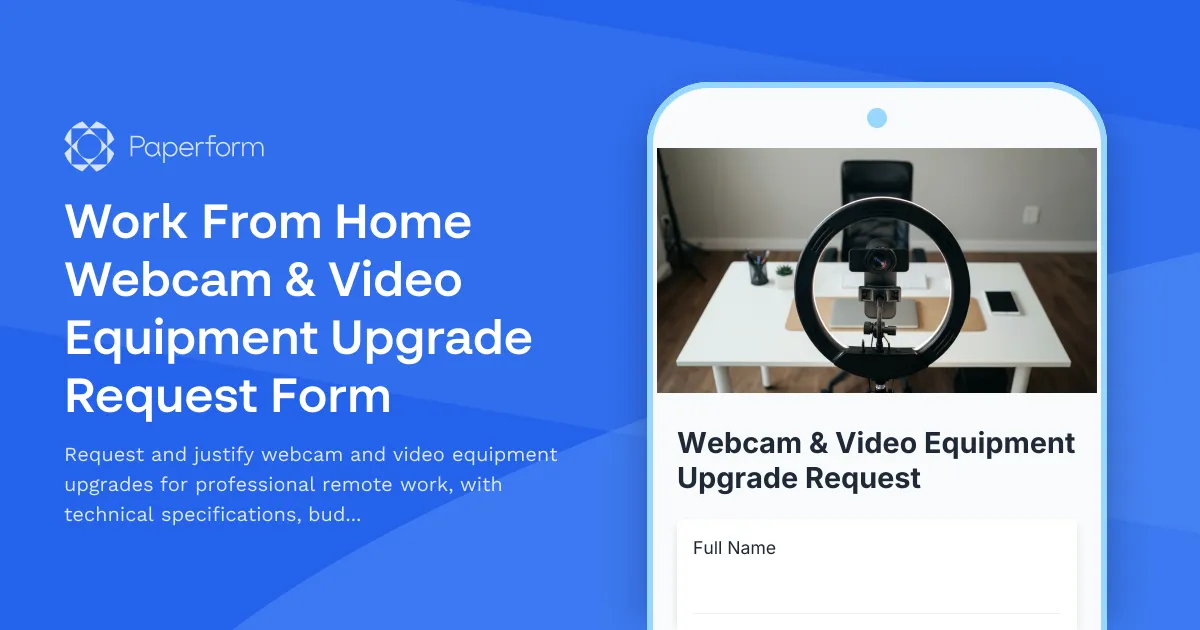
Professional Video Equipment for Remote Work Success
In today's hybrid work environment, your video presence is your professional presence. Whether you're leading client calls, presenting to stakeholders, or collaborating with distributed teams, the quality of your webcam and video setup directly impacts how you're perceived and how effectively you communicate.
This Work From Home Webcam & Video Equipment Upgrade Request Form helps employees clearly articulate their video conferencing needs while giving IT and finance teams the information they need to make informed approval decisions. Built with Paperform, it creates a streamlined process that replaces email chains and unclear requests with a professional, branded experience.
Why Video Equipment Matters for Remote Teams
Remote and hybrid workers face unique challenges that in-office employees don't encounter. Poor lighting, grainy video quality, inconsistent audio, and unprofessional backgrounds can undermine your credibility in client-facing roles or leadership positions. For roles requiring frequent video meetings—sales professionals, customer success managers, consultants, executives, and team leaders—high-quality video equipment isn't a luxury; it's a business necessity.
This form helps organizations standardize how they evaluate and approve equipment requests based on genuine business need, frequency of use, and budget considerations.
What This Form Captures
The template collects comprehensive information to support equipment decisions:
- Employee and role information to understand who's requesting and their video conferencing frequency
- Current equipment assessment including existing webcam model, resolution, and pain points
- Technical requirements such as resolution needs (720p, 1080p, 4K), low-light performance, background blur capability, and microphone integration
- Meeting types and frequency to justify the business case for upgraded equipment
- Specific equipment requests with model numbers, prices, and vendor information
- Budget and justification explaining why the upgrade is necessary for role performance
- Manager approval workflow to route requests through the proper channels
By collecting structured information upfront, HR and IT teams can process requests faster, compare options more effectively, and ensure remote employees have the tools they need to represent the company professionally.
How Paperform Powers Your Remote Work Operations
This isn't just a basic request form—it's part of a complete remote work equipment management system. Paperform gives HR, IT, and operations teams a flexible platform that handles the entire equipment request lifecycle:
Smart conditional logic shows or hides questions based on responses. If someone indicates their current webcam doesn't perform well in low light, additional questions about their home office lighting setup appear automatically. If they're requesting equipment over a certain budget threshold, extra justification fields are presented.
Calculation fields can automatically calculate total equipment costs when employees request multiple items (webcam, ring light, microphone), helping everyone understand the full investment upfront.
File uploads let employees attach photos of their current setup or screenshots demonstrating quality issues, giving decision-makers visual context for why an upgrade is needed.
Multi-page forms break longer requests into logical sections—current setup, requirements, proposed equipment, and justification—making the form feel less overwhelming and improving completion rates.
Streamline Approvals with Stepper Workflows
Once an equipment request is submitted through Paperform, you can use Stepper (stepper.io) to automate what happens next. Stepper is Paperform's AI-native workflow builder that connects your forms to the rest of your tech stack without writing code:
- Route requests by budget threshold: Automatically send requests under $200 to IT for approval, but route higher-cost requests through finance as well
- Update inventory systems: Log approved equipment in your asset management database or Google Sheets inventory tracker
- Create procurement tickets: Generate purchase orders or tickets in your purchasing system when requests are approved
- Notify managers: Send approval requests to direct managers via email or Slack with all the context they need
- Track status: Update the employee on where their request stands in the approval process
With Stepper, your equipment request form becomes the trigger for a complete workflow that reduces manual admin work and speeds up the time from request to delivery.
Perfect for Growing Remote Teams
This template is ideal for:
- HR teams managing home office stipends and remote work equipment policies
- IT departments standardizing remote work hardware and supporting video conferencing quality
- Finance teams tracking remote work expenses and equipment budgets
- Operations managers ensuring distributed teams have professional-grade meeting setups
- Startups and SMBs building remote-first cultures with proper tooling
Whether you have 10 remote employees or 1,000, this form gives you a consistent, professional way to evaluate equipment needs and make data-driven investment decisions.
Compliant, Secure, and Scalable
Remote work equipment requests often involve employee information, budget details, and approved spending—information that needs to be handled securely. Paperform is SOC 2 Type II compliant with enterprise-grade security features including SSO, role-based permissions, and secure data storage.
For teams managing multiple departments or client brands, Agency+ plans let you organize equipment request forms by department, location, or cost center while maintaining centralized reporting and admin control.
Get Started in Minutes
With Paperform's intuitive editor, you can customize this template to match your company's equipment policy, approval workflow, and brand in minutes—no developers required. Adjust budget thresholds, add your approved vendor list, customize notification emails, and embed the form on your intranet or HR portal.
Remote work is here to stay, and professional video quality is no longer optional. Give your team a clear, efficient way to request the equipment they need to do their best work—and give yourself the tools to manage those requests intelligently.
Start with this template and see why over 500,000 teams worldwide trust Paperform for their business operations.



More templates like this

Home Office Battery Backup & UPS Request Form
Request battery backup and UPS equipment for your home office to ensure business continuity during power outages. Assess your power needs, prioritize critical devices, and plan for uninterrupted remote work.

Remote Work Monitor & Display Upgrade Request
Request approval for new monitors and display equipment for your home office setup. Submit screen specifications, multiple monitor needs, and mounting requirements for budget approval.

Work From Home Technology Upgrade Program Application
Apply for technology upgrades and equipment refreshes for your home office setup. Request emerging tech, scalability improvements, and innovation budget for long-term remote work success.
Remote Work Arrangement Request Form
A professional remote work request form for employees seeking flexible work arrangements, covering role details, location preferences, equipment needs, and connectivity requirements.
Remote Work Software & Subscription Reimbursement Form
Streamline remote work software subscriptions and tool reimbursement requests for distributed teams with automated approval workflows and consolidated expense tracking.
Remote Technology Emergency Replacement Request
Streamline emergency tech replacement for remote employees with expedited shipping, loaner equipment, and same-day IT support to ensure business continuity.
Remote Work Arrangement Approval Request
Request approval for remote work arrangements with schedule details, equipment needs, productivity tracking, and policy acknowledgment.
Remote Work Focus & Concentration Equipment Request
Request specialized equipment to enhance focus and minimize distractions in your home office environment.

Home Office Accessibility & Specialized Seating Request Form
Request specialized ergonomic seating, mobility equipment, and accessibility accommodations for your home office workspace with ADA compliance documentation and approval workflow.
Home Office Noise Cancellation Equipment Request Form
Request noise cancellation equipment for your home office, including headphones, microphones, and video conferencing gear with department approval routing.
Home Office Soundproofing & Acoustic Treatment Request
Request acoustic improvements and soundproofing solutions for your home office to enhance audio quality and reduce noise distractions during remote work.
Home Office Storage & Filing Equipment Request Form
Request storage and filing equipment for your home office, including filing cabinets, shelving units, and organizational systems with security and fireproofing options.