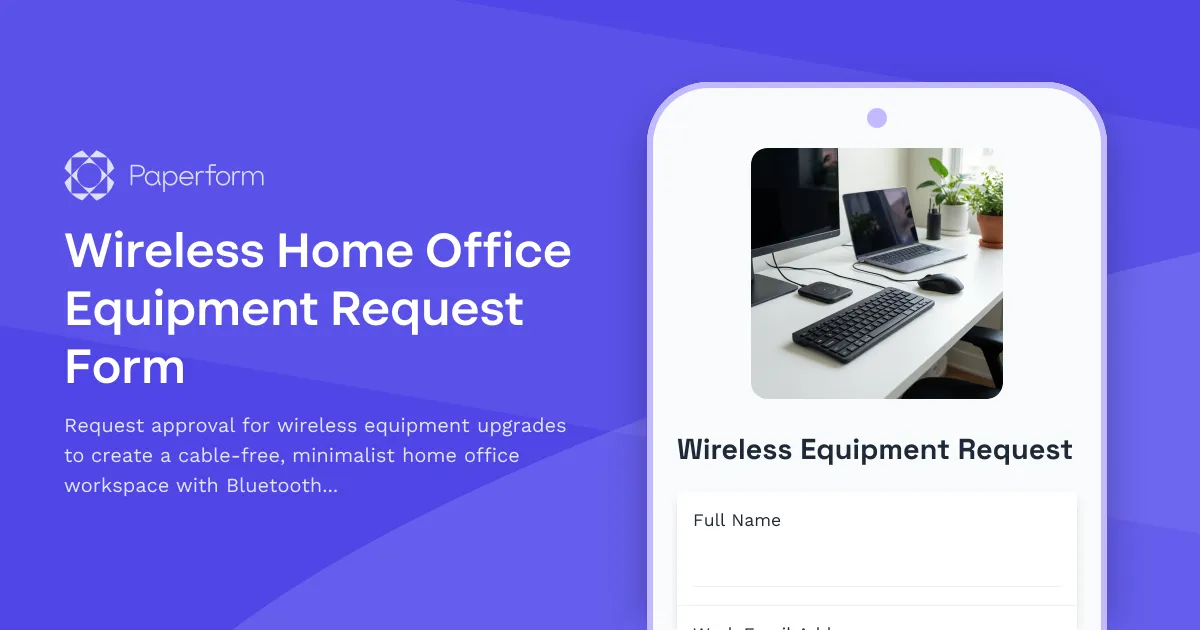
Transform Your Home Office into a Cable-Free Workspace
The shift to remote and hybrid work has fundamentally changed how we think about office equipment. While many remote workers have focused on the basics—a desk, a chair, a laptop—the true productivity unlock comes from creating a workspace that's not just functional, but optimized for focus, flexibility, and freedom from clutter.
A cable-free home office isn't just about aesthetics (though the clean, minimalist look is a welcome bonus). Wireless technology eliminates trip hazards, reduces desk clutter, improves mobility between workstations, and creates a more professional backdrop for video calls. For employers, supporting wireless equipment upgrades demonstrates a commitment to employee wellbeing and productivity while future-proofing remote work infrastructure.
This Wireless Home Office Equipment Request Form template makes it simple for remote employees to request modern, cable-free equipment upgrades while giving IT and finance teams the structure they need to evaluate, approve, and reimburse these investments efficiently.
Built for Modern Remote Work Realities
Whether your team is fully remote, hybrid, or transitioning to flexible work arrangements, this form addresses the practical needs of cord-cutting projects:
- Wireless peripherals: Request Bluetooth keyboards, mice, trackpads, and headsets that eliminate USB cable clutter
- Wireless charging solutions: Multi-device charging pads, desk-integrated wireless chargers, and phone stands
- Cable management alternatives: Wireless monitors, docking stations, and connectivity hubs that reduce cable count
- Minimalist workspace optimization: Request for ergonomic wireless equipment that supports a clean, distraction-free environment
The form captures current equipment status, specific wireless upgrades needed, estimated costs, and business justification—giving approvers the context they need without creating unnecessary friction for employees.
Why Paperform is Perfect for Home Office Equipment Requests
Unlike rigid form builders or complex procurement systems, Paperform gives you a document-style editor that makes it easy to create professional, on-brand equipment request forms in minutes. You can mix text, images, and form fields to create clear instructions, add conditional logic to show different equipment categories based on employee needs, and use calculation fields to automatically total estimated costs.
With built-in payment integrations, you can even allow employees to purchase approved equipment directly through the form and submit receipts for reimbursement—keeping the entire process in one place.
Stepper workflows (stepper.io) can automate what happens after submission: route requests to the appropriate manager or IT lead based on cost thresholds, send approval notifications, update your asset tracking spreadsheet in Google Sheets or Airtable, and trigger reimbursement workflows in your payroll system—all without writing a single line of code.
Perfect for HR, IT, and Operations Teams
This template is designed for:
- HR managers rolling out home office equipment programs for remote teams
- IT departments managing wireless technology standards and equipment approvals
- Operations teams coordinating reimbursement processes and budget tracking
- Finance teams needing structured requests with clear cost justification
- Remote-first companies committed to providing modern, ergonomic work-from-home setups
The form works equally well whether you're managing a one-time cable-elimination initiative, rolling out ongoing equipment upgrade programs, or responding to individual employee requests as needs arise.
Automation That Keeps Equipment Requests Moving
With Paperform's native integrations and Stepper automation capabilities, you can:
- Auto-route high-value requests (over a certain threshold) to finance for additional approval
- Send instant Slack notifications to IT when wireless peripherals are requested so they can verify compatibility
- Update your equipment inventory in Airtable or Google Sheets with each approval
- Trigger reimbursement workflows in your payroll system once equipment is purchased
- Create follow-up surveys to assess whether the wireless upgrades improved productivity
This level of automation means equipment requests don't languish in email chains or require manual data entry—they flow smoothly from request to approval to reimbursement.
Design Flexibility That Matches Your Brand
Paperform gives you complete control over how your form looks and feels. Choose fonts and colors that match your company's brand guidelines, add your logo, include photos or videos showing cable-free workspace examples for inspiration, or embed the form directly into your company intranet or employee portal.
You can use Guided Mode for a conversational, one-question-at-a-time experience that feels less like a corporate form and more like a helpful conversation, or stick with a traditional multi-page layout if that better suits your team's preferences.
Secure, Compliant, and Scalable
Paperform is SOC 2 Type II compliant with data residency controls, SSO, and role-based permissions—so you can trust it with employee information and equipment request data. As your remote team grows, Paperform scales with you, supporting everything from small startups to enterprise organizations managing hundreds of equipment requests per month.
Get Your Wireless Equipment Program Up and Running Fast
With this template, you can launch a professional home office equipment request program in minutes, not weeks. Customize the equipment categories to match your company's approved vendor list, adjust approval workflows to fit your org structure, and integrate with your existing tools to create a seamless experience from request to reimbursement.
Whether you're a remote-first startup looking to support your distributed team, an enterprise IT department standardizing on wireless technology, or an HR manager improving the remote work experience, this Paperform template gives you the foundation to run a smooth, professional equipment request process—no developers or complex software required.
Ready to eliminate the cable clutter and create more productive home office environments for your team? Start with this template and customize it to fit your organization's unique needs and equipment policies.



More templates like this
Hybrid Work Technology Insurance & Protection Plan Request
Request insurance and protection coverage for your home office equipment with custom coverage options, deductible preferences, and comprehensive loss and damage protection policies.

Home Office Battery Backup & UPS Request Form
Request battery backup and UPS equipment for your home office to ensure business continuity during power outages. Assess your power needs, prioritize critical devices, and plan for uninterrupted remote work.
Home Office Noise Cancellation Equipment Request Form
Request noise cancellation equipment for your home office, including headphones, microphones, and video conferencing gear with department approval routing.

Remote Work Monitor & Display Upgrade Request
Request approval for new monitors and display equipment for your home office setup. Submit screen specifications, multiple monitor needs, and mounting requirements for budget approval.

Work From Home Technology Upgrade Program Application
Apply for technology upgrades and equipment refreshes for your home office setup. Request emerging tech, scalability improvements, and innovation budget for long-term remote work success.
Home Office Humidity Control Equipment Reimbursement Form
Request reimbursement for dehumidifiers, humidifiers, and humidity control equipment to optimize your home office environment and protect work equipment.
Home Office Printer & Supplies Reimbursement Request
Request reimbursement for home office printer equipment and supplies with detailed usage tracking and cost justification for remote work positions.
Home Office Soundproofing & Acoustic Treatment Request
Request acoustic improvements and soundproofing solutions for your home office to enhance audio quality and reduce noise distractions during remote work.
Home Office Wellness & First Aid Allowance Request
Request reimbursement for home office wellness supplies, ergonomic support items, first aid essentials, and preventive health products to create a healthier remote work environment.

Hybrid Work Equipment Check-Out Form
A comprehensive form for hybrid and remote employees to request, check out, and track company equipment including laptops, monitors, peripherals, and accessories with return scheduling and liability acknowledgment.

Hybrid Work Equipment Insurance & Damage Assistance Form
Submit claims for accidental damage, theft, or loss of home office equipment with deductible assistance, repair cost sharing, and replacement support for hybrid workers.
Hybrid Work Equipment Trade-In & Upgrade Program
Streamline your home office equipment upgrades with this comprehensive trade-in form that handles asset inventory, depreciation calculations, refurbishment options, and eco-friendly disposal compliance.