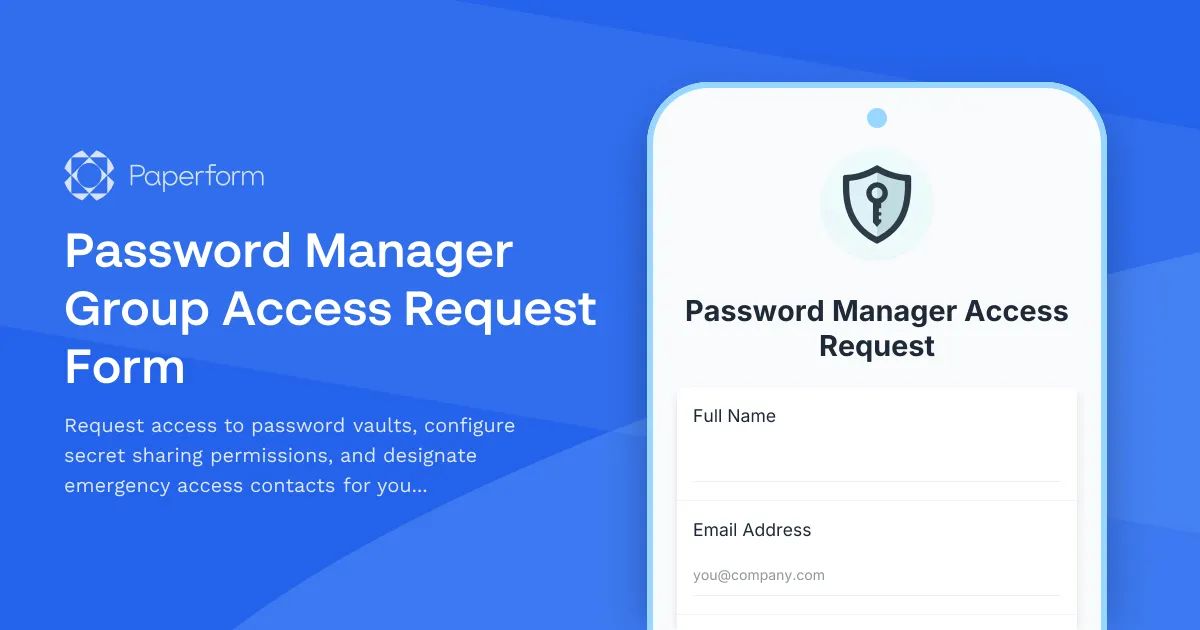
Streamline Password Vault Access with a Secure Request Form
Managing access to password vaults and sensitive credentials is a critical security challenge for IT teams. Whether you're onboarding new employees, granting contractors temporary access, or setting up emergency protocols, you need a clear, auditable process that balances security with operational efficiency.
This Password Manager Group Access Request Form template gives IT administrators, security officers, and operations teams a structured way to handle vault permissions, secret sharing rights, and emergency access designations—all in one professional, SOC 2 compliant platform.
Why password management access needs a formal process
In modern organizations, password managers have become the central repository for critical credentials—from cloud service accounts to database passwords to API keys. Without a formal access request process, you risk:
- Security gaps: Ad-hoc access requests handled via email or chat create no audit trail and increase the risk of over-provisioning permissions.
- Compliance issues: Regulations like SOC 2, ISO 27001, and PCI DSS require documented access controls and approval workflows for sensitive systems.
- Operational inefficiency: IT teams waste hours tracking down who needs access to which vaults, why they need it, and when access should expire.
- Emergency access confusion: When key personnel are unavailable, teams scramble to figure out who has emergency access rights and how to invoke them.
A dedicated access request form creates a single source of truth for all password vault permissions, making your security posture stronger while speeding up legitimate access requests.
Who benefits from this template
This template is designed for:
- IT administrators and security teams managing enterprise password managers like 1Password, LastPass, Bitwarden, or Keeper for growing organizations
- Compliance and risk officers who need to demonstrate proper access controls and approval workflows during audits
- Operations managers coordinating access for remote teams, contractors, and cross-functional projects
- DevOps and engineering teams sharing secrets, API keys, and deployment credentials securely across development workflows
- Small businesses and startups implementing their first formal password management process as they scale
What this form includes
The template captures everything needed for secure, compliant password vault access:
- Requester information: Employee details, department, manager, and business justification
- Vault access requests: Which password vaults or groups the user needs to access, with clear descriptions of what each contains
- Permission levels: Read-only, edit, or admin rights for each vault, ensuring principle of least privilege
- Secret sharing capabilities: Whether the user can share individual passwords outside their assigned vaults
- Time-limited access: Option to set expiration dates for contractors, temporary projects, or vendor access
- Emergency access designation: Nomination of trusted colleagues who can access your passwords in genuine emergencies
- Security acknowledgment: Confirmation that the user understands password security policies and access responsibilities
- Manager approval: Conditional approval fields that appear based on access level requested
The form uses conditional logic to streamline the experience—users only see relevant fields based on their role and the type of access they're requesting, while IT teams get all the context needed to approve or deny requests quickly.
From form submission to automated provisioning with Stepper
Once a request is submitted through Paperform, you can use Stepper (stepper.io)—your AI-native workflow builder—to automate the entire approval and provisioning process:
- Route for approval: Automatically send requests to the appropriate manager or security officer based on vault sensitivity or permission level
- Create IT tickets: Generate tickets in Jira, ServiceNow, or Linear with all request details for tracking and audit purposes
- Provision access: Once approved, trigger API calls to your password manager to automatically add users to vaults with the correct permissions
- Set reminders: Schedule follow-up notifications before temporary access expires, or trigger quarterly access reviews
- Log to audit systems: Record all access grants in your SIEM, compliance platform, or security dashboard
- Send confirmation: Notify the requester with onboarding instructions, vault URLs, and security best practices
This end-to-end automation means IT teams spend less time on manual provisioning and more time on strategic security initiatives, while every access grant is properly documented for compliance.
Design and security built for IT workflows
This template uses Paperform's professional theme with clear structure and white card layouts—perfect for internal IT forms that need to feel authoritative and trustworthy. The form is mobile-responsive, so remote employees and contractors can submit requests from any device.
Security features include:
- SOC 2 Type II compliance: Paperform meets enterprise security standards, ensuring your access request data is protected
- Role-based access: Use Paperform permissions to control who can view submissions (IT admins only) versus who can submit requests (all employees)
- Encryption: All submissions are encrypted in transit and at rest
- Audit trails: Every submission is timestamped and logged, creating a complete record for compliance audits
- SSO integration: Connect to your existing identity provider so users authenticate with their corporate credentials
Customization for your password management platform
While this template works universally across password management platforms, you can easily customize it for your specific setup:
- Update vault names: Replace generic vault categories with your actual vault structure (Engineering Secrets, Finance Credentials, Marketing Tools, etc.)
- Add custom fields: Include employee ID, cost center, project codes, or other internal identifiers your IT team needs
- Embed in your intranet: Use Paperform's embed options to place the form directly in your company wiki, IT portal, or employee dashboard
- Multi-language support: Paperform supports dozens of languages if you have international teams
- Conditional approval paths: Add more sophisticated approval routing based on vault sensitivity, user role, or access duration
Better security through better processes
Password security isn't just about strong encryption and zero-knowledge architecture—it's about the human processes around access management. When you make it easy for employees to request proper access through a clear, fast form, you reduce the temptation to share passwords via insecure channels or maintain shadow IT solutions.
This template helps you build a security-conscious culture where:
- Employees understand why access controls matter and feel ownership over their security responsibilities
- Managers have visibility into which team members have access to sensitive credentials
- IT teams can quickly respond to access requests without compromising security standards
- Auditors can easily review access logs and demonstrate compliance with information security frameworks
Whether you're implementing your first password manager, maturing your access governance practices, or preparing for a security audit, this form template gives you a professional starting point that can scale with your organization.
Get started today and turn password vault access from an ad-hoc security risk into a streamlined, compliant process that protects your organization while empowering your teams.



More templates like this

Employee Offboarding IT Access Revocation Checklist
Comprehensive IT offboarding checklist to systematically revoke employee system access, track equipment returns, and ensure secure account closure across all platforms.

Remote DevOps Engineer Onboarding Form
A comprehensive onboarding form for remote DevOps engineers covering personal details, technical setup, CI/CD pipeline access, infrastructure monitoring tools, incident response procedures, and on-call scheduling.
Cloud Platform Access Request Form
Request access to AWS, Azure, or GCP with role-based permissions, cost center allocation, and security group assignment for your cloud infrastructure needs.

Corporate VPN Access Request Form
Streamline remote access requests with this corporate VPN access form. Collect employee details, device information, security clearance levels, and route for manager approval—all in one secure workflow.
Data Center Server Room Access Request Form
Request secure access to data center server rooms with two-factor authentication setup, equipment authorization, and compliance acknowledgment for IT professionals and technicians.
Development Environment Access Request Form
A comprehensive form for developers to request access to development environments, local admin rights, software installations, and acknowledge security policies.
Disaster Recovery Platform Access Request
Request access to disaster recovery orchestration platforms with failover testing permissions, recovery plan execution rights, and RTO/RPO monitoring capabilities.
Identity Management System Change Request Form
A comprehensive IT form for requesting identity management changes, including SSO integration, MFA setup, user provisioning, and access modifications with approval workflows.
IT Security Architecture Review Board Submission Form
Submit security architecture proposals to the review board for evaluation, approval, and decision documentation with comprehensive risk assessments and compliance considerations.
Load Balancer Configuration Access Request
Request access to load balancer configuration, traffic routing permissions, SSL certificate management, and failover testing environments with detailed justification and approval workflow.
Monitoring System Access Request Form
Request access to monitoring systems with customizable dashboard permissions, alert configuration rights, and incident escalation responsibilities for IT teams.
Multi-Factor Authentication Password Reset Form
Secure password reset form with multi-factor authentication, security question validation, and SMS verification to ensure safe account recovery for IT systems and applications.