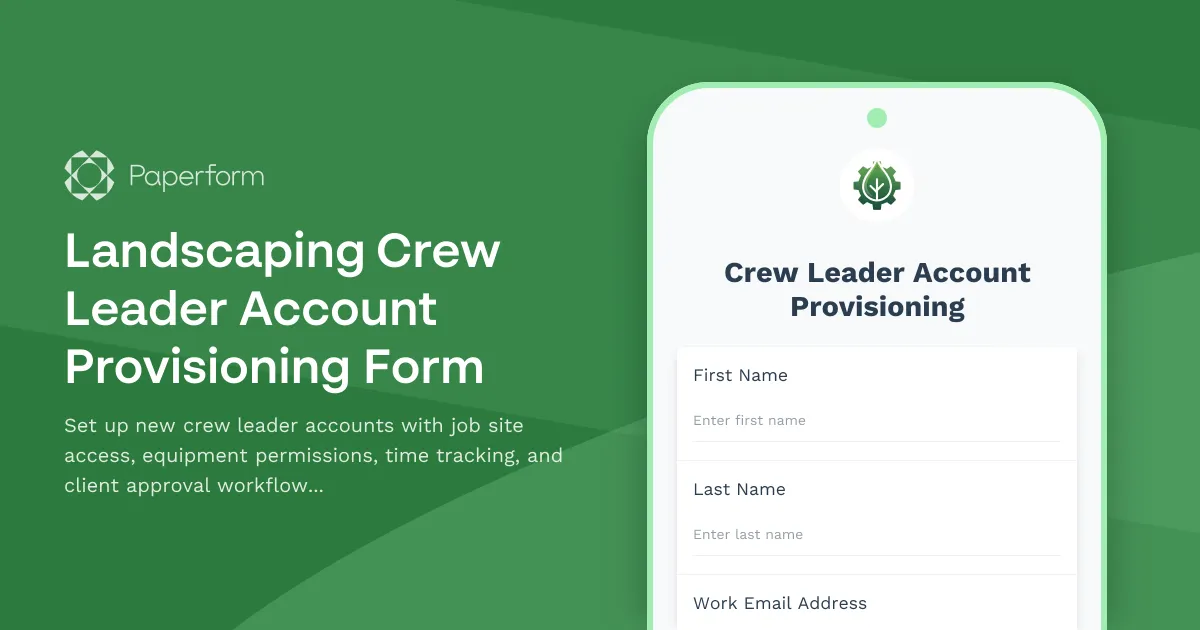
Streamline Crew Leader Onboarding with Professional Account Provisioning
Running a landscaping business means managing multiple job sites, coordinating equipment, tracking crew hours, and maintaining client relationships—all while keeping projects on schedule. When you bring on a new crew leader, getting them set up quickly and correctly can make the difference between a smooth operation and costly delays.
This Landscaping Crew Leader Account Provisioning Form is built specifically for landscaping companies that need a centralized, organized way to create new user accounts and configure access permissions. Instead of juggling emails, spreadsheets, and manual system setups, this template lets your office managers or IT administrators capture everything in one professional form that triggers the right access and workflows automatically.
Why Landscaping Companies Need Dedicated Account Provisioning
Crew leaders sit at the center of your daily operations. They need access to job site assignments, equipment checkout systems, time tracking tools, and often direct communication with clients. But not every crew leader should have the same permissions—some handle residential jobs, others manage commercial properties, and access needs can vary based on experience level, certifications, and the specific sites they're assigned to.
This form template helps you:
- Standardize onboarding so every new crew leader gets consistent access to the tools they need
- Control equipment permissions by clearly defining who can check out trucks, mowers, trimmers, and specialized gear
- Assign job sites systematically with clear territory or project boundaries
- Enable accurate time tracking by provisioning access to mobile punch clocks, scheduling apps, or workforce management platforms
- Set up client approval workflows so crew leaders know which clients they can communicate with directly and which require supervisor approval
Built for Real-World Landscaping Workflows
This isn't a generic IT form—it's designed around the specific needs of landscaping operations. The form captures:
- Personal and contact information for the new crew leader
- Job site assignments including specific properties, territories, or project types
- Equipment checkout permissions with categories like vehicles, mowing equipment, trimming tools, irrigation equipment, and specialty items
- Time tracking system access to ensure accurate payroll and job costing
- Client interaction levels to define communication boundaries and approval requirements
- Safety certifications and licenses to ensure compliance before granting access
- Emergency contact information for field safety protocols
By collecting this information upfront, you ensure that new crew leaders are properly set up in your systems before their first day in the field, reducing confusion and improving accountability from day one.
Automate Setup with Stepper Workflows
Once a crew leader account request is submitted, you can use Stepper (stepper.io)—Paperform's AI-native workflow builder—to automate the entire provisioning process. Connect your form to your workforce management software, equipment tracking system, client database, and communication tools to:
- Automatically create user accounts in your scheduling or job management platform
- Send welcome emails with login credentials and training resources
- Notify the operations manager to assign the crew leader to their first jobs
- Update your equipment checkout system with new permissions
- Log the new crew leader in your CRM so they appear correctly on client-facing communications
- Trigger background check or certification verification if needed
These automations mean your admin team spends less time on manual data entry and more time supporting your crews in the field.
Perfect for Growing Landscaping Companies
Whether you're a regional landscaping company adding seasonal crew leaders, a commercial grounds maintenance provider scaling up for new contracts, or a full-service landscape design and build firm with multiple specialized teams, this form adapts to your structure.
You can customize:
- Job site lists to match your service areas or client portfolios
- Equipment categories to reflect your specific fleet and tools
- Access levels based on your organizational hierarchy
- Approval workflows that route requests through the right supervisors or department heads
The form works beautifully on mobile devices, so you can even have hiring managers or senior crew leaders fill it out on-site during final interviews or orientation sessions.
Security and Compliance Built In
When you're granting access to client information, equipment, and job sites, security matters. Paperform is SOC 2 Type II compliant and offers data residency controls, so you can trust that crew leader information is handled securely. Role-based permissions let you control who in your organization can submit, view, or manage account provisioning requests, keeping sensitive employee and client data protected.
A Foundation for Better Operations
Proper account provisioning isn't just about IT—it's about operational excellence. When crew leaders have the right access from day one, they can focus on delivering quality work, managing their teams effectively, and building strong relationships with your clients. And when your office team has a clear, repeatable process for onboarding, you reduce errors, improve accountability, and create a more professional experience for everyone involved.
This form template gives landscaping companies a practical, no-code solution for crew leader account setup that integrates smoothly with the tools you already use—so you can spend less time on admin work and more time growing your business.



More templates like this
Cleaning Service Staff Account Provisioning Form
Streamline your cleaning service onboarding with this comprehensive staff account provisioning form. Set up employee access to client locations, assign inventory permissions, configure inspection tools, and manage schedules—all in one place.
IT New Employee Account Provisioning Form
Streamline new employee onboarding with this comprehensive IT account provisioning form. Request Active Directory accounts, email setup, software access, and hardware assignments all in one place.

Collaboration Workspace Admin Access Request
Request administrative access to collaboration workspaces including member management, content moderation, and archive permissions for project teams.
Company Intranet Usability Survey
Collect employee feedback on intranet navigation, content quality, search functionality, mobile experience, and overall usability to improve your internal portal.
Contractor & Vendor Access Request Form
Streamline temporary access provisioning for contractors and vendors with sponsor approval, NDA verification, and automated badge printing integration.

Corporate VPN Access Request Form
Streamline remote access requests with this corporate VPN access form. Collect employee details, device information, security clearance levels, and route for manager approval—all in one secure workflow.
Document Management System Request Form
Request a document management system with specifications for scanning volume, OCR requirements, retention schedules, and records compliance needs.

Employee Offboarding IT Access Revocation Checklist
Comprehensive IT offboarding checklist to systematically revoke employee system access, track equipment returns, and ensure secure account closure across all platforms.
Enterprise File Sync & Share Solution Request Form
Request enterprise file sync and share solutions with detailed requirements for user counts, storage quotas, external sharing controls, and mobile app features.
Hardware Upgrade Request Form
Request hardware upgrades for aging workstations with performance issue tracking and automated budget impact calculations.

Home Office Battery Backup & UPS Request Form
Request battery backup and UPS equipment for your home office to ensure business continuity during power outages. Assess your power needs, prioritize critical devices, and plan for uninterrupted remote work.

IT Asset Inventory Checklist
Track IT assets with serial numbers, warranty details, software licenses, and automated depreciation calculations for accurate accounting and compliance.