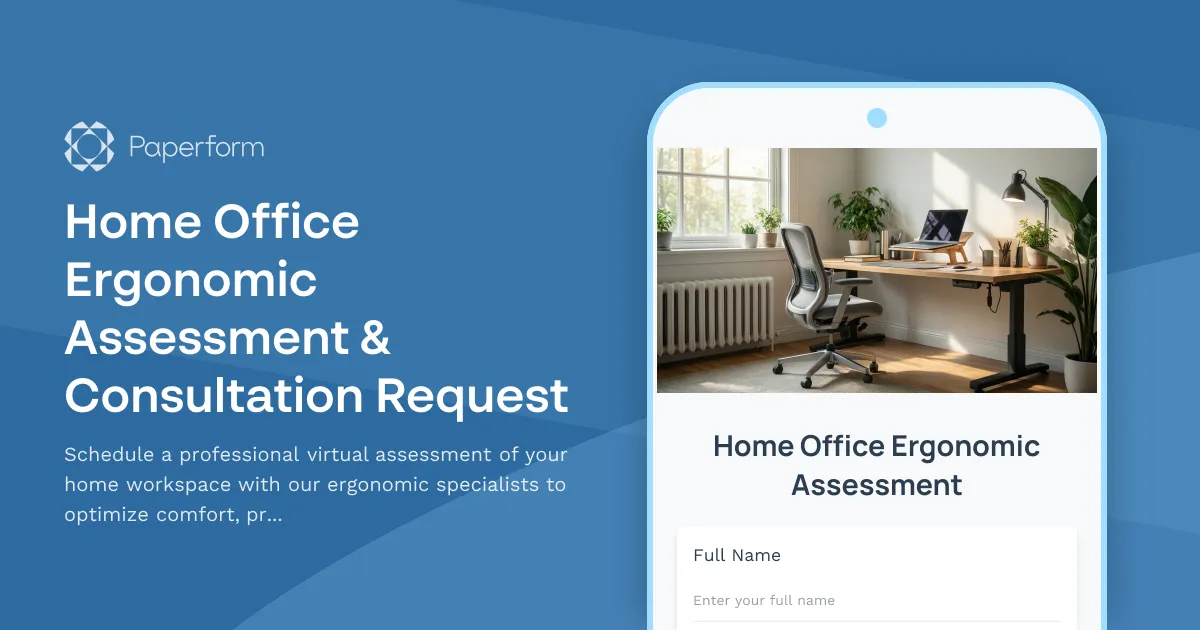
Transform Your Remote Workspace with Professional Ergonomic Assessment
Moving to remote work shouldn't mean compromising on workplace safety and comfort. Our Home Office Ergonomic Assessment & Consultation Request form connects new remote employees with certified workspace consultants who provide personalized recommendations to create a healthy, productive home office environment.
This comprehensive virtual assessment form is designed for HR teams, workplace safety officers, and facilities managers who want to ensure their distributed workforce has access to professional ergonomic guidance—without the logistics of in-person visits.
Why Home Office Ergonomic Assessments Matter
As remote and hybrid work becomes permanent for millions of employees, makeshift dining table setups are leading to increased reports of back pain, neck strain, and repetitive stress injuries. Professional ergonomic assessments help prevent these issues before they impact employee wellbeing and productivity.
This Paperform template streamlines the entire consultation process: employees submit their availability and workspace photos, consultants review submissions, schedule video walkthroughs, and provide actionable recommendations—all tracked in one organized workflow.
Perfect For Remote Work Programs Across Industries
This form template is ideal for:
- HR and People Operations teams implementing home office stipend programs that require professional assessment before equipment purchases
- Workplace safety and wellness coordinators conducting ergonomic evaluations for distributed teams
- Facilities managers at companies transitioning to permanent remote or hybrid models
- Occupational health specialists offering virtual ergonomic consultations
- IT and workplace services teams coordinating equipment provisioning for new remote hires
Whether you're onboarding five remote employees or five hundred, this template provides a consistent, professional intake process that ensures no one falls through the cracks.
Key Features That Make This Form Work
Comprehensive Employee Information Capture: The form collects essential employee details, department information, and employment start date to ensure consultations are prioritized appropriately and routed to the right internal teams.
Flexible Video Assessment Scheduling: Using Paperform's built-in appointment scheduling fields, employees can book their virtual workspace assessment at a time that works for both them and your ergonomic consultants—eliminating the back-and-forth of scheduling emails.
Visual Workspace Documentation: Photo upload fields allow employees to submit images of their current workspace setup from multiple angles, giving consultants valuable context before the live consultation and making the video session more efficient.
Detailed Health & Comfort Assessment: Pre-consultation questions about existing discomfort, work habits, and ergonomic concerns help consultants prepare targeted recommendations and identify priority areas during the live assessment.
Equipment Inventory & Preferences: The form captures what furniture and equipment employees currently have, what they need, and any specific preferences—essential information for budget planning and procurement teams.
Conditional Logic for Smart Workflows: Built-in conditional logic shows or hides questions based on previous answers, creating a streamlined experience that only asks relevant questions (for example, detailed questions about existing equipment only appear if the employee indicates they already have a home office setup).
Streamline Approvals and Equipment Orders with Stepper
Once an employee submits their assessment request, the real workflow begins. This is where Stepper, Paperform's AI-native workflow automation platform, transforms a simple form submission into a complete end-to-end process.
After the ergonomic consultant completes the virtual assessment, Stepper can automatically:
- Route equipment recommendations to managers for budget approval based on department spending limits
- Create procurement requests in your purchasing system with recommended items and employee details
- Update your HRIS or employee database with home office setup status
- Schedule follow-up assessments 30-60 days after equipment delivery to ensure everything is working well
- Generate reports for workplace safety teams tracking ergonomic program participation and outcomes
For organizations with multi-step approval processes, Stepper workflows ensure equipment recommendations don't get lost in email threads—each request moves systematically from assessment to approval to procurement to delivery confirmation.
Designed for the Employee Experience
Remote employees are often navigating new company processes while setting up their workspace from scratch. This form is designed with clarity and simplicity in mind—clear section headings, helpful descriptions, and a logical flow that takes just 5-7 minutes to complete.
The modern, professional design works seamlessly on mobile devices, meaning employees can complete the form and upload workspace photos directly from their phone. And with Paperform's customizable success page, you can provide immediate next steps, timeline expectations, and links to ergonomic resources while employees wait for their scheduled consultation.
Built-In Compliance and Documentation
For organizations that need to maintain records of workplace safety initiatives—whether for insurance purposes, regulatory compliance, or internal auditing—this form automatically creates a documented trail of every assessment request, consultation, and recommendation.
All submissions are stored securely in Paperform with SOC 2 Type II compliance, and can be exported to your HRIS, safety management system, or employee record database through native integrations or Stepper workflows.
Easy Integration with Your Existing Tools
This template works with the tools your team already uses:
- Send submissions to Google Sheets or Airtable to maintain a master tracker of all assessment requests and their status
- Create Slack or Teams notifications when new requests come in or when consultations are scheduled
- Sync with calendar tools like Google Calendar or Outlook so consultants always know their schedule
- Connect to your CRM or HRIS like BambooHR, Workday, or similar to keep employee records current
- Trigger custom workflows via webhooks or Stepper to connect with procurement systems, approval platforms, or project management tools
Supporting Remote Employee Wellbeing at Scale
As more organizations recognize that employee wellbeing directly impacts retention, engagement, and productivity, proactive programs like ergonomic assessments become strategic investments rather than nice-to-haves.
This form template gives HR and workplace teams a professional, scalable solution that shows employees their organization cares about their health and comfort—even when they're working from home. It's the kind of thoughtful employee experience that builds loyalty and reduces turnover in competitive talent markets.
Get Started in Minutes
Simply customize this template with your organization's branding, connect it to your calendar for scheduling, adjust the equipment budget questions to match your policy, and share the link with new remote employees. No coding, no developers, no complexity.
With Paperform's intuitive editor, you can add your company logo, adjust questions to reflect your specific ergonomic assessment process, customize email notifications, and create a seamless experience that feels uniquely yours.
Ready to build a healthier, more productive remote workforce? Start with this template and give every employee access to professional workspace consultation—no matter where they work.
Trusted by forward-thinking organizations worldwide, Paperform is SOC 2 Type II compliant and designed for teams that need professional forms without the technical overhead. Explore how Stepper can automate your entire home office equipment approval and procurement process, from assessment to delivery.



More templates like this

Hybrid Work Equipment Insurance & Damage Assistance Form
Submit claims for accidental damage, theft, or loss of home office equipment with deductible assistance, repair cost sharing, and replacement support for hybrid workers.

Remote Work Monitor & Display Upgrade Request
Request approval for new monitors and display equipment for your home office setup. Submit screen specifications, multiple monitor needs, and mounting requirements for budget approval.

Home Office Accessibility & Specialized Seating Request Form
Request specialized ergonomic seating, mobility equipment, and accessibility accommodations for your home office workspace with ADA compliance documentation and approval workflow.

Home Office Electrical Capacity & Equipment Reimbursement Form
Assess your home office electrical needs, calculate circuit load requirements, and request reimbursement for power strips, outlets, and electrician consultations to ensure safe and compliant remote work setups.
Home Office Guest Seating & Collaboration Space Allowance Request
Request reimbursement for home office furniture and equipment to host professional client meetings and in-home collaboration sessions.
Home Office Window Treatment & Glare Reduction Request Form
Request window treatments for your home office to reduce screen glare, improve privacy, and enhance workspace comfort while working remotely.
Hybrid Work Ergonomic Assessment Form
A comprehensive ergonomic assessment form for hybrid and remote workers to evaluate home office setup, request equipment, and ensure a safe, comfortable workspace that meets workplace health standards.

Remote Work Desk Accessories & Organizers Allowance Form
Submit requests for remote work desk accessories, organizers, and workspace optimization items with budget tracking and approval workflow.
Seasonal Workspace Modification Reimbursement Form
Request reimbursement for seasonal home office equipment including cooling, heating, lighting adjustments, and productivity enhancements for remote work comfort throughout the year.
Dependent Care Workspace Setup Request Form
Request specialized home office equipment and workspace separation tools for remote employees balancing childcare or dependent care responsibilities while working from home.

Emergency Communication Device Allowance Request
Request reimbursement or allowance for emergency communication equipment including satellite phones, emergency radios, and backup devices for remote work locations.
Employee Hybrid Work Preference Survey
A comprehensive survey to understand employee preferences for hybrid work schedules, including focus time needs, social interaction requirements, and work style assessment to optimize flexible work arrangements.