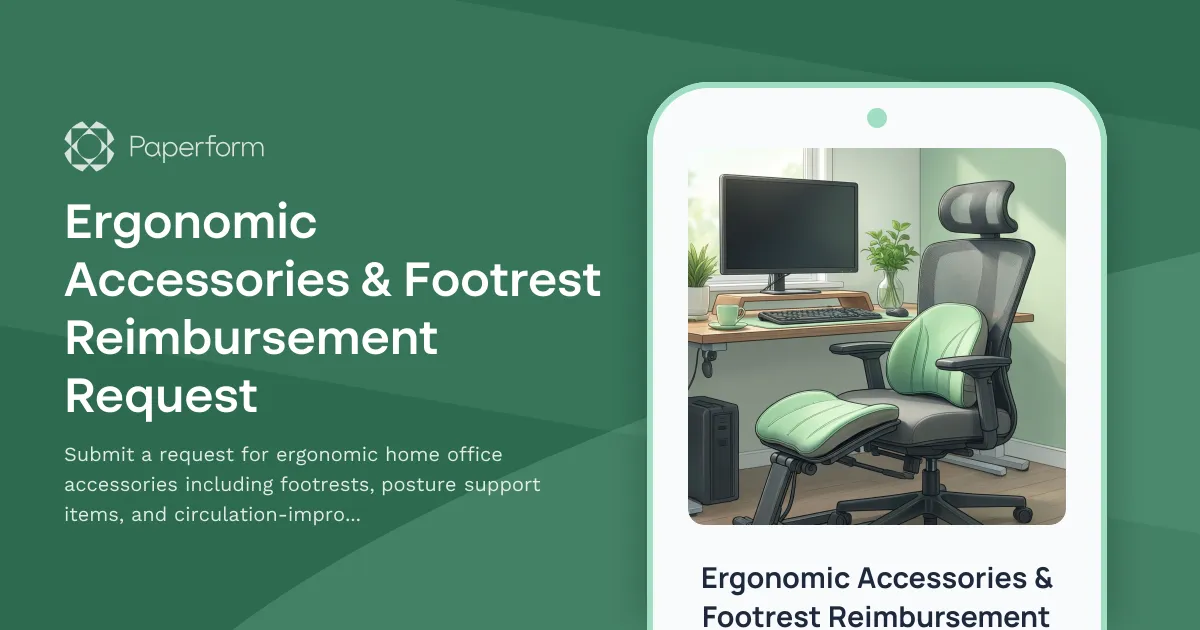
Create a Healthier Home Office with Ergonomic Equipment
Working from home shouldn't mean compromising on comfort or health. Poor ergonomics can lead to circulation issues, back pain, and long-term musculoskeletal problems—which is why more forward-thinking companies are supporting their remote teams with ergonomic accessory reimbursements.
This Ergonomic Accessories & Footrest Reimbursement Request form helps remote employees submit well-documented requests for essential ergonomic equipment, from adjustable footrests and lumbar support cushions to anti-fatigue mats and monitor risers. By gathering details about specific health needs, current workspace setup, and product specifications, this form streamlines the approval process while ensuring employees get the support they need to work comfortably and productively.
Who This Form Is For
This template is designed for HR teams, operations managers, and remote work coordinators at companies that want to support employee wellness through home office equipment programs. It's especially valuable for:
- HR departments managing remote work policies and employee health initiatives
- People operations teams processing equipment reimbursements and purchases
- Facilities and workplace experience managers overseeing distributed workspace programs
- Finance teams tracking and approving ergonomic equipment budgets
- Employee wellness coordinators promoting healthier work-from-home setups
Industries that prioritize remote employee wellbeing—including tech companies, professional services, consulting firms, creative agencies, and healthcare organizations—will find this template particularly useful as part of a comprehensive remote work support program.
Why Ergonomic Accessories Matter for Remote Workers
When employees work from home, they often lack the professionally designed workstations they'd have in a corporate office. Many remote workers spend hours at dining tables, on sofas, or in makeshift setups that weren't designed for eight-hour workdays. The result? Increased reports of back pain, poor circulation in legs and feet, neck strain, and repetitive stress injuries.
Ergonomic accessories like footrests, lumbar cushions, and wrist supports are relatively low-cost interventions that can significantly improve comfort, reduce injury risk, and boost productivity. By making it easy for employees to request these items—and providing clear justification pathways—companies can demonstrate genuine care for employee health while potentially reducing healthcare costs and sick leave down the line.
Key Features of This Form Template
This template goes beyond a simple "request an item" form by gathering the context needed for informed decision-making:
Health & Justification Documentation: Employees explain their specific ergonomic challenges (circulation issues, posture problems, existing pain) and how the requested items will address them. This helps managers understand genuine health needs versus nice-to-have preferences.
Detailed Product Information: The form collects product names, links, specifications (like adjustable height ranges), and estimated costs, making it easy for approvers to verify the items meet quality standards and budget guidelines.
Current Workspace Assessment: Understanding the employee's existing setup helps identify whether they need foundational equipment (like a proper desk and chair) or supplementary ergonomic accessories.
Multi-Item Requests: Employees can request multiple accessories in a single submission, streamlining the process when someone needs a footrest, lumbar support, and wrist rest together.
Manager Approval Workflow: Built-in sections for manager review ensure requests are evaluated appropriately before processing.
How Paperform Makes Equipment Requests Seamless
With Paperform's conditional logic, you can show or hide questions based on employee responses—for example, asking for medical documentation only when requested equipment exceeds a certain cost threshold, or displaying additional questions about existing back pain when someone requests lumbar support.
The form can integrate directly with your HRIS, Slack, or project management tools via Stepper (stepper.io), automatically routing approved requests to procurement teams, creating purchase orders, or notifying finance departments. This eliminates the email back-and-forth and spreadsheet tracking that typically bog down reimbursement programs.
If you need manager sign-off before processing requests, you can use Papersign (papersign.com) to send approval documents for electronic signature, creating a clear audit trail and speeding up the approval cycle.
Customizing This Template for Your Company
Every organization has different ergonomic equipment policies, budget limits, and approval workflows. This template is designed to be easily customized:
- Adjust budget thresholds to match your per-employee ergonomic equipment allowances
- Add or remove equipment categories based on what your company approves (some organizations have specific vendors or product lists)
- Customize approval workflows to require manager, HR, or facilities team sign-off based on request value
- Add medical documentation upload fields if your policy requires supporting documentation for certain requests
- Include company equipment guidelines or links to approved product catalogs
- Modify success messages to set clear expectations about approval timelines and next steps
Supporting Remote Employee Wellbeing at Scale
As remote and hybrid work become permanent fixtures rather than temporary experiments, companies that invest in employee ergonomics will see returns in productivity, engagement, and retention. Employees who feel physically comfortable and supported in their home offices are more likely to stay with their employer and recommend the company to others.
This form template helps you operationalize ergonomic support in a way that's scalable, trackable, and easy for employees to use. Instead of vague policies or informal email requests, you'll have a systematic approach to ensuring every remote worker has access to the equipment they need to work healthily.
Trusted by remote-first companies worldwide, Paperform helps HR and operations teams manage employee equipment programs with professional forms that integrate seamlessly into existing workflows. SOC 2 Type II compliant and featuring powerful automation capabilities, Paperform makes it simple to support distributed teams without adding administrative overhead.



More templates like this

Home Office Accessibility & Specialized Seating Request Form
Request specialized ergonomic seating, mobility equipment, and accessibility accommodations for your home office workspace with ADA compliance documentation and approval workflow.
Hybrid Work Ergonomic Assessment Form
A comprehensive ergonomic assessment form for hybrid and remote workers to evaluate home office setup, request equipment, and ensure a safe, comfortable workspace that meets workplace health standards.
Multi-Generational Home Office Soundproofing Request Form
Request soundproofing equipment and workspace solutions for multi-generational households with remote workers. Address noise isolation, privacy needs, and create productive quiet zones.
Dependent Care Workspace Setup Request Form
Request specialized home office equipment and workspace separation tools for remote employees balancing childcare or dependent care responsibilities while working from home.
Home Office Emergency Kit & Supplies Request Form
Request essential emergency supplies and safety equipment for your home office, including first aid kits, backup power solutions, emergency contact devices, and disaster preparedness items to ensure business continuity during unforeseen events.
Home Office Lighting Equipment Reimbursement Request
Request reimbursement for home office lighting equipment including task lighting, video call illumination, and ergonomic lighting solutions to improve your remote workspace.
Home Office Reference Library & Professional Development Allowance Request
Request reimbursement for home office reference materials, professional books, industry subscriptions, and learning resources to support your remote work setup.
Home Office Soundproofing & Acoustic Treatment Request
Request acoustic improvements and soundproofing solutions for your home office to enhance audio quality and reduce noise distractions during remote work.
Home Office Waste Management & Recycling Setup Request
Request sustainable waste management equipment and recycling systems for your home office, including secure document disposal, recycling bins, composting solutions, and waste reduction resources.
Home Office Wellness & First Aid Allowance Request
Request reimbursement for home office wellness supplies, ergonomic support items, first aid essentials, and preventive health products to create a healthier remote work environment.
Pet-Friendly Home Office Equipment Reimbursement Form
Request reimbursement for home office equipment and modifications designed to accommodate pets while maintaining professional remote work standards.

Remote Work Desk Accessories & Organizers Allowance Form
Submit requests for remote work desk accessories, organizers, and workspace optimization items with budget tracking and approval workflow.