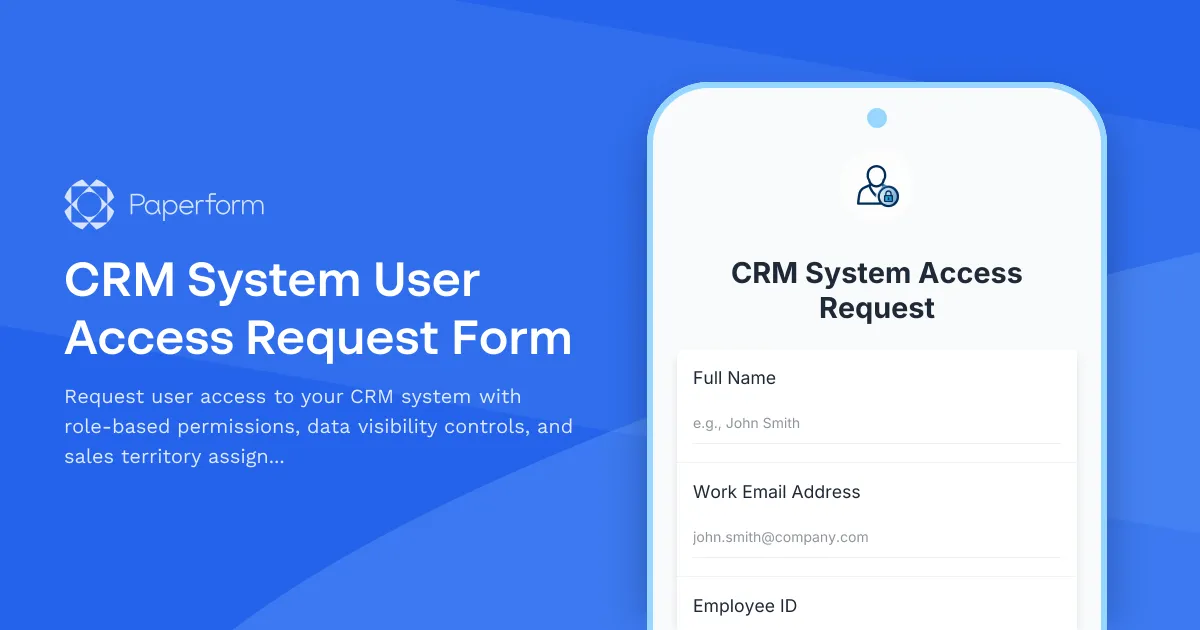
Streamline CRM Access Management with Role-Based Permissions
Managing user access to your CRM system shouldn't be a bottleneck for your sales and operations teams. Whether you're onboarding new sales representatives, granting customer service agents access to support tickets, or configuring manager-level permissions for pipeline oversight, a structured CRM access request process ensures security, compliance, and operational efficiency.
This CRM System User Access Request Form template is designed for IT administrators, sales operations managers, and HR teams who need to provision CRM access quickly while maintaining proper data governance. Instead of managing access requests through scattered email threads or service desk tickets, this template centralizes the entire process into a single, professional form that captures all the essential information needed to configure user permissions correctly the first time.
Why CRM Access Management Matters for Growing Teams
As your business scales, so does your CRM complexity. Different team members need different levels of access: sales reps need visibility into their own accounts and territories, managers require oversight of their team's pipelines, and executives need company-wide reporting access. Without a structured access request process, you risk:
- Security gaps from over-provisioned permissions
- Compliance issues when audit trails are incomplete
- Productivity delays when employees can't access the data they need
- Data integrity problems when unauthorized users modify critical records
This template solves these challenges by capturing role requirements, data visibility needs, and territorial assignments in a structured format that IT teams can action immediately.
What Makes This Template Essential for IT and Sales Operations
Built specifically for businesses using CRM platforms like Salesforce, HubSpot, Pipedrive, Microsoft Dynamics, or Zoho CRM, this form template includes:
Role-based access controls that align with common CRM user profiles—from read-only access for contractors to full administrative rights for system managers. The form helps requestors select the appropriate permission level based on job function rather than guessing at technical specifications.
Data visibility settings that define which records, accounts, and opportunities the user can view. Whether you operate with private record ownership, team-based visibility, or hierarchical access models, the form captures these requirements clearly.
Sales territory assignment for organizations that segment their CRM by geography, industry vertical, account size, or product line. This ensures new users are automatically associated with the right subset of data from day one.
Manager approval workflows that can be automated using Stepper to route high-privilege access requests through the appropriate approval chain before provisioning occurs.
Perfect for IT Administrators and Sales Operations Teams
This template is purpose-built for:
- IT administrators provisioning CRM access for new hires and role changes
- Sales operations managers coordinating territory assignments and permission structures
- HR teams processing access requests as part of employee onboarding
- Customer service managers setting up support team access to case management
- Marketing operations granting campaign managers access to lead databases
The form works equally well for initial access requests, permission modifications, and access reviews or recertifications.
Automate Your Access Provisioning with Stepper
Once an access request is submitted through Paperform, you can use Stepper (stepper.io) to automate your entire provisioning workflow:
- Route requests to the appropriate manager for approval based on role or department
- Create user accounts automatically in your identity provider (like Okta or Azure AD)
- Assign CRM licenses and permission sets via API
- Send welcome emails with login credentials and training resources
- Log all access changes in your ITSM tool for audit compliance
- Schedule automatic access reviews after 90 days
This automation transforms what used to be a multi-day manual process into a streamlined workflow that provisions access within hours, not weeks.
Customize for Your CRM Platform and Security Requirements
While this template works out of the box for most CRM access scenarios, you can easily customize it to match your organization's specific:
- Permission models and role taxonomies
- Territory and team structures
- Compliance requirements (SOX, GDPR, industry-specific regulations)
- Approval hierarchies and delegation rules
- Integration points with your identity and access management systems
Paperform's flexible editor lets you add conditional logic to show different questions based on the requested role, include file upload fields for supporting documentation, or integrate calculations to track license allocation against your CRM subscription limits.
Security and Compliance Built In
For organizations with strict access governance requirements, Paperform offers SOC 2 Type II compliance, role-based permissions for form editors, and detailed audit logs of all submissions. You can restrict form access to internal users only, require authentication, and export submission data to your GRC platform for centralized access tracking.
If your access requests require formal approval signatures, Papersign (papersign.com) can convert approved submissions into signed access authorization documents, creating a complete audit trail from request through approval to provisioning.
Get Started with Better CRM Access Management
Whether you're managing a team of five sales reps or coordinating access for a global revenue organization, this CRM System User Access Request Form template gives you the structure and flexibility to provision CRM access securely and efficiently. Built on Paperform's intuitive platform, trusted by over 500,000 teams worldwide, you can deploy this template today and start automating your access management workflow immediately.



More templates like this

Remote Work Monitor & Display Upgrade Request
Request approval for new monitors and display equipment for your home office setup. Submit screen specifications, multiple monitor needs, and mounting requirements for budget approval.

Collaboration Workspace Admin Access Request
Request administrative access to collaboration workspaces including member management, content moderation, and archive permissions for project teams.

Home Office Battery Backup & UPS Request Form
Request battery backup and UPS equipment for your home office to ensure business continuity during power outages. Assess your power needs, prioritize critical devices, and plan for uninterrupted remote work.

Work From Home Technology Upgrade Program Application
Apply for technology upgrades and equipment refreshes for your home office setup. Request emerging tech, scalability improvements, and innovation budget for long-term remote work success.
Collaboration Tool Guest Access Request Form
Streamline external partner access to your collaboration tools with automated permissions, project assignments, and built-in confidentiality agreements.

Corporate VPN Access Request Form
Streamline remote access requests with this corporate VPN access form. Collect employee details, device information, security clearance levels, and route for manager approval—all in one secure workflow.
Data Warehouse Access Request Form
Request access to data warehouse systems with specific query permissions, dataset access levels, and data retention policy acknowledgment for business intelligence and analytics teams.

Employee Offboarding IT Access Revocation Checklist
Comprehensive IT offboarding checklist to systematically revoke employee system access, track equipment returns, and ensure secure account closure across all platforms.
Environmental Health & Safety Software Request Form
Request EHS software for incident reporting, safety inspections, training tracking, and compliance management. Streamline your workplace safety operations with the right tools.
IT Demand Management Portal Access Request
Request access to the IT Demand Management Portal with customizable intake form permissions, project review capabilities, and prioritization scoring tools for IT teams.
IT Infrastructure Change Request Form
Submit and manage IT infrastructure changes with comprehensive risk assessment, rollback planning, and structured approval workflow for enterprise environments.
IT Managed Service Agreement Approval Form
A comprehensive approval form for IT managed service agreements covering SLA terms, support scope, pricing models, technology stack details, and IT director authorization.