
Streamline Collaboration Workspace Access with Paperform
Managing collaboration workspace access can be chaotic when your teams rely on email chains and informal permission requests. Whether you're using Slack, Microsoft Teams, Notion, or other collaborative platforms, controlling who has administrative rights is crucial for security, compliance, and efficient project management.
This Collaboration Workspace Admin Access Request template helps IT teams, operations managers, and workspace administrators create a standardized, secure process for granting elevated permissions. Instead of ad-hoc requests scattered across channels, you get a single, structured form that captures all the information needed to make informed access decisions.
Who This Template Is For
This template is designed for IT professionals, system administrators, workspace managers, and operations teams who need to:
- Control administrative access to collaboration platforms like Slack, Teams, Discord, Notion, or Confluence
- Ensure proper approval workflows for elevated permissions
- Track who has member management, content moderation, or deletion rights
- Maintain audit trails for compliance and security reviews
- Standardize access requests across multiple projects and teams
Whether you're managing a growing tech startup, running IT operations for a marketing agency, or overseeing collaboration tools for a consulting firm, this template gives you the foundation to manage workspace permissions professionally.
What Makes This Template Essential
Comprehensive Permission Mapping: The form captures exactly what type of admin access is needed—from basic member management to full archive and deletion rights. This granular approach ensures users only get the permissions they actually need, following the principle of least privilege.
Built-in Approval Workflow: Conditional logic ensures the right stakeholders review each request. Business justification fields and manager approval capture help you maintain accountability and create an audit trail for security reviews.
Time-bound Access Controls: The template includes fields for access duration and review dates, making it easy to implement temporary elevated permissions that automatically trigger re-evaluation rather than becoming permanent security risks.
Multi-workspace Support: Whether you're managing permissions for a single project workspace or multiple collaboration environments, the form adapts to capture workspace identifiers, URLs, and specific platform requirements.
How Paperform Elevates Your Access Management
With Paperform's conditional logic, you can show different permission options based on the collaboration platform selected—Microsoft Teams permissions look different from Slack channel admin rights, and this template handles those nuances elegantly.
Use Stepper (stepper.io) to automate what happens after submission: route requests to the appropriate approvers based on permission level, create tickets in your IT service management system, send notifications to workspace owners, and log all access changes in your security information database. You can even set up automatic expiration reminders when temporary access is approaching its review date.
The doc-style editor means you can customize this template to match your organization's access policies, add your IT security guidelines as reference text, embed links to your acceptable use policies, and include custom fields for any compliance requirements specific to your industry.
Real-World Use Cases
Project Launch Teams: When spinning up a new project workspace, team leads can request admin access to set up channels, invite members, and configure initial settings—then transition to standard user permissions once setup is complete.
Content Moderation: Community managers and HR teams can request moderation rights to manage inappropriate content, handle member disputes, or enforce community guidelines without needing full administrative control.
Archive Management: During project closeouts or team restructuring, authorized personnel can request archive and deletion rights on a temporary basis to clean up old workspaces, preserving only what needs to be retained for records.
Department Transitions: When team members change roles or projects wind down, this form facilitates the proper handoff of administrative responsibilities with clear documentation of who held what permissions and when.
Integration and Automation
Paperform integrates seamlessly with the tools IT teams already use. Send approved requests to Slack for visibility, log them in Airtable or Google Sheets for your access registry, create tickets in Jira or other ITSM platforms, and trigger approval workflows in HubSpot or project management tools.
For organizations with strict compliance requirements, Paperform's SOC 2 Type II compliance and data residency controls ensure your access request data is handled securely. Role-based permissions mean only authorized IT staff can view sensitive access requests, and audit logs track every interaction with submitted forms.
Get Started in Minutes
This template is ready to use immediately, but you can easily customize it to match your organization's specific needs. Add your branding, adjust permission categories to match your collaboration platforms, modify approval workflows, or integrate with your identity management systems—all without writing a single line of code.
Whether you're managing workspace access for a 20-person startup or a 200-person agency, this template scales with your needs. Start collecting structured, auditable access requests today and bring order to your collaboration workspace administration.
Learn more about workflow automation with Stepper to take your access management process to the next level.



More templates like this

Remote Work Monitor & Display Upgrade Request
Request approval for new monitors and display equipment for your home office setup. Submit screen specifications, multiple monitor needs, and mounting requirements for budget approval.

Work From Home Technology Upgrade Program Application
Apply for technology upgrades and equipment refreshes for your home office setup. Request emerging tech, scalability improvements, and innovation budget for long-term remote work success.
IT Vendor Contract Modification Change Request Form
Submit requests to modify vendor contracts, adjust service levels, update pricing terms, or change renewal conditions. Streamline IT procurement and vendor management approvals.
Software License Request Form
Streamline software procurement with this comprehensive request form for license purchases, subscription tiers, user counts, budget approvals, and IT security reviews.
Collaboration Tool Guest Access Request Form
Streamline external partner access to your collaboration tools with automated permissions, project assignments, and built-in confidentiality agreements.

Corporate VPN Access Request Form
Streamline remote access requests with this corporate VPN access form. Collect employee details, device information, security clearance levels, and route for manager approval—all in one secure workflow.
Home Office Whiteboard & Brainstorming Equipment Request
Request whiteboards, collaboration tools, and creative workspace equipment for your remote office setup with streamlined approval and reimbursement tracking.
IT Demand Management Portal Access Request
Request access to the IT Demand Management Portal with customizable intake form permissions, project review capabilities, and prioritization scoring tools for IT teams.
IT Infrastructure Change Request Form
Submit and manage IT infrastructure changes with comprehensive risk assessment, rollback planning, and structured approval workflow for enterprise environments.
IT Managed Service Agreement Approval Form
A comprehensive approval form for IT managed service agreements covering SLA terms, support scope, pricing models, technology stack details, and IT director authorization.
Workplace Collaboration Tool Support Request
Submit technical support requests for workplace collaboration tools, including access issues, file sharing errors, integration problems, and bot configuration assistance.
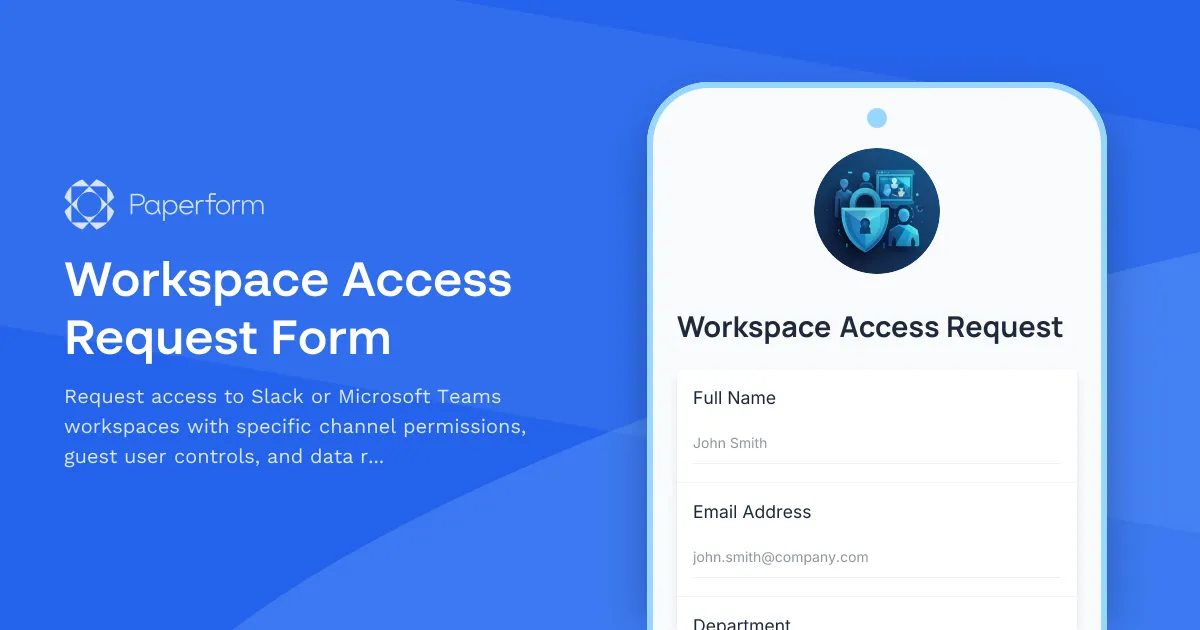
Workspace Access Request Form
Request access to Slack or Microsoft Teams workspaces with specific channel permissions, guest user controls, and data retention policy acknowledgment for secure collaboration.