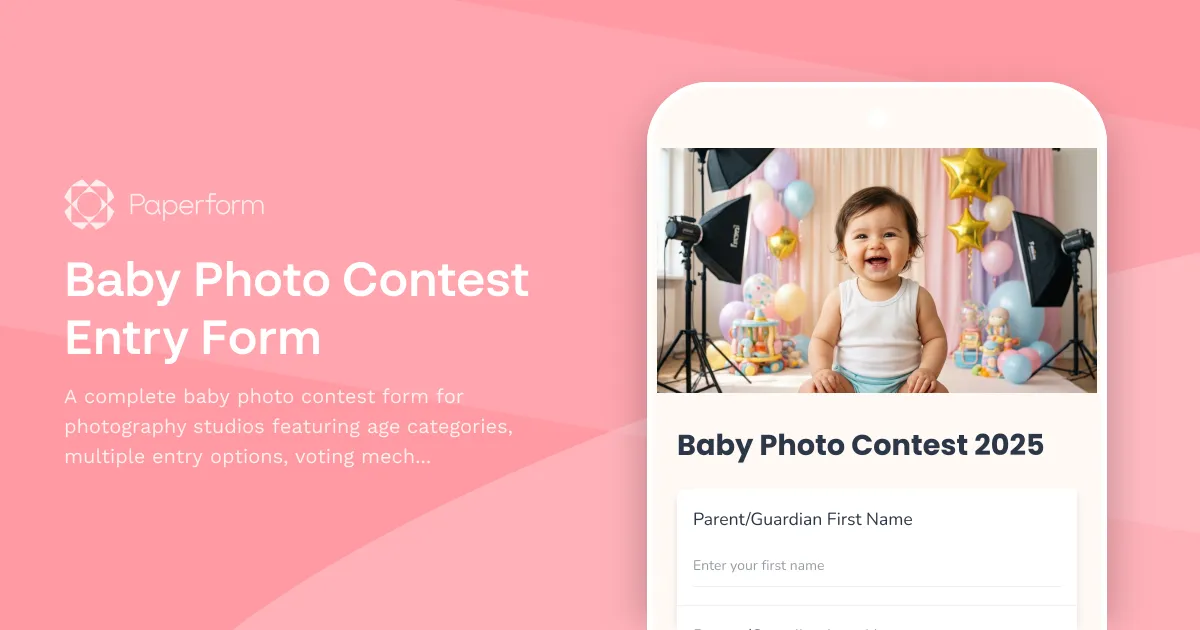
Run a Successful Baby Photo Contest with Paperform
Looking for a way to engage your photography studio's community while attracting new families? A baby photo contest is one of the most effective promotional strategies for photographers, and this Baby Photo Contest Entry Form template gives you everything you need to launch a professional, organized competition in minutes.
Why Photography Studios Love Baby Photo Contests
Baby photo contests are marketing gold for photography studios, children's photographers, and family portrait businesses. They generate social media buzz, encourage parents to share your brand with their networks, and create a database of potential clients—all while celebrating the adorable little ones in your community.
Parents love showing off their babies, and a well-run contest gives them the perfect platform. With multiple age categories, fair voting systems, and attractive prize packages, this form helps you create an experience that feels premium, organized, and exciting from start to finish.
What's Inside This Baby Photo Contest Form
This template is designed specifically for photography studios running promotional campaigns and giveaways. It includes:
Age-Based Categories – Separate divisions for different age ranges (0-6 months, 6-12 months, 1-2 years, 2-3 years) ensure fair competition and give more babies a chance to win. This increases participation since parents feel their child has a better shot competing against similar ages.
Multiple Entry Options – Let participants enter multiple photos or children with flexible pricing. Whether someone wants to enter one adorable shot or their entire collection of baby milestones, the form handles it seamlessly with automatic pricing calculations.
Photo Upload with Details – Collect high-quality images along with the baby's name, age, and a short description. This gives you everything needed to showcase entries professionally on social media, your website, or in-studio displays.
Voting Mechanism Information – Clearly explain how winners will be determined—whether through public voting, judge selection, or a combination. Transparency builds trust and encourages wider participation.
Prize Package Selection – Showcase your prize tiers (Gold, Silver, Bronze, or custom packages) right in the form. Highlighting professional photo session prizes, printed photo packages, or studio credit makes the contest more enticing and reinforces your core services.
Parent Contact Information – Capture essential details including parent names, email, phone, and social media handles. This builds your marketing database with engaged, qualified leads who are already interested in professional photography.
Contest Rules & Consent – Include official rules, photo release permissions, and social media sharing consent. Protect your studio legally while gaining rights to use submitted photos in your marketing.
Payment Processing – If you're charging a small entry fee (a common practice that increases perceived value and reduces spam entries), Paperform's built-in payment integration with Stripe, PayPal, or Square handles transactions securely.
Perfect for Photography Studios & Creative Businesses
This form template is ideal for:
- Portrait photography studios looking to fill their booking calendar with young families
- Children's photographers building brand awareness in their local community
- Family photography businesses seeking engaging social media content and user-generated promotion
- Photography schools and associations running community engagement initiatives
- Baby boutiques and children's retailers partnering with photographers for cross-promotions
- Social media influencers and mommy bloggers hosting contests for their audience
How Paperform Elevates Your Baby Photo Contest
Running a contest shouldn't mean wrestling with clunky form builders or piecing together multiple tools. Paperform gives photography studios everything needed in one beautiful, branded experience:
Brand-Matched Design – Your contest form can look like a natural extension of your studio's website. Choose custom fonts that match your brand, add your logo, use your brand colors for buttons and accents, and include a stunning background image of your best baby photography work. When parents arrive at your form, they immediately know they're dealing with a professional operation.
Seamless Photo Uploads – Parents can upload multiple high-resolution images directly through the form. No need for email attachments, Dropbox links, or complicated file sharing—everything arrives in one organized place, attached to the entrant's information.
Smart Conditional Logic – Want to offer early bird pricing? Discount codes for existing clients? Different prize categories based on entry type? Paperform's conditional logic lets you create sophisticated rules without any coding. Show or hide questions, adjust pricing, and customize the experience based on how parents answer previous questions.
Automatic Calculations – If you're offering multiple entry options (like "$10 for one photo, $25 for three photos"), the form automatically calculates the total as parents make their selections. Add entry fees, processing charges, or optional add-ons, and the running total updates in real-time.
Mobile-Optimized Experience – Most parents will enter from their phones (where their baby photos live), so mobile optimization isn't optional—it's essential. Every Paperform is automatically responsive, ensuring your contest looks gorgeous and works perfectly on any device.
Integrated Payments – Connect your Stripe, PayPal, or Square account and collect entry fees directly through the form. No redirects, no separate checkout pages—just a smooth, professional experience that keeps participants engaged from start to finish.
Email Confirmations & Notifications – Automatically send beautifully formatted confirmation emails to entrants with their submission details, contest timeline, and voting instructions. Your studio receives instant notifications when new entries arrive, keeping you in the loop without constantly checking a dashboard.
Automate Your Contest Workflow with Stepper
The real magic happens after someone hits "Submit." With Stepper (stepper.io), Paperform's AI-native workflow builder, you can automate your entire contest management process:
- Add entries to a Google Sheet or Airtable for easy tracking and judging
- Send submissions to your CRM (HubSpot, Pipedrive, etc.) to nurture these leads after the contest
- Post entries to Instagram or Facebook automatically to build social proof and engagement
- Assign tasks to team members for photo review, gallery updates, or follow-up calls
- Trigger different emails based on entry category (personalized messages for each age group)
- Create a voting gallery by pushing entries to your website or a dedicated contest page
These automations mean you can focus on engaging with participants and planning your prize photo sessions instead of manually processing entries and updating spreadsheets.
Get Signatures with Papersign
For contest rules, photo usage rights, and prize acceptance, you need clear legal agreements. After someone wins, use Papersign (papersign.com) to automatically generate and send professional contracts for eSignature. Winners can review and sign photo release forms, prize acceptance agreements, or session booking contracts digitally—keeping your entire contest workflow paperless and professionally documented.
Boost Your Photography Studio's Marketing
Baby photo contests do more than fill your inbox with adorable pictures. When executed well, they become powerful marketing engines:
Build Your Email List – Every entrant is a warm lead who's already engaged with your brand. Use this list for newsletter signups, special offers, and seasonal promotions.
Generate Social Media Content – Encourage participants to share their entry with friends and family. Suddenly, you have dozens of families organically promoting your studio across their networks.
Fill Your Booking Calendar – Offering photography session prizes gets winners through your door, where you can upsell prints, additional sessions, and family packages. Plus, the exposure often leads to direct bookings from non-winners who saw the contest.
Create Community Buzz – A well-promoted contest positions your studio as an active, engaged part of your local community. Parents talk, share, and remember businesses that celebrate their families.
Collect Testimonials & Reviews – Happy contest participants often become enthusiastic reviewers. The positive experience of entering and potentially winning makes them more likely to leave glowing feedback.
Customization Made Simple
While this template comes ready to use out of the box, Paperform's doc-style editor makes customization incredibly intuitive. Want to add sponsor logos? Type where you want them and insert the image. Need to adjust age categories? Simply edit the text. Want to include video upload options? Add a file upload field.
There's no wrestling with drag-and-drop interfaces or hunting through settings panels. If you can edit a document, you can customize this form to perfectly match your contest vision.
Trusted by Photography Studios & Creative Professionals Worldwide
Paperform is used by over 500,000 teams globally, including photography studios, creative agencies, and small businesses that need professional forms without the technical headaches. With SOC2 Type II compliance and GDPR adherence, you can trust that your entrants' information and photos are handled securely.
The platform offers generous usage on all plans, so you won't get surprise bills as your contest entries roll in. And with 30,000+ designer templates across every industry, you'll find Paperform useful long after your contest ends—for session bookings, client intake, feedback surveys, and more.
Ready to Launch Your Baby Photo Contest?
Whether you're a established studio looking to re-engage your community or a new photographer building your first client base, this Baby Photo Contest Entry Form template gives you a professional, conversion-optimized starting point. Customize it to match your brand, promote it to your audience, and watch the adorable entries (and qualified leads) start rolling in.
With Paperform handling the technical details—form design, photo uploads, payment processing, and data collection—you can focus on what you do best: celebrating families and creating beautiful photography.
Start building your community, growing your email list, and filling your booking calendar with this ready-to-use baby photo contest form. Because every adorable baby picture is a potential family portrait client waiting to happen.



More templates like this

Behind-the-Scenes Content Series Contest
Enter for a chance to win by sharing your interest in our behind-the-scenes content series. Help us showcase the real stories, people, and processes that make our brand authentic.
Limited Edition Product Launch Giveaway Form
Enter to win exclusive limited edition products before they drop. Join our collector community and get early access to future launches.
Unboxing Experience Contest Entry Form
A comprehensive contest entry form for brands running unboxing experience campaigns, featuring packaging design feedback, social sharing verification, and influencer coordination tools.
Brand Voice Development Giveaway
Enter to win a complete brand voice and style guide package. Share your company details, target audience, and brand aspirations to win professional brand voice development worth $2,500.

Branded Content Series Giveaway Entry Form
A comprehensive contest entry form for branded content series giveaways, featuring storytelling framework collection, episode planning, distribution strategy, and sponsorship integration guidelines.

Community Platform Giveaway Entry
Enter to win a community building platform consultation and setup package. Perfect for creators, brands, and businesses ready to launch or grow their online community.

Experiential Marketing Event Giveaway Entry Form
Enter to win a fully customized experiential marketing event including concept development, venue scouting, activation design, and social media amplification strategy. Perfect for brands looking to create memorable customer experiences.
Influencer Affiliate Program Contest Application
A comprehensive application form for influencer and content creator affiliate program contests with commission structure, performance tracking, and creator recruitment strategy.
Influencer Collaboration Contest Application
Submit your brand for our influencer collaboration contest. Share your product details, campaign goals, and budget to be matched with the perfect creators for your next partnership.
Product Photography Package Giveaway
Enter to win a professional product photography package for your eCommerce business. Perfect for online sellers looking to elevate their product visuals with high-quality images.
Bookstore Gift Card Giveaway
Enter to win a bookstore gift card by sharing your reading preferences and connecting with our literary community. Perfect for book lovers and avid readers.
Brand Ambassador Program Application & Contest
Apply to become a brand ambassador and compete for exclusive rewards. Track your activities, complete training, and unlock reward tiers while representing our brand in your community.