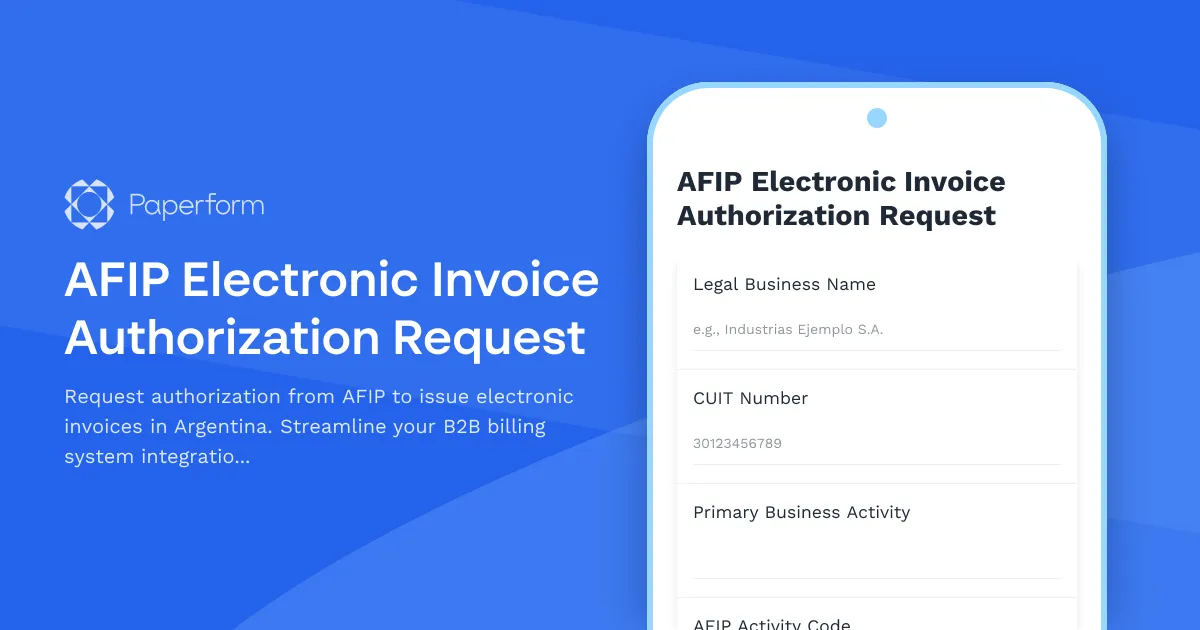
AFIP Electronic Invoice Authorization Request Form
If your Argentine business issues invoices to other companies (B2B transactions), you need authorization from AFIP (Administración Federal de Ingresos Públicos) to generate electronic invoices through their system. This AFIP electronic invoice authorization request form simplifies the application process, helping you gather all required information and documentation in one organized place.
Why electronic invoicing authorization matters for Argentine businesses
Since AFIP mandated electronic invoicing for most commercial activities in Argentina, obtaining proper authorization has become essential for legal B2B operations. Electronic invoices (facturas electrónicas) must be generated through AFIP-approved systems, and your CUIT-registered business needs specific authorization before you can begin issuing them.
This form helps Argentine companies—from small businesses to established enterprises—collect the technical and legal information AFIP requires, including your billing system details, CUIT verification, business activity codes, and integration specifications.
Who needs AFIP electronic invoice authorization?
This form is designed for:
- Argentine B2B companies preparing to implement electronic invoicing systems
- Accounting firms and tax advisors managing multiple client authorizations
- Software developers and IT teams integrating billing systems with AFIP's web services
- New businesses registering for the first time with AFIP's electronic invoicing regime
- Companies expanding operations that need authorization for additional billing points or activities
Whether you're a manufacturer, distributor, professional services firm, or technology company operating in Argentina, this form ensures you provide AFIP with accurate information for authorization.
What this form captures
This comprehensive authorization request form collects:
- Business identification: Legal business name, CUIT, tax domicile, and registration details
- Billing system information: Software provider, system type, and technical specifications
- Authorization scope: Invoice types (A, B, C), billing points, and activity codes
- Technical integration details: Web service credentials, certificate information, and testing environment requirements
- Responsible party information: Tax representative, accountant, or authorized signatory details
- Supporting documentation: Upload space for CUIT certificate, business registration, and power of attorney if applicable
Streamline AFIP compliance with Paperform
Managing AFIP electronic invoice authorization requests through Paperform gives Argentine businesses and their advisors a modern, efficient solution. Instead of juggling email threads, incomplete spreadsheets, and missing documentation, this form centralizes everything in one professional workflow.
Conditional logic ensures applicants only see relevant questions based on their business type and authorization needs. If someone selects multiple billing points, additional fields appear automatically. When they indicate they're using third-party billing software, integration-specific questions surface.
File upload fields let applicants attach their CUIT certificate, business registration documents, and technical specifications directly in the form, eliminating the back-and-forth of document collection.
Custom calculations can validate CUIT numbers using Argentina's verification digit algorithm, reducing errors before submission.
Once a form is submitted, Paperform can trigger automated workflows to keep your authorization process moving. Connect to Stepper, your AI-native workflow automation tool, to automatically:
- Send confirmation emails with submission summaries to applicants
- Notify your compliance team or accountant immediately when new requests arrive
- Create tasks in your project management system for document review
- Update your CRM or client database with authorization status
- Generate folders in Google Drive or Dropbox organized by CUIT number
- Push data to your internal compliance tracking spreadsheet or Airtable base
For accounting firms and tax advisors managing multiple clients, Stepper workflows can route different submission types to different team members, flag urgent requests, and maintain a clear audit trail of each authorization application.
Built for Argentine business requirements
This form template is specifically designed for Argentine regulatory requirements and business practices. Field labels, terminology, and structure reflect AFIP's actual authorization process, making it immediately familiar to local businesses and professionals.
The form guides applicants through complex technical requirements in a clear, organized way—turning what's often a confusing process into a straightforward experience. With Paperform's document-style editor, you can easily customize the form to match your firm's branding or add specific instructions relevant to your clients.
Security and compliance you can trust
When handling sensitive business information like CUIT numbers, tax documentation, and billing system credentials, security matters. Paperform is SOC 2 Type II certified and GDPR compliant, with robust data protection, encryption, and access controls that meet the standards required by professional services firms and enterprises.
With role-based permissions, you can control exactly who on your team can view submissions, while secure file uploads ensure documents remain protected throughout the authorization process.
Get started with electronic invoice authorization
Whether you're an Argentine business preparing for AFIP authorization or an accounting professional helping clients navigate the electronic invoicing regime, this form template provides the structure and automation needed to handle authorization requests efficiently.
Ready to modernize your AFIP compliance workflows? Start with Paperform's professional form builder trusted by over 500,000 teams worldwide, and connect to Stepper to automate everything that happens after "submit." Your clients get a better experience, and your team saves hours on administrative work.



More templates like this

Argentine Professional Services Registration Form
A comprehensive registration form for consulting professionals and service providers registering with AFIP, including CUIT verification, service category selection, and revenue projections for Argentine tax compliance.
AFIP Fiscal Credit Certificate Application
Professional AFIP fiscal credit certificate application form for Argentine VAT registered businesses to claim tax credits with secure document upload and automated compliance validation.

AFIP Microenterprise Debt Restructuring Application
Apply for AFIP debt restructuring under Argentina's microenterprise relief program. Complete payment capacity analysis and submit required documentation for tax debt consolidation.
Argentine Virtual Assistant Services Retainer Agreement
Professional retainer agreement form for virtual assistant services in Argentina, with AFIP task scope definition and transparent hourly rate structure for administrative and regulatory support.
Business Financial Difficulty Declaration (Procédure de Conciliation)
A comprehensive French legal form for businesses facing financial difficulties to initiate conciliation proceedings, analyze cash flow, and request court-appointed mediation with creditors.
Business Transfer Approval Application Form
Complete business transfer application for Kenyan businesses, collecting outgoing and incoming owner details, KRA tax clearance verification, and full inventory valuation for regulatory approval.
Colombian Simplified Tax Regime (Régimen Simple) Enrollment Form
Streamlined enrollment form for Colombia's Régimen Simple de Tributación with income verification, activity classification, and automatic payment schedule generation.
Egypt Tax Dispute Resolution Form
Submit tax dispute appeals to the Egyptian Tax Authority with detailed assessment information, supporting evidence, and documentation for committee review.
GST Cancellation Application Form
Apply for GST registration cancellation for closed businesses. Complete final return filing and obtain tax clearance certificate with this streamlined application form.

GST Registration Application Form
A comprehensive GST registration form for new businesses in India to apply for GSTIN allocation with business details and principal place of business documentation.
KRA VAT Registration Application Form
Official VAT registration form for the Kenya Revenue Authority (KRA) with turnover declaration, business activity classification, and document upload functionality for Kenyan businesses.
RUT Update Form - Registro Único Tributario Colombia
Colombian business registration update form for address changes, economic activity modifications, and DIAN verification compliance. Streamline your RUT updates with this professional template.