This AI App Founder Leveraged Paperform in Her Backend Engine
Kathleen Celmins is a digital marketing veteran who has watched social media and digital marketing rules harden, break, and disappear altogether as the industries have evolved.
“I’ve been working online since 2010. Back then, digital marketing just meant whoever could stuff the most keywords into the most number of blog posts was guaranteed to be on the first page of Google.”
But of course, those days are gone, and her experience in the fast changing world of digital marketing has shaped how she approaches building anything new. Kathleen doesn’t chase tactics but rather she pays attention to what survives change.
And its her experience that led her to found Glow Social, a product that automates social media for small business owners who don’t have time to plan, post, or learn new tools. It’s a essentially a $49 a month digital marketing agency for people who need consistency without overhead.

From the start, Kathleen knew Glow Social couldn’t rely on fragile systems. If it was going to run quietly in the background for her customers, it needed the same kind of infrastructure behind it.
That’s where Paperform came in early.
TL;DR
When Kathleen Celmins launched her AI-powered social media tool, Glow Social, for small businesses, she quickly realized that stitching together custom Stripe integrations and multiple tools wasn’t sustainable.
Instead of building payment infrastructure from scratch, she used Paperform as the form engine behind Glow Social — handling payments, onboarding, scheduling, feature requests, and workflow routing in one place.
Key Results
- Replaced custom Stripe payment builds with Paperform’s native Stripe integration
- Consolidated checkout, scheduling, onboarding, and feature requests into one platform
- Eliminated the need for separate booking and quiz tools
- Reduced technical maintenance while building Glow Social solo
- Built advanced logic-based quizzes collecting hundreds of thousands of email addresses
About Kathleen Celmins

Role: App Founder
Company: Glow Social
Industry: SaaS / Marketing Automation / AI
Website: https://glowsocial.com
LinkedIn: https://www.linkedin.com/in/kathleencelmins/
Solving visibility for small businesses without adding more work
Glow Social exists because Kathleen saw local businesses losing ground, not due to bad work, but because of time and scale. For most local businesses, marketing isn’t a strategy problem, it’s a capacity problem.
“Most people don’t even know that they can or should update their Google Business Profile. Or that the more you post on that, the more likely you are to show up for ‘near me’ searches.”
Glow Social automates that participation. It handles posting and scheduling so business owners can stay visible without adding another task to their day.

Behind the scenes, Paperform supports the workflows that make that possible. Payments, onboarding, scheduling, feature requests, and internal data flows all run through one form engine instead of a patchwork of tools.
For Kathleen, that mattered from day one. Software can break easily, but infrastructure shouldn’t.
Why Paperform became foundational, not optional
Kathleen’s relationship with Paperform predates Glow Social by years.
“There’s no way to answer questions about Paperform without sounding like you’ve paid me to say this. I’ve been with Paperform from the early days.”
She didn’t adopt it for one use case. She kept using Paperform because it adapted as her work changed.
How Paperform became infrastructure
As Glow Social started to take shape, Kathleen found herself spending time on problems she wasn’t expecting. Payments were the biggest one. Like many founders, she initially tried to work directly with Stripe, assuming that building something custom would give her more control and flexibility as the product grew.
In reality, it added friction she didn’t need.
“I was running into all kinds of Stripe problems. Trying to integrate, trying to do something fancy with Stripe on my site.”
What began as a straightforward setup quickly turned into another system to maintain, test, and worry about. That was when Kathleen stepped back and looked at the tools she was already using, rather than adding another layer of complexity.
“Paperform’s Stripe integration is better than trying to build my own Stripe integration. So I was like, well, I already pay for this. I’m just going to use the Paperform checkout.”
She moved checkout into Paperform and let it handle the parts that needed to be stable and predictable. Coupons stayed in Stripe, while the rest of the payment flow lived inside Paperform, where it could be managed alongside onboarding, scheduling, and internal workflows.
That decision changed how Paperform fit into Glow Social. It stopped being a utility used at the edges of the business and became part of the core infrastructure that supported it. Payments, feature requests, scheduling, and user intake all ran through a single form engine that Kathleen already trusted.
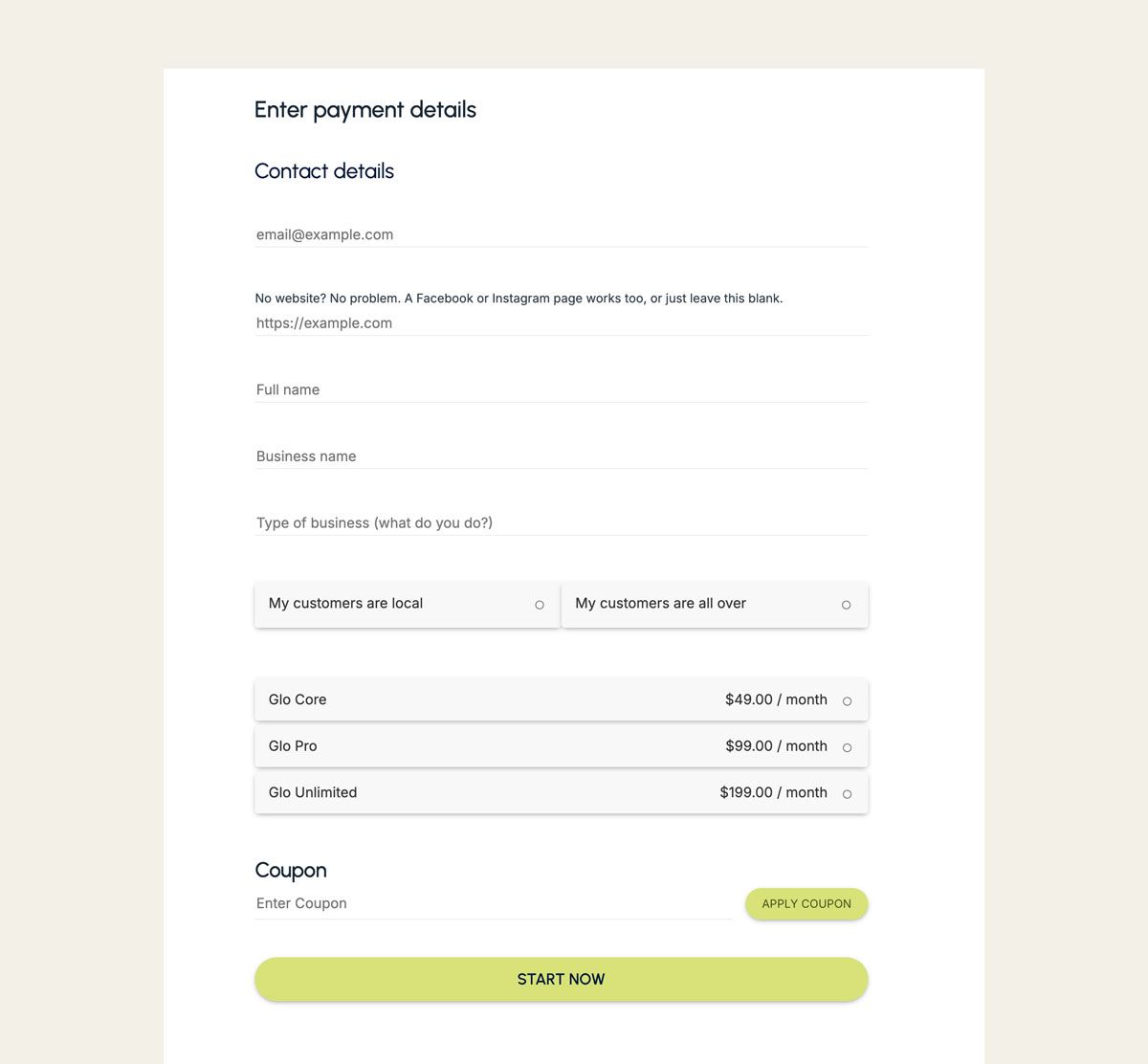
For a solo founder building software, that kind of consolidation mattered. It reduced the number of systems she had to maintain, lowered the risk of something breaking unexpectedly, and gave her more time to focus on the product itself instead of the plumbing underneath it.
One form engine instead of a pile of tools
Paperform didn’t just make things easier. It made the business simpler and more stable. It didn’t add more work to Kathleen’s stack.
“I’m using Paperform for contact forms, checkout forms, scheduling, feature requests. It’s more of an all-in-one tool than most people realize.”
Instead of juggling separate tools for forms, bookings, and payments, she runs those workflows through a single platform that behaves like editing a document.
“I don’t think I could have built what I have without the trust and transparency I get with Paperform.”
That trust comes from knowing submissions won’t get lost, payments won’t fail silently, and workflows won’t collapse when usage grows.
Power when the work gets technical
Kathleen isn’t a surface-level user. She builds complex logic and scoring systems that many tools struggle to support.
“Paperform logic is like coding. It can be really elegant and technical. “It’s helped me build quizzes that collected hundreds of thousands of email addresses.”
This is gold for lead magnets and quizzes. Paperform’s powerful logic enables her to build quizzes that segment users, score responses, and route data automatically.
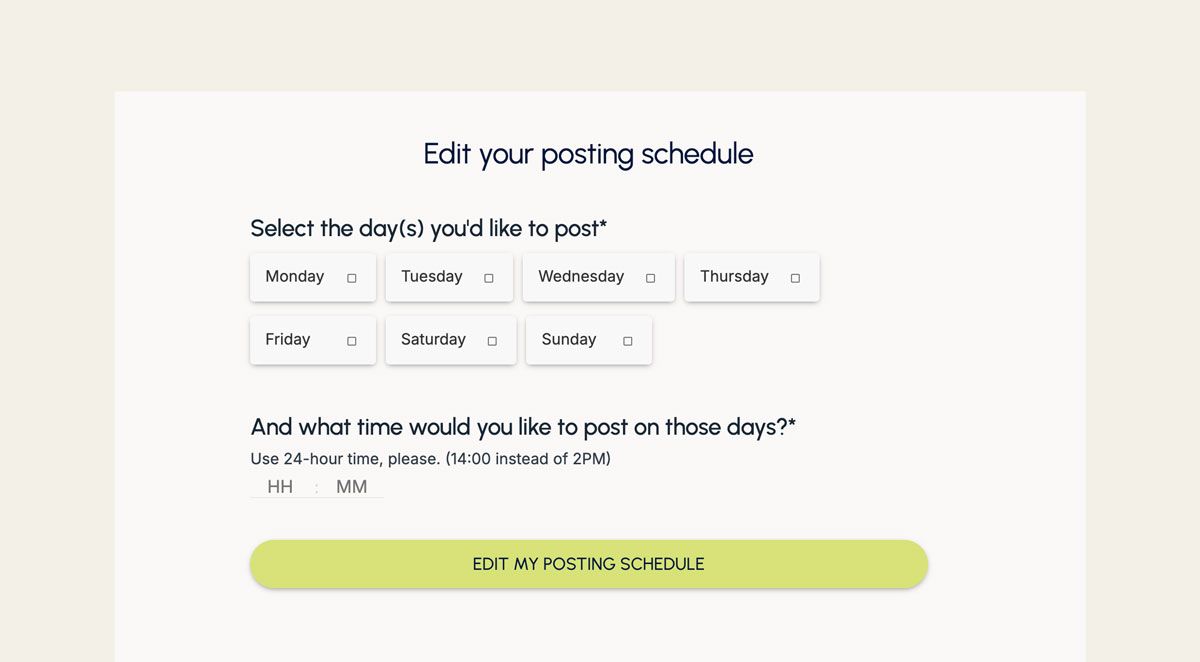
Paperform gives her that control without forcing her into rigid flows or template limitations. When speed matters, native AI helps her build faster. She can ask Paperform’s in-built AI to build conditional logic and calculations to power her forms. When precision matters, she can jump in and adjust everything herself.
And if you aren’t code-savvy like Kathleen, you can ask Paperform’s native AI to build it for you, giving you the ability to create developer-level forms.
Support that actually shows up
Complex systems demand real support. This is where Paperform stands out for Kathleen.
“Paperform support is the best in the business. Even your AI chat is helpful when I have stupid questions. But when it’s hard, people really show up.”
When questions are simple, Paperform’s in built AI-builder handles them quickly. When things get nuanced, she can always rely on Paperform’s Customer Success team to step in.
“I’ve leaned heavily on the support team. They’ve spent hours with me helping me think through logic.”
That support makes experimentation safer and scaling less stressful.
Why Kathleen recommends Paperform to other business owners
Kathleen doesn’t recommend tools because they’re trendy. She recommends them because they disappear into the work.
“It’s frictionless. A lot of tools in my tech stack feel like yet another thing I have to learn. Paperform never was.”
Forms aren’t something founders should spend time thinking about.
“No business owner needs to spend their life thinking about forms. But you want the results of them.”
Paperform delivers those results by acting as the form engine behind the business. It captures data, takes payments, schedules work, triggers workflows, and stays out of the way.
Use the form builder that helps you scale
Glow Social exists because small businesses don’t have time for fragile systems or half-connected tools. The same is true for the infrastructure behind it.
Paperform gives founders like Kathleen a way to build, adapt, and scale without rebuilding their workflows every six months.
If you’re running a business where forms power onboarding, payments, bookings, feedback, or internal processes, Paperform gives you one place to create, automate, and trust that work.
Build what you need, connect it once, let it run, and focus on the things that matter.
Ready to build smarter workflows?
If you’re running a business on your own and drowning in manual steps, it might be time to simplify.
Start with one process. Make it automatic. Then build from there.
Paperform is built for exactly that.
FAQ
How does Paperform support SaaS founders like Kathleen?
Paperform acts as the form engine behind key business workflows. SaaS founders use it to:
- Take payments and subscriptions via Stripe
- Build onboarding flows
- Collect feature requests
- Route data using conditional logic and webhooks
- Automate follow-up workflows
Instead of building custom infrastructure, founders can rely on Paperform to run these operational layers reliably.
Why did Kathleen stop building her own Stripe integration?
While building Glow Social, Kathleen attempted to create custom Stripe payment flows. She ran into integration complexity and ongoing maintenance issues. She chose to use Paperform’s native Stripe integration instead because it reduced technical risk and simplified payment handling.
This allowed her to focus on product development rather than payment infrastructure.
Can Paperform handle complex logic and calculations?
Yes. Paperform includes advanced conditional logic and on-form live calculations. Kathleen uses it for complex quiz scoring and routing logic. It supports branching workflows, custom notifications, dynamic pricing, and integrations via webhooks and Stepper.
Is Paperform suitable for non-technical small business owners?
Yes. Paperform is designed to feel like editing a document, not configuring a technical dashboard. Small and growing businesses can create branded forms, take payments, schedule appointments, and automate workflows without code.
Advanced features are available for technical users, but not required.
How is Paperform different from basic form builders?
Basic form builders simply collect data. Paperform turns submissions into actionable workflows.
With built-in payments, scheduling, eSignatures (Papersign), workflow automation (Stepper), conditional logic, AI-assisted building, and integrations with tools like HubSpot and Google Sheets, the Paperform platform supports the full lifecycle of a business process.
Can Paperform replace tools like Calendly or standalone checkout pages?
Yes. Many businesses consolidate booking tools, payment pages, and basic intake forms into Paperform. Paperform includes:
- Scheduling fields connected to calendars
- Stripe, PayPal, and Square payments
- Coupon and pricing logic
- Custom success pages
Further reading and templates
10 Ways to Use Conditional Logic for Smarter Forms
This Founder Built A Global Business with Paperform