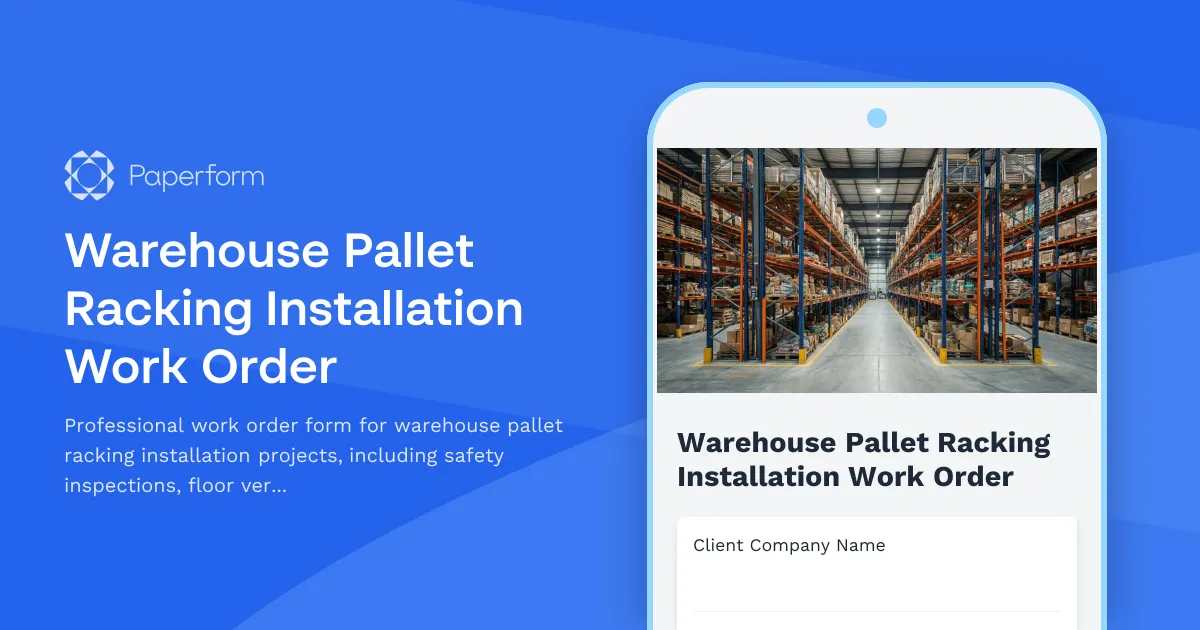
Warehouse Pallet Racking Installation Work Order Template
Installing warehouse pallet racking systems requires precision, safety compliance, and thorough documentation at every stage. From floor flatness verification to anchor torque specifications, every detail matters when you're building storage infrastructure that will hold thousands of pounds of inventory. This Warehouse Pallet Racking Installation Work Order template helps contractors, warehouse managers, and installation teams capture critical measurements, safety checks, and project specifications in one professional, organized form.
Built for Installation Contractors and Warehouse Operations
Whether you're a specialized racking contractor managing multiple installation projects or a warehouse operations manager overseeing facility upgrades, this template streamlines your documentation process. Capture client information, site details, racking specifications, and complete safety verification checklists without juggling clipboards, spreadsheets, and email chains.
The form guides your team through essential verification steps including floor flatness measurement, upright plumb checks, beam level confirmation, anchor torque documentation, and load capacity labeling—ensuring every installation meets manufacturer specifications and safety standards like RMI (Rack Manufacturers Institute) guidelines.
Why Paperform for Racking Installation Work Orders?
Paperform transforms this complex technical work order into a clean, mobile-friendly form that installation crews can complete on-site from any device. The intuitive interface means your field teams can document measurements, upload photos of completed installations, and submit work orders in real-time without specialized training.
Key capabilities that matter for installation contractors:
- Conditional logic shows relevant fields based on racking type (selective, drive-in, push-back, cantilever) so crews only see applicable specifications
- Calculation fields can automatically compute load capacities, beam quantities, or pricing based on dimensions entered
- Photo upload fields let teams document floor conditions, completed installations, anchor points, and load capacity signage
- eSignature integration via Papersign allows clients to sign off on completed installations and accept work directly in the workflow
- Mobile optimization means foremen and installers can complete forms from tablets or phones right on the warehouse floor
Automate Your Installation Workflow with Stepper
Once a work order is submitted, your administrative work shouldn't stop you from moving to the next job. Connect this form to Stepper (stepper.io) to automatically:
- Create project records in your project management system (Procore, Buildertrend, or Monday.com)
- Send installation specifications and site details to your scheduling team
- Generate invoices based on square footage, racking type, and materials used
- Notify safety officers when floor flatness or anchor torque measurements fall outside acceptable tolerances
- Update inventory systems when materials are allocated to specific jobs
- Trigger follow-up inspection schedules for post-installation safety checks
This automation eliminates double-entry, reduces errors, and keeps your installation projects moving efficiently from quote to completion.
Essential for Construction, Warehousing, and Logistics Industries
This template serves multiple stakeholders in the warehousing and construction ecosystem:
Racking installation contractors use it to document job specifications, safety compliance, and installation quality for every project—building a defensible record of proper installation procedures.
Warehouse managers and facilities directors use it to verify that contractors are meeting specifications, safety standards, and load capacity requirements before accepting completed work.
3PL providers and distribution centers use it as part of their facility expansion documentation, ensuring new racking systems are installed to specification and ready for certification.
Safety officers and compliance teams use the documented measurements and torque specifications for regulatory compliance, insurance requirements, and internal safety audits.
Professional Documentation from Quote to Completion
The form captures everything needed for a complete installation work order: client and site information, racking system specifications (manufacturer, model, configuration), bay dimensions, load capacities per level, and detailed verification checklists. Installation crews document floor flatness readings (using F-numbers or straightedge measurements), verify upright plumb within tolerance, confirm beam levels, record anchor torque values, and photograph installed load capacity signage.
This comprehensive approach ensures that when the job is complete, you have professional documentation proving the installation was performed to specification—protecting your business from liability and giving clients confidence in your work quality.
Trusted by Professional Installation Teams
Paperform is SOC 2 Type II and GDPR compliant, giving you enterprise-grade security for project documentation without enterprise-level complexity. Whether you're a small racking contractor or a national installation company managing teams across multiple regions, Paperform scales with your business.
The platform's flexibility means you can customize this template to match your company's specific installation standards, safety protocols, or client reporting requirements. Add your logo, adjust terminology to match your region (metric vs. imperial), or include manufacturer-specific inspection criteria.
Get Started in Minutes
Start capturing professional warehouse racking installation work orders today. With Paperform's intuitive editor, you can customize this template to match your exact workflow, add your branding, and have your field teams submitting detailed work orders before the end of your next shift. No developer required, no complicated training—just better documentation for safer, more profitable installations.



More templates like this

Material Handling Equipment Installation Form
A comprehensive installation form for material handling equipment that covers floor load verification, anchor placement, electrical requirements, safety features, and operator training documentation.

Industrial Air Compressor Installation Form
Complete industrial air compressor installation form covering foundation preparation, electrical service requirements, cooling systems, condensate drainage, and performance testing specifications.

Industrial Grinding Booth Installation Request Form
A comprehensive installation form for industrial grinding booths including dust collection systems, explosion-proof fixtures, spark containment measures, and airflow specifications for safe metalworking operations.

Cold Weather Safety Inspection Form
Comprehensive cold weather safety inspection form for construction sites and outdoor workplaces. Document heated break areas, frostbite prevention measures, ice removal, and winter hazard compliance.

Construction Site Lighting Adequacy Inspection Form
A professional inspection form for assessing construction site lighting levels, emergency systems, and placement compliance to ensure worker safety and regulatory standards.

Fall Arrest System Anchor Point Certification Form
Certify fall protection anchor points with 5,000-pound capacity verification, installation details, and compliance inspection schedules for construction and industrial worksites.

Fire-Rated Partition Installation Form
Professional documentation form for fire-rated partition installations including UL assembly details, firestop locations, inspection requirements, and compliance tracking for construction projects.

Ground Fault Circuit Interrupter (GFCI) Monthly Testing Log
Comprehensive GFCI monthly testing and compliance log for recording trip times, amperage ratings, and weather protection verification to ensure electrical safety on construction sites and facilities.

Housekeeping and Waste Management Inspection Form
A comprehensive construction site housekeeping and waste management inspection form with debris removal tracking, material segregation verification, and dumpster placement safety checks.

Material Handling Monorail Installation Checklist
A comprehensive inspection checklist for material handling monorail installations, covering beam sizing, hanger spacing, track alignment, end stops, and load testing to ensure safe and compliant installation.

Material Silo and Bulk Storage Installation Checklist
A comprehensive checklist for documenting silo installation, foundation design, aeration systems, level indication, dust venting, and discharge rate verification for bulk material storage projects.

Pneumatic Tube System Installation Work Order
Professional work order form for pneumatic tube system installations, covering station locations, tube routing, blower specifications, control programming requirements, and carrier travel testing procedures.