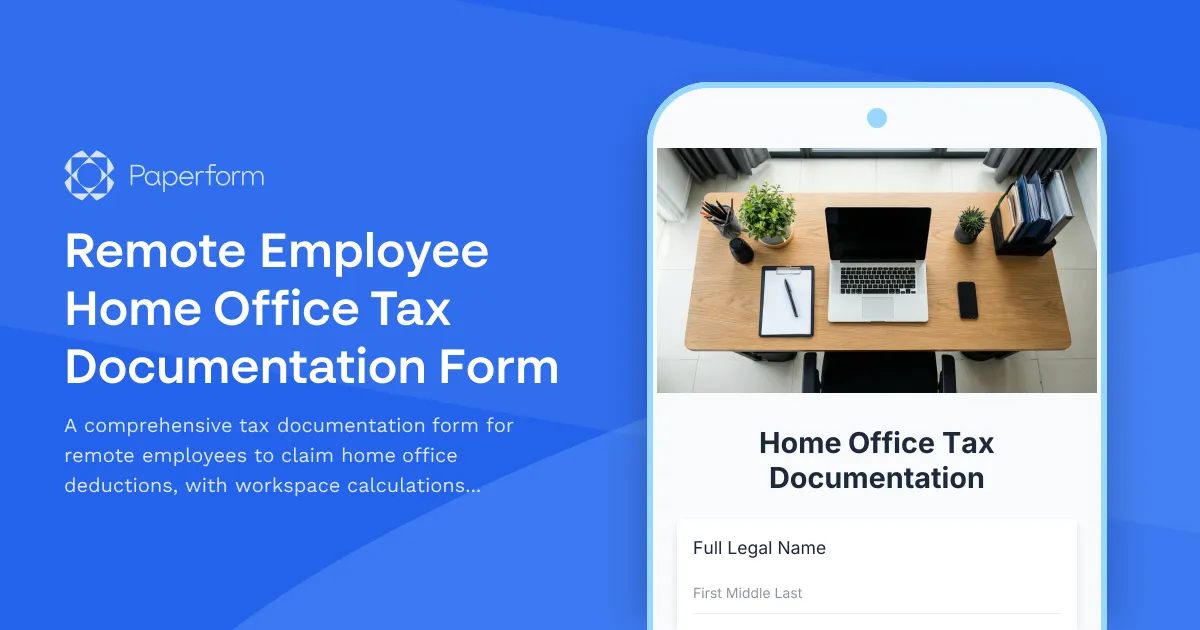
Simplify Home Office Tax Deductions for Your Remote Workforce
Managing home office tax documentation for remote employees—especially those with dual citizenship—can be complex. Between calculating workspace percentages, tracking utilities, and navigating international tax compliance, the paperwork quickly becomes overwhelming for both employees and HR teams.
This Remote Employee Home Office Tax Documentation Form template is designed to streamline the entire process. Built with Paperform, it captures all the essential information your finance and HR teams need to process home office deductions accurately, while making it simple for remote workers to submit their claims.
Who This Form Is For
This template is ideal for:
- HR and Finance Teams managing remote workforces across multiple countries
- Accounting Firms supporting clients with international remote employees
- Remote-First Companies needing standardized home office reimbursement processes
- Payroll Administrators handling tax documentation for dual citizens
- Tax Consultants gathering client information for home office deductions
Whether you're a tech startup with distributed teams, a consulting firm with international contractors, or a growing SMB embracing hybrid work, this form helps you maintain compliance while supporting your remote employees.
What Makes This Template Valuable
Accurate Space Calculations: The form guides employees through measuring their dedicated workspace, calculating the percentage of their home used for business, and documenting square footage—all critical for tax deduction claims.
Utility Expense Tracking: Built-in fields capture monthly utility costs including electricity, internet, heating, and other home office expenses, with automatic calculations that determine the business-use portion based on workspace percentage.
International Compliance Support: Specialized sections address dual citizenship tax requirements, helping employees document which countries they're filing in, their tax residency status, and relevant treaty information.
Clear Documentation Standards: The form prompts for supporting documentation like floor plans, utility bills, and lease/mortgage statements, ensuring submissions are complete and audit-ready from the start.
Streamline Your Remote Work Operations
With Paperform's conditional logic, the form adapts based on employee responses—showing additional international tax fields only for dual citizens, or displaying rental-specific questions versus homeowner fields. This keeps the form concise and relevant for each individual.
The calculation engine automatically computes workspace percentages and prorated utility expenses, eliminating manual math errors and giving employees instant visibility into their potential deduction amounts.
Automate Your Workflow with Stepper
Once an employee submits their home office documentation, you can use Stepper to automate what happens next. Route submissions to the finance team for review, trigger approval workflows for reimbursements over certain thresholds, update your HRIS with home office details, and send confirmation emails with next steps.
Stepper can even create tasks in your project management tool for quarterly documentation reviews or sync approved deduction amounts directly to your payroll system—keeping your remote work operations running smoothly without constant manual intervention.
Secure, Compliant, and Ready to Scale
Built on Paperform's SOC 2 Type II compliant platform, this form keeps sensitive employee tax information secure. With data residency controls and role-based permissions, you can ensure only authorized finance and HR personnel access submitted documentation.
As your remote workforce grows, the form scales effortlessly—handling everything from a handful of employees to hundreds across multiple countries, all with the same smooth experience.
Get Started in Minutes
This template is ready to customize with your company branding, specific reimbursement policies, and any additional fields your tax advisors require. The friendly, professional design makes it easy for employees to complete while capturing all the details your finance team needs.
Whether you're establishing your first home office reimbursement program or upgrading from messy spreadsheets and email requests, this Paperform template gives you a professional, automated foundation that works for global remote teams.
Start streamlining your home office tax documentation today and give your remote employees the clarity and support they deserve.



More templates like this
Section 83(b) Election Form for Restricted Stock
Complete and file your Section 83(b) election for restricted stock with automated fair market value calculations, deadline tracking, and IRS submission guidance.

Home Office Accessibility & Specialized Seating Request Form
Request specialized ergonomic seating, mobility equipment, and accessibility accommodations for your home office workspace with ADA compliance documentation and approval workflow.
Home Office Document Scanning & Digitization Equipment Reimbursement Form
Request reimbursement for home office document scanning equipment, OCR software, and digitization tools to support paperless workflow transition.
Home Office Equipment Reimbursement Request
Submit reimbursement requests for home office equipment and supplies. Upload receipts, itemize expenses, and route to your manager for approval.
Home Office Wellness & First Aid Allowance Request
Request reimbursement for home office wellness supplies, ergonomic support items, first aid essentials, and preventive health products to create a healthier remote work environment.
Hong Kong MPF Voluntary Contribution Election Form
Complete MPF voluntary contribution form with investment fund selection, contribution calculator, and tax benefit estimation for Hong Kong employees.

Remote Work Desk Accessories & Organizers Allowance Form
Submit requests for remote work desk accessories, organizers, and workspace optimization items with budget tracking and approval workflow.
Remote Work Expense Policy Clarification Request Form
Request clarification on remote work expenses with scenario-specific questions, receipt requirements, and approval process guidance to ensure policy compliance.
Remote Work Software & Subscription Reimbursement Form
Streamline remote work software subscriptions and tool reimbursement requests for distributed teams with automated approval workflows and consolidated expense tracking.
1099-NEC Contractor Payment Information Form
Collect contractor payment details, calculate annual compensation, and automatically deliver 1099-NEC tax information to freelancers and independent contractors.

AFIP Electronic Payroll Submission Form
Submit monthly payroll information to AFIP including employee salaries, social security contributions, and tax withholdings for Argentine employers.
AFIP Employer Payroll Tax Exemption Application - New Hires
Apply for AFIP payroll tax exemptions for new employees hired in promoted industries. Streamline your compliance with Argentine labor regulations and maximize available tax benefits.