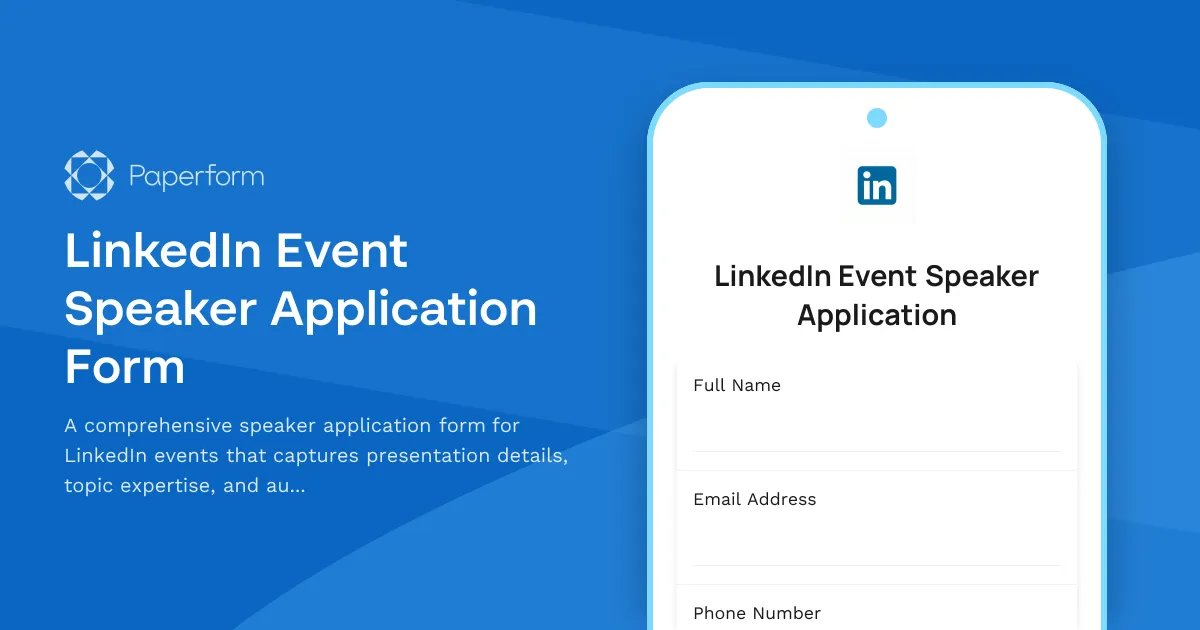
Streamline Your LinkedIn Event Speaker Selection Process
Finding the right speakers for your LinkedIn event can make or break attendee engagement. This LinkedIn Event Speaker Application Form gives event organizers a professional, structured way to collect speaker proposals, evaluate presentation topics, and assess audience engagement strategies—all in one streamlined submission.
Whether you're planning a LinkedIn Live session, a virtual industry summit, or a professional networking event, this template helps you gather everything you need to make informed speaker selections. Applicants can detail their expertise, upload presentation materials, and outline how they'll keep your LinkedIn audience engaged from start to finish.
Built for Modern Event Marketing Teams
Social media events require speakers who understand the platform and know how to drive meaningful interaction. This form captures:
- Speaker credentials and professional background to verify industry expertise
- Detailed presentation topics and session formats so you can plan a cohesive agenda
- Slide deck and supporting materials uploads for advance review
- Audience engagement strategies specific to LinkedIn's professional environment
- Previous speaking experience including video samples and testimonials
The form works beautifully as a standalone application page or embedded directly on your LinkedIn profile, event website, or campaign landing page. With conditional logic built in, you can tailor questions based on session type or experience level, ensuring you gather relevant details without overwhelming applicants.
Automate Your Speaker Management Workflow
Once applications start rolling in, Paperform's integrations keep your team organized. Push submissions directly into Airtable or Google Sheets for easy scoring and comparison, notify your selection committee via Slack, or create speaker profile cards in Notion.
For end-to-end automation, connect this form to Stepper to trigger multi-step workflows: send confirmation emails, schedule follow-up interviews, update your CRM, and route approved speakers to onboarding forms or contract signing via Papersign—no manual copy-paste required.
Designed for LinkedIn Event Organizers and Marketing Teams
This template is perfect for:
- Marketing teams running LinkedIn Live events, webinars, and virtual conferences
- Community managers curating expert panels and thought leadership sessions
- Event agencies managing speaker rosters for multiple client campaigns
- Professional associations organizing industry summits and learning series
- Corporate communications teams coordinating internal town halls and leadership talks
With Paperform's doc-style editor, you can customize every question, add your brand colors and logo, include video briefings, and create an application experience that reflects the quality of your event. The form looks polished, feels professional, and converts—exactly what you need when attracting top-tier speakers to your LinkedIn presence.
Start collecting speaker applications today and build a lineup that drives real engagement, credibility, and reach for your next LinkedIn event.



More templates like this
Metaverse Event Registration Form
A dynamic registration form for virtual metaverse events that captures attendee details, platform preferences, avatar customization choices, and experience selections for immersive digital gatherings.

Influencer Marketing Summit Speaker Submission Form
Submit your session proposal for our Influencer Marketing Summit. Share your expertise in brand partnerships, campaign strategies, platform algorithms, and content creation to help marketing professionals stay ahead of industry trends.
Virtual Summit Speaker Proposal Form
A comprehensive speaker proposal form for virtual summits and online events. Collect session topics, learning outcomes, audience engagement plans, and promotional materials from potential speakers.
Twitter Spaces Event Registration Form
A comprehensive registration form for Twitter Spaces events that collects attendee information, captures live Q&A questions, and manages recording access requests with automated reminder capabilities.
Brand Activation Event Collaboration Form
A comprehensive collaboration form for brand activation events that covers in-person appearance requirements, on-site content creation, social media posting schedules, and appearance fee structures.
Experiential Marketing Event Giveaway Entry Form
Enter to win a fully customized experiential marketing event including concept development, venue scouting, activation design, and social media amplification strategy. Perfect for brands looking to create memorable customer experiences.
Facebook Avatar Creation Campaign
Create your personalized Facebook avatar with our interactive campaign form. Design your virtual identity, express yourself in the metaverse, and join our creative community.
Facebook Gaming Stream Schedule Submission Form
A professional form for Facebook Gaming streamers to submit their streaming schedule, game lineup, viewer engagement plans, and sponsorship disclosures for campaign participation and content coordination.
Facebook Group Member Spotlight Nomination Form
Nominate outstanding Facebook group members for a featured spotlight. Capture achievements, get permission for public recognition, and schedule their featured post.
Facebook Live Event Registration Form
A registration form for Facebook Live events with calendar integration, pre-event question submission, and automated replay access delivery.
Facebook Watch Party Event Creation Form
Create and schedule engaging Facebook Watch Parties with video selection, automatic scheduling, and group invitations. Perfect for community managers, content creators, and social media marketers looking to boost engagement.
Fashion Week Coverage Collaboration Form
A professional collaboration form for fashion influencers and creators covering fashion week events, with event access requirements, content deliverables, posting schedules, brand guidelines and payment terms.