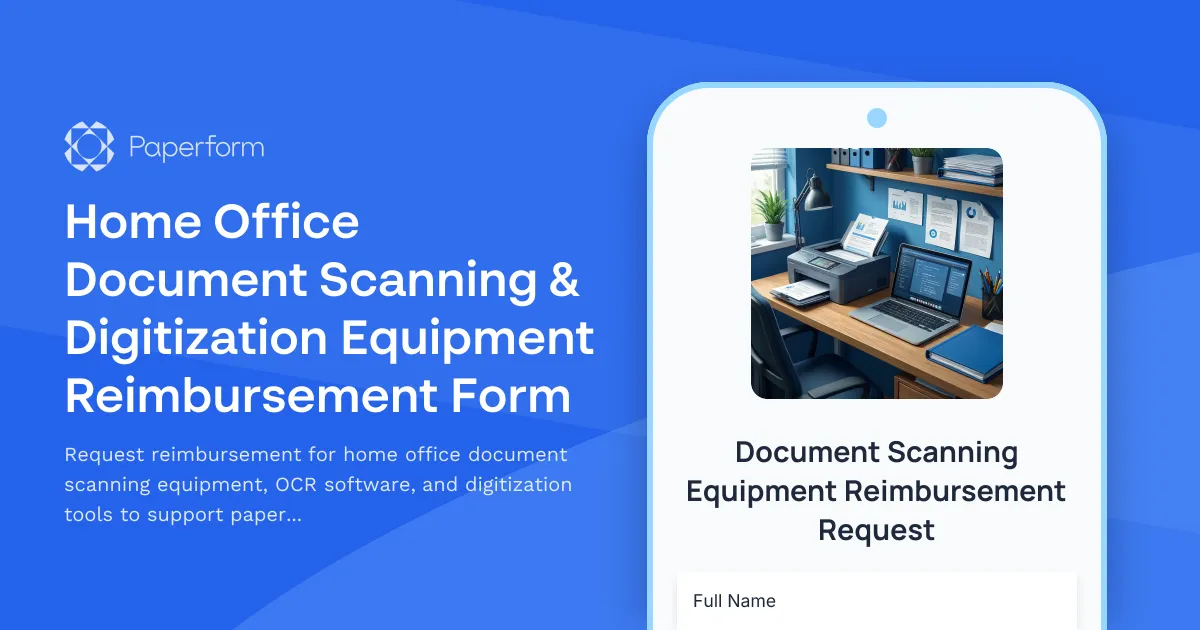
Streamline Your Paperless Transition with Paperform's Document Scanning Equipment Reimbursement Template
Moving to a remote or hybrid work model often means recreating the office infrastructure at home—and for many professionals, that includes the ability to efficiently scan, digitize, and manage documents. Whether you're in legal, finance, healthcare administration, or any field that handles significant paperwork, having the right scanning and digitization equipment at home is essential for maintaining productivity and security.
This Home Office Document Scanning & Digitization Equipment Reimbursement Form template is designed to help HR teams, operations managers, and finance departments process equipment requests quickly and fairly, while giving remote employees a clear path to building their paperless home office setup.
Why This Template Works for Remote Work Equipment Requests
Traditional reimbursement processes often involve back-and-forth emails, lost receipts, and unclear approval workflows. This Paperform template centralizes the entire request process into one professional, easy-to-complete form that captures all the details your finance team needs to process reimbursements efficiently.
The form intelligently adapts based on employee responses, using conditional logic to show relevant fields for different equipment types—whether someone needs a high-speed document scanner, OCR software, cloud storage subscriptions, or document management system access. This means employees only see questions relevant to their specific request, making the experience fast and frustration-free.
Perfect for Growing Remote Teams
This template is ideal for:
- HR and operations teams managing remote work equipment policies across distributed workforces
- Finance departments needing structured reimbursement requests with proper cost justification
- IT teams ensuring purchased equipment integrates with existing document management systems
- Compliance and legal teams maintaining audit trails for equipment purchases and policy adherence
- SMBs and agencies scaling remote work programs without drowning in administrative paperwork
Whether you're supporting a fully remote team, hybrid workforce, or occasional work-from-home employees, this template provides the structure and flexibility you need to keep equipment requests organized and compliant with company policy.
Key Features That Save Time and Reduce Errors
Built with Paperform's intuitive doc-style editor, this template includes smart field types that make data collection clean and complete:
- Equipment specification capture with dropdown menus and conditional fields for scanner models, software requirements, and technical specifications
- Budget and cost tracking with calculation fields that automatically total costs and compare against reimbursement limits
- File upload fields for receipts, quotes, and equipment documentation, keeping everything in one place
- Manager approval routing through customizable email notifications that trigger based on cost thresholds
- Cloud storage and OCR capability questions to ensure equipment meets company standards for security and integration
The form's professional design and clear section headings guide employees through the request process step by step, reducing incomplete submissions and the need for follow-up questions.
Automate Your Reimbursement Workflow with Stepper
Once an employee submits their equipment request through Paperform, you can use Stepper, Paperform's AI-native workflow automation tool, to handle what comes next automatically. Create multi-step approval workflows that route requests to managers for sign-off, notify finance teams when approvals are complete, update your expense tracking spreadsheet or accounting software, and trigger purchase order creation—all without manual intervention.
For example, you could build a Stepper workflow that:
- Sends the request to the employee's direct manager for initial approval
- Routes requests over a certain dollar amount to a second approver or finance lead
- Creates a tracking record in Airtable, Google Sheets, or your HR system
- Sends the approved request to your procurement team with all attached documentation
- Notifies the employee of approval status and next steps
This level of automation transforms what used to be a days-long email chain into a smooth, transparent process that keeps everyone informed.
Seamless Integration with Your Existing Tools
Paperform connects natively with the tools remote teams already rely on. Send reimbursement requests to Slack for team visibility, log approved equipment in Google Sheets or Airtable for budget tracking, sync with accounting software like Xero or QuickBooks, or push data to your HRIS platform to maintain complete employee equipment records.
These integrations mean your reimbursement data flows automatically into your existing systems, eliminating manual data entry and reducing the chance of errors or duplicate requests.
Compliance, Security, and Audit Readiness
When you're managing equipment purchases and reimbursements, security and compliance aren't optional. Paperform is SOC 2 Type II certified and offers robust security features including data encryption, secure file uploads, and detailed submission tracking. Every reimbursement request is timestamped and stored securely, creating a complete audit trail for finance reviews, tax documentation, or policy compliance checks.
You can also set up role-based permissions so that HR admins can view and manage all submissions while individual managers only see requests from their direct reports, maintaining appropriate data privacy across your organization.
Customization Made Simple
Every organization has different equipment policies, budget limits, and approval processes. With Paperform's doc-style editor, customizing this template is as simple as editing a document—no coding required. Add your company branding with custom colors, fonts, and logo. Adjust reimbursement caps, add specific equipment brands your IT team has approved, or include additional fields for cost center codes and project allocations.
You can even create multiple versions of the form for different departments or employee levels, each with their own rules and limits, while maintaining a consistent, professional experience.
Supporting Your Paperless Journey
The shift to digital document workflows is more than just a cost-saving measure—it's about enabling remote employees to work as efficiently from home as they would in the office. By making it easy for employees to request and receive reimbursement for quality scanning equipment, OCR software, and document management tools, you're investing in productivity, security, and employee satisfaction.
This template helps you support that transition with clear guidelines, fair processes, and fast approvals that show your team you're committed to giving them the tools they need to succeed remotely.
Get Started in Minutes
This template is ready to use right out of the box, but flexible enough to match your unique requirements. Whether you're processing your first remote equipment requests or scaling an existing program across hundreds of employees, Paperform gives you the professional, user-friendly platform you need to keep everything organized and moving forward.
Trusted by over 500,000 teams worldwide and backed by SOC 2 Type II compliance, Paperform helps remote-first companies build better processes without the complexity or cost of enterprise software.



More templates like this

Home Office Accessibility & Specialized Seating Request Form
Request specialized ergonomic seating, mobility equipment, and accessibility accommodations for your home office workspace with ADA compliance documentation and approval workflow.
Home Office Storage & Filing Equipment Request Form
Request storage and filing equipment for your home office, including filing cabinets, shelving units, and organizational systems with security and fireproofing options.
Home Office Wellness & First Aid Allowance Request
Request reimbursement for home office wellness supplies, ergonomic support items, first aid essentials, and preventive health products to create a healthier remote work environment.

Remote Work Desk Accessories & Organizers Allowance Form
Submit requests for remote work desk accessories, organizers, and workspace optimization items with budget tracking and approval workflow.
Phased Retirement Remote Work Proposal Form
A comprehensive proposal form for employees transitioning to phased retirement with remote work arrangements, reduced hours, knowledge transfer planning, and mentorship commitments.
Professional Development Stipend Request Form
A comprehensive form for employees to request professional development funding for conferences, courses, and training programs with budget tracking and knowledge sharing commitments.
Remote Employee Home Office Tax Documentation Form
A comprehensive tax documentation form for remote employees to claim home office deductions, with workspace calculations, utility tracking, and international compliance support for dual citizenship situations.
Remote Work Carbon Footprint Reduction Equipment Incentive Application
Apply for incentives to upgrade your home office with energy-efficient equipment, green technology, and sustainability monitoring tools that reduce your carbon footprint.
Work from Home Office Subscription Box Reimbursement
Request reimbursement for your home office subscription box delivery with curated productivity tools, monthly supplies, and try-before-you-buy remote work equipment.
Caregiver Remote Work Request Form for Elderly Parent Care
A compassionate remote work request form designed for employees seeking flexible arrangements to care for elderly parents, with customizable schedules, emergency provisions, and regular check-ins.
Company Communication Access Grievance Form
A formal grievance form for employees to report communication inequities, information access issues, remote worker exclusion, and concerns about decision-making transparency in the workplace.
Dependent Care Workspace Setup Request Form
Request specialized home office equipment and workspace separation tools for remote employees balancing childcare or dependent care responsibilities while working from home.