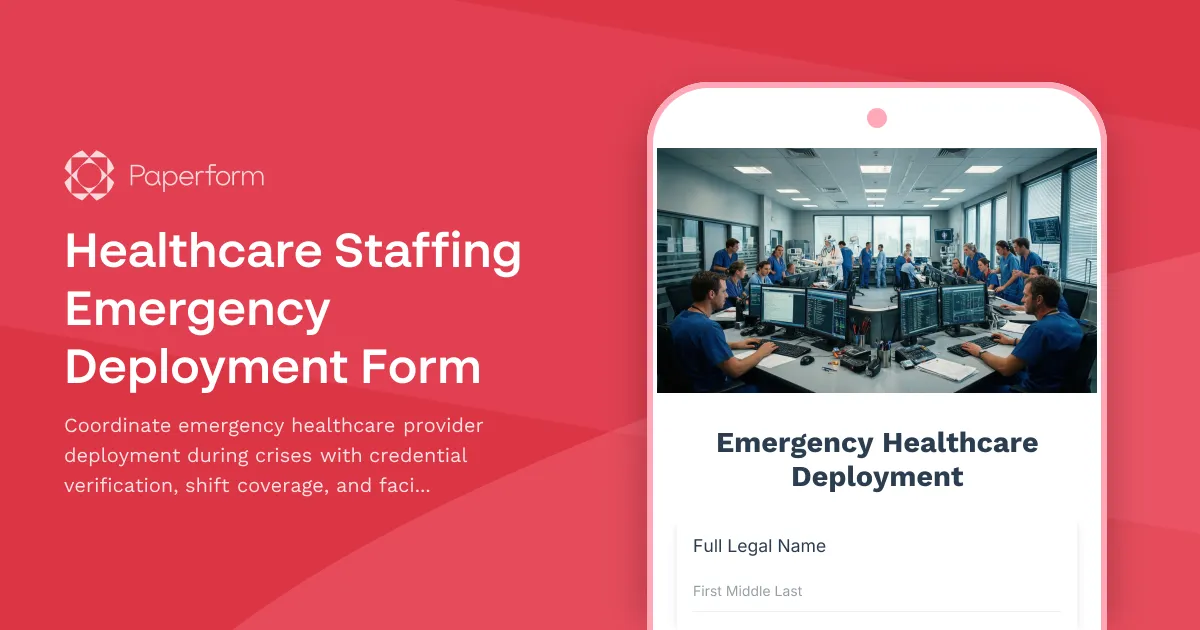
Healthcare Staffing Emergency Deployment Form Template
When disaster strikes, healthcare facilities need to mobilize qualified staff quickly and safely. This Healthcare Staffing Emergency Deployment Form gives hospitals, clinics, urgent care centers, and healthcare systems a centralized way to coordinate emergency provider deployment, verify credentials, assign shift coverage, and maintain clear communication across facilities—all in one streamlined workflow.
Why healthcare staffing coordination matters during emergencies
During natural disasters, public health emergencies, or facility-wide crises, healthcare organizations must rapidly deploy additional staff to meet surging patient demand, cover for unavailable providers, or support emergency response teams. Traditional phone trees, email chains, and paper rosters create confusion, delays, and compliance risks when every minute counts.
This form template brings structure to emergency staffing by capturing provider availability, verifying credentials in real time, coordinating shift assignments, and ensuring facilities have the communication pathways they need to respond effectively. It's built for healthcare administrators, nurse managers, staffing coordinators, and emergency operations teams who need to act fast while maintaining patient safety and regulatory compliance.
What this emergency deployment form includes
The form captures everything needed to mobilize healthcare staff during a crisis:
- Provider identification and contact information for rapid deployment coordination
- Current credential verification including license numbers, certifications, and specialties
- Availability and deployment preferences to match providers with facility needs
- Shift coverage coordination with date, time, and location assignments
- Facility communication workflow to keep all stakeholders informed
- Emergency contact information for provider safety and accountability
- Special skills and equipment access to optimize resource allocation
- Transportation and accommodation needs for out-of-area deployments
Conditional logic ensures only relevant questions appear based on provider type, deployment scenario, and facility requirements, keeping the form focused and fast to complete even under pressure.
How healthcare organizations use this template
Hospitals and health systems use this form to coordinate emergency staffing across multiple facilities, deploy float pools, and bring in travel or per-diem staff when regular teams are unavailable or overwhelmed.
Staffing agencies and locum tenens providers use it to match available healthcare professionals with urgent facility needs, verify credentials remotely, and coordinate rapid placement during disaster response.
Public health departments and emergency management teams use it to mobilize volunteer medical reserve corps, coordinate community health center staffing, and support mass vaccination or testing site operations.
Long-term care and senior living facilities use it to secure emergency nursing and clinical staff during evacuations, facility closures, or critical staffing shortages caused by illness or weather events.
Automate emergency workflows with Stepper
Once a provider submits their availability and credentials, you need to act immediately. With Stepper, Paperform's AI-native workflow automation platform, you can trigger instant actions based on each submission:
- Route deployment requests to the appropriate facility managers or staffing coordinators based on specialty, location, or urgency level
- Send automated confirmation emails with shift details, facility directions, parking instructions, and emergency protocols
- Update staffing dashboards in Airtable, Google Sheets, or internal workforce management systems
- Ping Slack or Teams channels with real-time deployment updates for operations teams
- Create calendar events and send SMS reminders to deployed providers
- Log credential verification in compliance tracking systems for audit trails
Stepper helps healthcare organizations turn emergency form submissions into coordinated action—without manual data entry, missed notifications, or communication gaps that compromise response times.
Built for compliance and rapid response
This form template is designed with healthcare compliance in mind. Capture license numbers, certification expiration dates, specialty credentials, and facility-specific clearances to ensure every deployed provider meets regulatory and safety standards. Use conditional workflows to flag expired credentials or missing documentation before deployment, reducing risk and protecting patients.
The form works seamlessly on mobile devices, so providers can confirm availability and submit credentials from anywhere. Healthcare administrators can view submissions in real time, filter by specialty or location, and make deployment decisions on the fly from the Paperform dashboard or via integrations with existing workforce tools.
Who benefits from this emergency staffing form
This template is ideal for:
- Healthcare administrators and nurse managers coordinating emergency staffing during crises
- Staffing agencies and workforce coordinators deploying providers to facilities in need
- Emergency operations and business continuity teams managing disaster response logistics
- Public health departments mobilizing medical reserve corps and volunteer providers
- Hospital systems and health networks coordinating staff across multiple facilities
Whether you're preparing for seasonal surge planning, responding to a natural disaster, or managing a public health emergency, this form gives you a single source of truth for provider availability, credentials, and deployment status.
Get started with Paperform
Paperform makes it easy to customize this template for your organization's specific needs. Adjust credential fields to match your state or specialty requirements, add facility-specific questions, connect your staffing database via integrations, and apply your brand with custom colors, fonts, and logos—all without writing code.
With SOC 2 Type II compliance, data encryption, and role-based permissions, Paperform keeps sensitive provider and facility information secure during high-pressure situations. Set up automated email confirmations, deploy the form via link or embed, and give your emergency operations team the visibility they need to coordinate effectively.
Start with this template and adapt it to your disaster preparedness plan—so when the unexpected happens, your healthcare team is ready to respond.



More templates like this
Contaminated Food Supply Crisis Report
A comprehensive emergency reporting form for public health departments to document and coordinate responses to foodborne illness outbreaks and contaminated food supply incidents with CDC, retailers, and investigation teams.
Emergency Medical Staff Credentialing Form
Expedited credentialing form for emergency medical staff onboarding during crisis situations, ensuring continuity of provider verification and hospital privilege maintenance.
Healthcare Emergency Operations Center Activation Checklist
A comprehensive checklist form for activating healthcare emergency operations centers during critical incidents. Streamlines incident classification, resource coordination, and communication protocols.
Healthcare Facility Active Shooter Incident Report
Comprehensive incident report form for active shooter events in healthcare facilities, designed to document casualties, coordinate law enforcement response, and deploy trauma counseling resources efficiently.
Healthcare Facility Earthquake Structural Damage Report
A comprehensive emergency form for healthcare facilities to document earthquake-related structural damage, assess patient evacuation status, conduct safety engineering reviews, and verify license compliance following seismic events.
Healthcare Facility Generator Failure Emergency Report
Report generator failures during surgical procedures, assess patient safety impacts, document backup power restoration, and conduct root cause investigations for healthcare facility emergencies.
Healthcare Worker Burnout and Wellness Assessment
A compassionate wellness check form designed to assess burnout, shift-related stress, and compassion fatigue among healthcare workers, connecting them with support resources.
Medical Equipment Preventive Maintenance Emergency Form
A comprehensive emergency response form for medical equipment maintenance issues, ensuring rapid backup deployment, service schedule protection, and minimal clinical impact during critical equipment failures.
Medical Staff Peer Review Emergency Form
A secure emergency peer review form for medical facilities to evaluate clinical cases during crisis situations while protecting documentation and ensuring proper timeline adherence.
Mental Health Crisis Stabilization Unit Patient Escape Report
A comprehensive incident report for documenting patient escapes from mental health crisis stabilization units, coordinating search efforts with law enforcement, and issuing community safety alerts.
Missing Psychiatric Hold Patient Report Form
A comprehensive form for healthcare facilities to report missing patients who left during an involuntary psychiatric hold period before their 72-hour evaluation, including danger assessment and legal authorization tracking.
Patient Portal Emergency Operations Form
Streamline disaster recovery for healthcare patient portals with prioritized access restoration, feature coordination, and support workflow management during emergency operations.