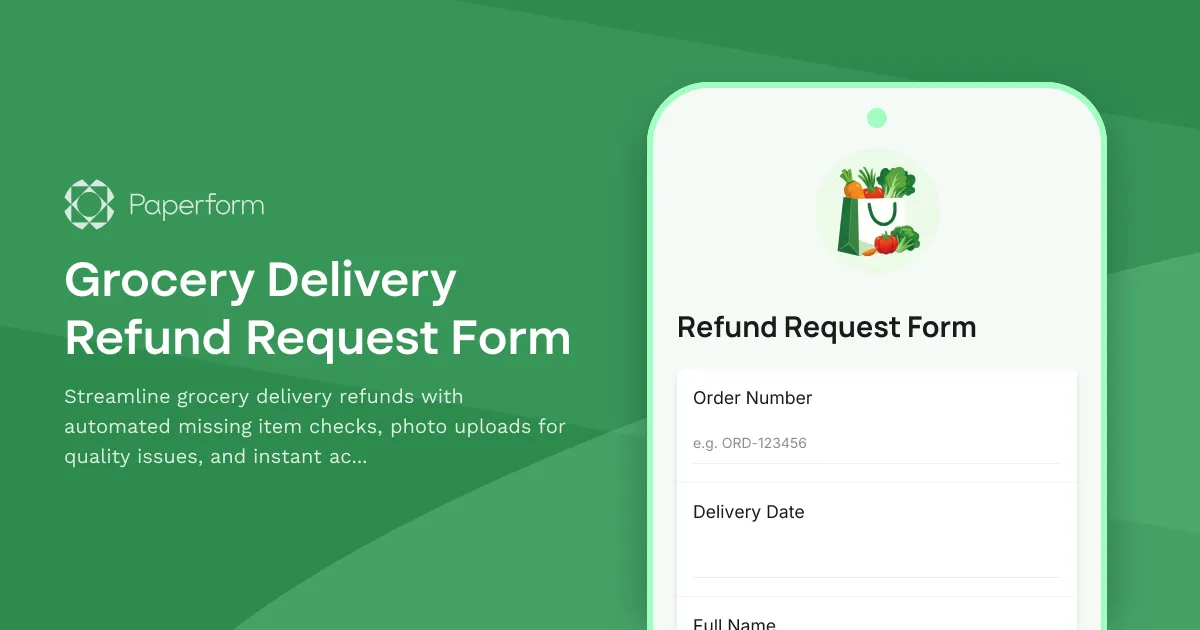
Simplify Grocery Delivery Refunds with a Professional Online Form
Running a grocery delivery service means handling occasional hiccups—missing items, damaged produce, or quality concerns. When these issues arise, your customers need a fast, straightforward way to report problems and get refunds or credits. A well-designed grocery delivery refund request form transforms what could be a frustrating experience into a smooth resolution that builds loyalty and trust.
Why Grocery Delivery Services Need a Dedicated Refund Form
Traditional refund processes—emails, phone calls, or scattered spreadsheets—create bottlenecks for both customers and your support team. A purpose-built form captures all the essential details in one place: order information, specific items with issues, photographic evidence of quality problems, and customer preferences for resolution.
This Grocery Delivery Refund Request Form template is designed specifically for online grocery services, meal kit providers, and food delivery platforms that need to process refunds efficiently while maintaining detailed records for quality control and supplier accountability.
What Makes This Template Perfect for Food Delivery Services
Built with the unique needs of grocery e-commerce in mind, this form includes:
Missing Items Checklist – Customers can quickly select which items from their order didn't arrive, making it easy to process partial refunds without lengthy descriptions or back-and-forth clarification.
Quality Issue Documentation – Photo upload fields let customers show you exactly what went wrong—bruised fruit, expired products, or damaged packaging—giving your team visual proof to process refunds confidently and address issues with suppliers.
Order Details Capture – Collects order numbers, delivery dates, and customer account information to match refund requests with your order management system seamlessly.
Resolution Preferences – Lets customers choose between account credit, redelivery of missing items, or refunds to their original payment method, streamlining the resolution process.
Branded Experience – With Paperform's design flexibility, this template can match your grocery brand's look and feel, reinforcing trust even when things go wrong.
Perfect for Growing Grocery Delivery Operations
Whether you're a local grocery delivery startup, an established supermarket with online ordering, a specialty foods marketplace, or a meal kit subscription service, this template helps you:
- Reduce support team workload by capturing complete information upfront
- Speed up refund processing with structured data that's easy to review and approve
- Improve quality control by tracking patterns in missing or damaged items
- Maintain customer satisfaction even when delivery issues occur
- Create an audit trail for accounting, supplier claims, and quality improvement initiatives
Automate Your Refund Workflow with Stepper
Once a customer submits a refund request, the real work begins—verifying the claim, processing the credit, and updating your systems. With Stepper, Paperform's AI-native workflow builder, you can automate the entire post-submission process:
- Automatically check submitted order numbers against your order management system
- Route high-value refund requests to a manager for approval while auto-approving smaller claims
- Push refund approvals directly to your payment processor or accounting software
- Update customer accounts with credits in your loyalty or subscription platform
- Send confirmation emails with credit balances or refund timelines
- Flag recurring issues (like specific suppliers or delivery zones) in your project management tools
- Generate weekly reports of refund trends for operations and quality teams
This means your support team spends less time on manual data entry and more time on complex customer care situations that require a human touch.
Designed for Customer-Centric Food Businesses
Grocery delivery customers expect fresh, accurate orders—and when that doesn't happen, they expect quick, hassle-free resolutions. This form template is built for businesses that prioritize customer experience and operational efficiency:
- Fresh food delivery services handling perishable items where quality issues need immediate attention
- Meal kit subscription services managing ingredient replacements and credit systems
- Online supermarkets processing refunds for large orders with multiple SKUs
- Specialty food marketplaces coordinating between multiple vendors and customer expectations
- Grocery tech platforms needing scalable refund systems as delivery volume grows
Easy Integration with Your Existing Stack
This form works seamlessly with the tools grocery delivery businesses already use. Connect refund submissions to:
- Shopify, WooCommerce, or custom e-commerce platforms to verify order details
- Stripe or PayPal to process refunds automatically
- HubSpot, Zendesk, or Gorgias to create support tickets linked to the original order
- Google Sheets or Airtable for refund tracking and analysis
- Slack or email for instant notifications when high-priority issues arise
- Accounting software like QuickBooks or Xero to track refund expenses
With Paperform's native integrations and webhook capabilities, your refund form becomes a central hub that keeps all your systems in sync—no coding required.
SOC 2 Compliant and Customer Data Secure
Refund requests contain sensitive information—customer accounts, payment details, and order history. Paperform is SOC 2 Type II compliant, ensuring your customer data is protected with enterprise-grade security that meets the standards growing e-commerce businesses need. You get peace of mind knowing your refund workflow is not just efficient, but also secure and compliant.
Get Started in Minutes
This template is ready to customize and deploy. Adjust the missing items checklist to match your typical product catalog, add your brand colors and logo, set up email notifications for your support team, and publish. Whether you embed it in your customer account portal, link to it from order confirmation emails, or send it to customers who contact support, you'll have a professional refund process up and running fast.
Trusted by food delivery services and e-commerce brands worldwide, Paperform helps you turn refund requests from a customer service headache into a smooth, automated workflow that protects both customer satisfaction and your bottom line.



More templates like this
Box Subscription Modification Form
A flexible subscription management form for customers to modify their box delivery preferences, swap products, change frequency, skip deliveries, or cancel their subscription.

Electronics RMA Return Authorization Form
Streamline your electronics returns process with automated serial number verification, warranty validation, and defect assessment for faster RMA approvals.
Electronics Warranty Claim Form
Submit warranty claims for electronic products with serial verification, proof of purchase, and defect documentation for fast processing and resolution.
Furniture Delivery & Assembly Complaint Form
Report damaged furniture, missing parts, or assembly issues and schedule a resolution with our customer service team.
Subscription Product Swap Form
Allow subscribers to easily swap products in their active subscription, review pricing changes, and adjust their next shipment date.
Coffee Subscription Management Form
A professional subscription management form for coffee subscription services, allowing customers to pause, cancel, or modify their preferences including roasting level, grind type, and delivery frequency.
Fermentation & Pickling Supplies Return Form
A comprehensive return form for fermentation and pickling equipment with batch quality tracking, equipment malfunction reporting, and access to expert consultation services.
Fresh Juice Subscription Pause Form
Pause or modify your cold-pressed juice subscription with personalized options for green juices, fruit blends, shots, and bottles. Keep your wellness journey flexible.
Kitchen Appliance Return & Performance Feedback Form
A comprehensive return form for kitchen appliances that captures performance issues, recipe testing feedback, and offers personalized solutions including exchanges, cooking consultations, and upgrade recommendations.
Pharmaceutical Supplement Return Form
A comprehensive return form for pharmaceutical supplements that verifies unopened bottles, documents adverse reactions, and captures healthcare provider consultation details for safe processing.
Pot de Crème Subscription Modification Form
Customize your artisan pot de crème subscription by adjusting chocolate intensity, dairy richness, portion sizes, delivery frequency, or pausing and canceling your plan.
Protein Powder & Fitness Supplements Return Form
A customer-friendly return form for protein powder and fitness supplements that addresses common issues like flavor dissatisfaction and mixability, while offering alternatives like nutritionist consultations and sample packs.