Streamline Your Fence Installation Financing with Paperform
Finding the right financing for your fence installation project shouldn't be as complicated as choosing between vinyl and wood. Whether you're a fencing contractor looking to offer seamless financing options to your customers, or a homeowner planning a major property upgrade, this Fence Installation Financing Application template makes the entire process simple, transparent, and conversion-friendly.
Built for contractors, homeowners, and financing teams
Fence installation is a significant investment—typically ranging from $2,000 to $10,000+ depending on material, linear footage, and property complexity. This template helps fencing contractors, home improvement companies, and financing providers qualify applicants quickly while gathering all the critical details needed to approve and schedule installations.
The form intelligently collects everything from basic applicant information and property details to material preferences, linear footage calculations, and even HOA approval status—all in one smooth, branded experience that can be embedded on your website or shared as a standalone landing page.
Smart calculations that build trust and close deals
One of the biggest conversion killers in fence financing? Sticker shock at the end. This template includes built-in calculation fields that estimate project costs in real-time based on material selection (chain link, vinyl, wood, composite, aluminum, or wrought iron) and linear footage. Customers see their approximate investment as they fill out the form, which builds transparency and trust before they hit submit.
You can easily customize pricing per linear foot for each material type, add gates, corners, and terrain adjustments, and even factor in removal of existing fencing. With Paperform's calculation engine, all of this happens automatically—no spreadsheets, no back-and-forth emails, just instant clarity for your applicants.
Conditional logic that keeps things relevant
Not every fence project is the same. This template uses conditional logic to show only the questions that matter. If someone selects "HOA-governed property," they'll see fields asking for HOA approval status and documentation upload. If they're replacing an existing fence, additional questions about removal and disposal appear. If they need financing, the form expands to capture employment, income, and credit details.
This keeps the experience short and relevant for every applicant, improving completion rates and reducing drop-off—especially important when you're asking for sensitive financial information.
Property survey, HOA approvals, and documentation uploads
Fence installation isn't just about picking a style and signing a contract. Depending on your location, you may need property surveys, HOA approvals, or permit documentation. This template includes file upload fields so applicants can attach property surveys, plot plans, photos of the install area, and HOA approval letters directly in the form.
Everything stays organized in one place, linked to the application, so your team doesn't have to chase down documents via email or track scattered attachments across multiple threads. When you integrate with Paperform's workflows or Stepper, you can even trigger automatic approvals, notifications, or CRM updates based on what's uploaded.
Payments, deposits, and subscription plans built in
Once financing is approved—or if a customer wants to pay upfront—Paperform's native payment integrations let you collect deposits, down payments, or even set up installment plans directly in the form. Connect Stripe, PayPal, or Square, and your applicants can secure their project with a payment the moment they're approved.
For contractors offering in-house financing or installment plans, you can use Paperform's subscription fields to set up recurring monthly payments, keeping the entire transaction inside one platform instead of juggling multiple tools.
Automate approvals and keep projects moving with Stepper
After an applicant submits their financing request, what happens next? If you're still manually copying details into your CRM, emailing your install team, and updating spreadsheets, you're burning hours every week. That's where Stepper comes in.
Stepper is Paperform's AI-native workflow builder, and it's perfect for multi-step processes like financing approvals. You can set up a workflow that:
- Sends the application to your finance team for review
- Updates your CRM with applicant details and project scope
- Routes to your installation scheduler once approved
- Sends a contract via Papersign for electronic signature
- Triggers a welcome email with next steps and a deposit payment link
All of this happens automatically, so your team can focus on installations instead of admin work. Stepper also gives you a clear audit trail, so you always know where each application is in the pipeline.
eSignature-ready with Papersign
Financing applications often need to become signed agreements. With Papersign, you can turn approved applications into legally binding contracts and send them for secure eSignature—all linked to the original form submission. This keeps your documentation clean, your audit trail intact, and your process compliant without ever leaving the Paperform ecosystem.
Designed for contractors, home improvement pros, and financing teams
This template is specifically built for:
- Fencing contractors who want to offer financing options and convert more leads
- Home improvement companies managing multiple service lines (decks, patios, fencing)
- Financing providers and lenders who specialize in home improvement loans
- Property management companies handling HOA-approved upgrades across multiple properties
Because Paperform is fully customizable, you can adjust material options, pricing, branding, and terms to match your business model. The form works just as well for residential fence installs as it does for commercial property fencing, agricultural fencing, or pool enclosures.
Integrations that fit your stack
Paperform plays nicely with the tools contractors and financing teams already use. Send approved applications to HubSpot, Salesforce, or Pipedrive, log details in Google Sheets or Airtable, trigger workflows in Stepper, Zapier, or Make, and keep your team in sync with Slack or Microsoft Teams notifications.
You can also embed this form directly into your website, share it as a custom-branded landing page, or include it in email campaigns and social ads to drive qualified leads straight into your financing pipeline.
SOC 2 compliance and data security
Financing applications involve sensitive personal and financial data—social security numbers, income details, employment history, and more. Paperform is SOC 2 Type II compliant, meaning your data is encrypted, secure, and handled to enterprise standards. You also get roles and permissions, SSO, and data residency controls on higher plans, so you can confidently scale your financing program without sacrificing security.
Flexible pricing for growing contractors
Paperform offers a free plan to get started, with Essentials, Pro, Agency+, and Enterprise tiers as your submission volume and automation needs grow. All plans are designed around predictable pricing and generous limits, so you're never caught off guard by per-submission fees or surprise charges.
If you're a contractor managing multiple brands, service lines, or franchise locations, Agency+ gives you client workspaces, branded portals, and centralized billing—making it easy to roll out financing forms across your entire operation.
Get started in minutes
No coding, no developers, no IT tickets. Just open the template, customize your material options and pricing, connect your payment processor, adjust your branding, and publish. You'll have a professional, conversion-optimized fence financing application live on your site in less than an hour—ready to turn browsers into booked projects.



More templates like this
Kitchen Remodeling Loan Application
Apply for financing for your kitchen renovation project. Submit your design plans, contractor bids, and project timeline to get approved for a home improvement loan.
Window Replacement Financing Application
Apply for financing to replace your windows with energy-efficient upgrades. Get approved quickly and discover available utility rebates to lower your project cost.
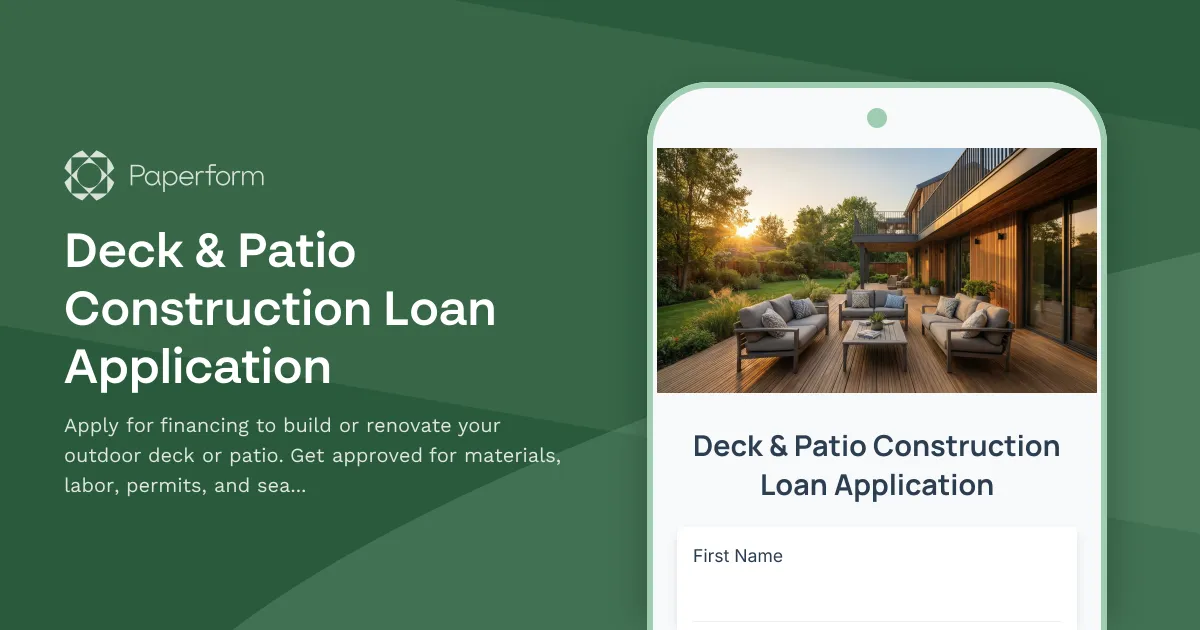
Deck & Patio Construction Loan Application
Apply for financing to build or renovate your outdoor deck or patio. Get approved for materials, labor, permits, and seasonal construction planning.
Driveway & Paving Financing Application
Professional financing application for residential and commercial driveway and paving projects. Includes material selection, square footage calculations, drainage requirements, and contractor verification.
Gutter Installation Financing Application
Apply for financing to install or replace your home's gutter system. Calculate costs based on linear footage, material choices, downspouts, and leaf guard options.
Septic System Replacement Financing Application
Apply for financing to replace or upgrade your septic system. Includes property assessment, system sizing, soil testing documentation, and permit verification.
Siding Replacement Loan Application
Apply for financing to replace your home's siding with customizable material, color, and insulation options.
ATV & Powersports Financing Application
Apply for financing on ATVs, UTVs, motorcycles, and powersports equipment. Quick approval process with flexible terms for recreational and utility vehicles.
Bathroom Renovation Financing Application
Apply for financing to renovate your bathroom with fixture selection, plumbing upgrades, and accessibility modifications. Get approved quickly for your dream bathroom project.
Construction Business Line of Credit Application
A comprehensive application form for construction businesses seeking a line of credit, covering project pipeline, bonding capacity, equipment assets, and subcontractor relationships.

Generator Installation Financing Application
Apply for financing to install a backup generator for your home. Calculate power requirements, choose fuel type, and select maintenance plans with flexible payment options.

Home Inspection Business Financing Application
Apply for financing to start or grow your home inspection business. Cover certification costs, equipment, software, insurance, and working capital with a comprehensive business loan application.