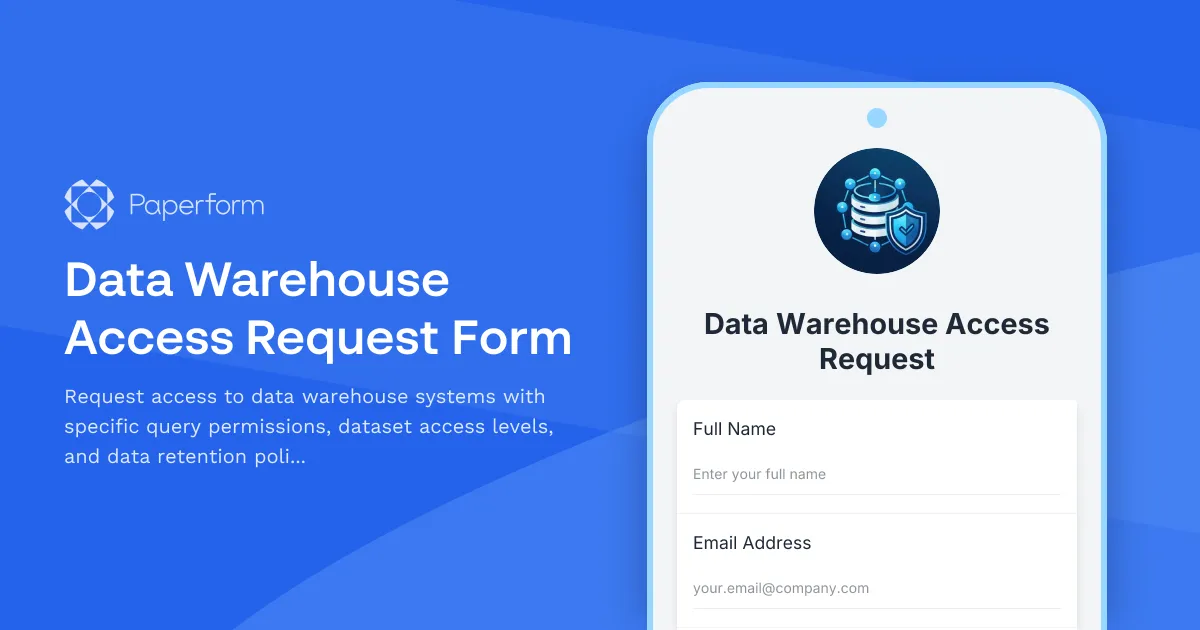
Streamline Data Warehouse Access with Paperform's Smart Request System
Managing data warehouse access requests doesn't have to be a bottleneck for your IT and data teams. Whether you're a growing tech company, a healthcare analytics team, or a financial services firm, controlling who can access sensitive datasets while maintaining productivity is critical. This Data Warehouse Access Request Form template gives you a professional, secure way to process access requests, define granular permissions, and ensure compliance—all without writing a single line of code.
Why Your Organization Needs a Structured Data Warehouse Access Process
Data warehouses hold your organization's most valuable asset: data. From customer behavior patterns to financial metrics, the information stored in these systems drives strategic decisions. But with great data comes great responsibility. Ad-hoc access requests via email or Slack create security gaps, slow down analytics teams, and make audit trails nearly impossible to maintain.
A structured access request form ensures that every request is properly documented, reviewed, and approved before granting permissions. This template captures essential information including the requestor's role, business justification, required dataset access levels, query permissions, and formal acknowledgment of data retention policies. IT administrators can review requests efficiently, while maintaining a complete audit trail for compliance purposes.
How Paperform Transforms Data Access Management
This template leverages Paperform's conditional logic to create an intelligent form that adapts based on user responses. When someone selects read-only access, they see different options than someone requesting write permissions. This dynamic approach reduces confusion and ensures requestors provide exactly the information your IT team needs to make informed decisions.
The doc-style editor makes it easy to customize this template for your organization's specific data warehouse architecture—whether you're using Snowflake, Amazon Redshift, Google BigQuery, Azure Synapse, or other platforms. Add your company logo, adjust the dataset options to match your actual data structure, and modify the approval workflow to fit your governance model.
Automate Your Access Provisioning Workflow with Stepper
Once a request is submitted, you can connect this form to Stepper to automate your entire access provisioning workflow. Create a multi-step process that routes requests to the appropriate data owner for business approval, then to your IT security team for technical review, and finally to your database administrators for implementation.
Stepper can automatically create tickets in Jira or ServiceNow, send notifications to approval chains via Slack or email, update your access registry in Airtable or Google Sheets, and even trigger provisioning scripts once all approvals are complete. This means faster access for legitimate requests, fewer manual handoffs, and complete visibility into where each request stands in the approval pipeline.
Built for Data-Driven Organizations Across Industries
This template is designed for organizations where data access governance matters:
Technology & SaaS Companies: Manage access for product analysts, data scientists, and business intelligence teams across multiple data sources and environments.
Healthcare & Life Sciences: Control access to patient data, clinical trial results, and research datasets while maintaining HIPAA compliance documentation.
Financial Services: Regulate access to transaction data, customer financial information, and regulatory reporting datasets with proper audit trails.
E-commerce & Retail: Grant marketing and merchandising teams access to customer behavior data, sales metrics, and inventory information based on their role.
Consulting & Professional Services: Provide client project teams with appropriate access levels while maintaining data segregation between engagements.
Key Features That Make This Template Work
The form includes conditional logic that shows or hides fields based on access type, ensuring requestors only see relevant questions. It captures business justification to help approvers understand the "why" behind each request, not just the "what." The data retention policy acknowledgment section ensures users understand their responsibilities before gaining access.
Multiple choice questions for dataset selection let you list your specific databases, schemas, or tables, while the query permissions section clarifies whether users need read-only SELECT privileges or write capabilities. The form also captures important details like access duration (temporary or permanent) and any specific row-level security requirements.
Integrations That Connect Your Data Stack
Paperform works seamlessly with the tools your IT and data teams already use. Send approved requests directly to your CRM for tracking, log all submissions in Google Sheets or Airtable for your access registry, ping your IT team in Slack when new requests arrive, or push data into your ServiceNow or Jira instance for formal ticketing.
For organizations with SOC 2 requirements or data governance mandates, Paperform's SOC 2 Type II compliance, data residency controls, and comprehensive audit logs provide the documentation you need. Every submission is timestamped, every change is tracked, and you can export complete records for compliance reviews.
Getting Your Team Onboard
Rolling out a new access request process doesn't have to be painful. Share the form link via email, embed it directly into your internal wiki or intranet, or add it to your IT service portal. The clean, professional design works on any device, so team members can submit requests from their desk or while working remotely.
For IT administrators, the form submissions page provides a centralized dashboard to review pending requests, track approval status, and search historical access grants. You can export data to Excel or CSV for reporting, use Paperform's AI Insights to identify patterns in access requests, and set up automated email notifications to keep stakeholders informed.
Security and Compliance Built In
Data access requests often contain sensitive information about your data architecture and business operations. Paperform's security features include SSL encryption, role-based access controls, and the ability to restrict form access to specific email domains or authenticated users only. You can also enable CAPTCHA protection to prevent spam submissions and set up email verification for an extra layer of security.
The platform's SOC 2 Type II certification and GDPR compliance mean you can trust Paperform with your access request data, even in heavily regulated industries. Data residency options let you control where information is stored, and comprehensive audit logs track every form view, submission, and export.
Customize for Your Data Governance Framework
Every organization has unique data governance requirements. This template provides a solid foundation, but Paperform's flexibility means you can adapt it to your specific needs. Add fields for data classification levels, include questions about third-party data sharing, or create separate forms for different types of data warehouses.
You can also use Paperform's calculation fields to implement automated risk scoring based on the sensitivity of requested datasets, or add file upload fields so requestors can attach supporting documentation like signed data use agreements or manager approvals.
From Request to Access in Record Time
The old way of managing data warehouse access—email threads, manual spreadsheets, and unclear processes—creates friction, delays analytics projects, and increases security risks. This Paperform template transforms access management into a streamlined, transparent workflow that protects your data while empowering your teams.
Start with this template, customize it to match your data architecture and governance policies, connect it to your existing tools via Stepper or native integrations, and watch your IT team reclaim hours of administrative time each week. Your analysts get faster access to the data they need, your security team maintains control and visibility, and your compliance officers sleep better knowing every access decision is properly documented.
Ready to modernize your data warehouse access management? Use this template to build a process that scales with your organization's data ambitions.



More templates like this
Customer Data Access Request Form
A GDPR and CCPA compliant form for managing customer data access requests with verification, justification, and consent tracking.
Cybersecurity Exception Approval Request Form
A comprehensive form for requesting cybersecurity policy exceptions with risk assessment, compensating controls, business justification, and remediation plans requiring CISO authorization.
IT Security Architecture Review Board Submission Form
Submit security architecture proposals to the review board for evaluation, approval, and decision documentation with comprehensive risk assessments and compliance considerations.
Master Data Governance Platform Access Request
Request access to your organization's master data governance platform with role-based permissions, data stewardship assignments, quality rule configuration rights, and lineage visualization access.
Network DDoS Mitigation Request Form
Submit a request to activate DDoS protection services, configure traffic scrubbing parameters, set detection thresholds, and whitelist legitimate traffic sources for your network infrastructure.
Server Confidential Computing Enablement Request Form
Request and configure confidential computing environments with trusted execution environment (TEE) setup, enclave configuration, remote attestation, and secure key management for sensitive workloads.
Time-Limited Elevated Access Request Form
Request temporary elevated system access for scheduled maintenance with defined scope, duration, and rollback procedures. Streamline your IT security and access management workflow.
AI Model Deployment Approval Form
A comprehensive approval form for AI model deployments that evaluates training data, bias assessment, performance metrics, security controls, and ethical considerations before production release.

Corporate VPN Access Request Form
Streamline remote access requests with this corporate VPN access form. Collect employee details, device information, security clearance levels, and route for manager approval—all in one secure workflow.
Data Center Server Room Access Request Form
Request secure access to data center server rooms with two-factor authentication setup, equipment authorization, and compliance acknowledgment for IT professionals and technicians.
Data Privacy Vault Access Request Form
Request secure access to data privacy vaults with tokenization permissions, configure de-identification rules, and enable privacy-preserving analytics for compliant data handling.
Disaster Recovery Platform Access Request
Request access to disaster recovery orchestration platforms with failover testing permissions, recovery plan execution rights, and RTO/RPO monitoring capabilities.