Our Guide to the Best Automation Tools
Choosing an automation tool as a small business shouldn’t feel overwhelming — but it often does. With dozens of platforms promising powerful workflows, it’s easy to end up paying for features you don’t use or avoiding automation altogether because it feels too complex.
This guide offers a practical, neutral comparison of four popular automation platforms — Stepper, Zapier, Make, and Relay — through the lens of an SMB operator or founder.
TL;DR:
- Not sure what to automate yet? Start with Stepper
- Need lots of app integrations, simple logic? Zapier
- Running complex, data-heavy workflows? Make
- Need approvals and human checkpoints? Relay
- AI Native automation that doesn’t get overpriced at scale: Stepper
If you’re an SMB (Small-to-medium business), solopreneur, or founder, Stepper is the easiest place to start — and the hardest to outgrow.
Which Automation Tool Should You Choose?
If you’ve ever picked an automation tool because it had good branding, a massive LinkedIn presence, or everyone said you should, you’re not alone.
Fast forward a few months and one of two things is happening:
- You’re paying way more than expected for automations that barely run
- Or you’re still manually copying data between apps because you never quite set it up
This guide is here to fix that.
We evaluated each tool through the lens of an SMB (Small-to-medium business) operator or founder and their operational needs: ease of setup, clarity of workflows, cost predictability, and how quickly you can get real value without becoming an automation specialist.
Below, we’ll compare four popular automation platforms — Stepper, Zapier, Make, and Relay — and, more importantly, help you figure out which one actually makes sense for an SMB or founder.
All of these tools are good, they’re just good for different jobs. Let’s see what works for you!
What SMBs Actually Need From Automation
Before comparing tools, it’s worth grounding this in reality. We know that often, SMBs are overpaying for tools that have features that don’t meet their needs. Most don’t need 50+ workflows with ultra-advanced data transformations running custom scripts on self-hosted infrastructure.
What they do need is:
- Fewer manual handoffs
- Reliable workflows that don’t silently break
- Predictable costs
- Enough visibility to trust what’s running
In practice, most small businesses run around 5–10 core automations. Some examples include:
- Lead capture → CRM
- Client intake → onboarding
- Internal notifications
- Basic follow-ups
- Simple approvals
With this frame in mind, let’s look at the tools.
1. Stepper: AI-Native Automation for SMBs
(Explore Stepper features → AI workflow builder, reusable components, predictable pricing)
Stepper is the newest AI-native automation platform on this list, and it’s designed specifically for how modern SMBs operate: lean teams, limited time, and little appetite for babysitting tools.
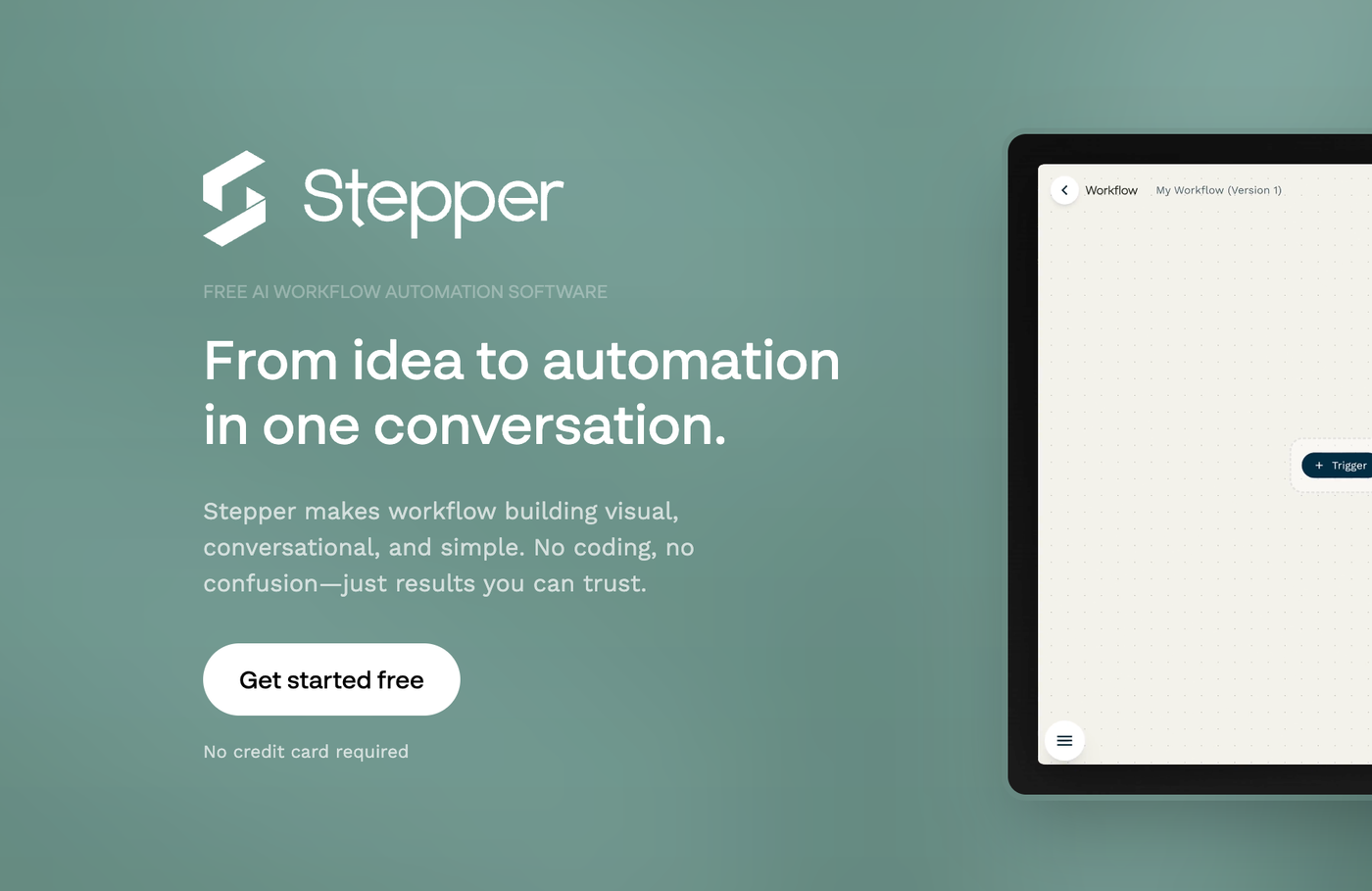
Rather than bolting AI onto an existing workflow builder, Stepper is AI-native from the ground up. This means you can build workflows through natural language. Users can also use Stepper’s conversational editor to ask questions, troubleshoot, and expand automations as you go.
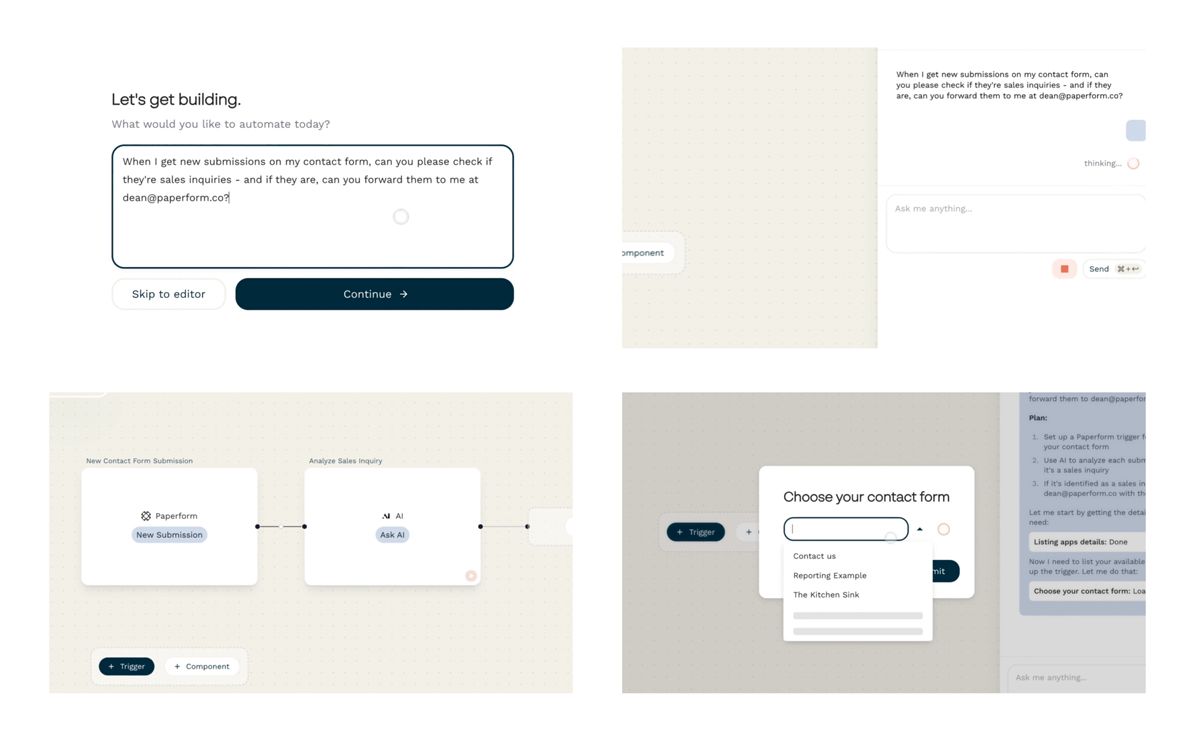
Stepper is the newest platform on this list, and it’s designed specifically for how modern SMBs operate: lean teams, limited time, and little appetite for babysitting tools.
What Makes Stepper Different
With Stepper, you don’t start from a blank canvas. You start with intent.
You can describe what you want to automate in plain English, ask how a workflow should be structured, and build iteratively with AI guiding the process.
- Natural-language workflow creation
- AI that ideates, explains, and refines workflows
- Reusable components for shared logic
- Clear visibility into runs and errors
Components are a key differentiator: once you build a piece of logic, you can save it and reuse it across workflows instead of rebuilding from scratch.
Practical Advantages for SMBs
Stepper focuses on removing friction early, without boxing you in later.
- Free plan for core automations (not a trial)
- No task-based pricing inflation
- Native to the Paperform ecosystem
- Active community and hands-on support
The main trade-off is maturity. Stepper launched recently, so while integrations are growing quickly, it doesn’t yet match Zapier’s sheer volume.
Best for:
SMBs who want to start fast, keep costs predictable, and scale automation without increasing complexity.
2. Make: Power and Precision
Make (formerly Integromat) is often positioned as the next step up from Zapier — and that’s largely accurate. It’s designed for users who want deeper control over how data moves through their systems.
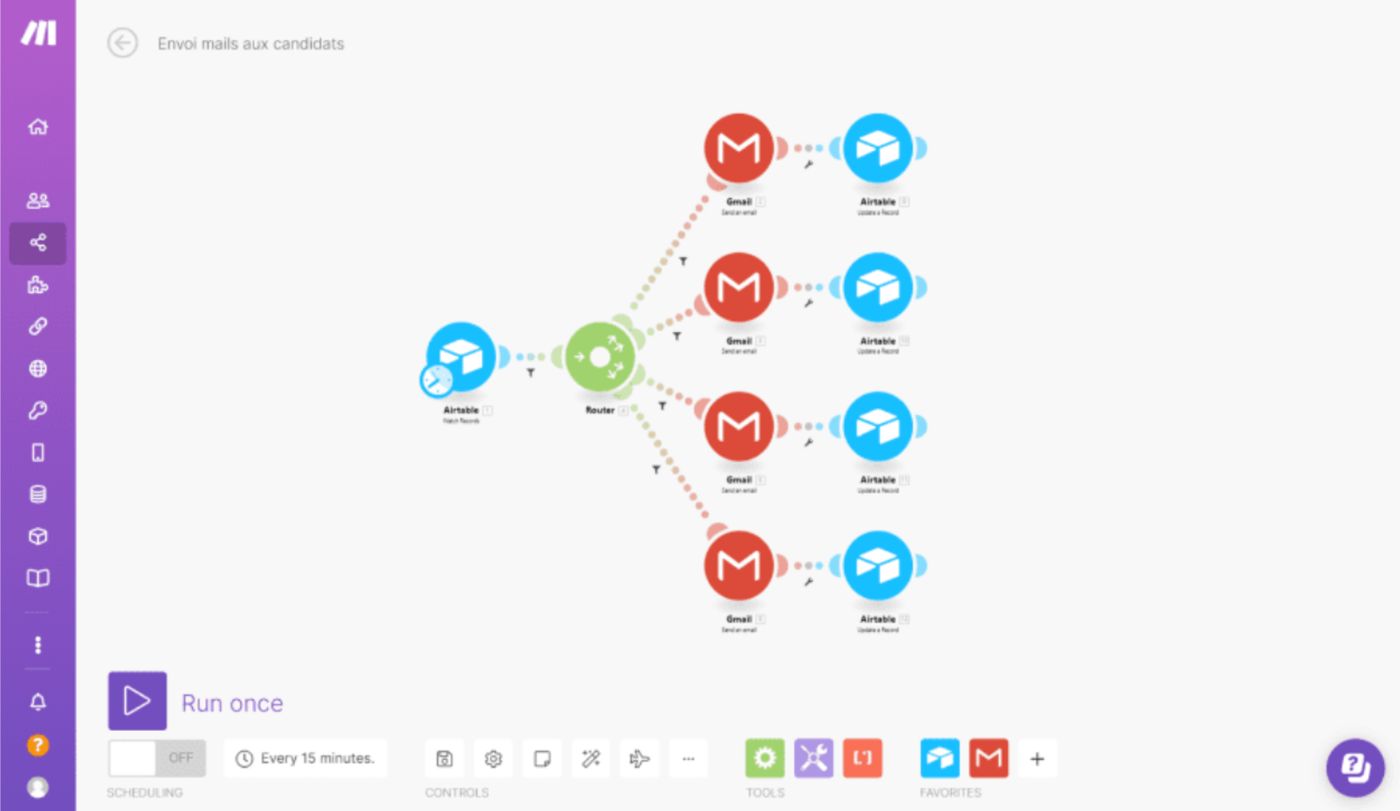
Make trades simplicity for flexibility, giving operators a visual canvas that shows every step, branch, and transformation in a workflow.
What Make Does Well
Make excels when workflows need to handle complexity. Its visual flowchart-style editor makes it possible to see exactly how data moves, splits, loops, and recombines.
- Visual, drag-and-drop workflow builder
- Advanced logic (routers, iterators, aggregators)
- Strong support for APIs and custom data handling
- Better cost efficiency than Zapier at scale
For data-heavy operations or advanced automation scenarios, Make offers control that many no-code tools simply can’t.
Where Make Can Slow SMBs Down
That power comes with a learning curve.
Make’s interface can feel overwhelming if you’re not already comfortable with automation concepts. Building even a simple workflow often requires understanding how data bundles move through the system, which can slow momentum for busy founders.
- Steep onboarding for non-technical users
- Visually dense workflows
- More setup time before seeing results
Make is incredibly capable — but for many SMBs, it can feel like learning a new discipline rather than solving a problem.
Best for:
SMBs with data-heavy processes, or a technically confident operator managing automation.
If you’re specifically weighing whether that added flexibility is worth the learning curve, this detailed Make vs Zapier comparison breaks down the trade-offs in depth.
3. Relay: Automation With Humans in the Loop
Relay takes a fundamentally different approach to automation. Instead of assuming everything should run end-to-end without interruption, it’s built on the idea that humans should stay involved at key moments.
This makes Relay less of a backend automation engine and more of a workflow coordination tool.
What Relay Does Well
Relay shines when approvals, reviews, or decisions are part of the process. It allows workflows to pause, notify the right people, and continue only once a human has weighed in.
- Built-in approval steps
- Collaborative, team-friendly workflows
- Clear notifications and handoffs
- Clean, modern interface
For teams that need structure without full automation, Relay offers clarity and control without complicated workarounds.
Where Relay Is More Limited
Relay isn’t designed for deep automation or complex data processing. Its integration ecosystem is smaller, and it’s not ideal for backend-heavy workflows.
- Smaller integration library
- Limited flexibility for fully automated pipelines
- Not built for advanced data logic
Relay is intentional about these trade-offs — it’s solving a specific problem, not trying to replace every automation tool.
Best for:
Teams that need approvals, collaboration, and visibility baked directly into their workflows.
4. Zapier: The Industry Standard
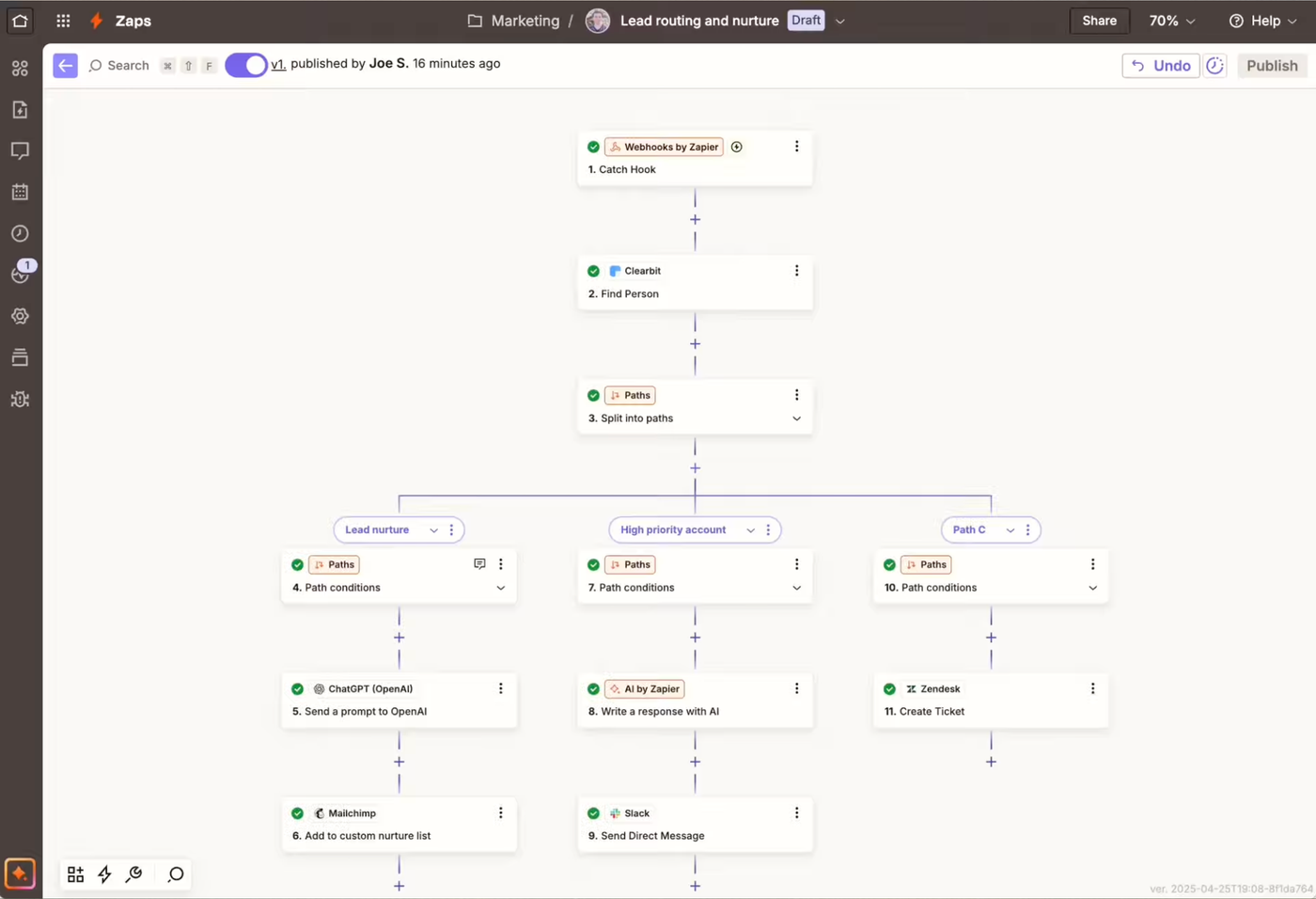
Zapier is usually the first automation tool people hear about — and for good reason. It’s been around since 2011, it integrates with thousands of apps, and it has effectively become the default reference point for no-code automation.
For many SMBs, Zapier is where automation starts. It’s approachable, familiar, and widely supported across SaaS products.
What Zapier Does Well
Zapier’s biggest strength is accessibility. You can create useful automations quickly without needing to understand complex logic or data structures. The setup process is linear and guided, which makes it easy to follow — even if you’ve never built an automation before.
- 7,000+ app integrations
- Simple, step-by-step workflow setup
- Reliable for basic, repeatable tasks
- Mature platform with years of refinement
For straightforward workflows — like sending form submissions to a CRM or notifying a Slack channel — Zapier is often the fastest path from idea to execution.
Where Zapier Gets Tricky for SMBs
The challenges with Zapier usually don’t show up on day one. They appear as soon as workflows grow beyond the basics.
Zapier charges per task, meaning every action, filter, path, or condition counts toward your usage. As soon as you add branching logic or work with premium apps (like accounting or finance tools), costs can increase quickly.
- Task-based pricing can escalate fast
- Premium apps require higher-tier plans
- Complex workflows consume limits faster than expected
Zapier isn’t overpriced for what it offers — but for SMBs, it’s easy to pay for complexity you didn’t intend to build.
Best for:
SMBs that need broad app coverage and are running linear automations.
Side-by-Side Comparison
| Tool | Pricing Model | Learning Curve | Strength | Main Trade-off | Best Fit for SMBs |
|---|---|---|---|---|---|
| Stepper | Free core plan, set monthly price for Pro | Low | AI-native creation, reusable components | Smaller integration library (growing fast) | Most SMBs and founders |
| Zapier | Pay per task | Low–Medium | Massive integration ecosystem | Costs scale quickly with complexity | Simple, linear automations |
| Make | Pay per operation | High | Deep control and visual logic | Steep learning curve | Data-heavy or complex workflows |
| Relay | Pay per run | Low | Human-in-the-loop workflows | Limited backend automation | Teams needing approvals and reviews |
How to Choose the Right Automation Tool
Choosing an automation tool isn’t about picking the most powerful platform on the market. It’s about picking the one that matches how your business actually runs and scales with you.
If you’re an SMB or founder, these four questions will get you to the right answer faster than any feature comparison.
1. Do You Know What You Want to Automate?
This is the most important — and most skipped — step.
Many businesses feel the pain of repetitive work but haven’t clearly defined where that work lives. Automation tools can’t fix fuzzy processes. They amplify whatever already exists.
Before choosing a tool, map one real workflow end to end. For every trigger, ask:
- What just happened? (a form submission, a booking, a payment)
- What needs to happen internally? (CRM updates, tagging, tracking, notifications)
- What needs to happen externally? (emails, confirmations, next steps)
This clarity matters because some tools assume you already know all of this before you start. Others help you figure it out as you build.
If your process is still in your head, tools that guide and ideate with you will feel dramatically easier.
2. How Much Automation Do You Really Need?
It’s easy to overestimate this.
Most SMBs don’t need dozens of workflows running 24/7. In practice, many businesses run efficiently on fewer than ten core automations — especially early on.
Examples include:
- Lead intake and routing
- Client onboarding steps
- Internal alerts and reminders
- Basic follow-ups
If that’s your reality, choosing a highly complex platform can slow you down instead of helping. Advanced features are only valuable once you’ve outgrown simple, reliable automation.
Start with what removes the most friction today. Scale complexity later.
3. What Features Will You Actually Use?
Automation platforms love to advertise advanced capabilities — HTTP modules, custom scripts, deeply nested logic.
The honest question is not can the tool do these things, but will you use them?
Most SMBs primarily need:
- Reliable triggers
- Straightforward actions
- Basic conditions (if this, then that)
- Visibility into what ran and what failed
If you don’t know what a feature does, that’s not a failure — it’s a signal. You may not need it yet.
Choosing a tool that matches your current level of complexity reduces cognitive load and keeps automation working instead of becoming another system to manage.
4. How Much Guidance Do You Want?
This is a surprisingly important and very human question.
Some tools assume you want full control. Others assume you want help thinking through workflows, edge cases, and improvements.
Be honest about where you are today:
- Do you want to be guided through setup?
- Do you want help understanding why something failed?
- Do you want to experiment without breaking things?
If you’re new to automation, tools that explain, suggest, and guide will save hours of frustration.
If you already know exactly what you want to build, more manual control can make sense.
There’s no wrong answer — only mismatched expectations.
Final Take
Automation should reduce stress, not add another system to babysit.
If you’re an SMB or founder, start simple, stay visible, and choose tools that match how your business actually runs.
- Just starting out or unsure what you need: Stepper
- Running a lean SMB with predictable workflows: Stepper or Zapier
- Complex, data-heavy automation: Make
- Team approvals and collaboration: Relay
- AI Native automation that doesn’t get overpriced at scale: Stepper
None of these tools are wrong choices. The wrong choice is paying for automation or power you don’t use. When automation fits your workflow, you’ll feel it immediately.
If you’re not sure where to begin, start free with Stepper and build from there.
Frequently Asked Questions
Is Zapier worth it for small businesses?
Zapier can be worth it for small businesses that need quick wins and broad integrations. The challenge is cost predictability. As workflows grow more complex, task-based pricing can become difficult to manage for lean teams.
Do all SMBs really need advanced automation?
In most cases, no. The majority of SMBs only need a handful of reliable workflows that remove repetitive work. Advanced logic and custom data handling are powerful, but often unnecessary early on. But this can be dependent on your use-case.
What’s the easiest automation tool to start with?
For most SMBs, tools that guide you through setup — rather than requiring upfront planning — are the easiest to start with. AI-native platforms reduce friction by helping you think through workflows as you build them.
Can I switch tools later?
Yes. Automation tools aren’t permanent decisions. Starting simple helps you understand your needs, and you can always migrate to more advanced platforms once your workflows and requirements are clear.
Ready to start? → Start free with Stepper