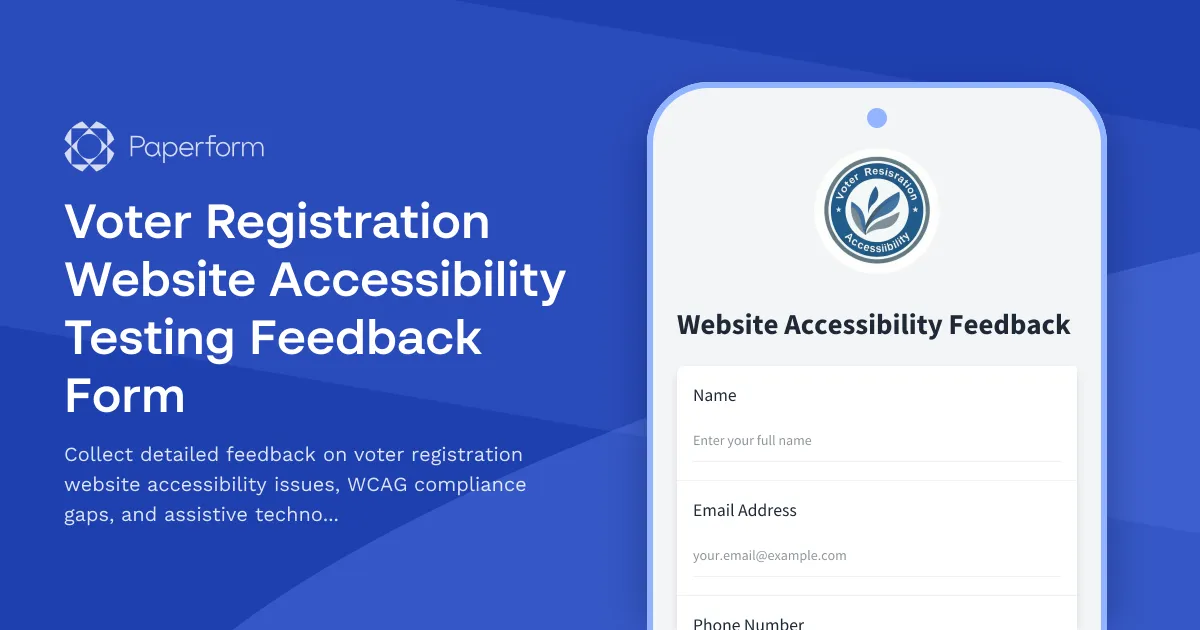
Ensuring Equal Access to Democracy Through Accessible Voter Registration
Every eligible citizen deserves barrier-free access to voter registration, yet many digital voter registration systems inadvertently exclude people with disabilities through accessibility barriers. This Voter Registration Website Accessibility Testing Feedback Form helps election officials, accessibility coordinators, and civic technology teams systematically collect reports about WCAG compliance issues and assistive technology compatibility problems.
Who Should Use This Template
This form template is designed for:
- Election officials and registrars managing voter registration websites and online portals
- State and county government accessibility coordinators ensuring compliance with Section 508 and ADA requirements
- Civic technology teams building and maintaining voter registration systems
- Accessibility testers and consultants conducting WCAG audits for government services
- Disability advocacy organizations working to improve electoral access
- Web development agencies contracted to build or remediate voter registration platforms
Streamlining Accessibility Feedback Collection
Traditional accessibility feedback often arrives through scattered channels—emails, phone calls, social media complaints—making it difficult to prioritize fixes and track remediation progress. This Paperform template centralizes all accessibility reports in one structured format, capturing:
- Specific WCAG 2.1 guideline violations (Level A, AA, or AAA)
- Assistive technology compatibility issues (screen readers, voice control, switch devices)
- Browser and operating system combinations where problems occur
- Detailed descriptions of barriers encountered
- Screenshots and screen recordings demonstrating issues
- Impact severity on voter registration completion
By standardizing how accessibility feedback is collected, your team can triage issues more effectively, identify patterns across multiple reports, and document compliance improvements for Section 508 and ADA requirements.
Key Features for Government Accessibility Programs
This template includes conditional logic that adapts based on the type of accessibility issue reported. When someone selects "Screen Reader Compatibility," they'll see follow-up questions about which screen reader they're using (JAWS, NVDA, VoiceOver, TalkBack) and specific navigation problems. When they report a WCAG violation, they can specify the exact success criterion and conformance level affected.
The form also collects context about the user's testing environment—operating system, browser, assistive technology version—essential details for reproducing and fixing reported issues. Optional file upload fields allow testers to submit screenshots, video recordings of the issue, or detailed audit reports.
How Paperform Improves Civic Accessibility Workflows
Paperform's flexibility makes it ideal for government accessibility initiatives:
- Conditional logic shows relevant follow-up questions based on issue type, reducing form fatigue while gathering comprehensive details
- File uploads let testers attach screenshots, recordings, and audit documentation directly to their report
- Integration with project management tools via Stepper connects reports directly to your remediation workflow in Jira, Asana, or Monday.com
- Email notifications alert your accessibility team immediately when high-severity issues are reported
- Custom success messages thank reporters and set expectations for remediation timelines
Since this form is built on Paperform, it's naturally more accessible than many government form builders. The platform follows modern web standards, works smoothly with screen readers, and provides keyboard navigation throughout—practicing what you're asking testers to evaluate.
Connecting Feedback to Remediation with Stepper
Once accessibility issues are reported, the real work begins: triaging, assigning, fixing, and validating. With Stepper (stepper.io), Paperform's AI-native workflow automation platform, you can automatically:
- Create tickets in your project management system with all reported details
- Route issues to the appropriate team based on severity or WCAG category
- Send confirmation emails to reporters with ticket numbers and expected timelines
- Update internal dashboards tracking accessibility compliance metrics
- Trigger follow-up workflows when issues are marked as resolved
For example, when a Level A WCAG violation is reported—issues that create complete barriers to access—Stepper can immediately create a high-priority ticket, notify your development lead, and add the issue to your compliance tracking spreadsheet. When the fix is deployed, Stepper can automatically email the original reporter asking them to verify the remediation.
Building Public Trust Through Transparent Accessibility
Making it easy to report accessibility barriers demonstrates your commitment to inclusive democracy. By publishing this form on your voter registration website with clear language inviting feedback from people using assistive technologies, you signal that accessibility isn't an afterthought—it's fundamental to electoral integrity.
The 300,000+ organizations using Paperform trust it for professional data collection that respects users and integrates seamlessly with government workflows. Whether you're managing accessibility for a state voter registration portal, county election website, or civic technology platform, this template provides the foundation for systematic accessibility improvement.
Get Started Today
Customize this template to match your jurisdiction's visual identity, add specific WCAG criteria your team is prioritizing, and publish it as an embedded form on your accessibility feedback page or as a standalone link. With Paperform's SOC 2 Type II compliance and robust security features, you can trust that sensitive accessibility reports are handled with appropriate data protection.
Accessible elections start with accessible registration. Use this template to identify and eliminate barriers, ensuring every eligible citizen can exercise their fundamental right to vote.



More templates like this
Dutch Digital Accessibility Statement Form
A comprehensive WCAG compliance form for Dutch organizations to document their digital accessibility statement, compliance levels, known issues, and feedback mechanisms in line with Dutch accessibility regulations.
Government API Access Request Form
A comprehensive form for government agencies to request API access with agency verification, use case documentation, and FedRAMP compliance assessment.

UAE Artificial Intelligence Development License Application
Apply for an AI development license in the UAE with innovation ecosystem registration, ethical AI framework compliance, and government sector partnership opportunities.
Voter Registration Data Analytics Dashboard Access Request
A professional access request form for voter registration analytics dashboards with role-based permissions and reporting needs assessment.
Voter Registration Security Incident Report
Report security incidents and data breaches affecting voter registration systems, with detailed incident analysis and remediation tracking for election officials.
Voter Registration Software Bug Report Form
A technical bug reporting form for election IT staff to document software issues, upload screenshots, and detail reproduction steps for voter registration systems.
Voter Registration System Access Request
Secure access request form for county election staff to request voter registration system credentials, role assignments, and complete required security training certification.
Voter Registration System Downtime Notification Form
IT incident reporting form for documenting voter registration system outages, assessing impact on election operations, and tracking recovery efforts.
Danish Digital Signature Enrollment Form
A secure enrollment form for registering Danish digital signatures with CPR number verification and identity validation for compliance with Danish eID regulations.
Datatilsynet GDPR Processor Audit Questionnaire
A comprehensive GDPR processor audit questionnaire for Norwegian data controllers assessing third-party data processors, including security certification uploads, incident history reporting, and compliance attestation.
Digital Certificate Issuance Request Form (ICP-Brasil)
Professional digital signature certificate request form for Brazilian legal entities with CNPJ validation, authorized signatory verification, and full ICP-Brasil compliance for secure electronic transactions.
Election Foreign Interference Detection Report
Secure form for reporting suspected foreign interference in elections, enabling rapid threat assessment, FBI notification, and implementation of confidence restoration measures to protect democratic processes.