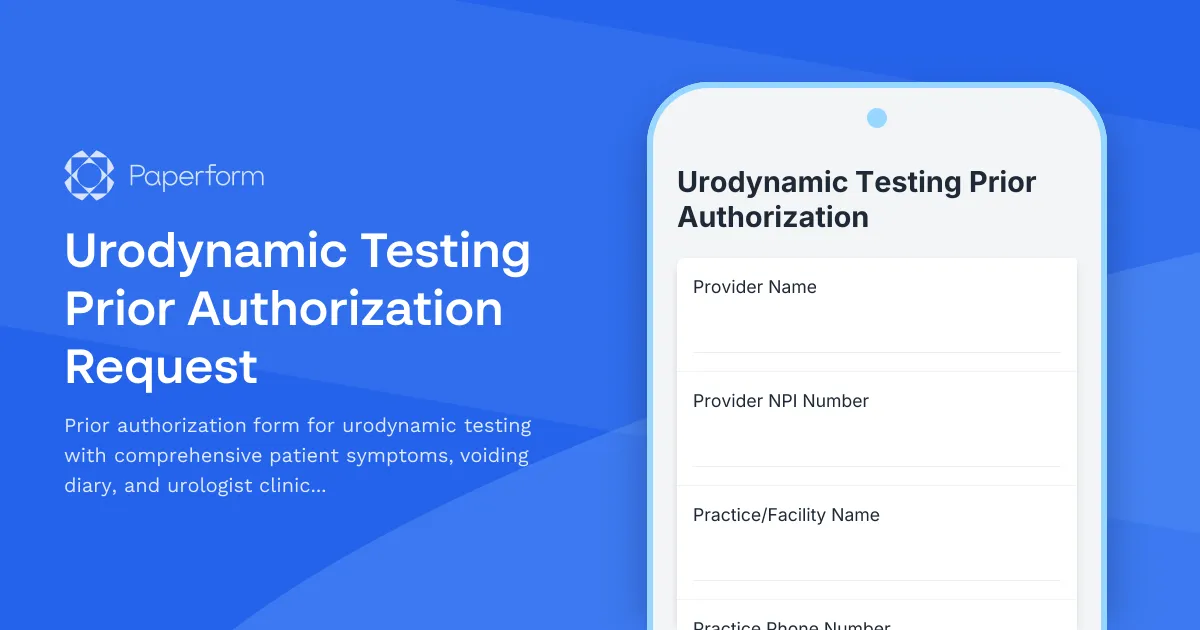
Streamline Urodynamic Testing Prior Authorization with Paperform
Getting insurance prior authorization for urodynamic testing shouldn't mean drowning in paperwork and fax machines. This Urodynamic Testing Prior Authorization Request template helps urology practices, hospitals, and healthcare providers submit comprehensive, insurance-ready authorization requests that include all the clinical documentation insurers need—patient symptoms, voiding diaries, diagnostic history, and urologist assessments—in one organized, professional submission.
Why urodynamic testing authorization matters
Urodynamic studies are essential diagnostic tools for evaluating lower urinary tract dysfunction, but they require prior authorization from most insurance carriers. Incomplete or poorly documented requests lead to denials, delays in patient care, and administrative burden on your staff. This template ensures you capture every required data point upfront, from detailed symptom inventories and failed conservative treatments to objective voiding diary metrics and clinical rationale.
What makes this template work for urology practices
Built specifically for the prior authorization workflow, this form guides your team through:
- Patient demographics and insurance information with verification fields for policy numbers, group IDs, and subscriber details
- Comprehensive urinary symptom assessment covering urgency, frequency, nocturia, incontinence, hesitancy, retention, and pain
- Structured voiding diary data capturing fluid intake, void volumes, frequency patterns, and incontinence episodes
- Clinical history and comorbidities including previous diagnoses, surgeries, medications, and relevant conditions like diabetes, neurological disorders, or pelvic floor dysfunction
- Conservative treatment documentation showing failed behavioral therapy, pelvic floor exercises, medications (anticholinergics, beta-3 agonists, alpha blockers), and other interventions
- Urologist clinical assessment and medical necessity with space for diagnosis codes, clinical rationale, and specific urodynamic study components being requested (uroflowmetry, cystometry, pressure-flow studies, EMG, video urodynamics)
- Supporting documentation uploads for previous test results, imaging, and specialist notes
The form uses conditional logic to reveal relevant follow-up questions based on symptom patterns and treatment history, keeping the process efficient while ensuring completeness.
How Paperform accelerates the authorization process
For urology practices juggling patient care and insurance paperwork, Paperform transforms prior authorization from a bottleneck into a smooth workflow:
Save time with reusable templates: Set up the form once with your practice information, common diagnosis codes, and standard clinical language, then customize for individual patients in seconds.
Integrate with your practice management system: Use Paperform's native integrations or connect via Stepper (stepper.io) to automatically log submissions in your EHR, notify billing staff, create follow-up tasks, and track authorization status—no manual data entry required.
Professional, branded experience: Customize fonts, colors, and logos to match your practice branding, giving patients and referring providers confidence in your professionalism.
Secure, compliant data handling: With SOC 2 Type II compliance, encrypted submissions, and secure file uploads, your patient data stays protected throughout the authorization process (note: Paperform is not HIPAA compliant, so ensure your workflow meets your compliance requirements).
Mobile-friendly completion: Urologists can complete clinical assessments on tablets during patient visits or from their phones between appointments, with all data syncing instantly.
Beyond prior authorization: workflow automation with Stepper
Once your authorization request is submitted, Stepper can automate what happens next:
- Send automatic notifications to your billing team and insurance verification staff
- Create tracking records in your spreadsheet or practice management tool
- Set up follow-up reminders if the insurer doesn't respond within your target timeframe
- Route approved requests to scheduling staff to book the urodynamic study
- Generate appeal documentation if authorization is initially denied
This automation means your front office spends less time chasing paperwork and more time supporting patients.
Who benefits from this template
This Urodynamic Testing Prior Authorization template is designed for:
- Urology practices and clinics handling bladder dysfunction, incontinence, and voiding disorder cases
- Hospital urology departments needing standardized authorization documentation across multiple providers
- Urologists and nurse practitioners who want to capture clinical rationale clearly and efficiently
- Medical billing specialists tasked with securing approvals before procedures
- Pelvic floor therapy centers coordinating care with urology for complex cases
Whether you're a solo practitioner or part of a multi-physician group, this template adapts to your workflow while meeting insurer documentation requirements.
The bottom line
Insurance prior authorization doesn't have to be painful. With Paperform's document-style editor, you get a form that works like a clinical intake sheet but submits like a digital workflow—capturing comprehensive patient history, symptoms, and clinical justification in one organized, insurance-ready package. Your team saves hours per week on paperwork, patients get faster access to diagnostic testing, and authorization approval rates improve when insurers have all the information they need upfront.
Start with this template, customize it to match your practice's needs and common diagnosis patterns, then connect it to your existing tools with Stepper to create an end-to-end authorization workflow that just works.



More templates like this
Ambulance Transport Prior Authorization Request
Streamline ambulance transport prior authorization requests with detailed patient condition assessment, medical necessity documentation, and facility information for insurance approval.
Continuous Glucose Monitor (CGM) Prior Authorization Form
A streamlined prior authorization request form for continuous glucose monitor coverage, collecting patient information, diabetes history, A1C levels, and healthcare provider documentation to support insurance approval.
Corneal Transplant Prior Authorization Request Form
Streamline insurance prior authorization for corneal transplant procedures with comprehensive ophthalmologic evaluation, corneal topography, and visual acuity documentation.
Cystic Fibrosis Vest Therapy Prior Authorization Request
Streamline prior authorization requests for high-frequency chest wall oscillation (HFCWO) vest therapy for cystic fibrosis patients. Collect pulmonary function tests, sputum cultures, and pulmonologist recommendations in one secure form.
Durable Medical Equipment (DME) Prior Authorization Form
A comprehensive prior authorization request form for durable medical equipment (DME) that includes patient information, physician details, medical necessity documentation, and supplier information for insurance approval.
Emergency Department Visit Prior Authorization Request
Streamline retrospective prior authorization requests for emergency department visits with patient presentation, triage data, and discharge information.
Gamma Knife Radiosurgery Prior Authorization Request
Request prior authorization for Gamma Knife radiosurgery treatment with comprehensive patient information, imaging details, tumor characteristics, and specialist evaluations.
Gender-Affirming Surgery Prior Authorization Request
A comprehensive prior authorization request form for gender-affirming surgical procedures, including documentation requirements for mental health assessments, hormone therapy history, and detailed surgical plans.

Growth Hormone Therapy Prior Authorization Request
Streamline insurance prior authorization for growth hormone therapy with comprehensive pediatric assessment, growth charts, bone age documentation, and endocrinologist evaluation forms.

Hemophilia Factor Replacement Prior Authorization Form
A comprehensive prior authorization request form for hemophilia factor replacement therapy, including patient history, clotting factor levels, bleeding episodes, and detailed hematologist treatment plans.

Home Infusion Therapy Prior Authorization Form
Streamline insurance prior authorization for home infusion therapy services including medication protocols, vascular access planning, and pharmacy coordination.
Hospice Care Prior Authorization Request Form
Submit prior authorization requests for hospice care services including terminal diagnosis documentation, prognosis timeline, and comprehensive palliative care treatment plans for insurance approval.