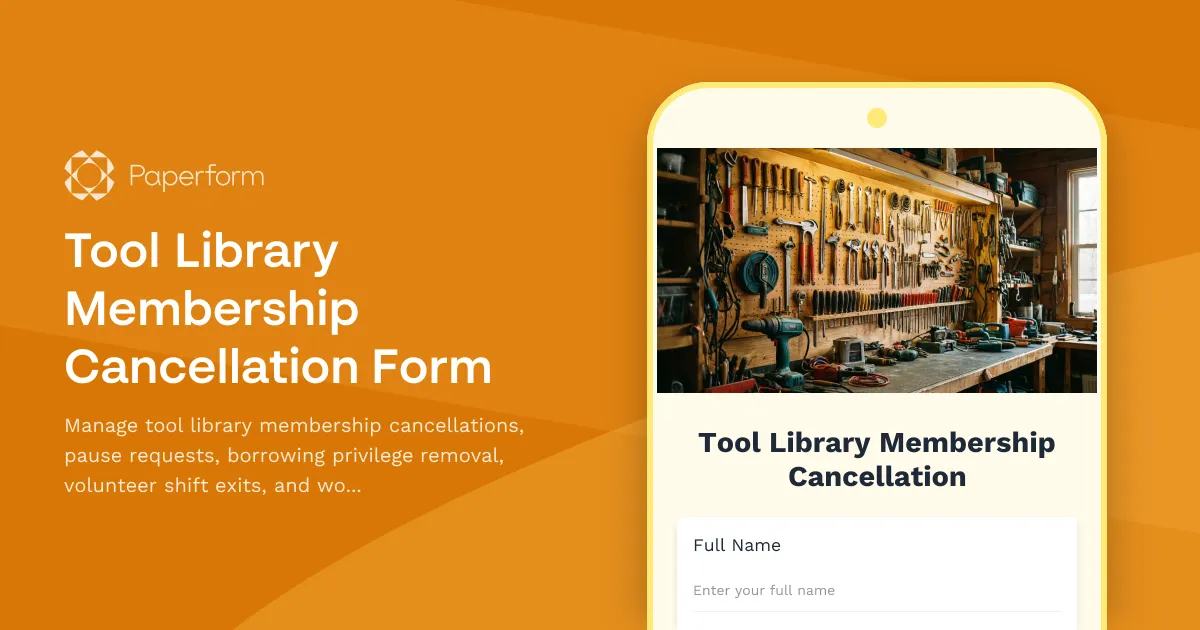
Streamline Your Tool Library Membership Management with Paperform
Running a community tool library means juggling memberships, borrowed equipment, volunteer schedules, and workshop enrollments—all while maintaining positive relationships with your members. When someone needs to pause or cancel their membership, you need a clear, professional process that handles all the moving parts without endless back-and-forth emails.
This Tool Library Membership Cancellation Form template gives you a single, organized workflow for processing membership changes. Whether a member is temporarily pausing their account, canceling completely, or just stepping back from volunteer commitments, this form captures everything you need to close out their account properly and keep your records clean.
Why Tool Libraries Need a Dedicated Cancellation Form
Unlike standard membership cancellations, tool library exits involve unique considerations:
- Outstanding borrowed tools that need to be returned before final cancellation
- Volunteer shift commitments that need to be reassigned to other team members
- Workshop enrollments that may need refunds or seat reallocation
- Damage deposits or membership credits that require reconciliation
- Feedback collection to improve retention and member experience
This template handles all these scenarios with conditional logic that adapts the form based on each member's specific situation—showing only relevant questions and next steps.
What This Template Includes
The form walks members through a complete offboarding process:
- Membership identification with lookup by email or member ID
- Cancellation vs. pause options with clear explanations of each
- Borrowed tool tracking to ensure all equipment is returned or scheduled for return
- Volunteer shift exit to properly hand off responsibilities
- Workshop enrollment withdrawal with automatic refund eligibility calculation
- Reason for leaving (with optional feedback to help you improve)
- Final account reconciliation including deposits, credits, and outstanding balances
- Exit confirmation with next steps and re-enrollment information
Built-in conditional logic means members only see sections relevant to their situation. If they don't have outstanding tools, they skip that section. If they're not enrolled in workshops, they don't see refund questions.
Perfect for Community Tool Libraries and Makerspaces
This template works beautifully for:
- Community tool libraries managing hand tools, power tools, and equipment lending
- Makerspaces and hackerspaces with membership-based access to shared facilities
- Creative workshops and studios with tool sharing programs
- Repair cafés coordinating volunteers and tool inventory
- Community gardens with shared tool sheds and equipment libraries
The flexible design adapts to any shared resource community where members have access to borrowable items, volunteer opportunities, and skill-building programs.
Automate Follow-Up with Stepper
Once a cancellation form is submitted, there's still work to do—and that's where Stepper (stepper.io), your AI-native workflow builder, comes in. Connect your form to Stepper workflows that automatically:
- Send return reminders for outstanding borrowed tools
- Notify volunteer coordinators about open shifts that need coverage
- Update your membership database (Airtable, Google Sheets, or your custom system)
- Process prorated refunds through your payment processor
- Schedule follow-up emails for paused memberships approaching reactivation
- Add cancellation reasons to a feedback dashboard for quarterly review
By automating these steps, your small admin team can focus on member experience rather than manual data entry and follow-up tracking.
Collect eSignatures for Account Closures
If your tool library requires signed acknowledgment that all tools have been returned or that members waive remaining credits, add Papersign (papersign.com) to your workflow. After submission, automatically generate a membership closure agreement and send it for eSignature—creating a clear paper trail for your records and protecting your organization from future disputes.
Reduce Cancellations with Better Data
Understanding why members leave is critical for retention. This template includes optional feedback questions that help you identify patterns—whether it's pricing concerns, inconvenient hours, limited tool selection, or life changes. Use Paperform's AI Insights to analyze dozens or hundreds of responses at once, surfacing common themes and actionable suggestions for keeping more members engaged.
Professional, On-Brand Experience
Even when someone's leaving, the experience matters. Paperform's doc-style editor lets you customize every aspect of this form—add your tool library's logo, use your brand colors, include photos of your space, and write confirmation messages in your authentic voice. You can embed the form on your website or send it as a standalone link, and it works beautifully on mobile for members filling it out on the go.
Who This Template Is For
This form template is designed for:
- Tool library coordinators managing community lending programs
- Makerspace directors overseeing membership and access control
- Nonprofit program managers running volunteer-driven resource sharing
- Community organizers coordinating shared equipment and learning opportunities
- Membership coordinators handling administrative tasks for maker communities
Whether you're a volunteer-run neighborhood tool library or a larger nonprofit makerspace, this template gives you the structure you need to handle membership changes professionally and efficiently—without building complex forms from scratch.
Get Started in Minutes
With Paperform's intuitive editor, you can customize this template to match your specific membership structure, add your branding, connect your payment processor for refunds, and integrate with your existing tools—all without writing a single line of code. Start with this template and you'll have a complete membership cancellation workflow live in under an hour.
Trusted by community organizations worldwide, Paperform is SOC2 Type II and GDPR compliant, ensuring your member data stays secure throughout the cancellation process.



More templates like this

Agricultural Heritage Society Membership Pause Request
Request a temporary pause on your agricultural heritage society membership, including suspension of vintage implement show participation, threshing bee events, and seed saving program activities.
Diaspora Community Association Membership Cancellation Form
A comprehensive membership cancellation form for diaspora community associations to process membership withdrawals, homeland tour participation changes, language preservation project removals, and youth program volunteer opt-outs.
Film Society Membership Withdrawal Form
A comprehensive membership cancellation form for film societies to process withdrawal requests, terminate screening room access, remove members from filmmaker meetups, and manage festival volunteer opt-outs.
Toastmasters Club Membership Renewal Form
A comprehensive membership renewal form for Toastmasters clubs to track member progress, gather updated information, and assess interest in leadership roles and club contests.
Alumni Association Membership Pause Form
A comprehensive form for alumni to temporarily pause their membership, update communication preferences, suspend event notifications, and set reactivation timelines.
Astronomy Society Membership Renewal Form
A comprehensive membership renewal form for astronomy societies to update member details, track equipment owned, register for dark sky events, and schedule observatory access.
Bonsai Club Membership Cancellation Form
A membership cancellation form for bonsai clubs to process membership pauses, workshop credit transfers, exhibition withdrawals, and mentorship program exits with clear options for members.
Botanical Garden Membership Pause Request Form
Allow members to temporarily pause their botanical garden membership while preserving visit history, holding plant sale access, and suspending class enrollments during their break.
Choral Society Membership Pause Request Form
A professional form for choral society members to request temporary membership pause, voice section hold, concert tour suspension, and recording session deferral with flexible restart options.
Community Archive Membership Renewal Form
Renew your community archive membership, update volunteer skills, plan collection donations, and express interest in oral history projects to help preserve local heritage.
Community Garden Plot Assignment Change Request
Request a change to your community garden plot assignment with availability matching, transfer approval, plot condition assessment, and automatic coordinator notification.
Cooperative Grocery Membership Renewal Form
A comprehensive membership renewal form for food co-ops to collect member information, volunteer preferences, bulk buying participation, and producer relationship interests.