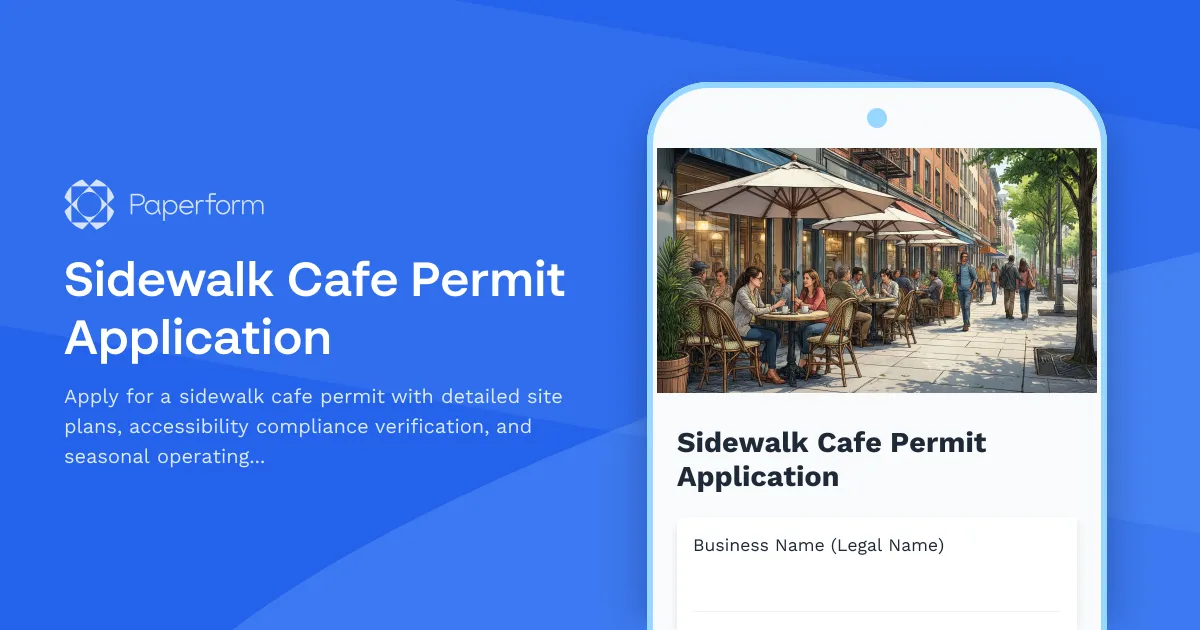
Streamline Your Sidewalk Cafe Permit Application with Paperform
Applying for a sidewalk cafe permit doesn't have to mean drowning in paperwork, chasing down specifications, or waiting weeks for approval. Whether you're a restaurant owner expanding outdoor seating, a coffee shop creating a sidewalk patio, or a municipal office processing dozens of cafe permits each season, this Sidewalk Cafe Permit Application template gives you a structured, compliant starting point that works for both applicants and reviewers.
Built for restaurants, cafes, and municipal permitting offices
This template is designed specifically for food service businesses seeking outdoor dining permits and the local government offices that review them. It captures everything needed for a complete application—from basic business details and dimensional site drawings to umbrella specifications, accessibility compliance verification, and seasonal operating hours—all in one organized, easy-to-complete form.
Common use cases include:
- Restaurant and cafe owners applying for new or renewed sidewalk cafe permits
- Municipal licensing departments standardizing permit intake and review processes
- Business improvement districts managing outdoor dining programs across multiple establishments
- Property managers coordinating tenant cafe permit applications
Capture complete permit requirements in one professional form
The template collects all essential information required for sidewalk cafe permit review:
- Applicant and business information: Business name, owner details, contact information, and premises address
- Site plan and dimensional drawings: Upload detailed drawings showing cafe layout, dimensions, pedestrian clearances, and property boundaries
- Furniture and equipment specifications: Tables, chairs, planters, barriers, and other cafe elements with quantities and dimensions
- Umbrella and canopy details: Specifications including size, height, materials, branding, and attachment methods
- ADA accessibility compliance: Verification of required pedestrian clearances, path of travel, and accessibility standards
- Operating schedule: Seasonal dates, daily hours, and special event considerations
- Insurance and liability documentation: Certificate of insurance upload and coverage verification
- Adjacent property owner consent: If required by local ordinance
Instead of managing email threads, incomplete PDFs, or in-person submissions, everything is captured in one structured submission with all required documentation attached.
Design that works for applicants and reviewers
Unlike rigid government forms that feel like they were designed in the 1990s, Paperform's doc-style editor lets you create a permit application that's actually pleasant to complete. Add helpful instructions, include reference images showing compliant cafe layouts, embed diagrams of pedestrian clearance requirements, and use conditional logic to show only relevant questions based on the applicant's specific situation.
For municipal offices, this means fewer incomplete applications, fewer follow-up emails, and faster processing times. For business owners, it means clarity about exactly what's required and confidence that they've submitted everything correctly the first time.
Automation that speeds up the approval process
Once someone submits their sidewalk cafe permit application, Stepper (stepper.io) can automate your entire review and approval workflow:
- Route applications to the right department (planning, licensing, or public works) based on location or cafe size
- Trigger site inspection scheduling automatically once initial review is complete
- Send status updates to applicants as their application moves through review stages
- Notify adjacent businesses or property owners if consultation is required
- Update permit databases in Airtable, Google Sheets, or your municipal software
- Generate approval letters or compliance checklists based on submission details
- Create calendar events for permit expiration and renewal reminders
For businesses managing multiple locations, Stepper can also help you track permit status across different municipalities, set renewal reminders, and maintain a central database of all outdoor dining permits.
Payments, eSignatures, and compliance built in
If your municipality charges permit application fees, Paperform's built-in payment processing lets applicants pay the fee (one-time or seasonal) directly within the form using Stripe, PayPal, or Square—no separate invoicing required.
Once a permit is approved, use Papersign (papersign.com) to send the official permit agreement, terms and conditions, or liability waiver for secure eSignature. The signed document links back to the original application, creating a complete audit trail from application through approval to executed permit.
Designed for municipal offices, restaurants, and hospitality professionals
This template is perfect for:
- Municipal licensing and permitting departments standardizing sidewalk cafe applications
- Restaurant owners and operators applying for outdoor dining permits
- Cafe and coffee shop managers seeking seasonal patio permits
- Business improvement districts managing coordinated outdoor dining programs
- Property management companies helping tenants navigate permit processes
- Urban planners evaluating streetscape and pedestrian flow impacts
Whether you're processing permits for dozens of establishments or applying for your first sidewalk cafe license, this template gives you the structure, clarity, and automation needed to make the process faster and more reliable.
Integrations for better permit management
Connect your sidewalk cafe permit applications to the tools you already use:
- Send submissions to Google Sheets or Airtable for permit tracking and status dashboards
- Notify your team in Slack when new applications arrive or site inspections are needed
- Sync with planning software or GIS systems for spatial analysis and mapping
- Update CRM or constituent management platforms with applicant contact details
- Create calendar events in Google Calendar or Outlook for permit expiration tracking
With Paperform's native integrations and Stepper workflows, your sidewalk cafe permit process becomes a smooth, trackable system rather than a pile of paper and email threads.
Trusted by governments and businesses worldwide
Built on Paperform's SOC 2 Type II compliant platform, this template meets the security and data handling standards expected by government offices and regulated businesses. With data residency controls, audit logs, and role-based permissions, you can confidently manage sensitive business information and permit documentation.
Start streamlining your sidewalk cafe permit process today with this complete, professional template that works for applicants and reviewers alike.



More templates like this
Bowling Alley Operating Permit Application
Complete permit application for bowling alley operations including lane specifications, sanitization protocols, food service licensing, liquor permits, and ADA accessibility compliance.
Liquor License Application Form
Professional liquor license application form for restaurants and bars, including floor plan uploads, occupancy details, security measures, and background checks.
Outdoor Dining Permit Application
Streamline outdoor dining permit applications with integrated seating layouts, alcohol service plans, ADA compliance verification, and neighboring business consent collection.
Barre Fitness Studio Permit Application
Apply for permits to operate a barre fitness studio with comprehensive facility, equipment, safety, and compliance information for municipal approval.
Bed and Breakfast Permit Application
Apply for a bed and breakfast operating permit with detailed property information, safety compliance, and neighborhood compatibility assessment.
Food Truck Permit Application
Apply for a food truck operating permit with health inspection checklist, menu documentation, location details, and safety compliance verification.
Ghost Kitchen Rental Application
A comprehensive rental application for delivery-only restaurants seeking ghost kitchen space, with cook line allocation, storage needs, delivery platform integration, and health permit coordination.
Hookah Lounge License Application
Comprehensive hookah lounge license application form for business licensing authorities, covering ventilation systems, age verification procedures, product sourcing, and facility specifications.
Martial Arts Dojo Permit Application
Apply for a martial arts dojo facility permit with comprehensive details on mat installation, equipment storage, changing facilities, instructor certifications, and safety compliance.
Miniature Golf Course Permit Application
Apply for a permit to build and operate a miniature golf course facility. Submit landscaping plans, lighting specifications, water features, ADA accessibility details, and your seasonal operating schedule.
Mobile Food Service Permit Application
Apply for a mobile food service permit for your catering truck or food vehicle. Submit route schedules, commissary agreements, health inspection documentation, and vehicle registration details.
Short-Term Rental Permit Application
Apply for a short-term vacation rental permit with comprehensive property details, occupancy limits, parking plan, noise policy, emergency contact information, and tax registration compliance.