Mobile Home Park Permit Application Form Template
Operating a mobile home park requires careful planning, regulatory compliance, and a commitment to resident safety and quality of life. This mobile home park permit application template streamlines the approval process by collecting all essential information—from site density and utility infrastructure to road maintenance plans and resident lease protections—in one comprehensive, professional form.
Why use Paperform for mobile home park permit applications?
Mobile home park permits involve complex regulatory requirements across zoning, utilities, safety standards, and resident rights. Instead of juggling paper applications, email chains, and multiple departments, this Paperform template centralizes the entire application process into a single, easy-to-complete digital form that municipal planning departments, county offices, and park operators can trust.
Paperform's conditional logic ensures applicants only see relevant questions based on their specific situation—whether they're applying for a new park, expanding an existing facility, or renewing an operating permit. This reduces confusion, prevents incomplete submissions, and saves time for both applicants and reviewing officials.
With calculations and validation built in, you can automatically verify site density ratios, ensure compliance with minimum square footage requirements, and flag any infrastructure gaps before the application reaches the review stage. This means faster processing times and fewer back-and-forth corrections.
Perfect for planning departments, county offices, and park operators
This template is designed for:
- Municipal planning and zoning departments managing mobile home park applications and renewals
- County and regional offices overseeing manufactured housing communities
- Park operators and developers seeking operating permits and expansions
- Property management companies handling compliance documentation
- Code enforcement and inspection teams tracking infrastructure and safety standards
Whether you're a small town processing occasional applications or a growing county managing multiple manufactured housing communities, this template adapts to your workflow while maintaining consistent compliance standards.
Comprehensive permit sections that cover every requirement
The template guides applicants through all critical permit components:
- Applicant and property information: Owner details, park location, parcel information, and contact details
- Site density and layout: Total acreage, number of spaces, density per acre, setback requirements, and spacing between units
- Utility infrastructure: Water supply sources, sewage systems, electrical service, natural gas availability, and backup systems
- Road and access requirements: Road width, surface materials, maintenance schedules, emergency vehicle access, and parking provisions
- Community facilities: Recreational areas, laundry facilities, management offices, and common spaces
- Safety and emergency planning: Fire protection, lighting, storm shelters, and emergency evacuation routes
- Resident lease protections: Lease term policies, rent increase procedures, eviction protections, and dispute resolution processes
- Environmental compliance: Drainage plans, waste management, and environmental impact considerations
This structure ensures nothing falls through the cracks while making it easy for reviewing officials to assess compliance at a glance.
Built-in compliance and automated workflows with Stepper
Once an application is submitted, the real work begins—routing for review, requesting additional documentation, scheduling inspections, and coordinating between departments. That's where Stepper comes in.
Connect your mobile home park permit form to Stepper workflows that automatically:
- Route applications to the appropriate zoning, utilities, and safety departments
- Send acknowledgment emails to applicants with reference numbers and estimated timelines
- Create inspection tasks for code enforcement and building officials
- Request missing documentation or clarifications with automated follow-up emails
- Update internal project management tools and case tracking systems
- Notify applicants when permits are approved and ready for pickup
By automating the post-submission workflow, you reduce manual administrative work, improve transparency for applicants, and ensure consistent processing across all permit applications.
Secure, compliant, and accessible for all stakeholders
Mobile home park permits contain sensitive information—property details, ownership records, and resident protection policies. Paperform is SOC 2 Type II compliant and offers data residency controls, ensuring your application data meets local government security and privacy standards.
Forms are fully accessible and mobile-responsive, so applicants can complete their permit applications from any device—whether they're in the field at the park site or working from their office. Submissions are automatically saved, so applicants can return to partially completed forms without losing their progress.
For municipalities managing multiple permit types, Paperform's Agency+ plan lets you maintain separate forms and workflows for different departments or jurisdictions, all under one centralized account with role-based permissions.
Integrations that connect to your existing systems
Most planning departments already have established systems for case management, GIS mapping, and document storage. Paperform integrates seamlessly with tools like:
- Google Sheets or Airtable for tracking application status and creating permit registers
- Slack or Microsoft Teams for notifying staff when new applications arrive
- Google Drive or Dropbox for organizing supporting documents and site plans
- HubSpot or Salesforce if you're tracking economic development or community planning metrics
- Custom webhooks to push data into proprietary permitting or case management systems
Through Stepper, Zapier, or Make, you can connect to virtually any government software platform, keeping your permit data flowing exactly where it needs to go.
Start processing mobile home park permits more efficiently
Whether you're modernizing your county's permit application process or launching a new manufactured housing community, this mobile home park permit application template provides the structure, compliance, and automation you need to manage applications professionally and efficiently.
Get started with Paperform today and transform your paper-based permit process into a streamlined digital workflow that serves your community better.



More templates like this
Commercial Sign Permit Application
Apply for a commercial signage permit with design mockups, specifications, and historic district approval. Streamline your sign installation process with detailed dimensional and electrical information.
Fence Installation Permit Application
Apply for a residential fence installation permit with property line verification, height specifications, neighbor notifications, and HOA approval documentation.
Home Renovation Permit Application
Apply for residential renovation permits for kitchen and bathroom remodels. Submit project details, contractor information, and required documentation for approval.

Recording Studio Permit Application
Apply for a recording studio permit with soundproofing verification, acoustic treatment details, electrical service specifications, and noise ordinance compliance documentation.
Tree Removal Permit Application
Apply for a permit to remove trees from your property with arborist documentation, replacement commitments, and environmental impact details.
Coastal Development Permit Application
Apply for a coastal development permit for beachfront construction. Includes sea level rise assessment, beach access preservation, visual impact analysis, and erosion control planning.
CrossFit & Functional Fitness Gym Permit Application
Complete permit application for CrossFit and functional fitness gyms covering facility specifications, equipment anchoring, floor protection, coaching certifications, and liability insurance requirements.
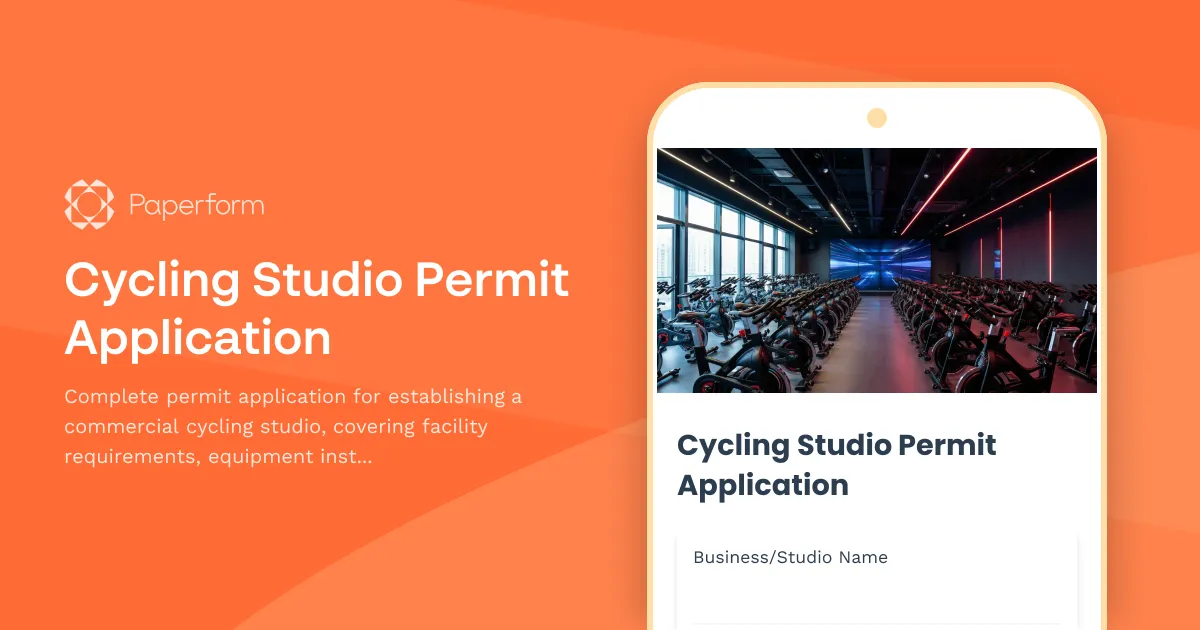
Cycling Studio Permit Application
Complete permit application for establishing a commercial cycling studio, covering facility requirements, equipment installation, safety systems, and operational protocols.
Deck or Patio Construction Permit Application
Apply for a permit to construct or modify a residential or commercial deck or patio. Includes structural details, load calculations, railing specifications, and building code compliance verification.
Dock & Pier Construction Permit Application
Apply for a waterfront construction permit for dock, pier, or marine structure with environmental impact assessment and navigational clearance documentation.
Helipad Construction Permit Application
Apply for a helipad construction permit with FAA compliance verification, noise impact assessment, lighting specifications, emergency access planning, and fuel storage safety requirements.
Martial Arts Dojo Permit Application
Apply for a martial arts dojo facility permit with comprehensive details on mat installation, equipment storage, changing facilities, instructor certifications, and safety compliance.